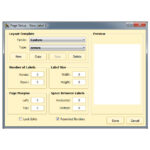
I-WASP Fontware Pro Bar Code Bar Code Software

Imiyalelo yokufaka
I-Fontware – Ukufakwa: Ngifake i-Fontware Pro ku-Windows 2000/XP. Ibha yamathuluzi yebhakhodi ivela ku-Word uma engenile njengomsebenzisi ofake, kodwa ayiveli lapho engene ngemvume njengomsebenzisi ohlukile. Ngikulungisa kanjani lokhu? Scott Barnett - 2017-04-10 - ngo Imikhiqizo Emisiwe
Usebenzisa ukungena ngemvume okungasebenzi, landela lezi zinyathelo:
- Vula i-MS Word.
- Chofoza ku- File->Vula.
- Zulazulela ku-c:\Documents and Settings\\Application Data\Microsoft\Word\Startup\wbcawd.dot
- Izwi kufanele livale.
- Qala kabusha i-Word Ibha yamathuluzi kufanele ibe khona manje.
Ifonti v5

Amadokhumenti / Izinsiza
 |
I-WASP Fontware Pro Bar Code Bar Code Software [pdf] Iziyalezo I-Fontware Pro Bar Code Bar Code Software, Isofthiwe Yebhakhodi Yebhakhodi, Isofthiwe Yekhodi Yebha, Isofthiwe Yekhodi Yebha, Isofthiwe Yekhodi Yebha, Isofthiwe Yekhodi, Isofthiwe |