


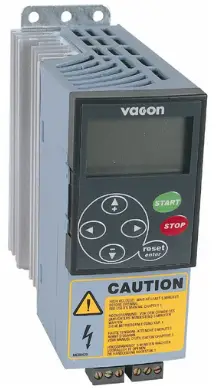
 I-VACON® NX
AC DRIVES
I-OPTCI
MODBUS TCP OPTION
IMANIWALI YOSEBENZISAYO
ISINGENISO
Vacon NX AC drives can be connected to Ethernet using an Ethernet fieldbus board OPTCI.
The OPTCI can be installed in the card slots D or E.
Every appliance connected to an Ethernet network has two identifiers; a MAC address and an IP address. The MAC address (Address format: xx:xx:xx:xx:xx:xx) is unique to the appliance and cannot be changed. The Ethernet board’s MAC address can be found on the sticker attached to the board or by using the Vacon IP tool software NCIPConfig. Please find the software installation at www.vacon.com
Kunethiwekhi yendawo, amakheli e-IP angachazwa ngumsebenzisi inqobo nje uma wonke amayunithi axhunywe kunethiwekhi enikezwa ingxenye yenethiwekhi efanayo yekheli. Ukuze uthole ulwazi olwengeziwe mayelana namakheli asesizindeni se-inthanethi, thintana Nomphathi Wenethiwekhi yakho. Amakheli e-IP agqagqene adala ukungqubuzana phakathi kwezinto zikagesi. Ukuze uthole ulwazi olwengeziwe mayelana nokusetha amakheli e-IP, bheka Isigaba 3, Ukufaka.
 ISEXWAYISO!
Izingxenye zangaphakathi namabhodi esekethe anamandla aphezulu lapho idrayivu ye-AC ixhunywe kumthombo wamandla. Le voltagi-e iyingozi kakhulu futhi ingabangela ukufa noma ukulimala kanzima uma uhlangana nayo.
If you need further information related to Modbus TCP, please contact ServiceSupportVDF@vacon.com.
QAPHELA! Ungalanda amamanuwali omkhiqizo wesiNgisi nesiFulentshi ngolwazi olusebenzayo lokuphepha, isexwayiso kanye nesexwayiso kusuka www.vacon.com/downloads.
IDATHA YOBUCHWEPHESHE YE-ETHERNET BOARD
2.1 Ngaphezuluview
| Okujwayelekile | Igama lekhadi | I-OPTCI |
| Ethernet cinnections | Isixhumi esibonakalayo | Isixhumi se-RJ-45 |
| Ezokuxhumana | Dlulisa ikhebuli | Ukuvikeleka I-Pair Esontekile |
| Isivinini | 10/ 100 Mb | |
| I-Duplex | ingxenye / egcwele | |
| Ikheli le-IP elizenzakalelayo | 192.168.0.10 | |
| Imithethonqubo | Modbus TCP, UDP | |
| Imvelo | Izinga lokushisa elizungezile lokusebenza | -10°C...50°C |
| Imvelo | ||
| Ukugcina izinga lokushisa | -40°C 70°C | |
| Umswakama | <95%, akukho ukujiya okuvunyelwe | |
| Ukuphakama | Ubukhulu. 1000 m | |
| Ukudlidliza | 0.5 G ngo-9…200 Hz | |
| Ukuphepha | Igcwalisa izinga le-EN50178 | |
Table 2-1. Modbus TCP board technical data
2.2 izinkomba ze-LED
| I-LED: | Incazelo: |
| H4 | LED in ON when board is powered |
| H1 | Blinking 0.25s ON / 0.25s OFF when board firmware is corrupted [chapter 3.2.1 NOTE). OFF when board is operational. |
| H2 | Blinking 2.5s ON / 2.5s OFF when board is ready for external communication. OFF when board is not operational. |
2.3 I-Ethernet
Common use-cases of Ethernet devices are ‘human to machine’ and ‘machine to machine”.
Basic features of these two use-cases are presented in the pictures below.
1. Human to machine (Graphical User interface, relatively slow communication) Qaphela! NCDrive can be used in NXS and NXP drives via Ethernet. In NXL drives this is not possible.
2. Machine to machine (Industrial environment, fast communication)
 2.4 Connections and Wiring
The Ethernet board supports 10/100Mb speeds in both Full and Half-duplex modes. The boards must be connected to the Ethernet network with a shielded CAT-5e cable. The board will connect the shield to its ground. Use a so-called crossover cable (at least CAT-5e cable with STP, Shielded Twisted Pairl if you want to connect the Ethernet option board directly to the master appliance.
Sebenzisa kuphela izingxenye ezijwayelekile zezimboni kunethiwekhi futhi ugweme izakhiwo eziyinkimbinkimbi ukuze unciphise ubude besikhathi sokuphendula kanye nenani lokuthunyelwa okungalungile.
UKUFAKA
3.1 Installing the Ethernet Option Board in a Vacon NX Unit
 QAPHELA
YENZA ISIQINISEKISO UKUTHI I-AC DRIVE IYACISHA NGAPHAMBI KOKUTHI INKETHO NOMA IBHODI LE-FIELDBUS LISHINTSHWE NOMA LENEZWE!
A. Vacon NX AC drive. B. Remove the cable cover.
 C.Open the cover of the control unit.
 D. Install EtherNET option board in slot D or E on the control board of the AC drive.
 Make sure that the grounding plate (see below) fits tightly in the clamp.
 E. Make a sufficiently wide opening for your cable by cutting the grid as wide as necessary.
 F. Close the cover of the control unit and the cable cover.
 3.2 NCDrive
Isofthiwe ye-NCDrive ingasetshenziswa nebhodi le-Ethernet kumadrayivu e-NXS ne-NXP.
QAPHELA! Does not work with NXL
Isofthiwe ye-NCDrive iyanconywa ukuthi isetshenziswe ku-LAN (Inethiwekhi Yendawo Yendawo) kuphela.
QAPHELA! If OPTCI Ethernet Option board is used for NC Tools connection, like NCDrive, the OPTD3 board cannot be used.
QAPHELA! NCLoad does not work via Ethernet. See NCDrive help for further information.
3.3 IP Tool NCIPConfig
Ukuze uqale ukusebenzisa ibhodi ye-Vacon Ethernet, udinga ukusetha ikheli le-IP. Ikheli le-IP elizenzakalelayo lasekuqaleni lithi 192.168.0.10. Ngaphambi kokuxhuma ibhodi kunethiwekhi, amakheli ayo e-IP kufanele asethwe ngokuvumelana nenethiwekhi. Ukuze uthole ulwazi olwengeziwe mayelana namakheli e-IP, xhumana nomlawuli wenethiwekhi yakho.
Udinga i-PC enoxhumo lwe-Ethernet kanye nethuluzi le-NCIPConfig elifakwe ukusetha amakheli e-IP webhodi le-Ethernet. Ukufaka ithuluzi le-NCIPConfig, qala uhlelo lokufaka kwi-CD noma ulilande ku-www.vacon.com webindawo. Ngemva kokuqala uhlelo lokufaka, landela imiyalelo esesikrinini.
Uma uhlelo selufakwe ngempumelelo, ungaluqalisa ngokulukhetha kumenyu Yokuqalisa I-Windows. Landela le miyalo ukuze usethe amakheli e-IP. Khetha Usizo -> Imanuwali uma ufuna ulwazi olwengeziwe mayelana nezici zesofthiwe.
Isinyathelo 1. Connect your PC to the Ethernet network with an Ethernet cable. You can also connect the PC directly to the device using a crossover cable. This option may be needed if your PC does not support Automatic crossover function.
Isinyathelo 2. Scan network nodes. Select Configuration –> Scan and wait until the devices connected to the bus in the tree structure are displayed to the left of the screen.
QAPHELA!
Some switches block broadcast messages. In this case, each network node must be scanned separately. Read the manual under Help menu! Isinyathelo 3. Set IP adresses. Change the node’s IP settings according to the network IP settings. The program will report conflicts with a red color in a table cell. Read the manual under Help menu!
 Isinyathelo 4. Send configuration to boards. In the table view, hlola amabhokisi amabhodi ofuna ukuthumela ukucushwa kwawo bese ukhetha Ukumisa, bese u-Lungisa. Izinguquko zakho zithunyelwa kunethiwekhi futhi zizosebenza ngokushesha.
QAPHELA! Izimpawu ze-AZ, az kanye no-0-9 kuphela ezingasetshenziswa egameni ledrayivu, azikho izinhlamvu ezikhethekile, noma izinhlamvu zesiScandinavia (ä, ö, njll.)! Igama ledrayivu lingakhiwa ngokukhululekile kusetshenziswa izinhlamvu ezivunyelwe. 3.3.1 Update OPTCI Option Board program with the NCIPConfig Tool
Kwezinye izimo kungase kudingeke ukuthi ubuyekeze i-firmware yebhodi lokukhetha. Ngokuhlukile kwamanye amabhodi ezinketho ze-Vacon, i-firmware yebhodi ye-Ethernet ibuyekezwa ngethuluzi le-NCIPConfig.
QAPHELA! The IP addresses of the PC and the option board must be in the same area when the software is loaded.
To start the firmware update, scan the nodes in the network according to the instructions in section Error! Reference source not found.. Once you can see all nodes in the view, ungabuyekeza i-firmware entsha ngokuchofoza inkambu yephakethe ye-VCN kuthebula le-NCIPCONFIG view kwesokudla. Ngemva kokuchofoza inkambu yephakethe le-VCN, a file vula iwindi lapho ungakhetha khona iphakethe elisha le-firmware liyaboniswa.
 Thumela iphakethe le-firmware elisha ebhodini lenketho ngokumaka ibhokisi lalo kunkambu ethi 'VCN Packet' ekhoneni elingakwesokudla letafula. view. After selecting all nodes to be updated by checking the boxes, send the new firmware to the board by selecting ‘Software’ then ‘Download’.
 QAPHELA!
Do not do a power up cycle within 1 minute after downloading the option board software. This may cause the option board to go to “Safe Mode”. This situation can only be solved by re-downloading the software. The Safe Mode triggers a fault code (F54). The Board slot error F54 may also appear due to a faulty board, a temporary malfunction of the board or disturbance in the environment.
3.4. Lungiselela amapharamitha ebhodi Lokukhetha
Lezi zici zitholakala ku-NCIPConfig Tool version 1.6.
Esihlahleni-view, expand the folders until you reach the board parameters. Slowly double-click the parameter (Comm. Time-out in figure below) and enter new value. New parameter values are automatically sent to the option board after the modification is complete.
 QAPHELA! If the fieldbus cable is broken at the Ethernet board end or removed, a fieldbus error is immediately generated.
UKUKHOMISA
The Vacon Ethernet board is commissioned with the control keypad by giving values to appropriate parameters in menu M7 (or with NCIPConfig tool, read chapter IP Tool NCIPConfig). Keypad commissioning is only possible with NXP- and NXS-type AC drives, not possible with NXL-type AC drives.
Imenyu yebhodi le-Expander (M7)
Imenyu yebhodi le-Expander yenza kube nokwenzeka kumsebenzisi ukubona ukuthi yimaphi amabhodi e-expander axhunywe ebhodini lokulawula futhi afinyelele futhi ahlele amapharamitha ahlotshaniswa nebhodi le-expander.
Enter the following menu level (G#) with the Menu button right. At this level, you can browse through slots A to E with the Browser buttons to see what expander boards are connected. On the lowermost line of the display you see the number of parameter groups associated with the board. If you still press the Menu button right once you will reach the parameter group level where there are one group in the Ethernet board case: Parameters. A further press on the Menu button right takes you to Parameter group.
Imingcele ye-Modbus TCP
| # | Igama | Okuzenzakalelayo | Ibanga | Incazelo |
| 1 | Comm. Isikhathi siphelile | 10 | 0…255 imizuzwana | 0 = Akusetshenzisiwe |
| 2 | IP Ingxenye 1 | 192 | 1…223 | Ikheli le-IP Ingxenye 1 |
| 3 | IP Ingxenye 2 | 168 | 0…255 | Ikheli le-IP Ingxenye 2 |
| 4 | IP Ingxenye 3 | 0 | 0…255 | Ikheli le-IP Ingxenye 3 |
| 5 | IP Ingxenye 4 | 10 | 0…255 | Ikheli le-IP Ingxenye 4 |
| 6 | I-SubNet Ingxenye 1 | 255 | 0…255 | I-Subnet Mask Ingxenye 1 |
| 7 | I-SubNet Ingxenye 2 | 255 | 0…255 | I-Subnet Mask Ingxenye 2 |
| 8 | I-SubNet Ingxenye 3 | 0 | 0…255 | I-Subnet Mask Ingxenye 3 |
| 9 | I-SubNet Ingxenye 4 | 0 | 0…255 | I-Subnet Mask Ingxenye 4 |
| 10 | I-DefGW Ingxenye 1 | 192 | 0…255 | Isango Lokuzenzakalelayo Ingxenye 1 |
| 11 | I-DefGW Ingxenye 2 | 168 | 0…255 | Isango Lokuzenzakalelayo Ingxenye 2 |
| 12 | I-DefGW Ingxenye 3 | 0 | 0…255 | Isango Lokuzenzakalelayo Ingxenye 3 |
| 13 | I-DefGW Ingxenye 4 | 1 | 0…255 | Isango Lokuzenzakalelayo Ingxenye 4 |
| 14 | InputAssembly | - | NOT USED in Modbus TCP | |
| 15 | I-OutputAssembly | - | - | NOT USED in Modbus TCP |
Table 4-1. Ethernet parameters
Ikheli le-IP
IP is divided to 4 parts. (Part – Octet) Default IP Address is 192.168.0.10.
Isikhathi sokuxhumana siphelile
Defines how much time can pass from the last received message from the Client Device before fieldbus fault is generated. Communication time out is disabled when given the value 0. Communication timeout value can be changed from the keypad or with NCIPConfig tool (read chapter IP Tool NCIPConfig).
QAPHELA!
Uma ikhebula le-fieldbus liphukile kusukela ekugcineni kwebhodi le-Ethernet, iphutha le-fieldbus likhiqizwa ngokushesha.
All Ethernet parameters are saved to the Ethernet board (not to the control board). If new Ethernet board is changed to control board you must configure the new Ethernet board. Option board parameters are possible to save to the keypad, with NCIPConfig tool or with NCDrive.
Isihlonzi seyunithi
Modbus Unit Identifier is used to identify multiple endpoints at the Modbus server (i.e. gateway to serial line devices). As there is only one endpoint the Unit Identifier default is set to its non-significant value of 255 (0xFF). The IP address is used to identify the individual boards. It is however possible to change it with the NCIPConfig tool. When OxFF value is selected, also 0 is accepted. If unit identifier parameter has different value than 0xFF, only this value is accepted.
– Default Unit Identifier changed from 0x01 to 0xFF in software version 10521V005.
– Added possibility to change Unit Identifier with NCIPConfig (V1.5) tool in software version 10521V006.
I-MODUS TCP
5.1 Ngaphezuluview
I-Modbus TCP iyinhlobonhlobo yomndeni we-MODBUS. Kuyiphrothokholi ezimele yomkhiqizi yokuqapha nokulawula amadivayisi azenzakalelayo.
Modbus TCP is a client server protocol. The client makes queries to the server by sending “request” messages to the server’s TCP port 502. The server answers client queries with “response” messages.
The term ‘client’ can refer to a master device that runs queries. Correspondingly, the term ‘server’ refers to a slave device that serves the master device by answering its queries.
Kokubili imilayezo yesicelo nempendulo ibhalwe kanje:
I-Byte 0: I-ID yokwenziwe
I-Byte 1: I-ID yokwenziwe
I-Byte 2: I-ID yephrothokholi
I-Byte 3: I-ID yephrothokholi
I-Byte 4: Inkambu yobude, ibhayithi ephezulu
I-Byte 5: Inkambu yobude, ibhayithi ephansi
I-Byte 6: Isihlonzi seyunithi
I-Byte 7: Ikhodi yokusebenza kwe-Modbus
Byte 8: Data (of variable length) 5.2 MODBUS TCP vs. MODBUS RTU
Compared to the MODBUS RTU protocol, the MODBUS TCP differs mostly in error checking and slave addresses. As the TCP already includes an efficient error checking function, the MODBUS TCP protocol does not include a separate CRC field. In addition to the error checking functionality, the TCP is responsible for resending packets and for splitting long messages so that they fit the TCP frames.
The slave address field of the MODBUS/RTU is called unit identifier field in MODBUS TCP.
5.3 Modbus UDP
In addition to TCP, OPTCI option board supports also UDP (since option board firmware version V018). It is recommended that UDP would be used when reading and writing rapidly and repetitively (cyclically) same data, like in case of process data. TCP should be used for single operations, like service data (e.g. reading or writing parameter values). Key difference between UDP and TCP is that when using TCP each and every Modbus frame needs to be acknowledged by the receiver (see figure below). This adds extra traffic to the network and bit more load to the system (PLC and drives) because software needs to keep track of sent frames to make sure that they have reached their destination. Another difference between TCP and UDP is that UDP is connectionless. TCP connections are always opened with TCP SYN messages and closed with TCP FIN or TCP RST. With UDP first packet is already a Modbus query. OPTCI treats senders IP address and port combination as a connection. If port changes then it is considered as new connection or as second connection if both stay active.
When using UDP it is not guaranteed that the sent frame reaches its destination. PLC must keep track of the Modbus requests by using the Modbus transaction id-field. It actually must do this also when using TCP. If PLC does not receive response in time from drive in UDP connection, it needs to send the query again. When using TCP, the TCP/IP stack will keep resending the request until it has been acknowledged by the receiver (see Figure 5-3. Modbus TCP and UDP communication errors comparison). If PLC sends new queries during this time, some of those may not be sent to network (by TCP/IP stack) until previously sent package(s) has been acknowledged. This can cause small packet storms when the connection is resumed between PLC and drive (see Figure 5-4. TCP retransmissions).
 Ukulahlekelwa iphakethe elilodwa akufanele kube inkinga enkulu ngoba isicelo esifanayo singathunyelwa futhi ngemva kokuphela kwesikhathi. Kumaphakheji e-TCP ahlala efika lapho aya khona kodwa uma ukuminyana kwenethiwekhi kubangela ukuthunyelwa kabusha lawo maphakheji cishe azoqukatha idatha endala noma imiyalelo lapho efika lapho aya khona.
5.4 Ethernet Option Board’s Modbus Addresses
Umsebenzi we-Modbus TCP class 1 usetshenziswe ebhodini le-OPTCI. Uhlu lwethebula elilandelayo lusekela amarejista e-MODBUS.
| Igama | Usayizi | Ikheli le-Modbus | Uhlobo |
| Amarejista Okokufaka | 16 bit | 30001-3FFFF | Funda |
| Ukubamba Irejista | 16 bit | 40001-4FFFF | Funda / Bhala |
| Amakhoyili | 1 bit | 00001-OFFFF | Funda / Bhala |
| Input discretes | 1 bit | 10001-1FFFF | Funda |
5.5 Supported Modbus Functions
Following table lists supporter MODBUS functions.
| Ikhodi Umsebenzi | Igama | Uhlobo Lokufinyelela | Ibanga Lekheli |
| 1 (0x011 | Funda Amakhoyili | Okuhlukile | 00000-OFFFF |
| 2 (0x021 | Read Input Discrete | Okuhlukile | 10000-1FFFF |
| 3 (0x031 | Funda Ukubamba Amarejista | 16 ibhithi | 40000-4FFFF |
| 4 (0x041 | Funda amarejista okokufaka | 16 ibhithi | 30000-3FFFF |
| 5 (0x051 | Phoqa Ikhoyili Eyodwa | Okuhlukile | 00000-OFFFF |
| 6 10×061 | Bhala Irejista Eyodwa | 16 ibhithi | 40000-4FFFF |
| 15 (0x0F) | Phoqa Amakhoyili Amaningi | Okuhlukile | 00000-OFFFF |
| I-16 (0x10) | Bhala Okuningi Amarejista |
16 ibhithi | 40000-4FFFF |
| I-23 (0x17) | Funda/Bhala Amarejista Amaningi | 16 ibhithi | 40000-4FFFF |
Table 5-2. Supported Function Codes
5.6 Coil Register
The Coil register represents data in a binary form. Thus, each coil can only be in mode “1” or mode “0”. Coil registers can be written using the MODBUS function ‘Write coil’ (51 or the MODBUS function ‘Force multiple coils’ (16). The following tables include exampokuncane kwayo yomibili imisebenzi.
5.6.1 Control Word (Read/Write/
See chanter 5.6.4.
| Ikheli | Umsebenzi | Inhloso |
| 1 | GIJIMA / YIMA | Control word, bit 1 |
| 2 | I-DIRECTION | Control word, bit 2 |
| 3 | Ukusetha kabusha iphutha | Control word, bit 3 |
| 4 | FBDIN1 | Control word, bit 4 |
| 5 | FBDIN2 | Control word, bit 5 |
| 6 | FBDIN3 | Control word, bit 6 |
| 7 | FBDIN4 | Control word, bit 7 |
| 8 | FBD I N5 | Control word, bit 8 |
| 9 | Ayisetshenziswa | Control word, bit 9 |
| 10 | Ayisetshenziswa | Control word, bit 10 |
| 11 | FBDIN6 | Control word, bit 11 |
| 12 | FBDIN7 | Control word, bit 12 |
| 13 | FBDIN8 | Control word, bit 13 |
| 14 | FBDIN9 | Control word, bit 14 |
| 15 | FBDIN10 | Control word, bit 15 |
| 16 | Ayisetshenziswa | Control word, bit 16 |
Table 5-3. Control Word Structure
Ithebula elilandelayo libonisa umbuzo we-MODBUS oshintsha ukuzungezisa kwenjini ngokufaka “1” ngevelu yokulawula ibhithi engu-1. Lesi example isebenzisa umsebenzi we-'Bhala Ikhoyili' MODBUS. Qaphela ukuthi igama elithi Control liqondene nohlelo lokusebenza futhi ukusetshenziswa kwamabhithi kungase kwehluke kuye ngalo.
Umbuzo:
0x00, 0x00, 0x00, 0x00, 0x00, 0x06, 0xFF, 0x05, 0x00, 0x01, 0xFF, 0x00
| Idatha | Inhloso |
| I-Ox00 | I-ID yokwenziwe |
| I-Ox00 | I-ID yokwenziwe |
| I-Ox00 | I-ID yephrothokholi |
| I-Ox00 | I-ID yephrothokholi |
| I-Ox00 | Ubude |
| 0x06 | Ubude |
| I-OxFF | Isihlonzi seyunithi |
| 0x05 | Write coil |
| 0x00 | Inombolo yesithenjwa |
| I-Ox01 | Inombolo yesithenjwa |
| I-OxFF | Idatha |
| I-Ox00 | Ukupheqa |
Table 5-4. Writing a Single Control Word Bit
5.6.2 Clearing trip counters
The AC drive’s operation day trip counter and energy trip counter can be reset by entering “1” as the value of the coil in request. When the value “1” is entered, the device resets the counter. However, the device does not change the Coil value after reset but maintains the “0” mode.
Address Function Purpose 0017 ClearOpDay Clears resettable operation days counter 0018 ClearMWh Clears resettable energy counter
| Ikheli | Umsebenzi | Inhloso |
| 17 | ClearOpDay | Clears resettable operation days counter |
| 18 | ClearMWh | Clears resettable energy counter |
Table 5-5. Counters
Ithebula elilandelayo limele umbuzo we-MODBUS osetha kabusha zombili izibali ngesikhathi esisodwa. Lesi example applies the ‘Force Multiple Coils’ function. The reference number indicates the address after which the amount of data defined by the ‘Bit Count’ is written. This data is the last block in the MODBUS TCP message.
| Idatha | Inhloso |
| I-Ox00 | I-ID yokwenziwe |
| I-Ox00 | I-ID yokwenziwe |
| I-Ox00 | I-ID yephrothokholi |
| I-Ox00 | I-ID yephrothokholi |
| I-Ox00 | Ubude |
| 0x08 | Ubude |
| I-OxFF | Isihlonzi seyunithi |
| OxOF | Phoqa amakhoyili amaningi |
| I-Ox00 | Inombolo yesithenjwa |
| I-Ox10 | Inombolo yesithenjwa |
| I-Ox00 | Ukubala okuncane |
| 0x02 | Ukubala okuncane |
| I-Ox01 | I-ByteCount |
| 0x03 | Idatha |
Table 5-6. Force Multiple Coils Query
5.7 Input Discrete
Both the ‘Coil register and the ‘Input discrete register’ contain binary data. However, the difference between the two registers is that the Input register’s data can only be read. The Vacon Ethernet board’s MODBUS TCP implementation uses the following Input discrete addresses.
5.7.1 Status Word (Read Only)
Bheka isahluko 5.6.3.
| Ikheli | Igama | Inhloso |
| 10001 | Ilungile | Status word, bit 0 |
| 10002 | Gijima | Status word, bit 1 |
| 10003 | Isiqondiso | Status word, bit 2 |
| 10004 | Iphutha | Status word, bit 3 |
| 10005 | I-alamu | Status word, bit 4 |
| 10006 | KuReference | Status word, bit 5 |
| 10007 | ZeroSpeed | Status word, bit 6 |
| 10008 | FluxReady | Status word, bit 7 |
| 10009- | Manufacturer reserved | |
Table 5-7. Status Word Structure
The following tables show a MODBUS query that reads the entire status word (8 input discretes) and the query response.
Umbuzo: Ox00, Ox00, Ox00, Ox00, Ox00, 0x06, OxFF, 0x02, Ox00, Ox00, Ox00, 0x08
| Idatha | Inhloso |
| I-Ox00 | I-ID yokwenziwe |
| I-Ox00 | I-ID yokwenziwe |
| I-Ox00 | I-ID yephrothokholi |
| I-Ox00 | I-ID yephrothokholi |
| I-Ox00 | Ubude |
| I-Ox06 | Ubude |
| I-OxFF | Isihlonzi seyunithi |
| 0x02 | Read input discretes |
| I-Ox00 | Inombolo yesithenjwa |
| I-Ox00 | Inombolo yesithenjwa |
| I-Ox00 | Ukubala okuncane |
| 0x08 | Ukubala okuncane |
Table 5-8. Status Word Read – Query
Impendulo: Ox00, Ox00, Ox00, 0x00, Ox00, 0x04, OxFF, 0x02, Ox01, 0x41
| Idatha | Inhloso |
| I-Ox00 | I-ID yokwenziwe |
| I-Ox00 | I-ID yokwenziwe |
| I-Ox00 | I-ID yephrothokholi |
| I-Ox00 | I-ID yephrothokholi |
| I-Ox00 | Ubude |
| 0x04 | Ubude |
| I-OxFF | Isihlonzi seyunithi |
| 0x02 | Read input discretes |
| I-Ox01 | Ukubala kwe-Byte |
| 0x41 | Idatha |
Table 5-9. Status Word Read – Response
In the responses’ data field, you can read the bit mask 10×41) that corresponds to the read discrete status after shifting with the ‘Reference number’ field value (0x00, Ox00).
| LSB Ox1 | MSB Ox4 | ||||||
| 0 | 1 | 2 | 3 | 4 | 5 | 6 | 7 |
| 1 | 0 | 0 | 0 | 0 | 0 | 1 | 0 |
Table 5-10. Response’s Data Block Broken into Bits
Kulesi exampfuthi, idrayivu ye-AC ikumodi 'elungile' ngoba ibhithi engu-0 yokuqala isethiwe. Injini ayisebenzi ngoba i-6 bit isethiwe.
5.8 Holding Registers
Ungafunda futhi ubhale idatha evela kumarejista okuphatha we-MODBUS. Ukusebenzisa i-MODBUS TCP yebhodi le-Ethernet kusebenzisa imephu yamakheli elandelayo.
| Ibanga lamakheli | Inhloso | R/W | Max R/W size |
| 0001 – 2000 | Vacon Application ID’s | RW | 12/12 |
| 2001 – 2099 | FBProcessDatalN | RW | 11/11 |
| 2101 – 2199 | FBProcessDataOUT | RO | 11/0 |
| 2200 – 10000 | Vacon Application ID’s | RW | 12/12 |
| 10301 – 10333 | MeasureTable | RO | 30/0 |
| 10501 – 10530 | IDMap | RW | 30/30 |
| 10601 – 10630 | IDMap Read/Write | RW | 30/30* |
| 10634 – 65535 | Ayisetshenziswa |
Table 5-11. Holding Registers
*Changed from 12 to 30 in firmware version V017.
5.8.1 Application ID
Application ID’s are parameters that depend on the frequency converter’s application. These parameters can be read and written by pointing the corresponding memory range directly or by using a so-called ID map [more information below). It is easiest to use a straight address if you want to read a single parameter value or parameters with consecutive ID numbers. Read restrictions, possible to read 12 consecutive ID address.
| Ibanga lamakheli | Inhloso | ID |
| 0001 – 2000 | Imingcele yohlelo lokusebenza | 1 – 2000 |
| 2200 – 10000 | Imingcele yohlelo lokusebenza | 2200 – 10000 |
Table 5-12. Parameter ID’s
5.8.2 ID MAP
Using the ID map, you can read consecutive memory blocks that contain parameters whose ID’s are not in a consecutive order. The address range 10501-10530 is called ‘IDMap’, and it includes an address map in which you can write your parameter ID’s in any order. The address range 10601 to 10630 is called ‘IDMap Read/Write,’ and it includes values for parameters written in the IDMap. As soon as one ID number has been written in the map cell 10501, the corresponding parameter value can be read and written in the address 10601, and so on.
 Once the IDMap address range has been initialized with any parameter ID number, the parameter value can be read and written in the IDMap Read/Write address range address IDMap address + 100.
| Ikheli | Idatha |
| 410601 | Data included in the parameter ID 700 |
| 410602 | Data included in the parameter ID 702 |
| 410603 | Data included in the parameter ID 707 |
| 410604 | Data included in the parameter ID 704 |
Table 5-13. Parameter Values in IDMap Read / Write Registers
If the IDMap table has not been initialized, all fields show the index ‘0’. If the IDMap has been initialized, the parameter ID’s included in it are stored in the OPTCI board’s FLASH memory.
5.8.3 FB Process Data Out /Read)
Amarejista okuthi 'Process data out' asetshenziswa kakhulu ukulawula amadrayivu e-AC. Ungafunda amanani esikhashana, njenge-frequency, voltage and moment, using the process data. The table values are updated every 10ms.
| Ikheli | Inhloso | Range/Type |
| 2101 | Isimo se-FB Izwi | Bheka isahluko 5.6.3.1 |
| 2102 | FB General Status Word | Bheka isahluko 5.6.3.1 |
| 2103 | FB Actual Speed | 0 .. 10 000 |
| 2104 | FB Process Data out 1 | Bheka Isithasiselo 1 |
| 2105 | FB Process Data out 2 | Bheka Isithasiselo 1 |
| 2106 | FB Process Data out 3 | Bheka Isithasiselo 1 |
| 2107 | FB Process Data out 4 | Bheka Isithasiselo 1 |
| 2108 | FB Process Data out 5 | Bheka Isithasiselo 1 |
| 2109 | FB Process Data out 6 | Bheka Isithasiselo 1 |
| 2110 | FB Process Data out 7 | Bheka Isithasiselo 1 |
| 2111 | FB Process Data out 8 | Bheka Isithasiselo 1 |
Table 5-14. Process Data Out
5.8.3.1 IZwi Lesimo Se-FB
| 15 | 14 | 13 | 12 | 11 | 10 | 9 | 8 | 7 | 6 | 5 | 4 | 3 | 2 | 1 | 0 |
| - | FR | Z | I-AREF | W | I-FLT | I-DIR | GIJIMA | I-RDY |
Incazelo ye-FB Status Word bits ichazwe kuthebula elilandelayo
| Amabhithi | Incazelo | |
| Inani = 0 | Inani = 1 | |
| 0 | Not Ready | Ilungile |
| 1 | Ima | Gijima |
| 2 | Ngokwewashi | Ngokuphikisana newashi |
| 3 | Alikho Iphutha | Iphutha |
| 4 | Ayikho i-alamu | I-alamu |
| 5 | Ref. Freq. not reached | Ref. Freq. reached |
| 6 | Motor not running at zero speed | Motor running at zero speed |
| 7 | I-Flux Ready | I-Flux Ayilungile |
| 8…15 | Ayisebenzi | Ayisebenzi |
Table 5-15. Status Word bit description
5.8.4 FB Process Data In (Read I Write) The use of process data depends on the application. Typically, the motor is started and stopped using the ‘Control Word’ and the speed is set by writing a ‘Reference’ value. Through using other process data fields, the device can give other required information to the MASTER device, depending on the application.
| Ikheli | Inhloso | Range/Type |
| 2001 | I-FB Control Word | Bheka isahluko 5.6.4.1 |
| 2002 | I-FB General Control Word | Bheka isahluko 5.6.4.1 |
| 2003 | Ireferensi Yesivinini se-FB | 0 .. 10 000 |
| 2004 | FB Process Data in 1 | Bheka Isithasiselo 1 |
| 2005 | FB Process Data in 2 | Bheka Isithasiselo 1 |
| 2006 | FB Process Data in 3 | Bheka Isithasiselo 1 |
| 2007 | FB Process Data in 4 | Bheka Isithasiselo 1 |
| 2008 | FB Process Data in 5 | Bheka Isithasiselo 1 |
| 2009 | FB Process Data in 6 | Bheka Isithasiselo 1 |
| 2010 | FB Process Data in 7 | Bheka Isithasiselo 1 |
| 2011 | FB Process Data in 8 | Bheka Isithasiselo 1 |
Table 5-16. Process Data In
5.8.4.1 FB Control Word
| 15 | 14 | 13 | 12 | 11 | 10 | 9 | 8 | 7 | 6 | 5 | 4 | 3 | 2 | 1 | 0 |
| - | FBD1 0 | FBD9 | FBD8 | FBD7 | FBD6 | - | - | FBD5 | F1,304 | FBD3 | FBD2 | FBD1 | I-RST | I-DIR | GIJIMA |
Incazelo yamabhithi e-FB Control Word ichazwe kuthebula elilandelayo
| Amabhithi | Incazelo | |
| Inani = 0 | Inani = 1 | |
| 0 | Ima | Gijima |
| 1 | Ngokwewashi | Ngokuphikisana newashi |
| 2 | Ukusetha kabusha iphutha | |
| 3 | Fieldbus Din 1 OFF | Fieldbus Din 1 ON |
| 4 | Fieldbus Din 2 OFF | Fieldbus Din 2 ON |
| 5 | Fieldbus Din 3 OFF | Fieldbus Din 3 ON |
| 6 | Fieldbus Din 4 OFF | Fieldbus Din 4 ON |
| 7 | Fieldbus Din 5 OFF | Fieldbus Din 5 ON |
| 8 | Ayikho incazelo | No meaning (Control from FBI |
| 9 | Ayikho incazelo | No meaning (Reference from FBI |
| 10 | Fieldbus Din 6 OFF | Fieldbus Din 6 ON |
| 11 | Fieldbus Din 7 OFF | Fieldbus Din 7 ON |
| 12 | Fieldbus Din 8 OFF | Fieldbus Din 8 ON |
| 13 | Fieldbus Din 9 OFF | Fieldbus Din 9 ON |
| 14 | Fieldbus Din 10 OFF | Fieldbus Din 10 ON |
| 15 | Ayisebenzi | Ayisebenzi |
Table 5-17. Control Word bit description
5.8.5 Measurement Table
The measurement table provides 25 readable values as listed in the following table. The table values are updated every 100ms. Read restrictions, possible to read 25 consecutive ID address.
| Ikheli | Inhloso | Uhlobo |
| 10301 | MotorTorque | Inombolo ephelele |
| 10302 | MotorPower | Inombolo ephelele |
| 10303 | I-MotorSpeed | Inombolo ephelele |
| 10304 | FreqOut | Inombolo ephelele |
| 10305 | FregRef | Inombolo ephelele |
| 10306 | REMOTEIndication | Unsigned short |
| 10307 | MotorControtMode | Unsigned short |
| 10308 | ActiveFault | Unsigned short |
| 10309 | MotorCurrent | Inombolo engasayiniwe |
| 10310 | ImotoVoltage | Inombolo engasayiniwe |
| 10311 | FreqMin | Inombolo engasayiniwe |
| 10312 | FreqScate | Inombolo engasayiniwe |
| 10313 | DCVottage | Inombolo engasayiniwe |
| 10314 | MotorNomCurrent | Inombolo engasayiniwe |
| 10315 | MotorNomVottage | Inombolo engasayiniwe |
| 10316 | MotorNomFreq | Inombolo engasayiniwe |
| 10317 | MotorNomSpeed | Inombolo engasayiniwe |
| 10318 | CurrentScale | Inombolo engasayiniwe |
| 10319 | MotorCurrentLimit | Inombolo engasayiniwe |
| 10320 | DecelerationTime | Inombolo engasayiniwe |
| 10321 | AccelerationTime | Inombolo engasayiniwe |
| 10322 | FreqMax | Inombolo engasayiniwe |
| 10323 | PolePairNumber | Inombolo engasayiniwe |
| 10324 | RampTimeScale | Inombolo engasayiniwe |
| 10325 | MsCounter | Inombolo engasayiniwe |
Table 5-18. Measurement Table
5.9 Input Registers
The Input Registers include read only data. See below for a more specific description of the registers.
| Ibanga lamakheli | Inhloso | R/W | Max R/W size |
| 1 – 5 | Operation day counter | RO | 5/0 |
| 101 – 105 | Resettable operation day counter | R, Cleared using coils | 5/0• |
| 201 – 203 | Energy counter | RO | 5/0 |
| 301 – 303 | Resettable energy counter | R, Cleared using coils |
5/0 |
| 401 – 430 | Umlando Wephutha | RO | 30/0 |
Table 5-19 Input Registers
5.9.1 Operation Day Counter 1 – 5
| Ikheli | Inhloso |
| 1 | Iminyaka |
| 2 | Izinsuku |
| 3 | Amahora |
| 4 | Amaminithi |
| 5 | Imizuzwana |
Table 5-20. Operation Day Counter
5.9.2 Resettable Operation Day Counter 101 – 105
| Ikheli | Inhloso |
| 101 | Iminyaka |
| 102 | Izinsuku |
| 103 | Amahora |
| 104 | Amaminithi |
| 105 | Imizuzwana |
Table 5-21. Resettab e Operation Day Counter
5.9.3 Energy Counter 201 – 203
The last number of the ‘Format’ field indicates the decimal point place in the ‘Energy’ field. If the number is bigger than 0, move the decimal point to the left by the number indicated. For example, Energy = 1200 Format = 52. Unit = 1. Energy = 12.00kWh
| Ikheli | Inhloso |
| 201 | Amandla |
| 202 | Ifomethi |
| 203 | Iyunithi |
| 1 = kWh | |
| 2 = MWh | |
| 3 = GWh | |
| 4 = TWh |
Table 5-22. Energy Counter
5.9.4 Resettable Energy Counter 301 — 303
| Ikheli | Inhloso |
| 301 | Amandla |
| 302 | Ifomethi |
| 303 | Iyunithi |
| 1 = kWh | |
| 2 = MWh | |
| 3 = GWh | |
| 4 = TWh |
Table 5-23. Resettable Energy Counter
5.9.5 Fault History 401 — 430
Umlando wephutha ungaba viewed by reading from the address 401 onward. The faults are listed in chronological order so that the latest fault is mentioned first and the oldest is mentioned last. The fault history can contain 29 faults at any time. The fault history contents are represented as follows.
| Ikhodi yephutha | Ikhodi encane |
| Value as a hexadecimal | Value as a hexadecimal |
Table 5-24. Fault Coding
Okwesiboneloample, the IGBT temperature fault code 41, sub-code 00: 2900Hex -> 4100Dec. For complete list of fault codes please see AC drive’s manual
Qaphela!
It is very slow to read whole fault history (401-430) at a time. It is recommended to read only parts of the fault history at a time.
UKUQALA UKUHLOLA
Once the option board has been installed and configured, its operation can be verified by writing a frequency instruction and giving a run command to the AC drive via fieldbus.
6.1 AC drive Settings
Select fieldbus as the active control bus. (For more information see the Vacon NX User’s Manual, section 7.3.3).
6.2 Master Unit Programming
- Write a FB ‘Control Word’ (Holding register address: 2001) of value 1Hex
- Idrayivu ye-AC manje ikumodi ye-RUN.
- Set the FB ‘Speed Reference’ (Holding register address: 2003) value of 5000 ( = 50.00%).
- Injini manje isisebenza ngesivinini esingu-50%.
- Write a ‘FB Control Word’ (Holding register address: 2001) value of OHex’
- Following this, the engine stops.
AMAKHODI EPHUTHA NAMAPHUTHA
7.1 AC drive Error Codes
To make sure that the board functions are correctly in all circumstances and that no errors occur, the board set the fieldbus error 53 if it doesn’t have a functional connection to the Ethernet network or if the connection is faulty.
In addition, the board assumes that there is always at least one functional connection after the first Modbus TCP connection. If this is not true, the board will set the fieldbus error 53 in the AC drive. Confirm the error by pressing the ‘reset’ button.
Iphutha lesikhala sekhadi 54 lingase libe ngenxa yebhodi enephutha, ukungasebenzi kwesikhashana kwebhodi noma ukuphazamiseka kwemvelo.
7.2 I-Modbus TCP
This section discusses Modbus TCP error codes used by the OPTCI board and possible causes of the errors.
| Ikhodi | Modbus exception | Okungaba imbangela |
| I-Ox01 | Umsebenzi ongekho emthethweni | The appliance does not support the function |
| 0x02 | Ikheli ledatha elingekho emthethweni | Attempt to read the query over the memory range |
| 0x03 | Inani ledatha elingekho emthethweni | Register or amount of values out of range. |
| 0x04 | Ukuhluleka kwedivayisi yesigqila | The appliance or connections are faulty |
| I-Ox06 | Idivayisi yesigqila imatasa | Simultaneous query from two different masters to the same memory range |
| 0x08 | Memory parity error | Drive returned fatal response. |
| Ox0B | No response from slave | No such slave connected with this Unit Identifier. |
Ithebula 7-1. Amakhodi Ephutha
ISITHASISELO
Cubungula Idatha OUT (Isigqila se-Master)
The Fieldbus Master can read the AC drive’s actual values using process data variables. Basic, Standard, Local/Remote Control, Multi-Step Speed Control, P1D control and Pump and Fan Control applications use process data as follows:
| ID | Idatha | Inani | Iyunithi | Isikali |
| 2104 | Imininingwane yokusebenza OUT 1 | Imvamisa Yokuphuma | Hz | 0,01 Hz |
| 2105 | Imininingwane yokusebenza OUT 2 | Isivinini seMoto | rpm | 1 rpm |
| 2106 | Imininingwane yokusebenza OUT 3 | Motor yamanje | A | 0,1 A |
| 2107 | Imininingwane yokusebenza OUT 4 | I-Motor Torque | % | 0,1 % |
| 2108 | Imininingwane yokusebenza OUT 5 | Amandla Ezimoto | % | 0,1 % |
| 2109 | Imininingwane yokusebenza OUT 6 | I-Motor Voltage | V | 0,1 V |
| 2110 | Imininingwane yokusebenza OUT 7 | Isixhumanisi se-DC voltage | V | 1 V |
| 2111 | Imininingwane yokusebenza OUT 8 | Ikhodi Esebenzayo Esebenzayo | - | - |
Table 8-1. Process data OUT variables
The Multipurpose Control application has a selector parameter for every Process Data. The monitor-ing values and drive parameters can be selected using the ID number (see NX All in One Application Manual, Tables for monitoring values and parameters). Default selections are as in the table above.
Cubungula Idatha IN (Master to Slave)
I-ControlWord, Reference and Process Data isetshenziswa nezinhlelo zokusebenza ze-All in One kanje.
Izinhlelo zokusebenza eziyisisekelo, ezijwayelekile, zesilawuli sasendaweni/esikude kanye ne-Multi-step Speed Control
| ID | Idatha | Inani | Iyunithi | Isikali |
| 2003 | Ireferensi | Ireferensi Yesivinini | % | 0.01% |
| 2001 | ControlWord | Qala/Stop Command Fault reset Command | - | - |
| 2004-2011 | _ PD1 – PD8 | Ayisetshenziswa | - | - |
Ithebula 8-2.
Uhlelo lokusebenza lwe-Multipurpose Control
| ID | Idatha | Inani | Iyunithi | Isikali |
| 2003 | Ireferensi | Ireferensi Yesivinini | % | 0.01% |
| 2001 | ControlWord | Qala/Stop Command Fault reset Command | - | - |
| 2004 | Ukucubungula Idatha IN1 | Isethenjwa seTorque | % | 0.1% |
| 2005 | Ukucubungula Idatha IN2 | Free Analogia INPUT | % | 0.01% |
| 2006-2011 | I-PD3-PD8 | Ayisetshenziswa | - | - |
Ithebula 8-3.
PlD control and Pump and fan control applications
| ID | Idatha | Inani | Iyunithi | Isikali |
| 2003 | Ireferensi | Ireferensi Yesivinini | % | 0.01% |
| 2001 | ControlWord | Qala/Stop Command Fault reset Command | - | - |
| 2004 | Ukucubungula Idatha IN1 | Ireferensi yesilawuli se-PID | % | 0.01% |
| 2005 | Ukucubungula Idatha IN2 | Inani Langempela 1 kusilawuli se-PID | % | 0.01% |
| 2006 | Ukucubungula Idatha IN3 | Inani Langempela 2 kusilawuli se-PID | % | 0.01% |
| 2007-2011 | I-PD4-PD8 | Ayisetshenziswa | _ - | - |
Ithebula 8-4.
Ilayisensi ye-LWIP
I-copyright (c) 2001, 2002 IsiSwidi Institute of Computer Science.
Wonke Amalungelo Agodliwe.
Ukusatshalaliswa kabusha kanye nokusetshenziswa kumafomu omthombo nakumafomu kanambambili, ngokulungiswa noma ngaphandle, kuvunyelwe uma nje kuhlangatshezwana nezimo ezilandelayo:
- Ukusatshalaliswa kabusha kwekhodi yomthombo kufanele kugcine isaziso se-copyright esingenhla, lolu hlu lwemibandela kanye nomshwana wokuzihlangula olandelayo.
- Ukusabalalisa kabusha ngendlela kanambambili kufanele kukhiqize kabusha isaziso se-copyright esingenhla, lolu hlu lwemibandela kanye nomshwana wokuzikhipha emthwalweni olandelayo embhalweni kanye/noma ezinye izinto ezinikezwe ngokusatshalaliswa.
- Igama lombhali akumele lisetshenziselwe ukugunyaza noma ukukhangisa imikhiqizo ethathwe kule softhiwe ngaphandle kwemvume ebhaliwe yangaphambili.
LE SOFTWARE INIKEZELWA UMBHALI “NJENGOBA INJALO” NANOMA YILUPHI ISIQINISEKISO NOMA IZIMPAWU ZOKUFAKA IZIMPAHLA, KUFAKA, KODWA AKUKHO UMKhawulo, IZIQINISEKISO EZITHOLAKALISIWE ZOKUTHENGISWA KANYE NOKULUNGELELWA KWENHLOSO ETHILE AYIDALULWANGA. NGEKE KWENZEKE UMBHALI ANGABE NESIBOPHO SONKE, NGOKUTHI, NGOKWENZEKILE, NGOKWENZEKA, NGOKUKHETHEKILE, NGOKUYISIBONELO, NOMA NGOKULIMALA OKUFANELEKILE (KUFAKA, KODWA AKUKhawuleLWA, UKUTHENGWA KWEZIMPAHLA ZEMISEBENZI NOKUSEBENZA; UKULAHLEKA KOKUSETSHENZISWA KWEZINDAWO, UKUSEBENZISWA KWEZINDAWO ) NOMA KUNGABANGELWA KANJANI NANOMA YINI UMCABANGO WOKUBOPHELA, NGOKUTHI NGOKUSEBENZISANA, UKUQINISEKA NGOKUQINISEKISA, NOMA UKUTHUTHA (KUFAKANISA UKUNGANAKANYISWA NOMA OKUNYE OKWENZEKA) KUVELA NGANOMA YINI UKUSETSHENZISWA KWALE SOFTWARE, NGISHO NOMA KUSAZISWA NGOKWENZEKA KWE-SUCH.
Thola ihhovisi eliseduze nawe laseVacon ku-inthanethi ku-: www.vacon.com
Ukugunyazwa mathupha: documentation@vacon.com
Inkampani Vacon Plc Runsorintie 7 65380 Vaasa Finland
Ingashintshwa ngaphandle kwesaziso sangaphambili
2015 Vacon Plc.
I-ID Yedokhumenti:
 UMfu B
Sales code: DOC-OPTCI+DLUK
Amadokhumenti / Izinsiza
 |
I-VACON NX Modbus Communication Interface [pdf] Imaniwali yosebenzisayo BC436721623759es-000101, NX Modbus Communication Interface, Modbus Communication Interface, Communication Interface |