Isingeniso
This manual provides essential information for the safe and effective use of your UREVO U1 Walking Pad Under Desk Treadmill. Please read this manual thoroughly before operating the device and retain it for future reference. Proper use and maintenance will ensure the longevity and optimal performance of your walking pad.
Imiyalelo Ebalulekile Yezokuphepha
To reduce the risk of serious injury, always follow basic precautions when using this appliance, including the following:
- Read all instructions before using the walking pad.
- Gcina izingane nezilwane ezifuywayo kude namathuluzi.
- Place the walking pad on a flat, stable surface.
- Ensure adequate clearance around the walking pad (at least 20 inches on each side and 40 inches at the rear).
- Do not operate the walking pad if it has a damaged cord or plug, or if it is not working properly.
- Ungasebenzisi ngaphandle noma ku-damp izimo.
- Gqoka izicathulo ezifanele zemidlalo.
- The maximum user weight capacity is 265 lbs (120 kg). Do not exceed this limit.
- Disconnect from power supply before cleaning or servicing.
Umkhiqizo Uphelileview
The UREVO U1 Walking Pad is designed for convenient indoor exercise, featuring a compact design and quiet operation. It includes a durable walking belt, an integrated LED display, and a remote control for easy operation.

Image: UREVO U1 Walking Pad in operation, demonstrating its compact design and user experience.
Izici Eziyinhloko:
- Double Shock Absorption: Features a 5-layer anti-slip belt, 8 silicone shock absorbers, and 2 soft rubber pads for joint protection.
- Powerful Quiet Motor: Equipped with a 2.25HP motor for quiet operation, suitable for home and office environments.
- LED Display & Remote Control: Real-time display of time, calories, steps, speed, and distance. Remote control includes a mute button.
- 2-in-1 Ukusebenza: Adjustable speed range from 0.6-4 mph, suitable for both walking and light jogging. Can be used under a desk.
- Idizayini Ephathekayo: Lightweight with front wheels for easy movement and compact storage under a bed or sofa.

Image: Visual comparison highlighting the longer and wider walking belt of the UREVO U1 for enhanced user comfort.
Setha
- Ukukhulula: Carefully remove the walking pad from its packaging. The UREVO U1 is designed for immediate use with no assembly required.
- Ukubekwa: Place the walking pad on a firm, level surface. Ensure there is sufficient space around the unit for safe operation. Avoid placing it on thick carpets that might obstruct ventilation or movement.
- Ukuxhuma kwamandla: Plug the power cord into a grounded electrical outlet. Ensure the power switch on the walking pad is in the OFF position before plugging it in.
- Ukuhlolwa Kokuqala: Before first use, inspect the walking belt for any signs of damage or misalignment.

Image: The UREVO U1 Walking Pad demonstrating its space-saving design, shown being stored under furniture.
Imiyalelo yokusebenza
Ivula/Vala:
- To power on, flip the main power switch located at the front of the walking pad to the ON position. The LED display will illuminate.
- Ukuze ucime, jika inkinobho yamandla eyinhloko uye endaweni ethi OFF.
Ukusebenzisa isilawuli kude:
The remote control allows you to start, stop, and adjust the speed of the walking pad. It features magnets for convenient attachment to the treadmill when not in use.
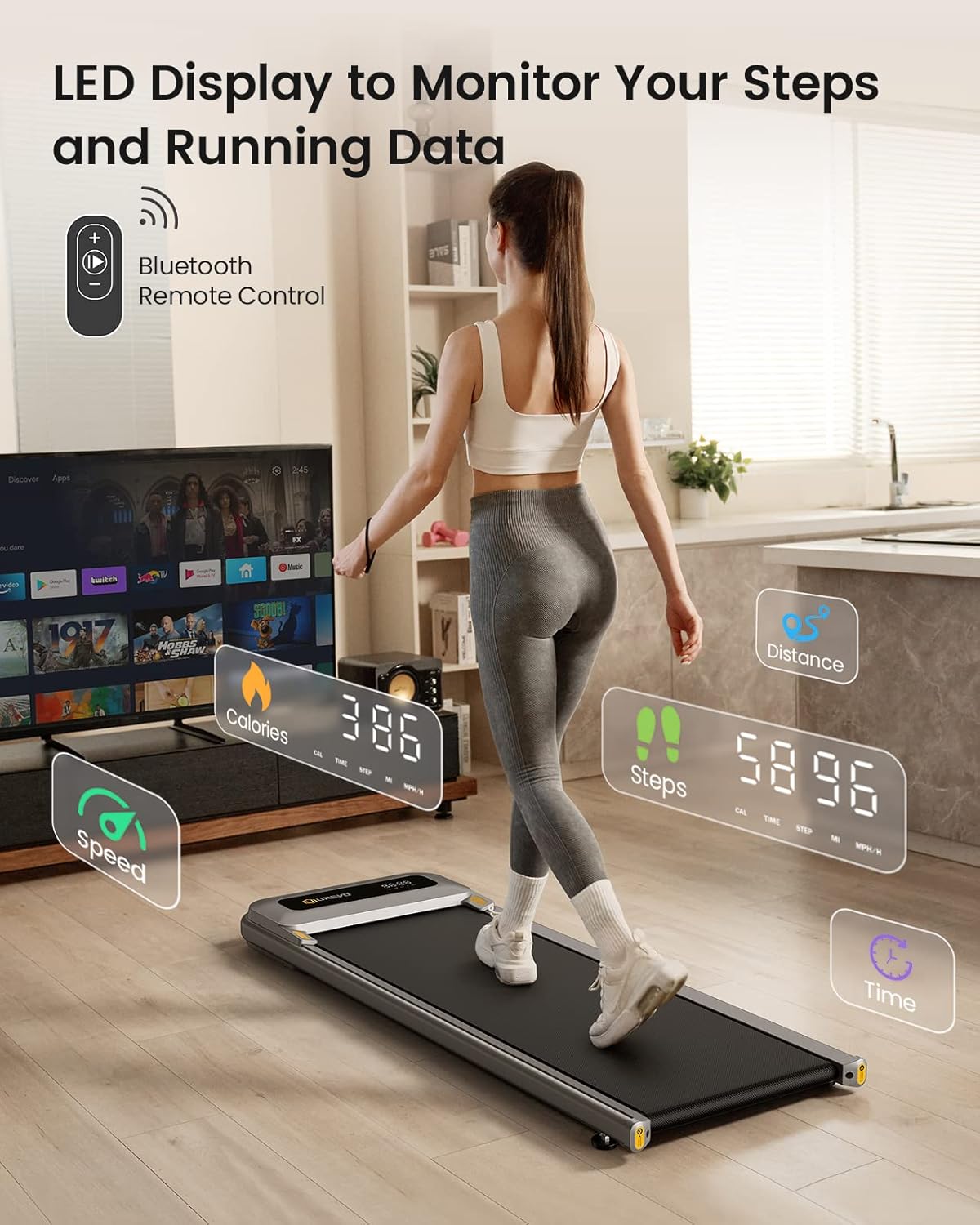
Image: The UREVO U1 LED display showing exercise data and the remote control for operation.
- Inkinobho yokuqala / yokumisa: Cindezela ukuze uqale noma uqedele ukujima kwakho.
- Ukulungiswa Kwesivinini (+/-): Use these buttons to increase or decrease the walking speed. The speed range is 0.6 to 4 mph.
- Inkinobho yokuthulisa: Press to silence the operational beeps.
Ukuboniswa kwe-LED:
The integrated LED display provides real-time feedback on your workout metrics:
- Isikhathi: Ubude besikhathi sakho sokuzivocavoca.
- Amakhalori: Amakhalori alinganiselwe ashisiwe.
- Izinyathelo: Number of steps taken.
- Isivinini: Current walking/jogging speed in mph.
- Ibanga: Ibanga eliphelele elihlanganisiwe.
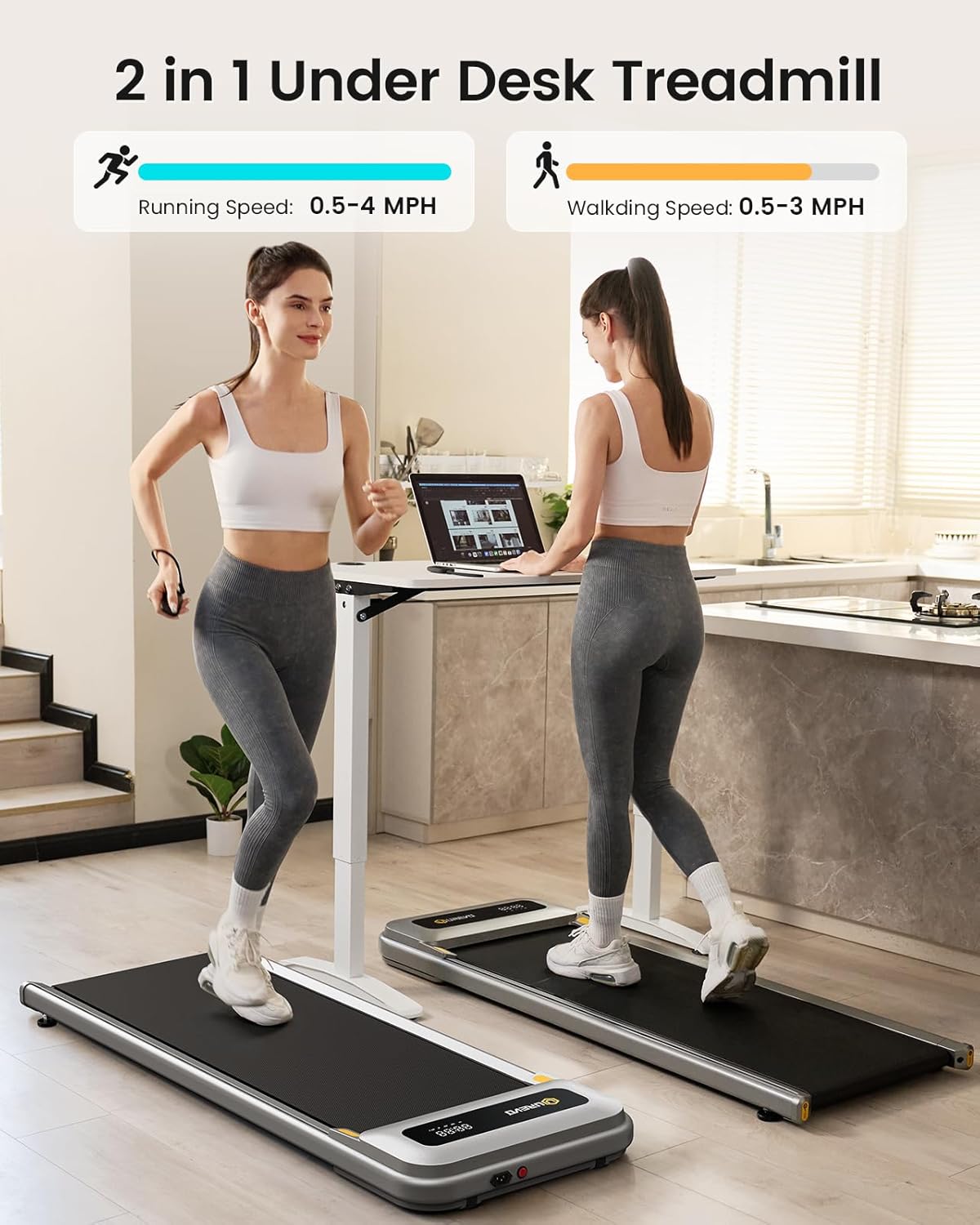
Image: The UREVO U1 Walking Pad illustrating its dual functionality for both walking and light jogging, with corresponding speed ranges.
Isondlo
Regular maintenance ensures the longevity and safe operation of your UREVO U1 Walking Pad.
Ukuhlanza:
- Always unplug the walking pad before cleaning.
- Wipe down the surface of the walking pad and display with a soft, damp indwangu. Gwema ukusebenzisa izinto zokuhlanza abrasive noma izincibilikisi.
- Keep the area around the motor cover free of dust and debris.
Ukuthambisa:
The walking belt requires periodic lubrication to ensure smooth operation and prevent wear. Refer to the included lubrication instructions or contact customer support for guidance on the correct type and application of lubricant.
Ukulungiswa Kwebhande:
Over time, the walking belt may become misaligned or loose. If the belt is slipping or tracking unevenly, refer to the adjustment instructions provided with your product or contact customer support. Typically, this involves using an Allen wrench to adjust the tension bolts at the rear of the walking pad.
Ukuxazulula inkinga
If you encounter issues with your UREVO U1 Walking Pad, consult the following common solutions:
| Inkinga | Imbangela Engenzeka | Isixazululo |
|---|---|---|
| Iphedi yokuhamba ayivuli. | Power cord not plugged in; main switch off; circuit breaker tripped. | Ensure power cord is securely plugged in. Check main power switch. Reset household circuit breaker if necessary. |
| Walking belt slips or hesitates. | Belt too loose; insufficient lubrication. | Adjust belt tension (refer to maintenance section). Apply silicone lubricant if needed. |
| Isilawuli kude asiphenduli. | Low battery in remote; remote not paired. | Replace remote control battery. Ensure remote is pointed towards the walking pad's receiver. |
| Umsindo ongajwayelekile ngesikhathi sokusebenza. | Loose components; belt misalignment; motor issue. | Inspect for loose screws. Adjust belt alignment. If noise persists, discontinue use and contact customer support. |
Imininingwane
| Isici | Imininingwane |
|---|---|
| Ibhrendi | UREVO |
| Igama Lemodeli | U1 |
| Motor amahhashi | 2.25 HP (Inani Eliphezulu 2.5 HP) |
| Ibanga Lejubane | 0.6 - 4 Miles per Hour |
| Maximum Weight Umthamo | Amapondo ayi-265 (120 kg) |
| Ubukhulu bomkhiqizo (LxWxH) | 47.6"D x 18.9"W x 4.4"H |
| Walking Area (Belt) | 15" x 40.2" (approximate) |
| Isisindo sento | 55.1 Amakhilogremu |
| Okubalulekile | Ipulasitiki |
| Isici Esikhethekile | Portable, Double Shock Absorption |
| Kudingeka Umhlangano | Cha |
Iwaranti kanye Nokusekela
Ulwazi Lwesiqinisekiso:
The UREVO U1 Walking Pad comes with a iwaranti yonyaka owodwa kusukela ngosuku lokuthenga. Lesi siqinisekiso simboza amaphutha okukhiqiza ngaphansi kokusetshenziswa okuvamile. Sicela ugcine ubufakazi bakho bokuthenga ukuze uthole izimangalo zesiqinisekiso.
Ukwesekwa Kwamakhasimende:
For any questions, technical assistance, or warranty claims, please contact UREVO customer support. You can typically find contact information on the UREVO official webindawo noma ngenkundla yakho yokuthenga.
Ukuze uthole olunye ulwazi, vakashela i- UREVO Store on Amazon.


