1. Isingeniso
This manual provides comprehensive instructions for the installation, operation, maintenance, and troubleshooting of your ATOTOZONE X10G110E 10-inch QLED Android Car Stereo. Please read this manual thoroughly before using the product to ensure proper functionality and safety.
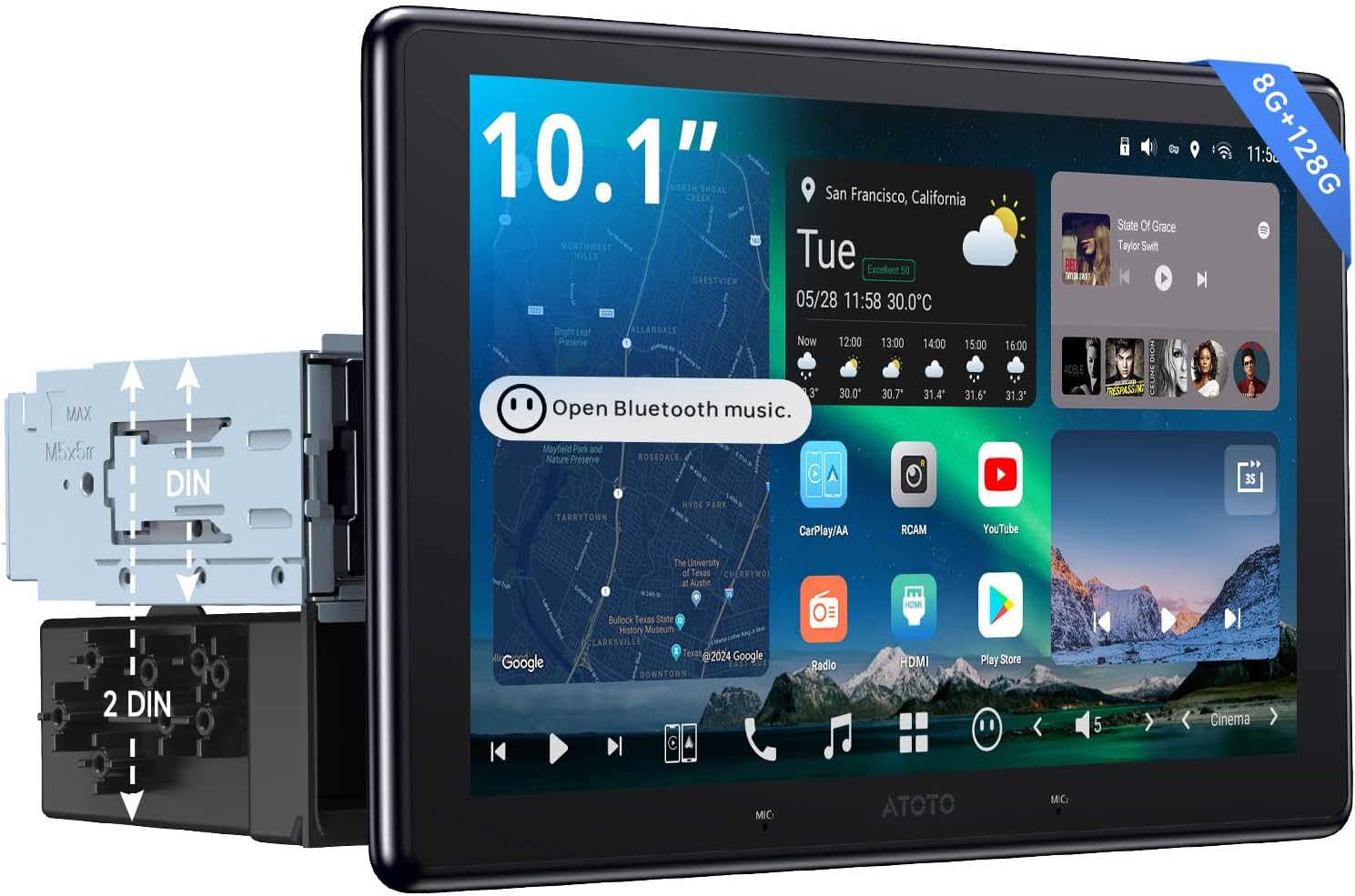
Image 1.1: The ATOTOZONE X10G110E 10-inch QLED Android Car Stereo main unit.
2. Product Features Overview
- Ukusebenza Okunamandla: QCM SD665 SoC with 8GB RAM and 128GB internal storage for efficient operation.
- Isibonisi Esintantayo se-QLED esingu-10.1": 1280x720 resolution QLED panel with 550 nits brightness and strong light suppression. Adjustable height, tilt, and angle.
- Ukuqoshwa Kwamakhamera Amabili: Supports two 1080P cameras for simultaneous front and rear or interior footage. Features parking monitoring, emergency video lock, and GPS-linked playback.
- I-Evolved Audio Suite: Digital Signal Processor (DSP) with 36-band EQ, time alignment, 3-way crossover, and HD 24-bit DAC. Includes optical out and 10 assignable channels for custom 7.1.2 sound.
- Inethiwekhi Yeselula kanye ne-Wi-Fi Yamabhendi Amabili: Integrated 4G LTE for streaming, map updates, and app installation. Built-in hotspot functionality.
- Ukuhlanganiswa Kwedatha Yemoto: Iyahambisana nezilawuli zesiteringi, ifektri amplifiers, and vehicle data systems (gauges, climate).
3. Ukusetha nokufakwa
3.1. Mounting Styles
The ATOTOZONE X10G110E supports both Single DIN and Double DIN installation configurations. Ensure your vehicle's dashboard opening is compatible with the unit's dimensions.

Image 3.1: The FlexView Pro Mount allows for precise adjustment of the display position.
3.2. FlexView Pro Adjustable Mount
I-FlexView Pro mount provides flexibility for optimal viewing comfort and accessibility. Adjustments include height (up/down 27mm), left/right (24mm), forward (18mm), swivel (±30°), and tilt (up/down ±10°). These adjustments should be made during installation and then secured.

Isithombe 3.2: Okuningiliziwe view of FlexView Pro mount adjustments.
3.3. Ukucatshangelwa kokufakwa
Before final installation, verify that the display, in its full range of motion (forward, backward, up, down, left, right), does not obstruct essential vehicle controls, vents, or buttons. Ensure sufficient clearance for safe operation.

Image 3.3: Important measurements for avoiding obstruction during installation.
3.4. Umdwebo Wiring
Refer to the following diagram for proper wiring connections. Incorrect wiring can damage the unit or vehicle electrical system. Professional installation is recommended.

Image 3.4: Comprehensive wiring diagram for all connections.
3.5. Okuqukethwe Kwephakheji
Qinisekisa ukuthi zonke izinto ezibalwe ngezansi zikhona ephaketheni lakho:
- ATOTOZONE X10G110E Main Unit
- 20P Wire Harness
- USB1 Recording Storage Cable
- USB2 External Storage Cable
- RCA 16P Combination Cable
- 4-in-1 Antenna (for WiFi, GPS & Cellular Network)
- Tri-band Audio with Remote
- DIN Pocket
- Movable Mounting Brackets
- DIN Sleeve 1 & 2
- Izikulufa zokukhwela
- Umhlahlandlela osheshayo nekhadi lewaranti

Image 3.5: All included components in the product package.
4. Iziqondiso Zokusebenza
4.1. User Interface (AICE UI 13.0)
The X10G110E operates on AICE UI 13.0, an Android 13-based system. The interface is highly customizable, allowing users to personalize home screen layouts, widgets, and button bar configurations.
4.2. Ukuxhumana
The unit offers multiple ways to access the internet and connect devices:
- I-Wi-Fi: Xhuma kumanethiwekhi e-Wi-Fi atholakalayo.
- I-4G LTE: Utilize the built-in cellular network modem for internet access and hotspot sharing.
- I-Bluetooth: Supports dual phone connection for simultaneous calls and music streaming.

Image 4.1: In-car 4G Hotspot Sharing for internet access.

Image 4.2: Dual phone Bluetooth connection and device connectivity.
4.3. I-CarPlay engenantambo kanye ne-Android Auto
Seamlessly integrate your smartphone with the car stereo using Wireless CarPlay for iOS devices or Wireless Android Auto for Android devices. Access navigation, music, messages, and more directly from the stereo display.
4.4. Okokufaka kwe-HDMI
The unit features an HDMI input port (HDMI-C) for connecting external devices such as TV boxes or game consoles, allowing you to display content on the QLED screen.
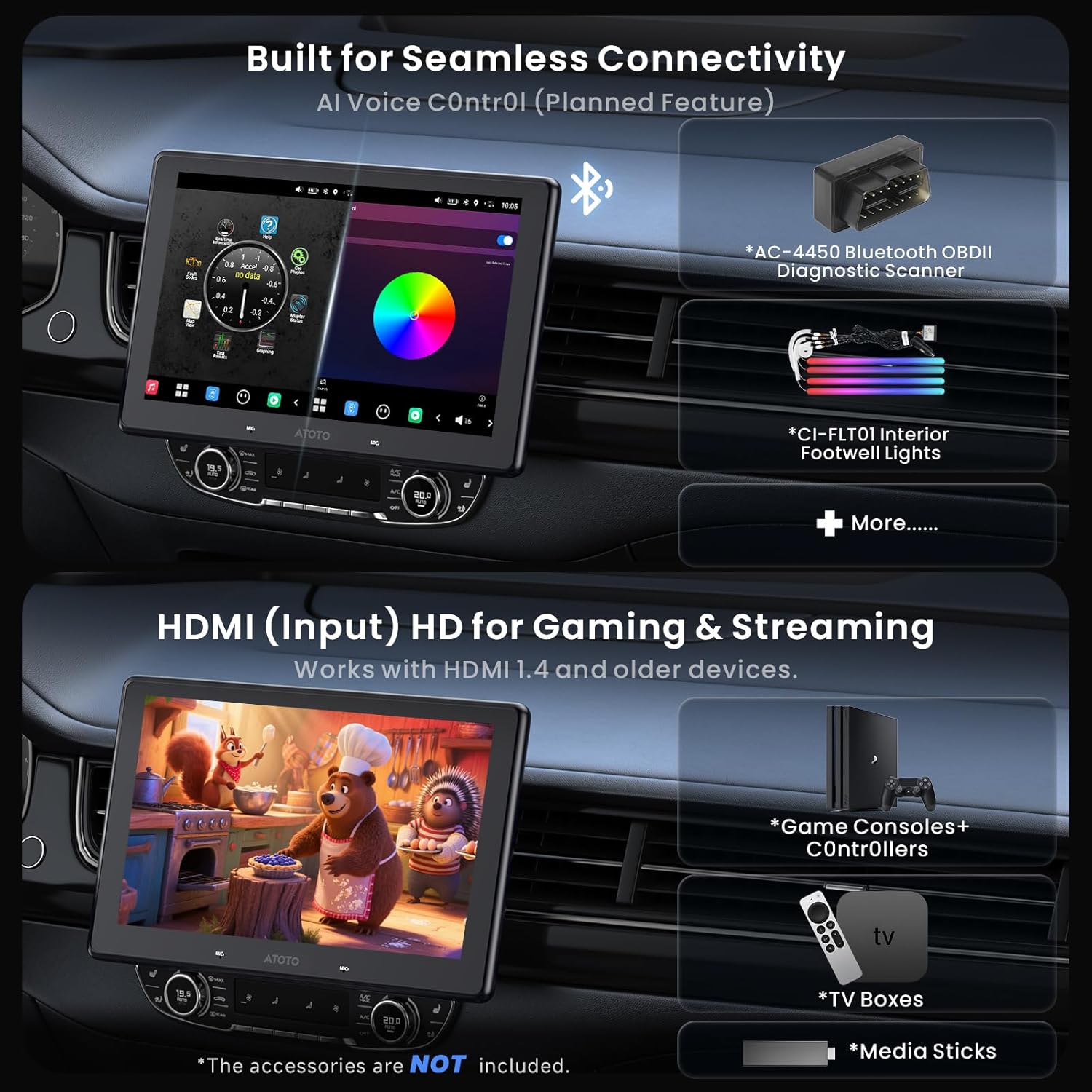
Image 4.3: HDMI input for connecting external devices like game consoles or TV boxes.
4.5. Audio System
Experience high-quality audio with the X10G110E's advanced audio features:
- Kwakhelwe ngaphakathi Ampophilayo: MAX 4x49W, RMS 4x29W.
- I-36-Band Equalizer: Fine-tune your audio with precision.
- Ukuqondanisa Isikhathi: Optimize sound delivery to each speaker.
- 24-Bit HD DAC & 3-Way Crossover: Delivers clear, dynamic sound with dedicated outputs for tweeters, midrange, and dual subwoofers.
- 4V RCA Preamp Okuphumayo: Okokuxhuma ngaphandle ampabagibeli.
- Optical SPDIF Output: For external DACs or DSP units.
- Hi-Res Audio (aptX HD): Higher bit transmission for superior Bluetooth music quality.
- SCVC (Speed Compensated Volume Control): Automatically adjusts volume based on vehicle speed and ambient noise.

Image 4.4: The 36-band equalizer for audio customization.

Image 4.5: 24-Bit HD DAC and Active 3-Way Crossover for balanced sound.
4.6. Voice Assistant (DriveChat GenAI)
The DriveChat GenAI Voice Assistant, powered by ChatGPT, allows for effortless voice control of various functions, including media playback and information retrieval. Dual built-in noise-canceling microphones and external mic support enhance voice recognition accuracy.
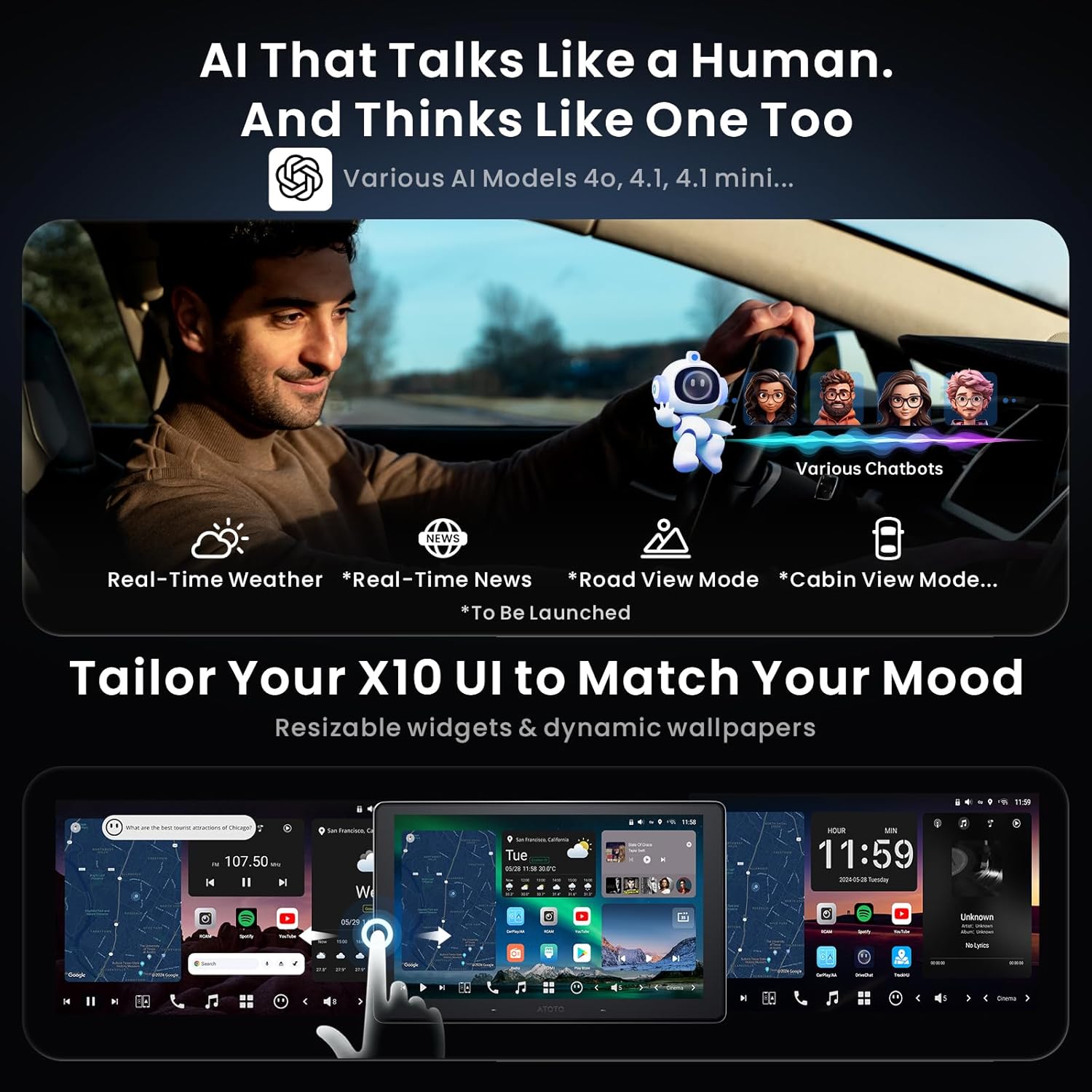
Image 4.6: DriveChat GenAI Voice Assistant in action.
4.7. Uhlelo lwekhamera
The X10G110E supports advanced camera functionalities for enhanced safety and recording:
- Dual 1080P Camera Recording: Connect front (AC-FHD02DV) and rear (AC-FHD02LR) cameras for simultaneous recording.
- Incident Detection (Gravity Sensor): Ikhiya ngokuzenzakalelayo ividiyo footage during detected incidents.
- Ukubhekwa Kokupaka: Records when vibrations are detected while parked.
- GPS Track Playback: Review i-foo eqoshiwetage with synchronized GPS location data.
- Strong Light Suppression: Improves video clarity in challenging lighting conditions.

Image 4.7: Dual 1080P camera recording display.
4.8. Vehicle Data Integration
Integrate vehicle data for real-time monitoring:
- Bluetooth OBD II: Connect an optional AC-4450 On-Board OBD II Diagnostic Scanner to view real-time vehicle data.
- Tire Pressure Monitoring (TPMS): Monitor tire pressure in real-time with compatible sensors (AC-UTP1).
4.9. Izinhlelo Zokusebenza Zedijithali
The X10G110E comes with several built-in digital applications:
- I-TrackHU: Provides real-time tracking, track playback, and geofence alerts.
- Thola Izinhlelo Zokusebenza: An APK downloader for easily installing apps unavailable from the Google Play Store.
- Isithombe Sefu: Image & Video Album for auto-syncing photos from your phone to the display.
5. Isondlo
5.1. Over-the-Air (OTA) Updates
The X10G110E supports frequent OTA firmware upgrades to enhance stability, add new functions, and improve overall performance. These updates can be applied directly on the device without additional tools.

Image 5.1: Over-the-Air update icon.
6. Ukuxazulula izinkinga
If you encounter any issues with your ATOTOZONE X10G110E, please refer to the following general troubleshooting steps:
- Awekho Amandla: Hlola zonke izixhumanisi zikagesi nama-fuse. Qinisekisa ukuthi ukuthungela kwemoto kuvuliwe.
- Awukho Umsindo: Verify speaker connections, volume levels, and audio settings (EQ, balance, fader). Check if mute is activated.
- Bonisa Izinkinga: Restart the unit. Check cable connections to the display. Adjust brightness settings.
- Connectivity Problems (Wi-Fi/4G/Bluetooth): Ensure antennas are properly connected. Check network settings and signal strength. Re-pair Bluetooth devices.
- Ukungasebenzi kahle kohlelo lokusebenza: Try restarting the app or the entire unit. Ensure the app is updated to the latest version.
- Uhlelo Aluphenduli: Perform a soft reset by pressing and holding the power button until the unit restarts. If the issue persists, a factory reset may be necessary (note: this will erase all user data).
Ukuze uthole imininingwane eyengeziwe yokuxazulula izinkinga noma izinkinga eziqhubekayo, sicela uxhumane nokwesekwa kwamakhasimende.
7. Imininingwane
| Isici | Imininingwane |
|---|---|
| Imodeli | X10G110E |
| Uhlobo lokubonisa | 10.1" QLED Touchscreen |
| Isixazululo | 1280x720 |
| Isistimu esebenzayo | Android (AICE UI 13.0) |
| Iphrosesa | QCM SD665 Octa-Core |
| Imemori (RAM) | 8GB |
| Isitoreji (ROM) | 128GB |
| Ukuxhumana | 4G LTE, Wi-Fi (Dual-Band), Bluetooth (Dual), HDMI, Auxiliary |
| Imodi Yokukhipha Umsindo | Stereo, 7.1.2 Channel Audio |
| AmpLifier Output | MAX 4x49W, RMS 4x29W |
| Izici ezikhethekile | ADS Protocol Compatible, Hi-Volt RCA, SPDIF Output, Voice Command (DriveChat), Dual-Camera Recording, TPMS, OBD II Support |
| Isisindo sento | 7.98 amakhilogremu |
| Ubukhulu bephakheji | 11.5 x 9.5 x 8.5 amayintshi |
8. Iwaranti kanye Nokusekela
ATOTOZONE provides comprehensive support for your product:
- Ukufakwa Okujwayelekile: Izinyanga eziyi-12 kusukela ngosuku lokuthenga.
- Ukufakwa Okunwetshiwe: An additional 6 months of coverage is available by communicating with us within 30 days of purchase.
- Ukuphathwa kwamakhasinde: Our product care team is available around the clock on weekdays.
- Online Manual & Quick Guide: Scan the QR code on the product box or visit the Eproductcare platform for additional resources and support.

Image 8.1: Warranty and extended coverage information.
For support inquiries, please visit the official ATOTOZONE webisizindalwazi noma ubheke imininingwane yokuxhumana enikezwe emaphaketheni omkhiqizo wakho.
9. Ividiyo Yomkhiqizo Esemthethweni
Watch the official product video for a visual guide to the ATOTOZONE X10G110E's features and functionalities.
Ividiyo 9.1: Iphelile ngokusemthethweniview of the X10G110E 10" QLED AI Android Single Din Car Stereo, demonstrating its key features and user interface.