1. Isingeniso
This manual provides essential information for the safe and efficient operation of your LG 65-Inch NANO80 4K Smart TV (Model: 65NANO80AUA). Please read this manual thoroughly before using the product and retain it for future reference.

Isithombe 1.1: Ngaphambili view of the LG 65-Inch NANO80 4K Smart TV.
2. Ulwazi Olubalulekile Lokuphepha
Always follow basic safety precautions when using this television to reduce the risk of fire, electric shock, and injury. Keep this manual handy for quick reference.
- Umthombo wamandla: Connect the TV to an AC 120V, 60Hz power outlet. Do not overload power outlets.
- Ukungenisa umoya: Qinisekisa ukuthi kungena umoya ofanele eduze kwe-TV. Ungavimbi izimbobo zokungenisa umoya.
- Amanzi Nomswakama: Ungabeki i-TV emvuleni noma emswakama. Ungabeki izinto ezigcwele uketshezi ku-TV.
- Ukuhlanza: Khipha i-TV ngaphambi kokuhlanza. Sebenzisa indwangu ethambile neyomile. Gwema izihlanzi eziwuketshezi.
- Ukubekwa: Place the TV on a stable, level surface or mount it securely to a wall. Keep out of reach of children.
- Ukusevisa: Ungazami ukuletha lo mkhiqizo ngokwakho. Dlulisela konke ukwesekwa kubasebenzi bensizakalo abafanelekayo.
3. Umhlahlandlela wokusetha
3.1 Ukuqaqa
Susa ngokucophelela i-TV nazo zonke izesekeli ephaketheni. Gcina iphakheji ukuze ihambisane nezidingo zokuthutha noma zesevisi zesikhathi esizayo.
3.2 Stand Assembly (Table Mount)
If using the included stand for table mounting:
- Beka isikrini se-TV phansi endaweni ethambile, eyisicaba ukuze uvimbele umonakalo.
- Attach the stand components to the TV using the provided screws, ensuring they are securely fastened.
- Phakamisa i-TV ngokucophelela bese uyibeka endaweni ezinzile, eqondile.

Isithombe 3.1: Uhlangothi view of the TV illustrating the stand assembly.
3.3 Ukuxhumanisa amaPheripheral
Connect external devices to your TV using the appropriate ports. The LG NANO80AUA features multiple connectivity options:
- I-HDMI: For high-definition audio and video from devices like gaming consoles, Blu-ray players, or set-top boxes.
- I-USB: Okokuxhuma isitoreji se-USB ukuze udlale imidiya files.
- I-Ethernet: Ukuze uthole uxhumano lwe-inthanethi olunezintambo.
- I-Bluetooth: For wireless connection to compatible headphones or speakers.
- I-Wi-Fi: Ukuze uthole ukufinyelela kwe-inthanethi okungenantambo.
Isithombe 3.2: Emuva view ye-TV ebonisa izimbobo zokufaka ezihlukahlukene.
3.4 Amandla Okuqala Avuliwe Nokusetha
- Xhuma ikhebula likagesi ku-TV bese ulifaka endaweni yokuxhuma odongeni.
- Press the power button on the TV or the Magic Remote.
- Landela imiyalelo esesikrinini ukuze uqedele ukusetha kokuqala, okuhlanganisa ukukhetha ulimi, uxhumano lwenethiwekhi, kanye nokuskena iziteshi.
4. Ukusebenzisa i-TV
4.1 Ukusetshenziswa kwesilawuli kude somlingo
The LG Magic Remote provides intuitive control over your TV. It features a dedicated AI button for quick access to smart features.
- Isikhombi: Point and click on the screen like a mouse.
- Ukulawulwa Kwezwi: Press the AI icon and speak into the remote to search for content or control TV functions.

Image 4.1: The LG Magic Remote highlighting its AI features.
4.2 Izici ze-Smart TV (webI-OS 25)
Your LG NANO80AUA runs on webOS 25, offering a universe of entertainment and smart functionalities.
- Izinhlelo zokusebenza zokusakaza-bukhoma: Access popular streaming services like Netflix, Prime Video, Disney+, and Apple TV. (Internet connection and subscriptions may be required).
- I-ID Yezwi ye-AI: The TV can recognize individual voice signatures to offer personalized content recommendations.
- Usesho lwe-AI: Inikeza izincomo nezixazululo ezenzelwe wena, okuhlanganisa ukuhlanganiswa ne-Microsoft Copilot.
- I-AI Chatbot: Understands your intent and provides immediate solutions for settings configuration and troubleshooting.
- Iziteshi ze-LG: Access over 100 free channels with an internet connection.
- I-Screen Mirroring: Use Apple AirPlay 2 and Google Cast to display content from your smartphone, tablet, or computer.
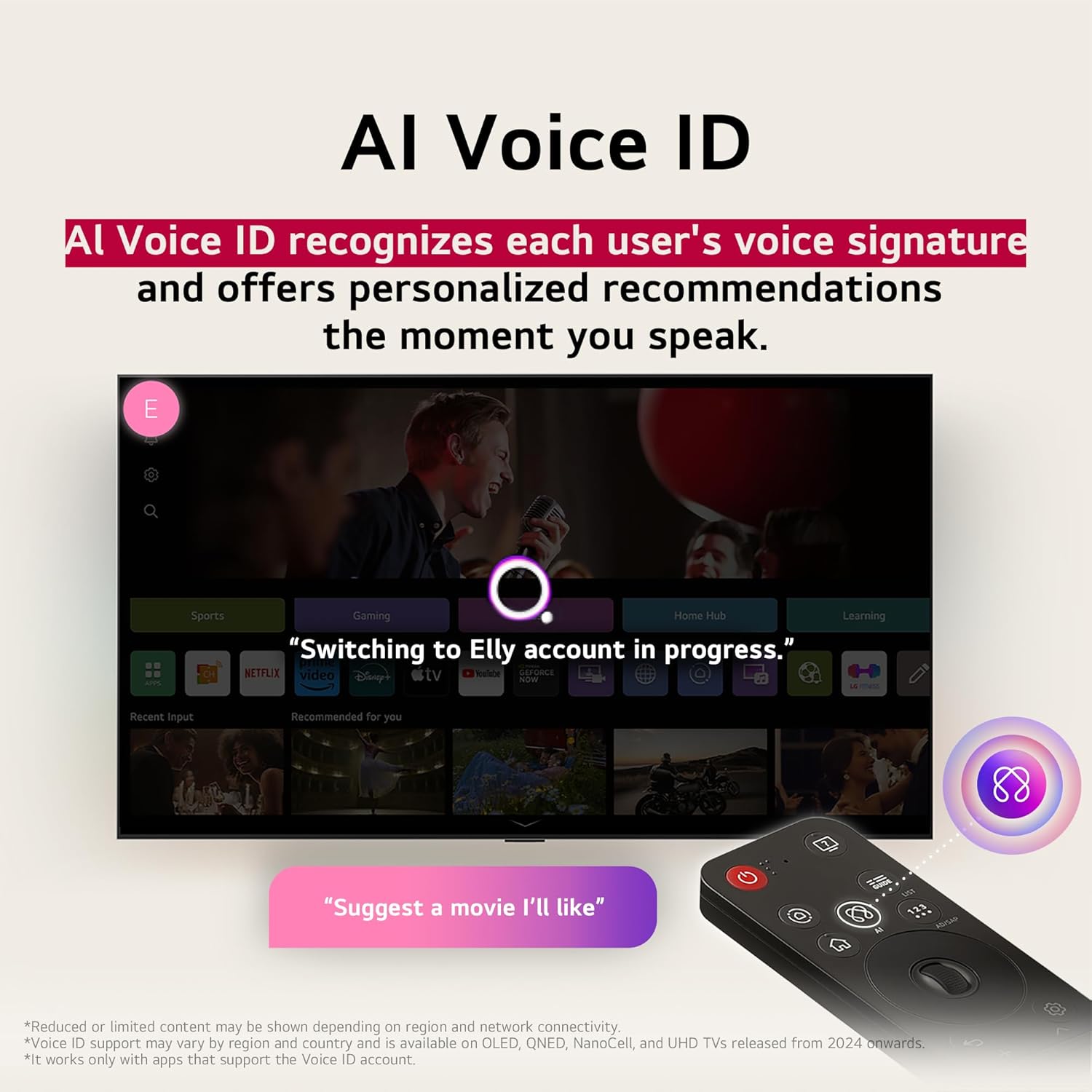
Image 4.2: AI Voice ID in action, providing personalized recommendations.

Image 4.3: AI Search interface on the LG TV.

Image 4.4: AI Chatbot providing assistance on the LG TV.
4.3 Amasethingi Esithombe
Your NANO80AUA TV delivers stunning 4K visuals with advanced picture technologies.
- Isibonisi se-4K UHD: Enjoy content in ultra-high definition.
- α7 AI Processor 4K Gen 8: Enhances brightness, sound, and refines picture detail with 4K upscaling and Dynamic Tone Mapping Pro.
- Isibonisi se-NanoCell: Experience over a billion vibrant colors.
- HDR10 & HGIG: Supports High Dynamic Range for improved contrast and color in compatible content.
- I-AI Isithombe Pro: Analyzes each frame to enhance resolution, brightness, depth, and clarity.
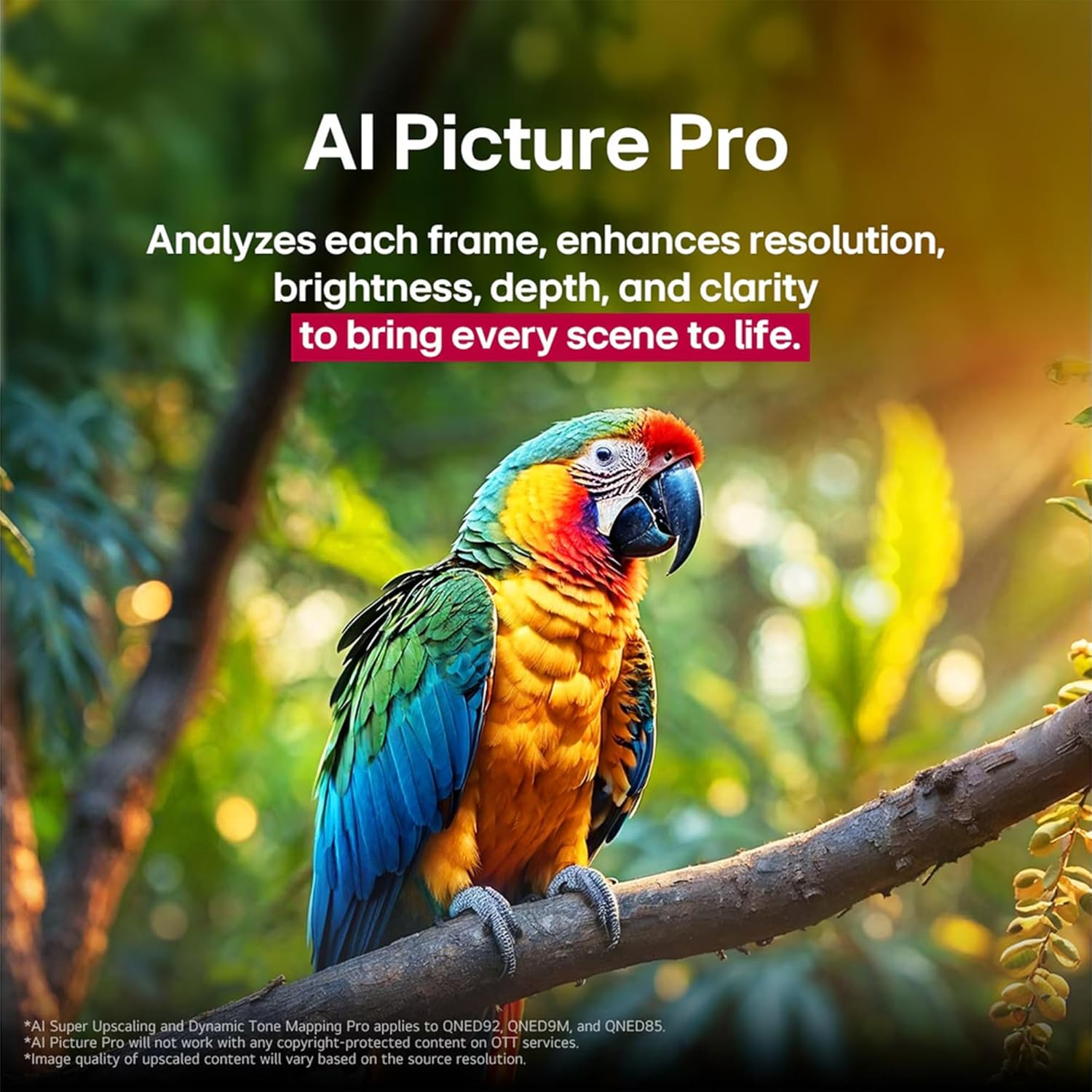
Image 4.5: The α7 AI Processor 4K Gen 8, responsible for picture enhancements.

Image 4.6: AI Picture Pro analyzing and enhancing image quality.
4.4 Izilungiselelo zomsindo
The TV features integrated sound enhancements for an immersive audio experience.
- I-AI Sound Pro: Fine-tunes your sound for impact, adapting to the content and environment.
- Ukucushwa kwesipika: 2.0 channel with 20 Watts output.
- Okukhipha Umsindo: Digital audio output mode.
4.5 Izici Zokudlala
Optimized for a responsive gaming experience:
- I-ALLM (Imodi yokubambezela ephansi ezenzakalelayo): Ishintshela ngokuzenzakalela kumodi yokubambezeleka okuphansi ukuze uthole amageyimu abushelelezi.
- HGIG (HDR Gaming Interest Group): Ensures HDR gaming content is displayed as intended by game developers.
- I-VRR (Isilinganiso Sokuvuselela Esiguquguqukayo): Supported for smoother gameplay, reducing screen tearing and stuttering. (Only works with games or PC inputs that support 60Hz).

Image 4.7: Gaming experience on the LG NANO80AUA with VRR.
5. Isondlo
5.1 Ukuhlanza i-TV yakho
- Isikrini: Sula kahle isikrini ngendwangu ethambile, engenantambo. Ukuze uthole amamaki anenkani, kancane dampen the cloth with water or a specialized screen cleaner (ensure it's TV-safe).
- Uhlaka nesitendi: Sebenzisa indwangu ethambile neyomile ukuze usule uthuli.
- Okubalulekile: Never spray cleaners directly onto the screen or frame. Always unplug the TV before cleaning.
5.2 Ukuvuselelwa Kwesoftware
Your LG TV supports the webOS Re:New Program, which provides software upgrades over five years. Ensure your TV is connected to the internet to receive the latest updates for optimal performance and new features.
6. Ukuxazulula izinkinga
Uma uhlangabezana nezinkinga nge-TV yakho, bheka izixazululo ezilandelayo ezivamile:
| Inkinga | Isixazululo Esingenzeka |
|---|---|
| Awekho amandla | Hlola ukuthi intambo yamandla ixhunywe ngokuvikelekile yini ku-TV nasodongeni. Hlola i-outlet ngenye idivayisi. |
| Asikho isithombe, kodwa umsindo ukhona | Qinisekisa ukuthi umthombo wokufaka olungile ukhethiwe. Hlola uxhumo lwekhebula kumadivayisi angaphandle. |
| Awukho umsindo, kodwa isithombe sikhona | Check the volume level and mute settings. Verify audio cable connections. If using external speakers, ensure they are powered on and correctly configured. |
| Isilawuli kude asisebenzi | Replace the batteries in the Magic Remote. Ensure there are no obstructions between the remote and the TV. Re-pair the remote if necessary. |
| Ayikwazi ukuxhuma ku-Wi-Fi | Restart your router and modem. Check Wi-Fi settings on the TV and ensure the password is correct. Move the TV closer to the router if possible. |
Ukuze uthole ukuxazululwa kwezinkinga okuningiliziwe, bheka inkomba yosizo esesikrinini noma vakashela usekelo lwe-LG webindawo.
7. Imininingwane
Key technical specifications for the LG 65-Inch NANO80 4K Smart TV (Model: 65NANO80AUA):
- Ibhrendi: LG
- Imodeli: 65NANO80AUA
- Unyaka Wemodeli: 2025
- Usayizi Wesikrini: 65 amayintshi
- Ubuchwepheshe Bokubonisa: 4K UHD NanoCell
- Isixazululo: 3840 x 2160 Amaphikseli (4K)
- Isilinganiso Sokuvuselela: 60 Hz
- Iphrosesa: I-α7 AI Processor 4K Gen 8
- Isistimu esebenzayo: webI-OS 25
- Ukusekelwa kwe-HDR: HDR10, HGIG
- Amandla Okukhipha Umsindo: 20 Watts (2.0 Channel)
- Ukuxhumana: I-Bluetooth, i-Ethernet, i-HDMI, i-USB, i-Wi-Fi
- Izici zokudlala: ALLM (Auto Low Latency Mode), VRR (Variable Refresh Rate)
- Abasizi Bezwi: I-Alexa eyakhelwe ngaphakathi
- Ubukhulu (ngesitendi): 145.4 cm (W) x 90.3 cm (H) x 26.9 cm (D)
- Isisindo: 27.5 kg
- Izingxenye ezifakiwe: Power Cable, Magic Remote, Stand, Remote Control Batteries
Qaphela: Imininingwane ingashintsha ngaphandle kwesaziso.
8. Iwaranti kanye Nokusekela
Ukuze uthole ulwazi lwewaranti, ukubhaliswa komkhiqizo, kanye nosekelo lobuchwepheshe, sicela uvakashele i-LG esemthethweni website or contact LG customer service. Keep your purchase receipt for warranty claims.
Usekelo Lwekhasimende Le-LG: Visit LG Support Page