Isingeniso
Thank you for choosing the Emerson EVP-2002 Home Theater LCD Projector. This manual provides essential information for setting up, operating, and maintaining your projector to ensure optimal performance and longevity. Please read this manual thoroughly before using the product and retain it for future reference.
Yini EseBhokisini
Lapho ukhipha, sicela uqinisekise ukuthi zonke izinto ezilandelayo zikhona:
- Emerson EVP-2002 Projector
- UL Approved Power Adaptor
- Isilawuli kude
- Ikhava yelensi yeprojektha
- Incwadi Yomsebenzisi (le dokhumenti)
Umkhiqizo Uphelileview
The Emerson EVP-2002 is designed to deliver an immersive home theater experience with its advanced LCD technology and versatile connectivity options.

Isithombe: Ngaphambili view of the Emerson EVP-2002 projector, showcasing the lens and ventilation. This compact projector is designed for home entertainment.
Izici Eziyinhloko:
- Immersive Entertainment: Transforms your space into a theater for sports, movies, and TV shows.
- Ukuxhumana kwe-Bluetooth: Allows easy pairing with external audio devices.
- Effortless Media Streaming: Compatible with streaming devices like Amazon Fire Stick, Roku, or Google Chromecast (not included).
- Ukubuka Okucacile: Advanced LCD projector delivers high-quality resolution with clarity and color vibrancy.
- Versatile Multi-Media Functionality: Supports HDMI and USB flash drives for various video, audio, and photo formats.
- I-LED Ehlala Isikhathi Eside: Durable LED bulb with up to 30,000 hours of lifespan.
- Powerful Built-In Speakers: Delivers clear, full-bodied sound.

Isithombe: Side view of the Emerson EVP-2002 projector, showing its compact cylindrical design and adjustable stand.
Ubukhulu nesisindo somkhiqizo:
- Ubukhulu: 6.75 x 4.12 x 4.98 amayintshi
- Isisindo: 1.43 amakhilogremu

Image: Diagram illustrating the dimensions (6.75 in. length, 4.12 in. width, 4.98 in. height) and weight (1.43 lbs) of the Emerson EVP-2002 projector.
Umhlahlandlela Wokusetha
1. Ukubekwa
Position the projector on a stable, flat surface. Ensure there is adequate ventilation around the unit. The distance from the screen or wall will determine the image size. Adjust the projector's angle using its stand for optimal projection.
2. Ukuxhunywa kwamandla
- Connect the UL Approved Power Adaptor to the DC IN port on the projector.
- Plug the power adaptor into a standard electrical outlet.
- The power indicator light should illuminate.
3. Connecting Input Sources
The EVP-2002 offers multiple input options:
- I-HDMI: Connect an HDMI cable from your source device (e.g., laptop, game console, streaming stick) to the HDMI port on the projector.
- I-USB: Faka idrayivu ye-USB flash echwebeni le-USB ukuze udlale imidiya files ngqo.
- Umsindo we-3.5mm: Connect external speakers or headphones using a 3.5mm audio cable to the AUX OUT port.

Isithombe: Emuva view of the Emerson EVP-2002 projector, showing the various input ports including HDMI, USB, and DC power input.
Imiyalelo yokusebenza
1. Vula/Vala
- To power on, press the Power button on the projector or the remote control.
- To power off, press the Power button again. The projector will enter standby mode.
2. Ukulungisa Ukugxila
Zungezisa indandatho yokugxila eseduze nelensi kuze kube yilapho isithombe esibonisiwe sibonakala sicacile futhi sibukhali.
3. Ukukhetha Umthombo
Use the "Source" button on the remote control or the projector's control panel to cycle through available input sources (HDMI, USB, etc.).
4. Ukuxhumana kwe-Bluetooth
- Ensure Bluetooth is enabled on your external audio device (e.g., speaker, headphones).
- On the projector, navigate to the Bluetooth settings (refer to on-screen menu if available, or press the dedicated Bluetooth button if present).
- Select your device from the list of available devices to pair.
- Uma sekubhangqiwe, umsindo uzodluliselwa kudivayisi ye-Bluetooth exhunyiwe.
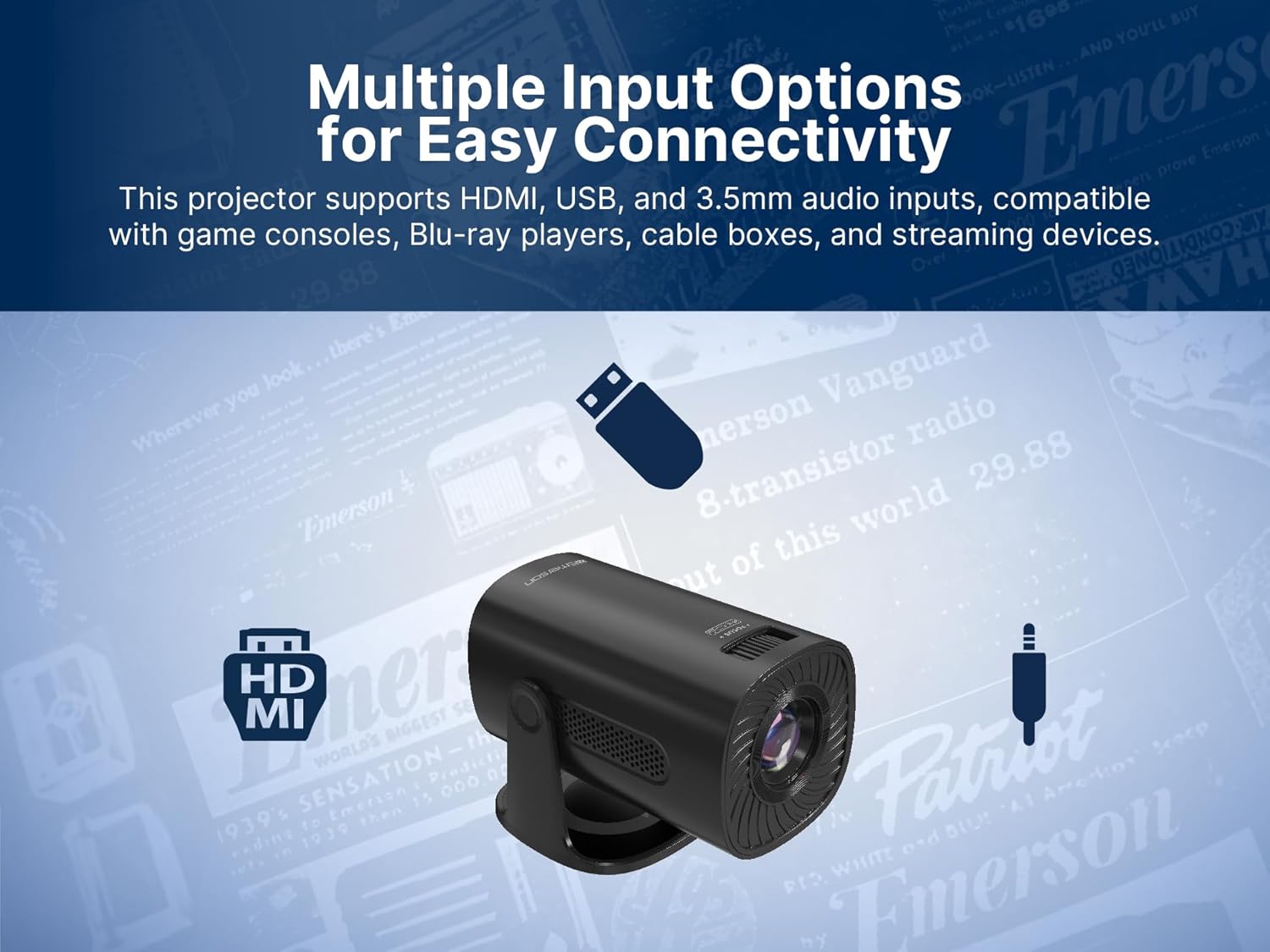
Image: The Emerson EVP-2002 projector displaying a Bluetooth icon, indicating its wireless audio connectivity feature.
5. Ukudlala Imidiya (i-USB)
- Faka i-USB flash drive equkethe imidiya ehambisanayo files embobeni ye-USB.
- Select "USB" as the input source.
- Zulazula kumafolda bese files using the remote control or projector buttons.
- Khetha a file ukuqala ukudlala.

Image: The Emerson EVP-2002 projector connected to a USB drive, illustrating its capability to play various media formats directly.
Isondlo
Ukugcinwa kahle kuqinisekisa ukuthi iphrojektha yakho ihlala isikhathi eside futhi isebenza kahle.
1. Ukuhlanza Ilensi
- Always power off and unplug the projector before cleaning.
- Sebenzisa indwangu ethambile, engenabo uboya eklanyelwe ngqo amalensi okukhanya.
- Gently wipe the lens in a circular motion. Avoid harsh chemicals or abrasive materials.
- Replace the lens cover when the projector is not in use to protect it from dust.
2. Ukuhlanza Umzimba Wephrojektha
- Sula ingaphandle ngendwangu ethambile, eyomile.
- Do not use liquid cleaners or sprays directly on the projector.
3. Ukungenisa umoya
- Ensure the ventilation vents are not blocked to prevent overheating.
- Periodically check and gently clean any dust accumulation on the vents using a soft brush or compressed air.
Ukuxazulula inkinga
Uma uhlangabezana nezinkinga ngephrojektha yakho, bheka izinkinga nezixazululo ezilandelayo ezivamile:
| Inkinga | Imbangela Engenzeka | Isixazululo |
|---|---|---|
| Asikho isithombe esiveziwe |
|
|
| Isithombe sifiphele |
|
|
| Awukho umsindo |
|
|
| Iprojektha ishisa ngokweqile |
|
|
Imininingwane
| Isici | Imininingwane |
|---|---|
| Inombolo Yemodeli | I-EVP-2002 |
| Ibhrendi | Emerson |
| Ubukhulu bomkhiqizo | 6.75 x 4.12 x 4.98 amayintshi |
| Isisindo sento | 1.43 amakhilogremu |
| Bonisa Ukulungiswa | 1280 x 720 |
| Ubuchwepheshe bokuxhumana | I-Bluetooth |
| Isici Esikhethekile | Isipikha esakhelwe ngaphakathi |
| Ukusetshenziswa Okunconyiwe | Business, Education, Gaming, Home Cinema |
| Umkhiqizi | Inkampani engu-Naxa Electronics, Inc. |
Amavidiyo Omkhiqizo
Emerson EVP-2002 Product Video - 360 Spin
Ividiyo: I-360-degree view of the Emerson EVP-2002 projector, showcasing its design and various angles. This video provides a comprehensive visual overview of the product's exterior.
Iwaranti kanye Nokusekela
Ulwazi Lwewaranti
For detailed warranty information, please refer to the warranty card included with your product or visit the official Emerson webindawo. Gcina irisidi lakho lokuthenga njengobufakazi bokuthenga kwanoma yiziphi izimangalo zewaranti.
Ukwesekwa Kwamakhasimende
If you require further assistance, technical support, or have questions not covered in this manual, please contact Emerson customer support. Contact details can typically be found on the product packaging, the official Emerson webindawo, noma ikhadi lewaranti.


