1. Isingeniso
Welcome to the user manual for your HPRT CP4100-108 4x6 Photo Printer. This guide will assist you in setting up, operating, and maintaining your new photo printer to ensure optimal performance and enjoyment. Please read these instructions carefully before using the device.
Okuqukethwe Kwephakheji
Lapho ukhipha, sicela uqinisekise ukuthi zonke izinto ezilandelayo zifakiwe:
- HPRT CP4100-108 Photo Printer
- I-adaptha yamandla
- Photo Paper (108 sheets)
- Ribbon (2 cartridges)
- Imaniwali yosebenzisayo

Image: HPRT CP4100-108 Photo Printer and included accessories.

Image: Visual representation of the printer and its components.
2. Ukusetha Kwasekuqaleni
Step 1: Insert the Ribbon
Open the cover of the ribbon cartridge slot on the side of the printer. Insert the ribbon cartridge firmly until it clicks into place. If replacing an old ribbon, open the paddle to eject the used cartridge before inserting the new one.

Image: Inserting the ribbon cartridge.
Step 2: Load Photo Paper
Take the cover of the printer, which also functions as the paper tray. Pull open the side and carefully load up to 18 sheets of photo paper. Ensure the smooth, glossy side of the photo paper is facing upwards.

Image: Loading photo paper into the tray.
Step 3: Install the Paper Cassette
After loading the photo paper into the paper cassette, flip the cover of the paper cassette underneath it. Open the support bracket on the other side and flatten it. Open the print hatch and insert the paper cassette into the print exit until it is securely in place.

Image: Installing the paper cassette.
Step 4: Connect to Heyphoto APP
Press and hold the power button on the printer for three seconds to turn it on. Download the Heyphoto app on your smartphone (iOS or Android) and follow the in-app instructions to connect to your printer via Wi-Fi for convenient wireless printing.

Image: Connecting the printer to the Heyphoto app.
Amanothi Okuxhumana:
- Qiniseka ukuthi i-Bluetooth yefoni yakho ivuliwe.
- Ensure the printer device is turned on.
- Keep the device within 5 meters for optimal connection.
- If the device is currently connected by another user, please restart it.
- If the device is a CP4000 or Digital frame, please add it manually within the app.

Image: Connection guidelines for the Heyphoto app.
Download the Heyphoto App:
- Heyphoto App Official Download Page
- Landa ku-App Store
- Available on Google Play (Search 'Heyphoto')
3. Ukusebenzisa iphrinta yakho
Ukuphrinta Okungenantambo
Once connected to the Heyphoto app, you can easily select photos from your smartphone and send them to the HPRT CP4100-108 for instant printing. The printer supports 2.4GHz Wi-Fi connections.

Image: Wireless printing via Wi-Fi connectivity.
Heyphoto App Features
The Heyphoto app offers a range of features to enhance your printing experience:
- Multiple Print Sizes: Print photos in various sizes including 6", 5", 3", 2", and 1". You can crop 4x6 photo paper to achieve desired smaller sizes.
- Filters and Borders: Apply a variety of filters and decorative borders to your photos before printing.
- AR Printing Function: This unique feature allows you to print videos. After printing, use the AR scanning function in the app to align with the photo, and the video will play back, bringing your memories to life.
- Ukuphrinta kwe-Collage: Create collages of multiple photos on a single print.

Image: Printing photos in various sizes using the Heyphoto app.

Image: Heyphoto app interface showing filters and collage options.

Image: Demonstrating the AR printing feature.

Image: Printing multiple small photos, including passport-style images.
4. Isondlo Nokunakekela
Photo Paper and Ribbon Replacement
The HPRT CP4100-108 uses thermal dye sublimation technology, which requires specific photo paper and ribbon cartridges. When your supplies run low, replace them with genuine HPRT CP4100-compatible photo paper and ribbons to ensure continued high-quality prints. The printer applies a protective film to your photos, making them water-resistant, tear-resistant, oxidation-resistant, and fingerprint-resistant.
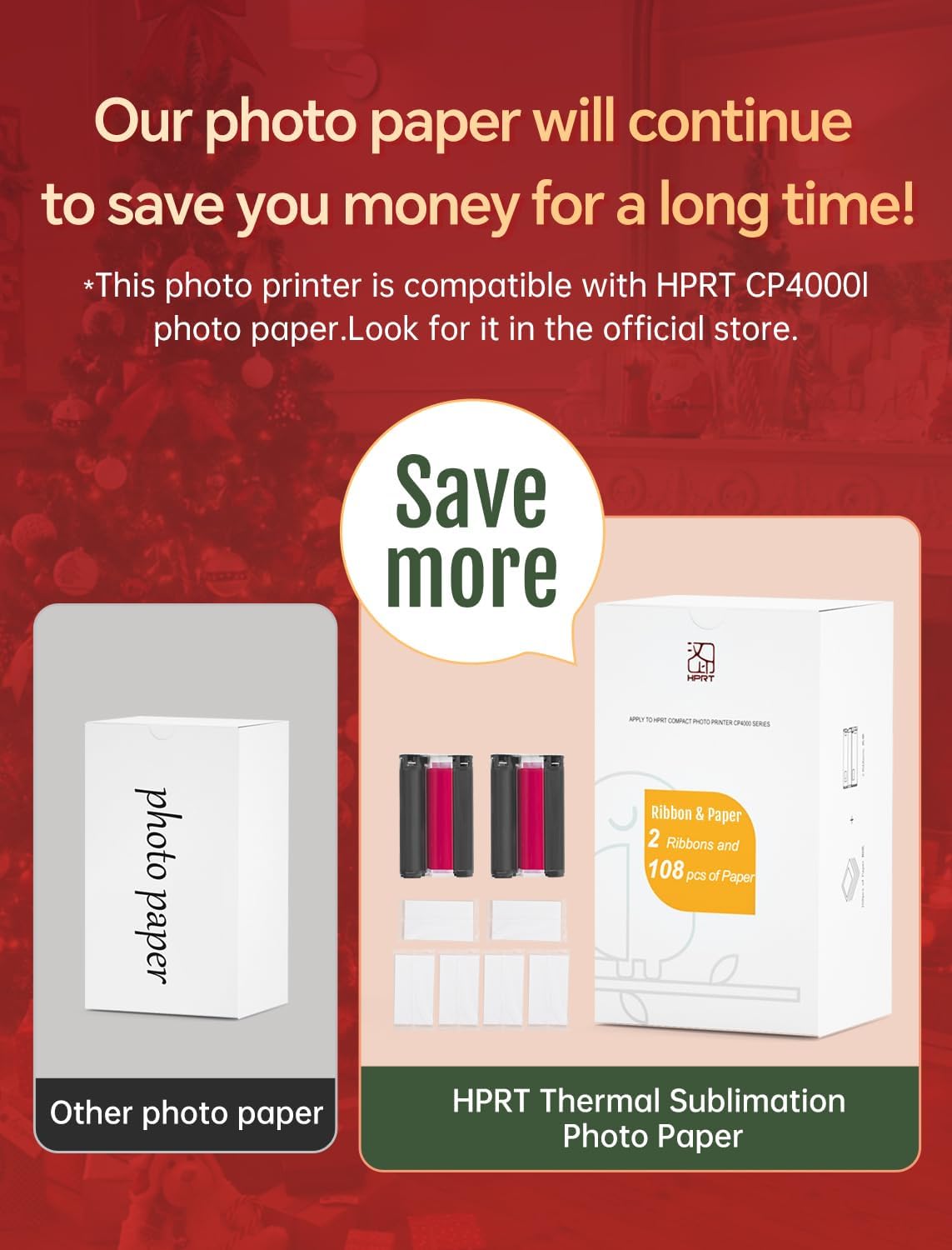
Image: HPRT photo paper and ribbon supplies.

Image: HPRT Thermal Sublimation Photo Paper for cost-effective printing.
Ukuhlanza Iphrinta
To maintain print quality, periodically clean the exterior of the printer with a soft, dry cloth. Avoid using liquid cleaners or abrasive materials. For internal cleaning, refer to specific instructions within the Heyphoto app or contact customer support if print quality issues persist after replacing consumables.
5. Ukuxazulula izinkinga
If you encounter issues with your HPRT CP4100-108 photo printer, refer to the following common problems and solutions:
| Inkinga | Isixazululo Esingenzeka |
|---|---|
| Printer not connecting to phone/Wi-Fi |
|
| Paper not feeding or jamming |
|
| Red light indicator after ribbon replacement |
|
| Poor print quality (fading, streaks, incorrect colors) |
|
If you encounter problems such as cassette jams or other issues not listed here, please feel free to contact HPRT customer support for assistance.
6. Imininingwane Yomkhiqizo
| Ukucaciswa | Imininingwane |
|---|---|
| Ubukhulu bomkhiqizo | 5.11"D x 7.86"W x 3.42"H |
| Uhlobo lwesilawuli | Android, iOS |
| Ubukhulu Bosayizi Wemidiya | 4 x 6 intshi |
| Imidiya yokuphrinta | Iphepha lesithombe elicwebezelayo |
| Amandla Eshidi Lokufaka Okuphezulu | 108 |
| Ubukhulu bokulungiswa kokuphrinta kombala | I-DPI engu-300×300 |
| Usayizi Weshidi | 4 x 6 amayintshi |
| Ukuphrinta kwezinhlangothi ezimbili | Cha (i-Simplex) |
| Umbala kayinki | CMYK |
| Uhlobo lwe-Ink yephrinta | I-Thermal Dye Sublimation |
| Isisindo sento | 4.33 pounds (1.97 kilograms) |
| Ubuchwepheshe bokuxhumana | I-Wi-Fi |
| Isici Esikhethekile | AR Video Mode, Color Printing, Dye Sublimation Printing, Wi-Fi Connection to Smartphone |
| Umbala | Beige |
| Isivinini Sokuphrinta Esiphezulu (Umbala) | 1 ppm |
7. Iwaranti kanye Nokusekela
For warranty information, technical support, or any product-related inquiries, please contact HPRT customer service. You can find more information and contact details on the official HPRT store page.
Visit the HPRT Store: HPRT Official Store


