1. Isingeniso
This manual provides comprehensive instructions for the installation, operation, and maintenance of your GreenYi DV4T-19G490-AB Rear View Backup Camera. This camera is designed as a direct replacement for specific Ford models, enhancing your vehicle's rear visibility and safety.
Amamodeli Ezimoto Ahambisanayo:
- Ford Escape: 2013, 2014, 2015, 2016, 2017
- Ford Kuga: 2013, 2014, 2015, 2016, 2017
Replaces Original Equipment (OE) Part Numbers:
- EV4T-19G490-CA
- EV4T19G490CA
- DV4T-19G490-AB
- DV4T19G490AB
2. Ulwazi Lokuphepha
Always prioritize safety during installation and operation. Ensure the vehicle is turned off and the parking brake is engaged before beginning any installation procedures. Consult a professional if you are unsure about any steps.
3. Okuqukethwe Kwephakheji
Qinisekisa ukuthi zonke izinto zikhona kuphakheji:
- 1 x GreenYi Rear View Backup Camera (DV4T-19G490-AB)
- 1 x Ikhadi Lokubonga
4. Izici zomkhiqizo
- Star Night Vision: The camera system provides clear visual clarity in various lighting conditions, including low light, ensuring enhanced safety and convenience.
- IP68 Isilinganiso Sokungangeni Manzi: Designed with IP68 waterproofing, the camera ensures reliable performance regardless of weather conditions, including heavy rain or car washes. Its robust metal housing contributes to strength, durability, and resistance to wear and deformation.
- Ukufaka Okulula: Engineered for seamless integration, serving as a direct replacement for the original backup camera part. It supports coding with original features and utilizes a plug-and-play mechanism, eliminating the need for complex wiring.

Image: Comparison illustrating the superior night vision clarity of the GreenYi camera.
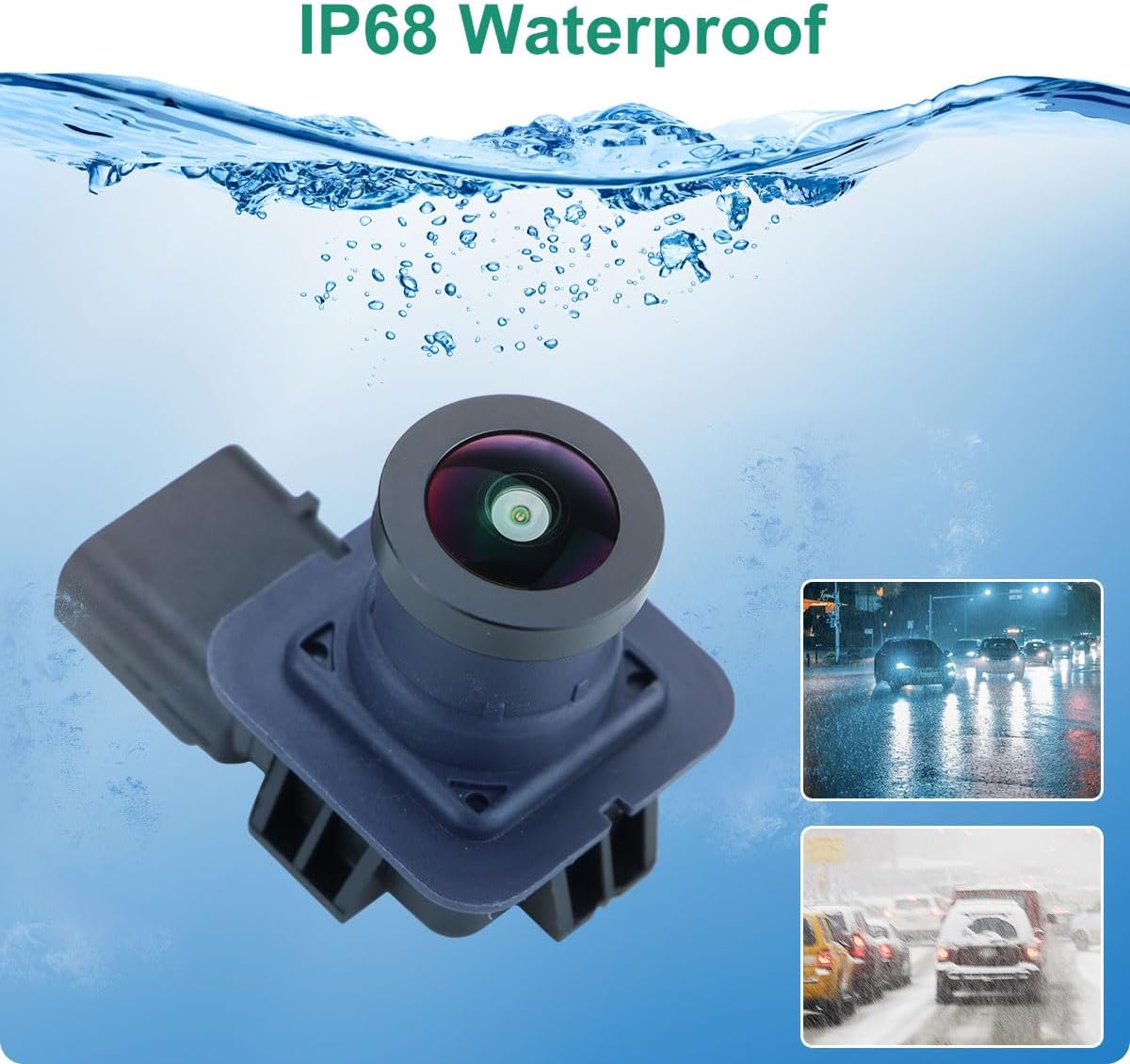
Image: The camera is shown with water, highlighting its IP68 waterproof design for all-weather reliability.
5. Ukusetha nokufakwa
The GreenYi backup camera is designed for a direct, plug-and-play replacement. Follow these general steps for installation. Specific vehicle disassembly may vary.
- Lungiselela Imoto: Ensure the vehicle is turned off and the parking brake is engaged. For safety, disconnect the negative terminal of the car battery.
- Access the Existing Camera: Locate the original backup camera, typically integrated into the tailgate handle or emblem. Carefully remove any trim panels or the emblem covering the camera.
- Susa Ikhamera Endala: Disconnect the wiring harness from the old camera. Unscrew or unclip the old camera from its mounting location.
- Faka Ikhamera Entsha: Connect the GreenYi DV4T-19G490-AB camera to the vehicle's existing wiring harness. Ensure the connection is secure.
- Mount the New Camera: Secure the new camera into the original mounting position. Reattach any removed trim panels or the emblem.
- Ukusebenza Kokuhlola: Reconnect the car battery. Start the vehicle and shift into reverse to verify the camera's operation on the infotainment screen.
Ividiyo: Isiqephu esifushaneview of the GreenYi backup camera, showing its 6-pin connector and general appearance.
Video: Demonstrates the camera's features, including its 170-degree view and waterproof design, and highlights the 6-pin OEM connector.
Video: Illustrates the installation process of a backup camera on a Ford Escape, including removal of the emblem and connection of the camera.
6. Ukusebenza
The GreenYi DV4T-19G490-AB Rear View Backup Camera operates automatically. When the vehicle is shifted into reverse gear, the camera feed will display on your vehicle's infotainment screen, providing a clear view of the area behind your vehicle. Dynamic guidelines may appear on the screen to assist with parking and maneuvering.

Image: Depicts the camera's wide-angle view on a vehicle's display, showing parking guidelines.
7. Isondlo
- Ukuhlanza Ilensi: Hlanza njalo ilensi yekhamera nge-d ethambile, ethambileamp cloth to ensure a clear image. Avoid abrasive cleaners or materials that could scratch the lens.
- Ihlola Ukuxhumana: Periodically check the wiring connections for any signs of wear, corrosion, or looseness.
- Ukunakekelwa Okuvamile: While the camera is waterproof, avoid directing high-pressure water jets directly at the lens or housing for extended periods.
8. Ukuxazulula izinkinga
- Akukho sithombe esikrinini:
- Hlola zonke izixhumo zezintambo ukuze uqinisekise ukuthi zixhunywe ngokuphephile.
- Verify that the vehicle is properly shifted into reverse.
- Ensure the vehicle's infotainment system is functioning correctly.
- Isithombe Esifiphele noma Esihlanekezelwe:
- Hlanza ilensi yekhamera kahle.
- Check for any physical damage to the camera or lens.
- Ensure the camera is securely mounted and not vibrating.
- Isignali Yesikhashana:
- Hlola izintambo ukuze uthole noma yikuphi ukuxhumeka okuxekethile noma umonakalo.
- Ensure there are no external interferences (e.g., aftermarket electronics) affecting the signal.
If issues persist after following these steps, contact GreenYi customer support for further assistance.
9. Imininingwane
| Ubukhulu bomkhiqizo | 1.1 x 0.91 x 0.91 amayintshi (1.1"L x 0.91"W x 0.91"H) |
| Isisindo sento | 1.76 amakhilogremu |
| Inombolo Yemodeli Yento | GreenYi-333 |
| Ibhrendi | GreenYi |
| Umbala | Mnyama |
| Amadivayisi Ahambisanayo | Ford Escape 2013-2017, Ford Kuga 2013-2017 |
| Uhlobo Lokufaka | Original Mounting, Plug and Play |
| Voltage | 12 Volts (DC) |
| Ubuchwepheshe be-Optical Sensor | I-CMOS |
| Uhlobo Lwelensi | I-engeli ebanzi |
| I-engeli yangempela ye View | 120 degrees |
| Uhlobo Lwesixhumi | Original Connector Compatible with Vehicle |

Image: Detailed dimensions of the camera unit for reference.
10. Iwaranti kanye Nokusekela
For warranty information or technical support, please refer to the documentation included with your product or contact GreenYi customer service directly. Keep your purchase receipt for warranty claims.