Isingeniso
This user guide provides detailed instructions to help you get started with and master your Samsung Galaxy A25 smartphone. It covers essential setup procedures, customization options, security features, and how to utilize the device's camera and applications effectively. This manual is designed for all users, from beginners to those familiar with Android devices, ensuring a smooth and comprehensive learning experience.
What's New in Samsung Galaxy A25
The Samsung Galaxy A25 introduces several enhancements designed to improve your mobile experience. This section highlights key new features and improvements that differentiate the Galaxy A25 from previous models, ensuring you can take full advantage yamakhono ayo.
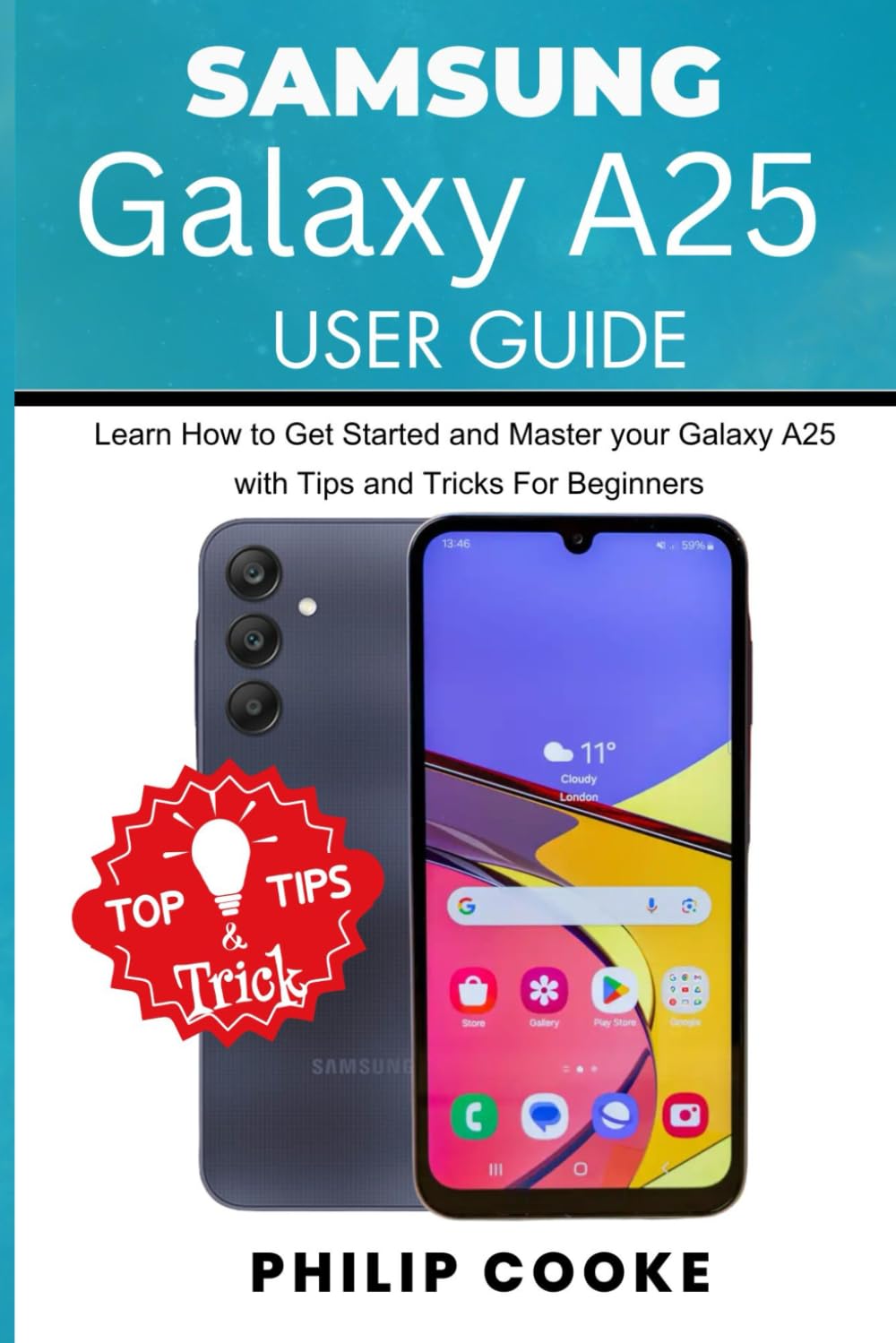
Isithombe: Ngaphambili nangemuva view of the Samsung Galaxy A25 smartphone, highlighting its design and interface. The screen displays a home screen with various app icons and a weather widget. A "Top Tips & Tricks" graphic is overlaid on the image.
Ukusethwa Kwasekuqaleni
Follow these steps to set up your Samsung Galaxy A25 for the first time:
- Vula: Press and hold the power button until the Samsung logo appears.
- Ukukhetha Ulimi: Khetha ulimi oluncamelayo ohlwini.
- Xhuma ku-Wi-Fi: Select your Wi-Fi network and enter the password. This is crucial for downloading updates and setting up your Google account.
- Imibandela: Read and accept the End User License Agreement and Privacy Policy.
- Kopisha Izinhlelo zokusebenza nedatha: You can transfer data from an old device or set up as new.
- I-akhawunti ye-Google: Ngena ngemvume nge-akhawunti yakho ye-Google noma dala entsha. Lokhu kubalulekile ukuze ufinyelele i-Google Play Isitolo nezinye izinsiza ze-Google.
- Ukusethwa Kwezokuphepha: Configure your preferred screen lock method (PIN, pattern, password, fingerprint, or face recognition).
- I-akhawunti ye-Samsung: Optionally sign in or create a Samsung account to access Samsung-specific services and features.
- Qedela Ukumisa: Complete any remaining setup prompts to finish configuring your device.
Isebenzisa Idivayisi Yakho
Ukwenza Idivayisi Yakho ngokwezifiso
Personalize your Galaxy A25 to suit your preferences:
- Home Screen and Wallpaper: To change your wallpaper, long-press on an empty area of the home screen, then select "Wallpaper and style." You can also add widgets and change grid size from here.
- Izindikimba: Explore and apply themes from the Galaxy Themes store to change the overall look and feel of your device.
- Umsindo nokudlidliza: Adjust ringtones, notification sounds, system sounds, and vibration patterns in Settings > Sounds and vibration.
- Izilungiselelo zokubonisa: Customize brightness, dark mode, screen timeout, font size, and zoom in Izilungiselelo > Isibonisi.
Izilungiselelo Zokuphepha
Protect your device and data with robust security features:
- Ukukhiya isikrini: Set up or modify your screen lock (PIN, pattern, password, fingerprint, face recognition) via Settings > Security and privacy > Screen lock.
- I-Biometrics: Register your fingerprints and face for quick and secure unlocking and authentication.
- Thola Iselula Yami: Enable this feature to locate, lock, or erase your device remotely if it's lost or stolen. Access it through Settings > Security and privacy > Find My Mobile.
- Ideshibhodi Yobumfihlo: Monitor and manage app permissions for your camera, microphone, location, and more in Settings > Security and privacy > Privacy.
Downloading Apps and Games
Access a vast library of applications and games:
- I-Google Play Isitolo: Open the "Play Store" app, browse categories, search for apps, and tap "Install" to download.
- Galaxy Store: Samsung's own app store offers exclusive apps, themes, and deals.
Web Browsing and Social Media
Stay connected and informed:
- Isiphequluli Se-inthanethi: Use the pre-installed Samsung Internet browser or download Google Chrome from the Play Store for web ukuphequlula.
- Social Media Apps: Download popular social media applications like Facebook, Instagram, X (formerly Twitter), and TikTok from the Google Play Store to connect with friends and family.
Ikhamera nokuqoshwa kwevidiyo
The Samsung Galaxy A25 features a versatile camera system for capturing high-quality photos and videos.
Mastering the Camera
- Opening the Camera: Tap the Camera app icon or double-press the power button for quick access.
- Amamodi: Swipe left or right on the camera screen to switch between modes like Photo, Video, Portrait, Pro, Panorama, and Food.
- Sondeza: Pinch in or out on the screen, or tap the zoom icons (e.g., 0.5x, 1x, 2x) to adjust magnification.
- Izilungiselelo: Tap the gear icon to access camera settings, where you can adjust resolution, aspect ratio, timer, and more.
Ukuqoshwa kwevidiyo
- Qala/Yeka Ukuqopha: In Video mode, tap the record button to start and stop recording.
- Misa isikhashana: Tap the pause icon during recording to temporarily stop, then tap again to resume.
- Ukulungiswa kwevidiyo: Adjust video quality in camera settings for different needs (e.g., Full HD, HD).
Ukuhlela isithombe
After capturing your moments, enhance them using the built-in editing tools:
- Accessing Editor: Open a photo in the Gallery app and tap the "Edit" icon (pencil).
- Amathuluzi: Utilize tools for cropping, rotating, adjusting brightness, contrast, saturation, applying filters, and adding stickers or text.
- Londoloza: Tap "Save" to apply changes. You can often save a copy to preserve the original.
Imininingwane
Key technical specifications for the Samsung Galaxy A25:
| Isici | Imininingwane |
|---|---|
| ASIN | B0DCFSQLKG |
| Umshicileli | Ishicilelwe ngokuzimela |
| Idethi yokushicilela | Agasti 6, 2024 |
| Ulimi | IsiNgisi |
| Ubude bokuphrinta | Amakhasi angu-98 |
| I-ISBN-13 | 979-8335155304 |
| Isisindo sento | 7 amakhilogremu |
| Ubukhulu | 6 x 0.23 x 9 amayintshi |
Note: The specifications listed above pertain to the physical book (user guide) itself, as provided in the product data. For detailed device specifications of the Samsung Galaxy A25 smartphone, please refer to Samsung's official website or the device's packaging.
Ukuxazulula inkinga
This section provides general guidance for common issues you might encounter with your Samsung Galaxy A25. For specific problems, always refer to Samsung's official support resources.
- Idivayisi Ayiphenduli: If your device is frozen, press and hold the Power button and Volume Down button simultaneously for about 7-10 seconds to force restart.
- Ukukhipha Ibhethri: Hlola ukusetshenziswa kwebhethri ku Settings > Battery and device care > Battery to identify apps consuming excessive power. Reduce screen brightness and disable unnecessary features like Wi-Fi, Bluetooth, or GPS when not in use.
- Ukuphahlazeka kohlelo lokusebenza: Try clearing the app's cache and data in Izilungiselelo > Izinhlelo zokusebenza > [Igama Lohlelo Lokusebenza] > Isitoreji. If the issue persists, uninstall and reinstall the app.
- Izinkinga Zokuxhumana (i-Wi-Fi/i-Bluetooth): Toggle Wi-Fi or Bluetooth off and on. Restart your device. For Wi-Fi, also try restarting your router.
- Ukusebenza Kanensa: Sula ngokungadingekile files and cache using Settings > Battery and device care > Storage. Close background apps and consider uninstalling rarely used applications.
Iwaranti kanye Nokusekela
For information regarding your Samsung Galaxy A25's warranty, please refer to the warranty card included with your device or visit the official Samsung support website. Samsung provides comprehensive support services, including:
- Ukusekelwa Kwe-inthanethi: Access FAQs, troubleshooting guides, and software updates.
- Insizakalo yekhasimende: Contact Samsung customer service via phone, chat, or email for personalized assistance.
- Izikhungo Zesevisi: Locate authorized service centers for repairs and technical support.
Always ensure you are consulting official Samsung resources for the most accurate and up-to-date information.


