1. Isingeniso
This manual provides essential information for the safe and effective use of your UREVO Strol 2E Smart 2-in-1 Folding Treadmill. This versatile fitness equipment is designed for both walking and running, offering a compact solution for home and office environments. It features app connectivity for tracking progress and various workout modes.
Please read this manual thoroughly before operating the treadmill and retain it for future reference.
2. Ulwazi Lokuphepha
To ensure safe operation and prevent injury, adhere to the following safety guidelines:
- Read all instructions in this manual before using the treadmill.
- Gcina izingane nezilwane ezifuywayo kude ne-treadmill ngesikhathi sokusebenza.
- Place the treadmill on a flat, stable surface with adequate clearance around it.
- Ensure the power cord is not damaged or placed under the treadmill.
- Always use the safety key/clip during operation. In case of an emergency, the safety key will stop the treadmill.
- Gqoka izicathulo ezifanele zemidlalo.
- The maximum user weight for this treadmill is 265 lbs (120 kg).
- If you experience dizziness, nausea, chest pain, or any other abnormal symptoms, stop your workout immediately and consult a physician.
- Do not attempt to service the treadmill yourself. Contact qualified service personnel for repairs.
3. Okuqukethwe Kwephakheji
Qinisekisa ukuthi zonke izingxenye zikhona kuphakheji:
- UREVO Strol 2E Treadmill Unit
- Intambo Yamandla (1x)
- Isilawuli kude (1x)
- Tool Kit (1x)
- Incwadi yomsebenzisi (1x)
- Tablet Mount (1x)
- Hex Tool (1x)

Image: Contents of the UREVO Strol 2E Treadmill package, including the treadmill, power cord, remote control, tool kit, user manual, tablet mount, and hex tool.
4. Setha
The UREVO Strol 2E Treadmill is designed for quick and easy setup. Follow these steps to prepare your treadmill for use:
- Khipha i-Treadmill: Carefully remove the treadmill and all accessories from the packaging. Place the treadmill on a clear, level surface.
- Unfold the Handle (for Running Mode): If you intend to use the treadmill in running mode, lift the handle until it locks securely into place. Ensure both sides are fully extended and locked.
- Xhuma Amandla: Plug the power cord into the treadmill's power input and then into a grounded electrical outlet.
- Ukuhlolwa Kokuqala: Before first use, check the running belt for proper alignment and tension. Refer to the maintenance section for belt adjustment if needed.

Image: The UREVO Strol 2E Treadmill shown in its upright running configuration with the handle extended, and in its flat walking pad configuration under a standing desk.

Image: Illustration of the UREVO Strol 2E Treadmill's quick folding mechanism, demonstrating how it can be stored compactly, with a person relaxing on a sofa while the treadmill is in use.
5. Iziqondiso Zokusebenza
Your UREVO Strol 2E Treadmill offers two primary operating modes and can be controlled via the included remote or the UREVO Sport App.
5.1 Vula/Vala amandla
- To power on, ensure the treadmill is plugged in and press the power button on the unit or remote.
- Ukuze ucime, cindezela futhi ubambe inkinobho yamandla kuze kube yilapho isibonisi sivaleka.
5.2 Izindlela Zokusebenza
The treadmill automatically detects its configuration and adjusts available speed ranges:
- Walking Mode (Handle Folded): When the handle is folded down, the treadmill operates as a walking pad with a speed range of 0.6 to 4 mph (1-6 km/h). In this mode, only the lower LED display is active.
- Running Mode (Handle Unfolded): When the handle is upright and locked, the treadmill functions as a running treadmill with a speed range of 0.6 to 6.2 mph (1-10 km/h). Both the upper and lower LED displays are active.

Image: Visual comparison of the UREVO Strol 2E Treadmill in walking mode (handle folded, speed 0.6-4 mph) and running mode (handle upright, speed 0.6-6.2 mph), with two individuals demonstrating each use case.

Isithombe: Eduze view of the UREVO Strol 2E Treadmill's dual LED displays, illustrating how the upper display is active when the handrail is unfolded for running, and only the lower display lights up when the handrail is folded for walking.
5.3 Ukulawula okukude
The included remote control allows for convenient operation:
- Qala/Misa: Press the play/pause button to start or stop the treadmill.
- Ukulungiswa Okusheshayo: Use the '+' and '-' buttons to increase or decrease speed.
- Inkinobho yemodi: Cycles through display modes (Time, Calories, Steps, Speed, Distance).
- Thulisa Umsebenzi: The remote features a one-key mute function to silence operational sounds. The magnetic back allows it to attach to the treadmill.
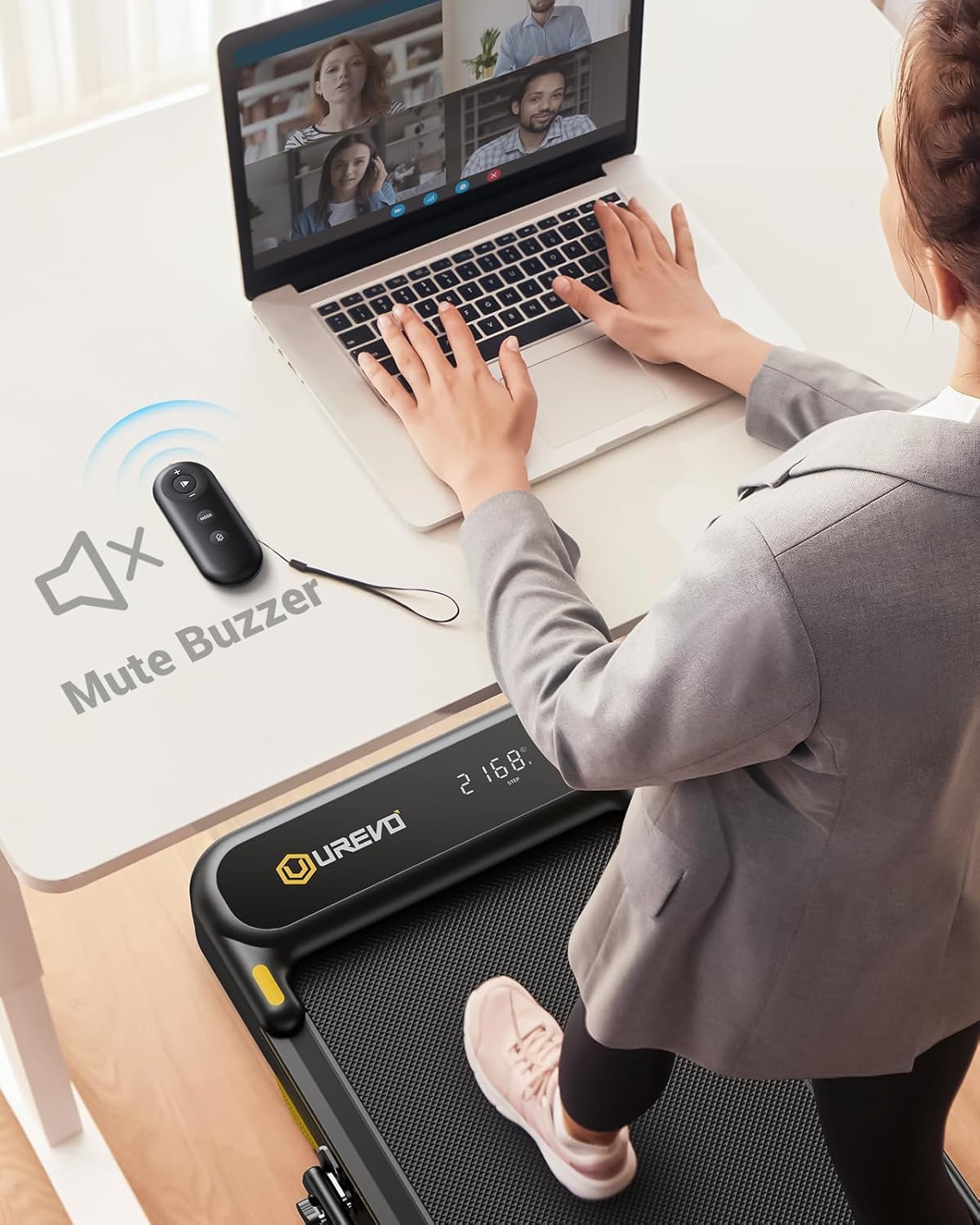
Image: A person using the UREVO Strol 2E Treadmill's remote control to mute the buzzer while working on a laptop at a standing desk, highlighting the quiet operation.
5.4 UREVO Sport App
Enhance your workout experience by connecting to the UREVO Sport App:
- Landa uhlelo lokusebenza: Cinga "UREVO Sport" in your device's app store.
- Connect to Treadmill: Follow the in-app instructions to pair your device with the treadmill via Bluetooth.
- Landelela inqubekelaphambili: The app tracks time, calories, steps, speed, and distance, providing detailed workout reports.
- Izinhlelo zokujima: Access various workout programs, including AI RhythmFit immersive running and AI All-Terrain Simulated Hikes.

Image: The UREVO Sport App interface displaying calorie burn tracking and various workout modes like HIIT, MIIT, and LIIT, with a person running on the treadmill in the background.

Image: A user interacting with the UREVO Sport App, which displays an 'AI All-Terrain Simulated Hike' feature with various real-scene running maps for virtual exploration.
5.5 Multi-Function Display
The LED display provides real-time workout data:
- Isikhathi
- Ama-calories ashisiwe
- Izinyathelo
- Isivinini
- Ibanga
5.6 Isitobhi Esiphuthumayo
Attach the safety clip to your clothing before starting your workout. If you need to stop the treadmill quickly, pull the safety clip, and the treadmill will immediately cease operation.
6. Isondlo
Ukunakekelwa okuvamile kuqinisekisa ukuphila isikhathi eside nokusebenza kahle kwe-treadmill yakho.
6.1 Ukuthambisa
Apply lubricant to the running belt every 125 miles of use. This helps reduce friction and extends the life of the motor and belt.
Video: Instructions on how to add oil to the UREVO treadmill, demonstrating the process of loosening the belt, applying lubricant, and re-tightening.
6.2 Ukulungiswa Kwebhande Lokusebenza
If the running belt becomes misaligned or too loose/tight, it may require adjustment. Use the hex tool provided to adjust the rear corner bolts. Turn the bolts clockwise to tighten or counter-clockwise to loosen the belt. Ensure the belt is centered and has proper tension for smooth operation. The video above also demonstrates belt adjustment.
6.3 Ukuhlanza
Wipe down the treadmill with a damp indwangu ngemva kokusetshenziswa ngakunye ukususa umjuluko nothuli. Gwema ukusebenzisa izihlanzi ezihudulayo noma izinyibilikisi.
6.4 Isitoreji
The treadmill can be folded for compact storage. Ensure the handle is fully folded down before moving or storing the unit. The integrated wheels allow for easy relocation.
7. Ukuxazulula izinkinga
If you encounter issues with your UREVO Strol 2E Treadmill, refer to the following common solutions:
- Treadmill not powering on: Check if the power cord is securely plugged into both the treadmill and a grounded outlet. Ensure the power switch is in the 'on' position.
- Running belt slipping or misaligned: Refer to the 'Running Belt Adjustment' section (6.2) for instructions on how to adjust the belt tension and alignment.
- Umsindo ongavamile ngesikhathi sokusebenza: Check for any loose parts. Ensure the treadmill is on a level surface. If the noise persists, it may indicate a need for lubrication (refer to section 6.1) or professional inspection.
- Izinkinga zokuxhumeka kohlelo lokusebenza: Ensure Bluetooth is enabled on your device and the treadmill is powered on. Try restarting both the app and the treadmill.
- Isilawuli kude asiphenduli: Check the remote's battery. Ensure there are no obstructions between the remote and the treadmill's receiver.
For issues not covered here, please contact UREVO customer support.
8. Imininingwane
| Isici | Ukucaciswa |
|---|---|
| Inombolo Yemodeli | URTM030 |
| Ubukhulu bomkhiqizo | 130D x 58W x 11.3H cm |
| Isisindo sento | 17.01 kg |
| Amandla amahhashi | 2.25 HP |
| Isivinini Isilinganiselwa | 1-10 km/h (0.6-6.2 mph) |
| Isivinini Semodi Yokuhamba | 0.6-4 mph |
| Isivinini Semodi Yokugijima | 0.6-6.2 mph |
| Uhlobo lokubonisa | I-LED |
| I-Frame Material | I-Aluminium |
| Okubalulekile | I-alloy Steel |
| Isisindo Somsebenzisi Esiphezulu | 265 lbs |
| Izici ezikhethekile | Foldable, Lightweight, Portable, Shock Absorbent, Wheeled |
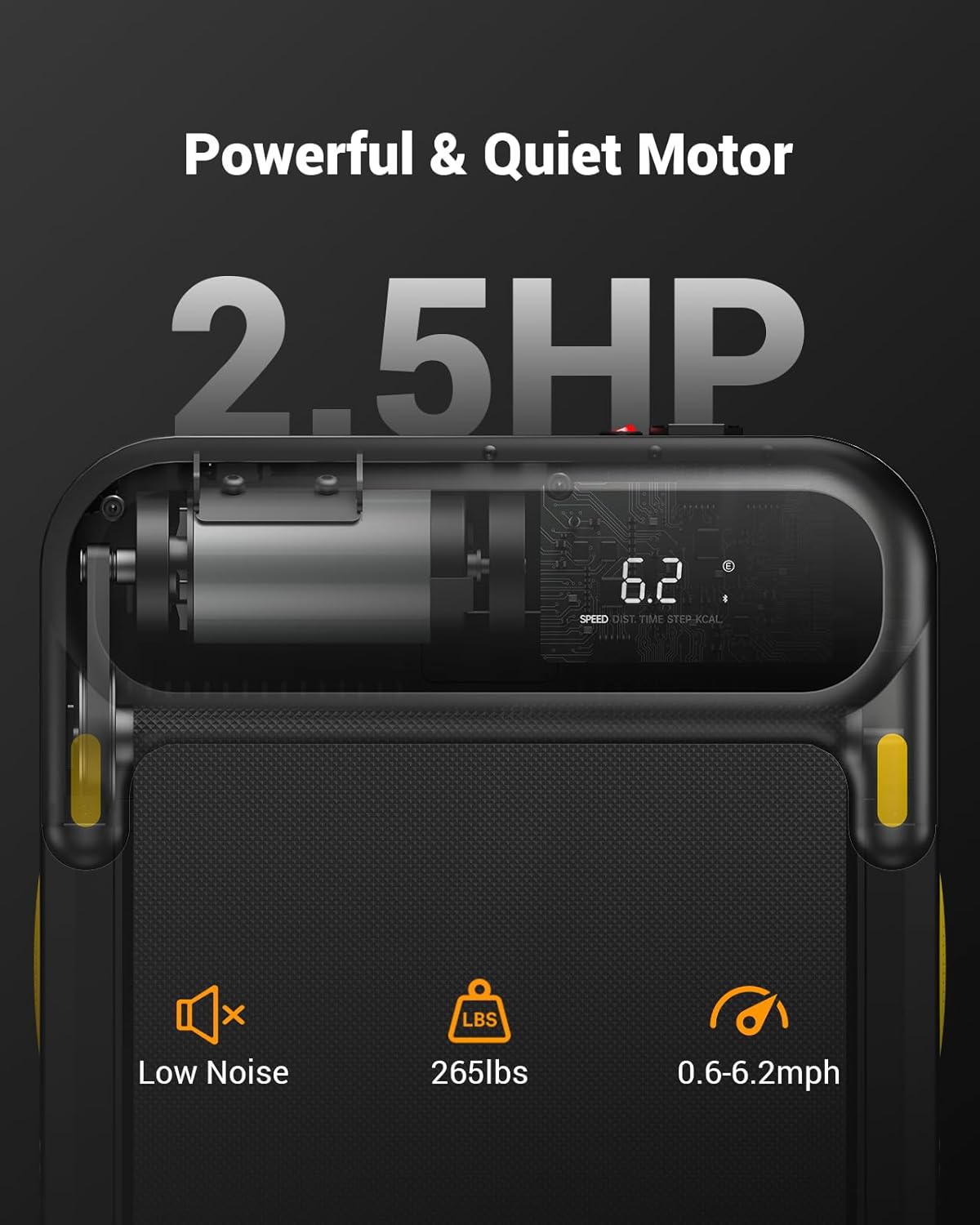
Isithombe: Eduze view of the UREVO Strol 2E Treadmill's motor specifications, highlighting its 2.5 HP power, low noise operation, 265 lbs weight capacity, and speed range of 0.6-6.2 mph.

Image: Diagram illustrating the UREVO Strol 2E Treadmill's joint protection system, featuring 2 soft cushions, a 5-layer running belt, and 8 silicone shock absorbers.
9. Iwaranti kanye Nokusekela
UREVO offers a 1-year warranty for the Strol 2E Smart 2-in-1 Folding Treadmill. For any questions, concerns, or warranty claims, please contact UREVO customer support. Our professional team is available to assist you.
Please refer to the contact information provided with your product packaging or visit the official UREVO webisayithi ukuze uthole imininingwane yosekelo.


