1. Umkhiqizo Uphelileview
The AVIOT TE-Q3 are compact active noise cancelling true wireless earbuds designed for an immersive audio experience. They feature advanced noise cancelling technology, Bluetooth 5.3 connectivity, and a durable, lightweight design. The charging case is among the smallest in its class, offering portability and extended battery life.

Image: AVIOT TE-Q3 Wireless Earbuds and their compact charging case.
Izici Eziyinhloko:
- Advanced Active Noise Cancelling: Equipped with a new processor to effectively reduce a wide range of ambient noise.
- Powerful and Realistic Sound: Features a refined 10mm dynamic driver and an improved front chamber design for balanced audio.
- I-Bluetooth 5.3 Ukuxhumana: Ensures stable and efficient wireless connection with a range of up to 10 meters.
- I-Multipoint Connection: Allows seamless switching between two connected devices.
- Imakrofoni eyakhelwe ngaphakathi: Ukuze kube nokuxhumana okucacile ngesikhathi socingo.
- IPX4 Isilinganiso Sokungangeni Manzi: Provides protection against splashes and light rain.
- Impilo ende yebhethri: Up to 11.5 hours on earbuds alone, and up to 42 hours with the charging case.
- Ukushaja Ngokushesha: 10 minutes of charging provides 60 minutes of playback.
- I-Compact and Lightweight Design: Single earbud weighs only 4.2g, with a small, portable charging case.
2. Yini EseBhokisini
Sicela uhlole ukuthi zonke izinto zikhona:
- AVIOT TE-Q3 Wireless Earbuds
- Ikesi lokushaja
- Ikhebula lokushaja le-USB Type-C
- Silicone Ear Tips (XS, S, M, L sizes; M size pre-installed)
- Imaniwali yosebenzisayo

Image: Diagram showing the earbuds, charging case, USB Type-C cable, various ear tip sizes, and the user manual included in the package.
3. Setha
3.1 Ukushaja ama-Earbud nekesi
Before first use, fully charge the earbuds and charging case. Connect the provided USB Type-C cable to the charging port on the case and a power source. The indicator light on the case will show charging status. A full charge provides up to 42 hours of total playtime with the case, and the earbuds themselves offer up to 11.5 hours on a single charge. A quick 10-minute charge can provide up to 60 minutes of playback.
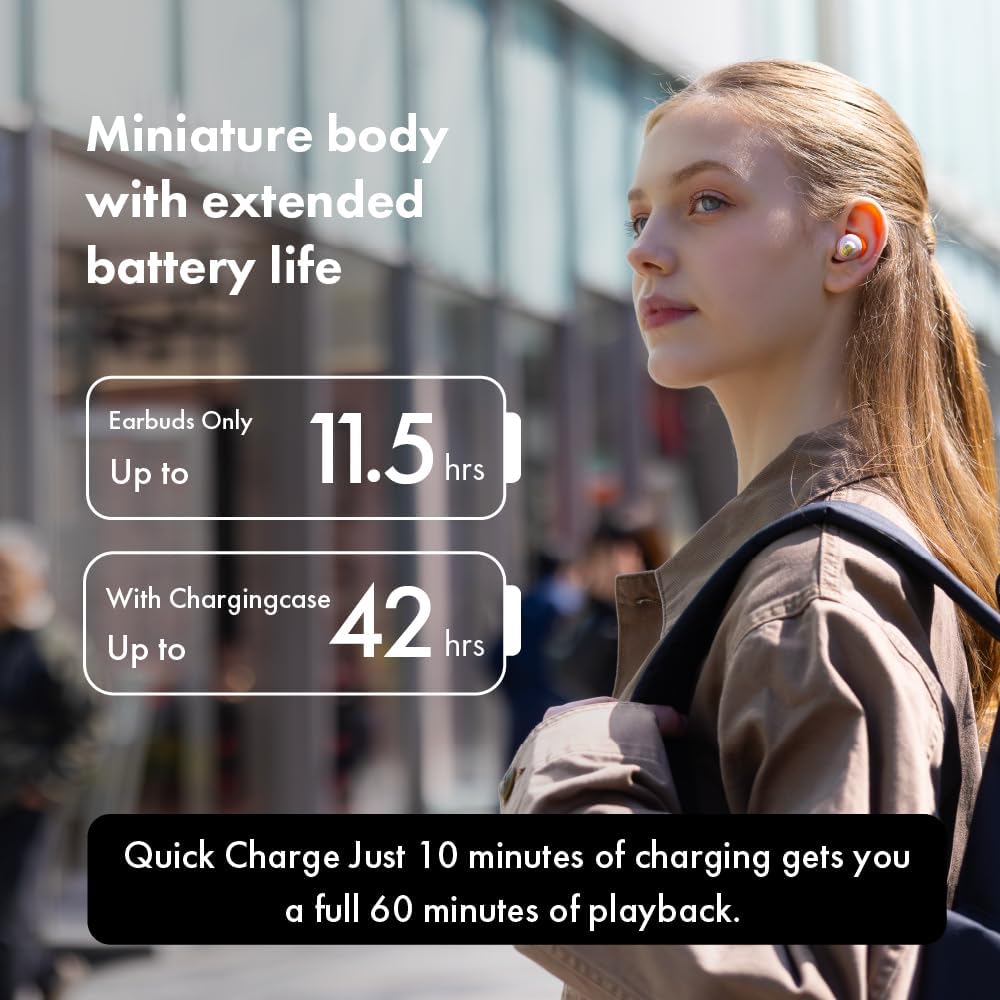
Image: A woman wearing the earbuds, illustrating the extended battery life of up to 11.5 hours for earbuds and 42 hours with the charging case.
3.2 Ukumatanisa neDivaysi
- Vula ibhokisi lokushaja. Ama-earbud azongena ngokuzenzakalelayo kwimodi yokubhangqa, ekhonjiswa izibani ezikhanyayo.
- Edivayisini yakho (i-smartphone, ithebhulethi, njll.), vula i-Bluetooth.
- Cinga "AVIOT TE-Q3" in the list of available Bluetooth devices and select it to connect.
- Uma usuxhunyiwe, ukwaziswa kwezwi kuzoqinisekisa ukumatanisa okuphumelelayo.
3.3 Ukuxhumeka Kwamaphuzu Amaningi
The AVIOT TE-Q3 supports multipoint connection, allowing you to connect to two devices simultaneously. To use this feature:
- Pair the earbuds with your first device as described above.
- Nqamula ama-earbud kuzilungiselelo ze-Bluetooth zedivayisi yokuqala (ungawahlukanisi).
- Hlanganisa ama-earbud nedivayisi yakho yesibili.
- Reconnect the earbuds to the first device from its Bluetooth settings. The earbuds should now be connected to both devices, allowing for seamless audio switching.
3.4 Selecting Ear Tips
For optimal sound quality and comfort, choose the ear tips that best fit your ears. The TE-Q3 comes with medical-grade silicone ear tips in XS, S, M, and L sizes. Experiment with different sizes to find a secure and comfortable seal.

Image: A woman comfortably wearing the AVIOT TE-Q3 earbuds, emphasizing the low-sensitivity silicone ear tips designed for a comfortable, zero-pressure experience.
4. Iziqondiso Zokusebenza
4.1 Izilawuli zokuthinta
The AVIOT TE-Q3 earbuds feature intuitive touch controls for managing playback, calls, and noise control modes. Refer to the detailed instructions in the included user manual for specific tap patterns for functions such as play/pause, skip track, answer/end call, and activating voice assistant.
4.2 Active Noise Cancelling (ANC) Mode
Activate Active Noise Cancelling mode to minimize ambient distractions and immerse yourself in your audio. This mode is ideal for noisy environments like commutes or offices.

Image: A woman wearing the earbuds, with an overlay of a CPU chip, illustrating the advanced processing for a newly upgraded, noise-free listening environment.
4.3 Imodi esobala
Transparency mode allows you to hear your surroundings while still enjoying your audio. This is useful for situations where you need to be aware of your environment, such as walking in a city or listening for announcements.

Image: A woman wearing the earbuds, with text indicating 'Transparency mode' and its function to intelligently capture and enhance environmental sounds for clarity.
4.4 Ukushaya nokwamukela izingcingo
The built-in microphone allows for hands-free calling. Use the touch controls to answer, end, or reject calls.
5. Isondlo
5.1 Ukuhlanza
Regularly clean your earbuds and charging case to maintain optimal performance and hygiene. Use a soft, dry, lint-free cloth. For ear tips, remove them from the earbuds and gently wipe with a damp indwangu, bese yomile kahle ngaphambi kokuhlanganisa kabusha.
5.2 Isitoreji
When not in use, store the earbuds in their charging case to protect them from dust, damage, and to keep them charged. Store the case in a cool, dry place away from direct sunlight and extreme temperatures.
5.3 Ukumelana Namanzi
The earbuds have an IPX4 waterproof rating, meaning they are resistant to splashing water from any direction. They are not designed for submersion in water. Avoid exposing them to heavy rain or showering.

Image: A display of AVIOT TE-Q3 charging cases in different colors, highlighting their miniature body and precision-engineered details for an elegant experience.
6. Ukuxazulula izinkinga
6.1 Akukho Umsindo noma Uxhumano Lwesikhashana
- Qinisekisa ukuthi ama-earbud ashajiwe.
- Check Bluetooth connection on your device. Try turning Bluetooth off and on again.
- Move closer to your device to ensure you are within the 10-meter Bluetooth range.
- Reset the earbuds (refer to the full user manual for specific reset instructions).
6.2 Ama-Earbud Awashaji
- Qinisekisa ukuthi ikhebuli yokushaja ixhumeke ngokuphephile kukho kokubili ikesi nomthombo wamandla.
- Hlola ukuthi oxhumana nabo bokushaja kuma-earbud nangaphakathi kwekhava bahlanzekile futhi abanazo yini izinsalela.
- Zama ikhebuli ehlukile ye-USB Type-C noma i-adaptha yamandla.
6.3 Izilawuli Zokuthinta Aziphenduli
- Qinisekisa ukuthi iminwe yakho ihlanzekile futhi yomile.
- Restart the earbuds by placing them in the case and closing it, then reopening.
7. Imininingwane
| Igama Lemodeli | I-TE-Q3 |
| Ibhrendi | I-AVIOT |
| Ubuchwepheshe bokuxhumana | Okungenantambo (Bluetooth 5.3) |
| Inguqulo ye-Bluetooth | 5.3 |
| I-Bluetooth Range | 10 Amamitha |
| Ukulawula Umsindo | Ukukhansela Umsindo Okusebenzayo |
| Uhlobo Lomshayeli Womsindo | I-Dynamic Driver (10mm) |
| Impilo Yebhethri (Earbuds) | Up to 11.5 Hours (21 Hours from spec, but 11.5 from feature bullet is more specific to earbuds only) |
| Impilo Yebhethri (enekesi) | Kufika emahoreni angu-42 |
| Ukushaja Ngokushesha | Ukushaja imizuzu eyi-10 ukuze kudlale imizuzu engama-60 |
| Indlela Yokulawula | Thinta |
| Imakrofoni | Kufakiwe |
| Ukubhanqa kwe-Multipoint | Yebo |
| Izinga Lokumelana Namanzi | IPX4 Ingangeni manzi |
| Ukubekwa Kwendlebe | Endlebeni |
| Okubalulekile | Silicone (ear tips) |
| Isisindo Sento (I-Earbud) | 4.2g (from image) |

Image: The lightweight design of the AVIOT TE-Q3 earbuds and case, with a single earbud weighing 4.2g, allowing for unrestricted listening.
8. Official Product Video Guide
Video: Official product video demonstrating the features and design of the AVIOT TE-Q3 Wireless Noise Cancelling Earbuds.
9. Iwaranti kanye Nokusekela
For warranty information and customer support, please refer to the warranty card included in your product packaging or visit the official AVIOT website. You may also contact the seller directly for assistance with product-related inquiries.


