Isingeniso
Siyabonga ngokuthengaasing the DANFI AUDIO DF TE-2026 Vintage 3-Speed Turntable LP Record Player. This manual provides essential information for the safe and efficient operation of your new record player. Please read it thoroughly before use and retain it for future reference.
The TE-2026 is a versatile record player designed to play 7", 10", and 12" vinyl records at three speeds (33 1/3, 45, and 78 RPM). It features built-in speakers, Bluetooth connectivity for streaming, RCA outputs for external speakers, a headphone jack for private listening, and a USB port for digital recording and playback.
Imiyalelo Ebalulekile Yezokuphepha
- Funda le miyalo ngokucophelela.
- Gcina le miyalo ukuze uyisebenzise esikhathini esizayo.
- Lalela zonke izixwayiso.
- Landela yonke imiyalelo.
- Ungasebenzisi lesi sisetshenziswa eduze namanzi.
- Hlanza kuphela ngendwangu eyomile.
- Ungavimbi noma yiziphi izimbobo zokungenisa umoya. Faka ngokuhambisana nemiyalelo yomkhiqizi.
- Ungafaki eduze kwanoma yimiphi imithombo yokushisa njengama-radiator, amarejista okushisa, izitofu, noma ezinye izinto ezisetshenziswayo (okuhlanganisa ampama-lifiers) akhiqiza ukushisa.
- Vikela intambo yamandla ekuhanjweni ngayo noma ekuncinzweni, ikakhulukazi kumapulaki, ezintweni ezisetshenziswayo, kanye nendawo lapho ziphuma khona ezinsizeni.
- Sebenzisa kuphela okunamathiselwe/izinsiza ezicaciswe umenzi.
- Khipha lesi sisetshenziswa phakathi neziphepho zombani noma lapho singasetshenziswa isikhathi eside.
- Thumela zonke izinsiza kubasebenzi benkonzo abaqeqeshiwe. Ukuseviswa kuyadingeka lapho umshini wokusebenza ulimele nganoma iyiphi indlela, njengentambo yokuphakela amandla noma ipulaki lonakele, uketshezi luchithekile noma izinto ziwele emshinini, umshini uhlaselwe yimvula noma umswakama, awusebenzi ngendlela evamile. , noma ulahliwe.
Okuqukethwe Kwephakheji
Qinisekisa ukuthi zonke izinto zikhona ngaphambi kokuqhubeka nokusetha:
- DANFI AUDIO DF TE-2026 Record Player
- Power unit (DC 5V/1A USB powered)
- I-Slipmat
- Extra replacement needle
- 45 RPM adaptha
- Incwadi yomsebenzisi (le dokhumenti)
Umkhiqizo Uphelileview
Familiarize yourself with the components of your record player.

Image: The DANFI AUDIO DF TE-2026 record player in blue, open and ready to play a vinyl record. The tonearm is visible, along with the built-in speakers on the front.

Image: A diagram highlighting key features of the record player, including Bluetooth In, Belt-Driven Damping, USB Playback & Recording, AUX in/Out & Headphone jack, Built-in Stereo Speakers, and Turntable Auto-Stop.
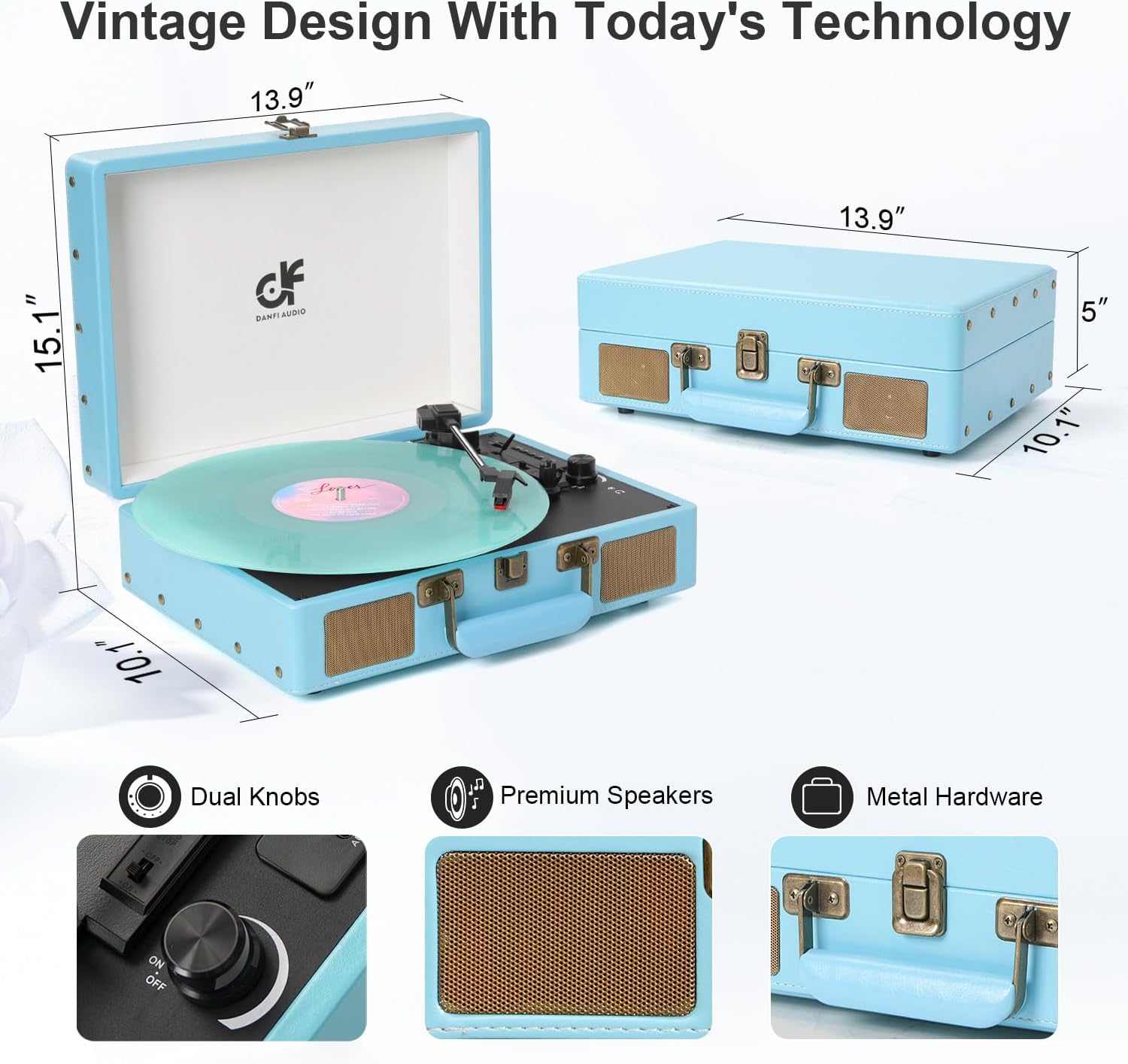
Image: This image displays the dimensions of the record player (13.9" x 10.1" x 5" when closed, 15.1" height when open) and close-ups of the dual knobs, premium speakers, and metal hardware.
Setha
- Ukukhulula: Carefully remove the record player and all accessories from the packaging. Retain packaging for future transport or storage.
- Ukubekwa: Place the record player on a stable, level surface away from direct sunlight, heat sources, and excessive dust or vibration.
- Ukuxhuma kwamandla: Connect the power unit to the DC 5V/1A USB port on the record player and then plug it into a suitable power outlet.
- Remove Stylus Protector: Gently remove the white plastic stylus protector from the needle. Be careful not to damage the stylus.
- Platter Setup: Place the slipmat onto the platter.
Imiyalelo yokusebenza
Ukudlala irekhodi leVinyl
- Open the record player lid.
- Place a vinyl record on the platter. If playing a 45 RPM single, place the 45 RPM adapter on the center spindle first.
- Select the correct speed (33 1/3, 45, or 78 RPM) using the speed selector switch.
- Turn the Power/Volume knob clockwise to turn on the unit and adjust the volume.
- Khulula ukukhiya kwethoni.
- Lift the tonearm using the cue lever and position it over the desired track on the record.
- Gently lower the tonearm onto the record using the cue lever. The record will begin to play.
- At the end of the record, the auto-stop function will stop the platter from spinning. Lift the tonearm, return it to the tonearm rest, and engage the lock.
Imodi ye-Bluetooth
You can stream music wirelessly from your Bluetooth-enabled device to the record player's built-in speakers.
- Turn on the record player.
- Switch the mode selector to "BT" (Bluetooth). The indicator light will flash, indicating pairing mode.
- On your smartphone or other Bluetooth device, enable Bluetooth and search for "DANFI AUDIO DF" or a similar device name.
- Select the record player to pair. Once connected, the indicator light will stop flashing.
- You can now play music from your device through the record player's speakers.
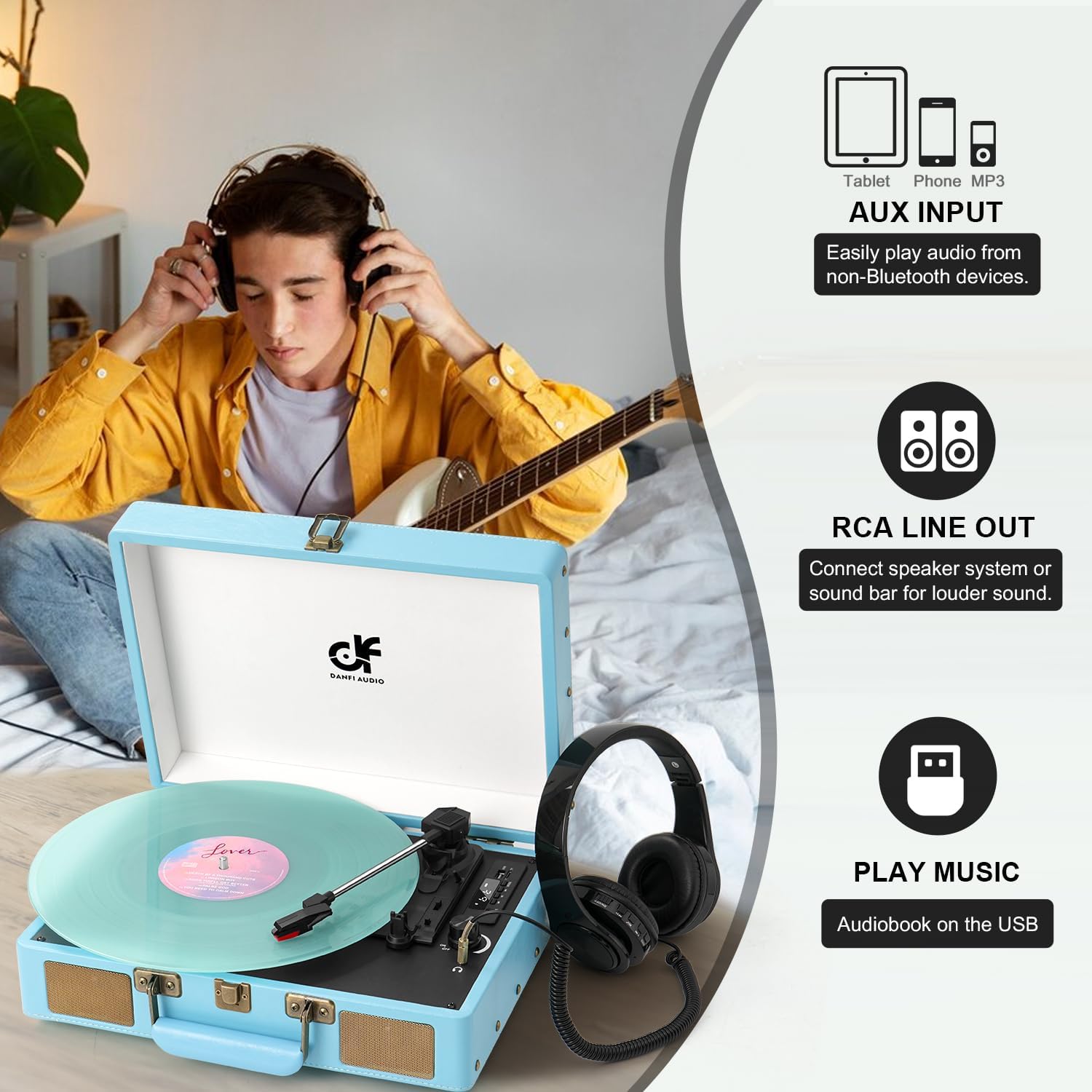
Image: A person is shown listening to music with headphones connected to the record player. The image also illustrates the AUX input for non-Bluetooth devices and RCA line out for connecting external speakers.
Okokufaka kwe-AUX
Connect external audio devices (e.g., CD player, MP3 player) using a 3.5mm AUX cable (not included).
- Connect one end of the 3.5mm AUX cable to the AUX IN port on the record player.
- Xhuma olunye uhlangothi ku-jack yama-headphone noma i-output yomsindo yedivayisi yakho yangaphandle.
- Switch the mode selector to "AUX".
- Dlala umsindo ovela kudivayisi yakho yangaphandle.
Ukukhishwa komugqa we-RCA
Connect the record player to external powered speakers or an amplifier using RCA cables (not included) for enhanced sound.
- Connect RCA cables to the RCA OUT ports on the back of the record player.
- Connect the other end of the RCA cables to the audio input of your external ampi-lifier noma izipikha ezinamandla.
- Ensure your external audio system is powered on and set to the correct input.
- Play a record or use Bluetooth/AUX input. Audio will be routed through the external system.
I-headphone Jack
For private listening, connect headphones to the 3.5mm headphone jack.
- Xhuma amahedfoni akho ekhanda lehedfoni.
- The built-in speakers will automatically mute.
Ukuqoshwa kwe-USB nokudlala
The USB port allows you to convert vinyl records to digital format (MP3/WAV) and play digital audio files kusuka kudrayivu ye-USB.

Image: This diagram illustrates how to convert vinyl music to MP3/WAV format and save it to a U disk, and also how to directly play songs stored on a U disk using the turntable's USB port.
Recording Vinyl to USB:
- Faka i-USB flash drive embobeni ye-USB.
- Start playing a vinyl record.
- Press the "REC" button (refer to your device's control panel for exact button). The recording will begin.
- Cindezela u-"REC" futhi ukuze uyeke ukurekhoda. Okuqoshiwe file izolondolozwa kudrayivu ye-USB.
Playing Music from USB:
- Insert a USB flash drive containing MP3/WAV files embobeni ye-USB.
- Switch the mode selector to "USB".
- Use the playback controls (Play/Pause, Next/Previous) to navigate and play your digital audio files.
Isondlo
Ukuhlanza i-Stylus
A dirty stylus can degrade sound quality and damage your records. Use a soft brush (not included) to gently clean the stylus from back to front.
Cleaning the Record Player
Sula ingaphandle leyunithi ngendwangu ethambile, eyomile. Ungasebenzisi izinto zokuhlanza abrasive noma izincibilikisi.
Ukushintsha i-Stylus
The stylus has a limited lifespan (approximately 300-500 hours of play). A replacement needle is included. To replace:
- Gently pull down the front of the old stylus cartridge to detach it.
- Align the new stylus cartridge and push it upwards until it clicks into place.
Ukuxazulula inkinga
| Inkinga | Imbangela Engenzeka | Isixazululo |
|---|---|---|
| Awekho amandla | Intambo yamandla ayixhunyiwe; Indawo yamandla ayisebenzi | Qinisekisa ukuthi intambo yamandla ixhumeke ngokuphephile; Zama i-outlet ehlukile |
| Awukho umsindo | Volume too low; Headphones connected; Incorrect mode selected | Increase volume; Disconnect headphones; Select correct mode (PHONO, BT, AUX, USB) |
| Record skips | Record is dirty or scratched; Stylus is dirty or worn; Player not on a level surface | Clean record; Clean or replace stylus; Place player on a stable, level surface |
| I-Bluetooth ayixhumi | Record player not in BT mode; Device too far; Bluetooth disabled on device | Switch to BT mode; Move device closer; Enable Bluetooth on your device and re-pair |
| Ukurekhoda nge-USB akusebenzi | USB drive full or incompatible format; Record not playing | Ensure USB drive has sufficient space and is formatted correctly (FAT32); Ensure record is playing before pressing REC |
Imininingwane
- Imodeli: I-TE-2026
- Ibhrendi: I-DANFI AUDIO DF
- Ubukhulu bomkhiqizo: 10 x 13.9 x 5 amayintshi (L x W x H)
- Isisindo Sento: 5.5 amakhilogremu
- Izivinini: 33 1/3, 45, 78 RPM
- Ukuxhumana: Bluetooth, AUX In, RCA Out, Headphone Jack, USB
- Izici ezikhethekile: Anti-Resonance, Digital Recorder, Auto-Stop, Built-in Speakers
- Ukunikezwa kwamandla kagesi: DC 5V/1A (USB powered)
- Okubalulekile: Engineered Wood
- Izingxenye ezifakiwe: Record player, Power unit, Slipmat, Extra replacement needle, 45rpm adapter, User manual
Iwaranti kanye Nokusekela
For warranty information and customer support, please refer to the official DANFI AUDIO DF webisayithi noma uxhumane nomthengisi wakho. Gcina irisidi lakho lokuthenga njengobufakazi bokuthenga.
Umkhiqizi: I-DANFI AUDIO DF
Umdayisi: DANFI AUDIO LLC
Inqubomgomo Yokubuyisela: Inqubomgomo yembuyiselo/yokushintsha yezinsuku ezingama-30 kusukela ngedethi yokuthenga.
Ukuze uthole olunye usizo, ungavakashela i- DANFI AUDIO DF Store on Amazon.


