1. Isingeniso
This manual provides detailed instructions for the proper use and maintenance of your Obbug Bluetooth Headset, Model YYK-530. Please read this manual thoroughly before using the product to ensure optimal performance and longevity.
2. Okuqukethwe Kwephakheji
Qinisekisa ukuthi zonke izinto zikhona kuphakheji yakho:
- 1 x Obbug Bluetooth Headset
- 1 x Ikesi lokushaja
- 1 x Ikhebuli yokushaja ye-USB Type-C
- 1 x Ear Hat (replacement ear tip)
- 1 x Incwadi Yomsebenzisi
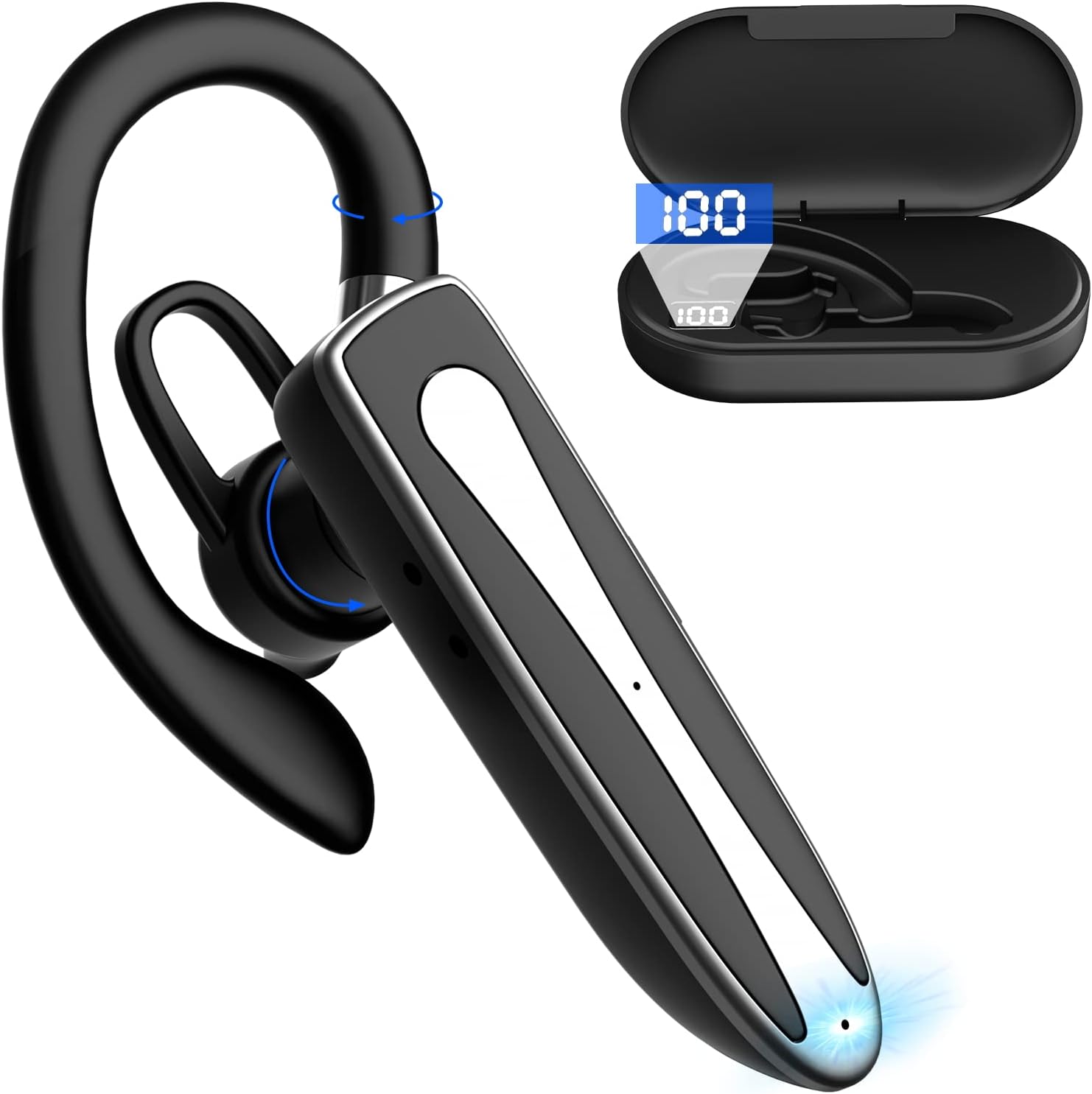
Image 2.1: Obbug Bluetooth Headset YYK-530 and its charging case.
3. Izici zomkhiqizo
- I-Bluetooth 5.1 Ubuchwepheshe: Provides stable connection and clear audio.
- Impilo Yebhethri Enwetshiwe: Up to 80 hours of continuous use with the charging case.
- Idizayini enethezekile futhi elungisekayo: Flexible earhook and rotatable boom mic for left or right ear wear.
- CVC8.0 Noise Reduction: Kuthuthukisa ukucaca kwezingcingo ngokunciphisa umsindo wangemuva.
- Ukuhambisana Okubanzi: Connects with most Bluetooth-enabled devices including smartphones, tablets, and computers.
- Ukushaya Kwezandla: Integrated microphone for convenient communication.

Image 3.1: Illustration of CVC8.0 Noise Reduction for clear audio.
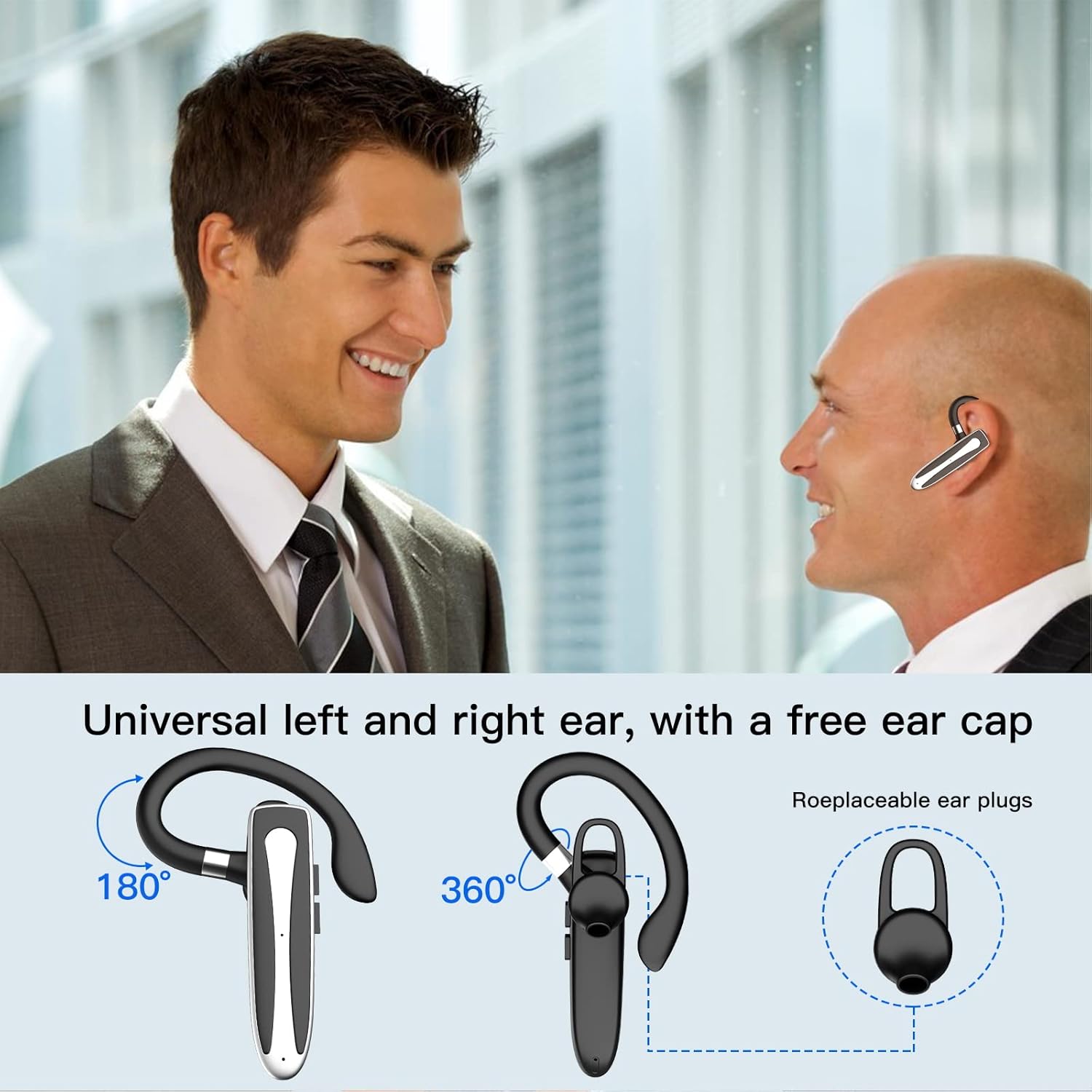
Image 3.2: Diagram illustrating the dual microphone noise reduction processing.
4. Setha
4.1 Charging the Headset and Case
Ngaphambi kokusebenzisa okokuqala, shaja ngokuphelele i-headset kanye nesikhwama sayo sokushaja.
- Place the headset into the charging case.
- Connect the USB Type-C cable to the charging port on the case and to a power source (e.g., USB wall adapter, computer USB port).
- The charging indicator on the case will show charging status. A full charge typically takes 1.5 hours.

Image 4.1: The Type-C charging port on the charging case.

Image 4.2: Battery life and charging time information for the headset and case.
4.2 Ukumatanisa neDivaysi
The headset uses Bluetooth 5.1 for wireless connection.
- Vula: Take the headset out of the charging case, or press and hold the Multi-function Button until the indicator light flashes blue and red, indicating pairing mode.
- Yenza kusebenze i-Bluetooth: Edivayisini yakho (i-smartphone, ithebhulethi, njll.), iya kuzilungiselelo ze-Bluetooth bese uvula i-Bluetooth.
- Khetha Idivayisi: In the list of available devices, select "YYK-530".
- Qinisekisa Ukuxhumeka: Once connected, the headset indicator light will flash blue slowly, and your device will show "Connected".

Image 4.3: Illustration of optimal Bluetooth connection distance (within 10 meters).
4.3 Connecting to Two Devices Simultaneously
The headset supports connecting to two Bluetooth devices at the same time.
- Connect the headset to the first device (e.g., Phone A) as described in Section 4.2.
- Turn off Bluetooth on the first device. The headset will re-enter pairing mode.
- Connect the headset to the second device (e.g., Phone B) as described in Section 4.2.
- Turn on Bluetooth on the first device. The headset should automatically reconnect to both devices.
You can now answer calls or play music from either connected device.

Image 4.4: Step-by-step guide for connecting the headset to two devices.
4.4 Ukugqoka Ihedisethi
The headset is designed for comfortable wear on either the left or right ear.
- The earhook can rotate 360° vertically and 360° horizontally to fit your preferred angle.
- The retractable earhook can be adjusted to fit the shape of your ear.

Image 4.5: The headset's adjustable design for left or right ear wearing.
5. Iziqondiso Zokusebenza
5.1 Vula/Vala amandla
- Vula: Take the headset out of the charging case, or press and hold the Multi-function Button for approximately 3 seconds until the indicator light flashes blue.
- Cisha ugesi: Place the headset back into the charging case, or press and hold the Multi-function Button for approximately 5 seconds until the indicator light flashes red and then turns off.
5.2 Ukuphathwa Kwezingcingo
- Phendula/Phendula ikholi: Cindezela Inkinobho Yemisebenzi eminingi kanye.
- Yenqaba Ucingo: Press and hold the Multi-function Button for approximately 2 seconds.
- Phinda ushaye inombolo yokugcina: Double-press the Multi-function Button.
5.3 Ukudlala Umculo
- Dlala/Misa kancane: Cindezela Inkinobho Yemisebenzi eminingi kanye.
- Ithrekhi Elandelayo: Cindezela bese ubamba inkinobho ethi Volume Up.
- Ithrekhi yangaphambilini: Cindezela bese ubamba inkinobho Yevolumu Phansi.
5.4 Ukulawula ivolumu
- Khulisa ivolumu: Cindezela inkinobho yeVolume Up.
- Nciphisa ivolumu: Cindezela inkinobho ethi Volume Down.
5.5 Ukusebenza Komsizi Wezwi
Activate your device's voice assistant (Siri, Google Assistant) directly from the headset.
- Yenza kusebenze umsizi wezwi: Triple-press the Multi-function Button.

Image 5.1: The headset supports activation of Siri and Google Assistant.
6. Isondlo
- Clean the headset and charging case regularly with a soft, dry cloth.
- Gwema ukubeka idivayisi emazingeni okushisa aphezulu, emswakama, noma ezintweni ezibolile.
- Store the headset in its charging case when not in use to protect it and keep it charged.
- Ungazami ukuqaqa noma ukulungisa idivayisi ngokwakho. Xhumana nesevisi yamakhasimende ukuze uthole usizo.
7. Ukuxazulula izinkinga
7.1 Headset Not Powering On
- Ensure the headset is fully charged. Place it in the charging case and connect the case to a power source.
- Press and hold the Multi-function Button for 3-5 seconds to power on.
7.2 Awukwazi Ukumatanisa Nedivayisi
- Ensure the headset is in pairing mode (indicator flashes blue and red).
- Vala i-Bluetooth kudivayisi yakho bese uyivula futhi.
- Ensure the headset is within 10 meters of your device and there are no significant obstacles.
- Clear the Bluetooth pairing list on your device and try pairing again.
7.3 Awukho Umsindo noma Ikhwalithi Yomsindo Engalungile
- Adjust the volume on both the headset and your connected device.
- Qinisekisa ukuthi i-headset ixhunywe kahle kudivayisi yakho.
- Move closer to your device to ensure you are within Bluetooth range.
- Hlola noma yikuphi ukuphazamiseka kwamanye amadivaysi angenawaya.
8. Imininingwane
| Isici | Ukucaciswa |
|---|---|
| Igama Lemodeli | I-YYK-530 |
| Ibhrendi | I-Obbug |
| Ubuchwepheshe bokuxhumana | Okungenantambo (Bluetooth) |
| Inguqulo ye-Bluetooth | 5.1 |
| I-Bluetooth Range | Kufika kumamitha ayi-10 (33 Fitre) |
| Ukulawula Umsindo | Sound Isolation (CVC8.0 Noise Reduction) |
| Ukuma kwe-Earpiece | Indlebe Hook |
| Impilo Yebhethri (I-Headset) | Amahora angu-5 (cishe.) |
| Impilo Yebhethri (enekesi lokushaja) | Up to 80 Hours (approx.) |
| Isikhathi sokushaja | Amahora angu-1.5 |
| Imbobo yokushaja | I-USB Type-C |
| Izinga Lokumelana Namanzi | Ingangeni manzi |
| Isisindo sento | Ama-ounces angu-4.9 (0.14 Amakhilogremu) |
| I-Frequency Range | 20Hz - 20,000Hz |
| Amadivayisi Ahambisanayo | Cellphones, Desktops, Laptops, Telephones |

Image 8.1: The headset is compatible with a wide range of Bluetooth-enabled devices.
9. Iwaranti kanye Nokwesekwa Kwekhasimende
The Obbug Bluetooth Headset comes with a 1-month replacement warranty.
For any questions, issues, or support needs, please contact our customer service. We offer 24-hour customer service to assist you.
Please refer to your purchase documentation for specific contact details.


