1. Isingeniso
This manual provides essential instructions for the safe and effective use of your JVC Gumy Mini True Wireless Earbuds (Model HAA6TW). Please read this manual thoroughly before using the product and retain it for future reference.
The JVC Gumy Mini True Wireless Earbuds are designed for comfortable listening with a compact and lightweight form factor. They feature Bluetooth 5.1 connectivity, up to 23 hours of total battery life with the charging case, and IPX4 water resistance, making them suitable for various daily activities.
2. Yini EseBhokisini
- JVC Gumy Mini True Wireless Earbuds (L/R)
- Ikesi lokushaja okungenantambo
- Ikhebula lokushaja le-USB
- Multiple sizes of earpieces (S/M/L)

Image: Contents of the JVC Gumy Mini True Wireless Earbuds package.
3. Umkhiqizo Uphelileview

Image: JVC Gumy Mini True Wireless Earbuds (HAA6TW) in white, alongside their retail packaging.
Izici Eziyinhloko:
- I-Compact and Lightweight Design: Designed for a comfortable and secure fit.
- Impilo ende yebhethri: Kufika emahoreni angu-23 okudlala okuphelele ngebhokisi lokushaja.
- I-IPX4 Ukumelana Namanzi: Resistant to splashes and sweat, suitable for workouts and light rain.
- Izilawuli zenzwa yokuthinta: Intuitive control for music playback and calls.
- Xhuma ngokuzenzakalelayo: Ama-earbud avula ngokuzenzakalelayo futhi axhume kudivayisi yakho lapho ekhishiwe kukesi.
- 3 Sound Modes: Choose between Normal, Bass, or Clear sound profiles.

Image: Illustration of the small and ultra-lightweight design of the earbuds.

Image: Earbuds demonstrating touch sensor and auto on/off functionality.

Image: Earbuds illustrating stable wireless connectivity with various devices.
4. Setup & Pairing
Ukumatanisa kokuqala:
- Remove both earbuds from the charging case. The earbuds will automatically power on.
- The 'R' indicator on the right earbud will flash once every 5 seconds, and the 'L' indicator on the left earbud will flash repeatedly, indicating they are connected to each other and ready for pairing. A voice message will say "Pairing".
- Edivayisini yakho (i-smartphone, ithebhulethi, njll.), vula i-Bluetooth bese usesha amadivayisi atholakalayo.
- Select "JVC HA-A6T" from the list of available devices.
- Once connected, the 'L' and 'R' LEDs will flash every 5 seconds. The earbuds are now ready for use.
Video: Instructions on how to connect and reconnect JVC Gumy Mini True Wireless Earbuds, and how to restore them to default settings.
5. Iziqondiso Zokusebenza
Izilawuli zokuthinta:
The earbuds feature touch-sensitive controls for various functions. Specific actions may vary slightly depending on your device and operating system.
- Dlala/Misa kancane: Ukuthepha okukodwa kunoma iyiphi i-earbud.
- Ithrekhi Elandelayo: Thepha kabili ku-earbud engakwesokudla.
- Ithrekhi yangaphambilini: Thepha kabili ku-earbud engakwesokunxele.
- Phendula/Phendula ikholi: Ukuthepha okukodwa kunoma iyiphi i-earbud.
- Yenqaba Ucingo: Cindezela futhi ubambe noma iyiphi i-earbud imizuzwana emi-2.
- Yenza kusebenze umsizi wezwi: Thepha kathathu kunoma iyiphi i-earbud.
Izindlela Zomsindo:
The earbuds offer three distinct sound modes to enhance your listening experience:
- Okuvamile: Uchwepheshe womsindo olinganiselayofile for everyday listening.
- Ibhesi: I-bass ethuthukisiwe ukuze kube nomsindo ocebile nonamandla kakhulu.
- Sula: Optimized for vocal clarity, ideal for podcasts or audiobooks.
To switch between sound modes, refer to your device's audio settings or the JVC app if available.

Image: Visual representation of the three available sound modes.
6. Iyashaja
Ukushaja ama-Earbuds:
Place the earbuds into the charging case. The indicators on the earbuds will light up, confirming that charging has started. The earbuds will automatically power off when placed in the case.
Ukushaja Ikesi:
Connect the provided USB charging cable to the charging port on the case and to a USB power source. The LED indicators on the case will show the charging status. A full charge provides approximately 15.5 hours of additional battery life for the earbuds, totaling up to 23 hours of playback.
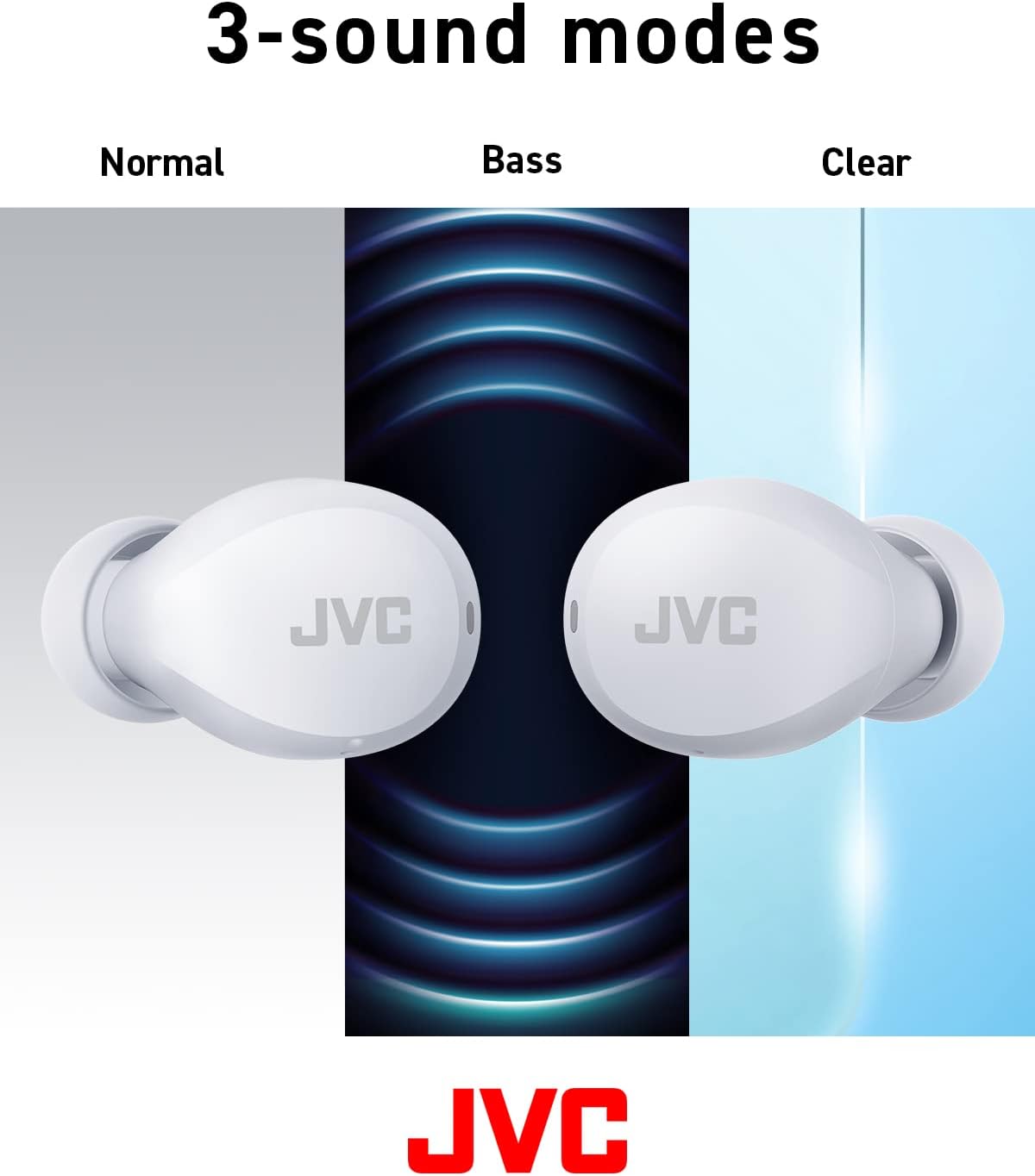
Image: Battery life breakdown for earbuds and charging case.
7. Ukunakekela Nokunakekela
Ukumelana Namanzi (IPX4):
The JVC Gumy Mini earbuds are rated IPX4, meaning they are resistant to splashing water from any direction. This makes them suitable for use during workouts or in light rain. However, they are not designed for submersion in water. Do not expose them to strong jets of water or prolonged immersion.

Image: Earbuds demonstrating sweat and splash-proof capabilities.
Ukuhlanza:
- Sula ama-earbud kanye nesikhwama sokushaja ngendwangu ethambile neyomile.
- Ungasebenzisi izinto zokuhlanza abrasive, utshwala, noma izincibilikisi zamakhemikhali.
- Hlanza njalo oxhumana nabo bokushaja kuma-earbud kanye nebhokisi ukuqinisekisa ukuthi bashaja kahle.
8. Ukuxazulula izinkinga
Izinkinga Ezivamile:
- Awukho Umsindo/Ivolumu Ephansi: Check device volume, earbud placement, and ensure earbuds are charged.
- Ama-Earbud Awamatanisi: Ensure Bluetooth is enabled on your device and the earbuds are in pairing mode. Try resetting the earbuds.
- Ukuxhumana Kwesikhashana: Ensure no obstructions between earbuds and device. Move closer to your device.
Restoring to Default Settings:
If you experience persistent issues, restoring the earbuds to factory default settings may resolve them. Refer to the video below for detailed instructions.
Video: Detailed guide on how to connect, reconnect, and restore JVC Gumy Mini True Wireless Earbuds to their default settings.
9. Imininingwane
| Isici | Ukucaciswa |
|---|---|
| Igama Lemodeli | GUMY Mini (HAA6TW) |
| Ubuchwepheshe bokuxhumana | I-Bluetooth 5.1 |
| Ukubekwa Kwendlebe | Endlebeni |
| Izinga Lokumelana Namanzi | IPX4 (Ingazweli Amanzi) |
| Impilo Yebhethri (Earbuds) | Kufika emahoreni angu-7.5 |
| Impilo Yebhethri (enekesi) | Kufika emahoreni angu-23 |
| Uhlobo Lomshayeli Womsindo | I-Dynamic Driver |
| Impendulo Yemvamisa | 20000 Hz |
| Impedance | 16 ohm |
| Uhlobo Lokulawula | Voice Control, Touch Sensor |
| Isisindo sento | 3.36 Amawunsi |
| Izingxenye Ezihlanganisiwe | Headphones, Wireless Charging Case, Cable |
10. Iwaranti & Ukusekela
Ukuze uthole ulwazi lwewaranti kanye nokusekelwa kwamakhasimende, sicela ubheke ikhadi lewaranti elifakwe nomkhiqizo wakho noma uvakashele i-JVC esemthethweni. webindawo. Gcina ubufakazi bakho bokuthenga banoma yiziphi izimangalo zewaranti.


