1. Isingeniso
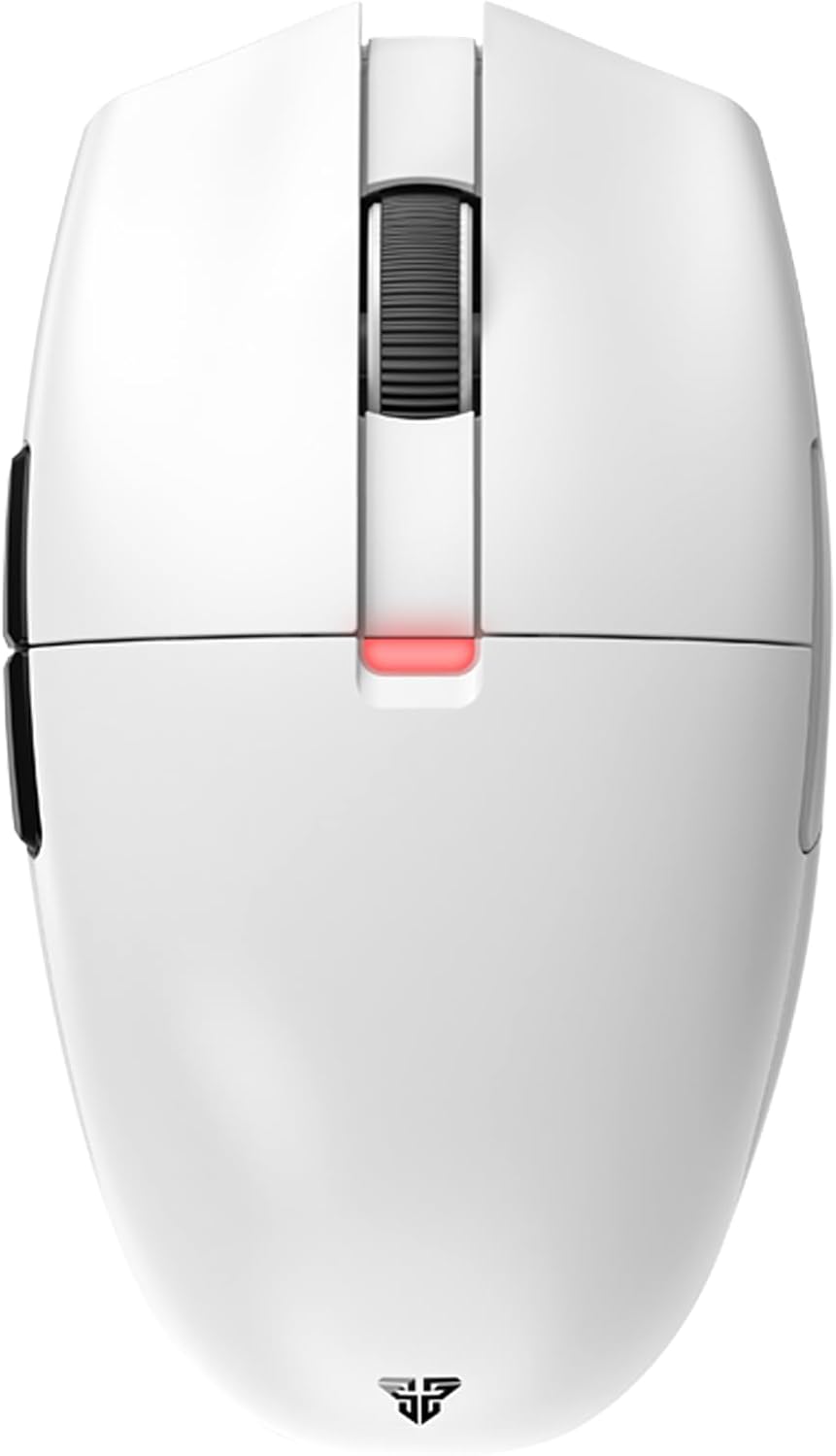
The FANTECH ARIA XD7 is a high-performance wireless gaming mouse designed for competitive gaming. It features a lightweight, ambidextrous egg shape, a precise Pixart 3395 gaming sensor, durable HUANO switches, and versatile 3-mode connectivity (wired, 2.4GHz wireless, Bluetooth). This manual provides essential information for setting up, operating, maintaining, and troubleshooting your ARIA XD7 mouse.

2. Yini EseBhokisini
Upon unboxing your FANTECH ARIA XD7, please verify that all the following components are included:
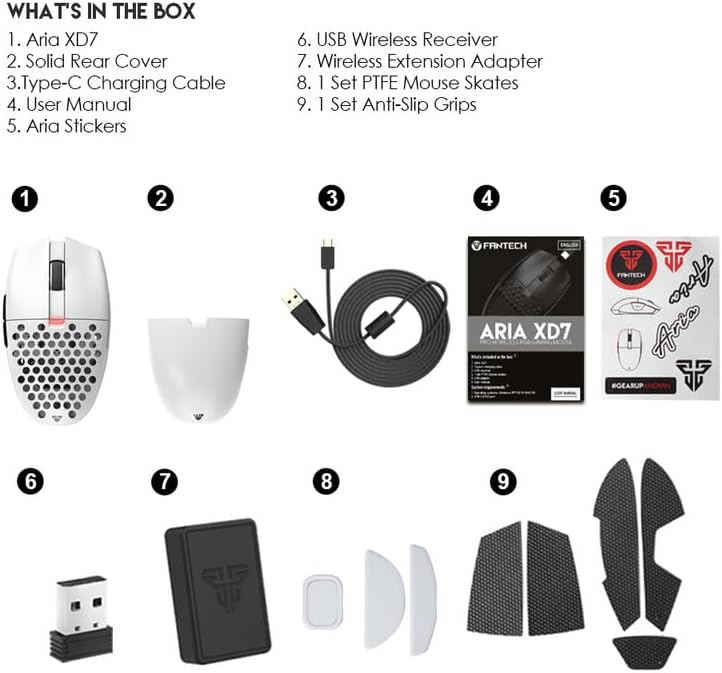
- Aria XD7 Wireless Gaming Mouse
- Solid Rear Cover (interchangeable)
- Uhlobo C lokushaja ikhebula
- Incwadi Yomsebenzisi (le dokhumenti)
- Izitika ze-Aria
- I-USB Wireless Receiver
- I-adaptha Yesandiso Esingenantambo
- 1 Setha i-PTFE Mouse Skates
- 1 Setha ama-Anti-Slip Grips
3. Setha
3.1 Ukushaja Igundane
Before first use, it is recommended to fully charge the mouse. Connect the provided Type-C charging cable to the mouse and a USB power source. The mouse features up to 40 hours of battery life and takes approximately 2 hours for a full charge.
3.2 Ukuxhuma igundane
The FANTECH ARIA XD7 supports three connectivity modes:
- Imodi enentambo: Connect the mouse directly to your computer using the provided Type-C charging cable. The mouse will function immediately and charge simultaneously.
- 2.4GHz Imodi engenantambo: Insert the USB Wireless Receiver into an available USB port on your computer. The mouse should automatically connect. For optimal signal, use the Wireless Extension Adapter to position the receiver closer to the mouse.
- Imodi ye-Bluetooth 5.0: Ensure your device has Bluetooth enabled. On the mouse, long-press the connectivity mode button (usually located on the underside) to enter pairing mode. Select "FANTECH ARIA XD7" from your device's Bluetooth settings to connect.

4. Iziqondiso Zokusebenza
4.1 Imisebenzi Eyisisekelo
- Chofoza Kwesobunxele/Kwesokudla: Standard mouse buttons for primary interactions. The ARIA XD7 uses high-end switches for crisp clicks.
- Isondo Lokuskrola: Used for vertical scrolling. The TTC Gold scroll wheel encoder provides precise, tactile steps.
- Izinkinobho Eziseceleni: Typically used for forward/backward navigation in web browsers or customizable in software.

4.2 Ukulungiswa Kwe-DPI
The ARIA XD7 features on-the-fly DPI switching, allowing you to adjust sensitivity from 800 to 26000 DPI. The DPI adjustment button is located on the underside of the mouse to prevent accidental changes during intense gameplay.
4.3 Recommended Grip Styles
The ambidextrous egg shape of the ARIA XD7 is designed to accommodate various grip styles, particularly Claw and Fingertip grips. The mouse's dimensions are optimized for comfortable use across different hand sizes.

5. Ukwenza ngokwezifiso kanye neSoftware
To unlock the full potential of your FANTECH ARIA XD7, download the official FANTECH software from the manufacturer's website. The software allows for extensive personalization, including:
- Adjusting DPI settings and creating custom profiles.
- Programming buttons for macros and specific functions.
- Setting the adjustable polling rate up to 1000Hz.
- Fine-tuning Lift-Off Distance (LOD) for precision on various surfaces.

6. Isondlo
To ensure the longevity and optimal performance of your ARIA XD7 mouse, follow these simple maintenance guidelines:
- Ukuhlanza: Sebenzisa indwangu ethambile, eyomile ukuze usule indawo yegundane. Ngokungcola okunenkani, kancane dampzu indwangu ngamanzi noma isixazululo esithambile sokuhlanza. Gwema amakhemikhali anokhahlo.
- Inzwa: Gcina inzwa yokukhanya engaphansi ihlanzekile futhi ingenalo uthuli noma imfucumfucu. Sebenzisa i-swab yekotini uma kudingeka.
- Isitoreji: Uma ingasetshenziswa isikhathi eside, gcina igundane endaweni ehlanzekile, eyomile ekude nezinga lokushisa elidlulele.
7. Ukuxazulula izinkinga
If you encounter any issues with your FANTECH ARIA XD7 mouse, please refer to the official Troubleshooting Guide for detailed solutions. A PDF version is available for download: FANTECH ARIA XD7 Troubleshooting Guide (PDF).
Common issues and tips:
- Izinkinga Zokuxhumana: Ensure the USB receiver is properly inserted or Bluetooth is correctly paired. Try a different USB port.
- Impilo Yebhethri: If battery life seems shorter than expected, ensure the mouse is fully charged. Avoid leaving the mouse connected to a charger unnecessarily after it's full.
- Scroll Wheel Malfunction: Check for any physical obstructions. If issues persist, refer to the troubleshooting guide.
- Isoftware/Izinkinga Zomshayeli: Ensure you have the latest software and firmware installed from the official FANTECH website. Some issues, like double-clicking, may be resolved by updating firmware or adjusting debounce time in the software.
- Unresponsive Mouse: Try restarting your computer, reconnecting the mouse, or switching between wired and wireless modes.
8. Imininingwane Yezobuchwepheshe
| Isici | Ukucaciswa |
|---|---|
| Ubukhulu bomkhiqizo | 4.49 x 2.56 x 1.54 amayintshi |
| Isisindo sento | 2.08 amakhilogremu |
| Inombolo Yemodeli Yento | XD7 |
| Amabhethri | Ibhethri ye-Lithium Polymer edingekayo (ifakiwe) |
| Usuku Lokuqala Olutholakalayo | Julayi 23, 2022 |
| Umkhiqizi | I-FANTECH |
| Ibhrendi | I-FANTECH |
| Umbala | XD7-White |
| Ubuchwepheshe bokuxhumana | Bluetooth, 2.4GHz Wireless, Wired (USB-C) |
| Izici ezikhethekile | Ergonomic Design, Lightweight, Programmable Buttons, Rechargeable, Wireless |
| Ubuchwepheshe bokutholwa kokunyakaza | Optical (Pixart 3395 Gaming Sensor) |
| Ibanga le-DPI | 800-26000 DPI (On-the-Fly Adjustable) |
| Ukusheshisa | Up to 50G ACC |
| IPS | I-650 IPS |
| Clicks Lifetime | Huano TBSPD 80 Million Times |
| Amandla ebhethri | 300mAh |
| Impilo Yebhethri | Kufika emahoreni angu-40 |
| Isikhathi sokushaja | Cishe amahora angu-2 |
| Ubude bentambo | 1.8m Type-C Paracord |
| Isisindo | 59gr ±1gr |
9. Iwaranti kanye Nokusekela
FANTECH products are manufactured to high-quality standards. For warranty information and support, please refer to the warranty card included with your product or visit the official FANTECH website. If you require technical assistance or have questions not covered in this manual, please contact FANTECH customer support through their official channels.


