1. Isingeniso
This manual provides detailed instructions for the installation, operation, and maintenance of your Bewinner 1080p Car Dash Cam. Please read this manual thoroughly before using the device to ensure proper functionality and safety. This dash cam features a 10-inch IPS touchscreen and dual front and rear cameras for comprehensive vehicle recording.
2. Ulwazi Lokuphepha
- Qinisekisa ukuthi i-dash cam ifakwe kahle futhi ayivimbeli umshayeli view noma uphazamisane nezilawuli zemoto.
- Do not operate the device while driving. Adjust settings only when the vehicle is safely parked.
- Use only the provided power adapter to prevent damage to the device and vehicle.
- Gwema ukubeka idivayisi emazingeni okushisa aphezulu, elangeni eliqondile isikhathi eside, noma emswakama owedlulele.
- Keep the lens clean for optimal recording quality.
- Yenza isipele sevidiyo ebalulekile njalo files to prevent loss.
3. Okuqukethwe Kwephakheji
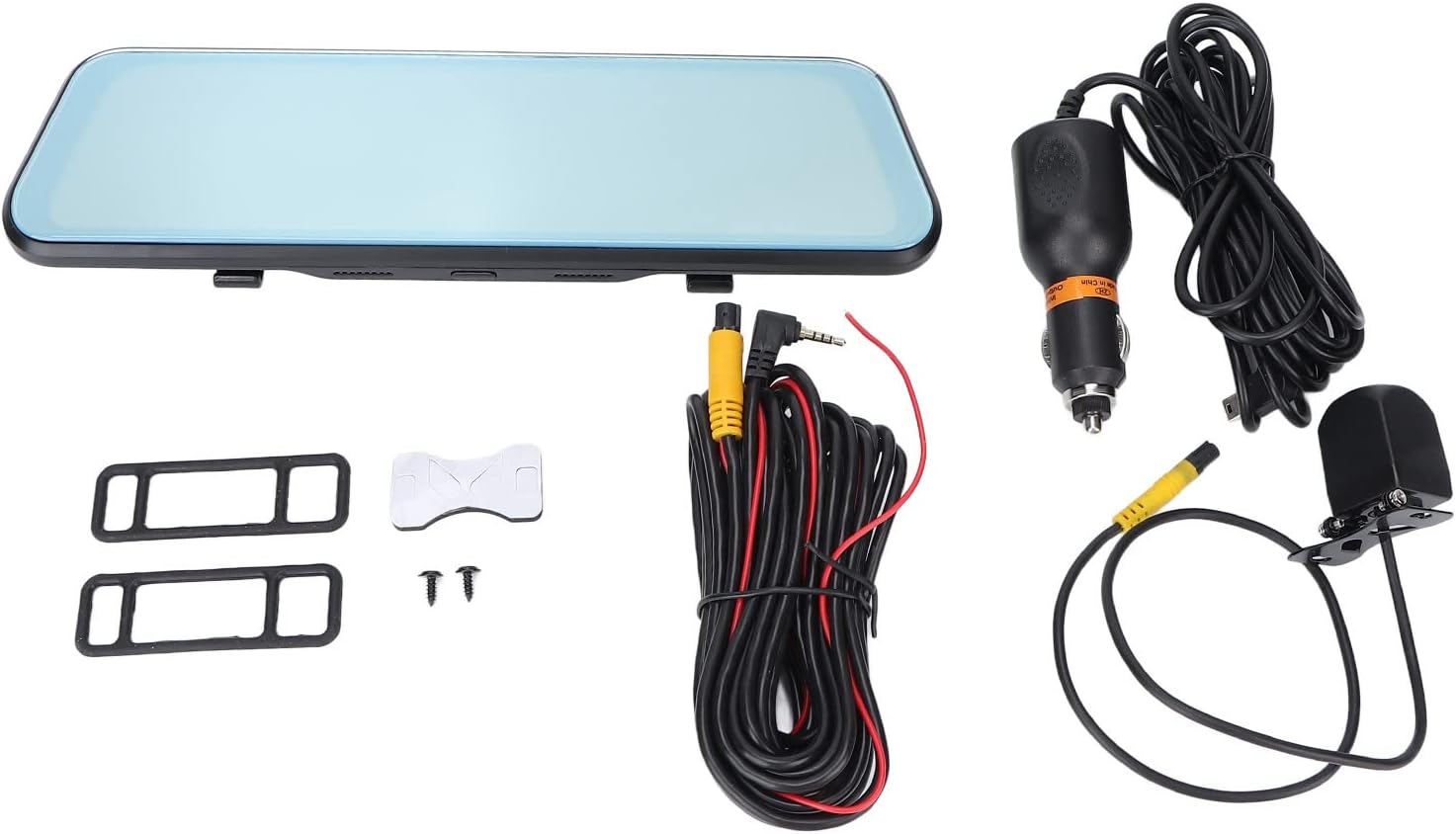
Qinisekisa ukuthi zonke izinto ezibalwe ngezansi zifakiwe kuphakheji yakho:
- Bewinner 1080p Car Dash Cam (Main Unit)
- Ikhamera yangemuva
- 2 x Power Cords (Car Charger)
- Imaniwali yosebenzisayo
- Itheyiphu Yokunamathela Ezinhlangothini Ezimbili
- 2 x Izikulufu
- 2 x Mounting Accessories (Rubber Straps)
4. Umkhiqizo Uphelileview
The Bewinner Dash Cam is designed to provide reliable video recording for your vehicle. It features a large touchscreen display and dual cameras for comprehensive coverage.
4.1 Main Dash Cam Unit

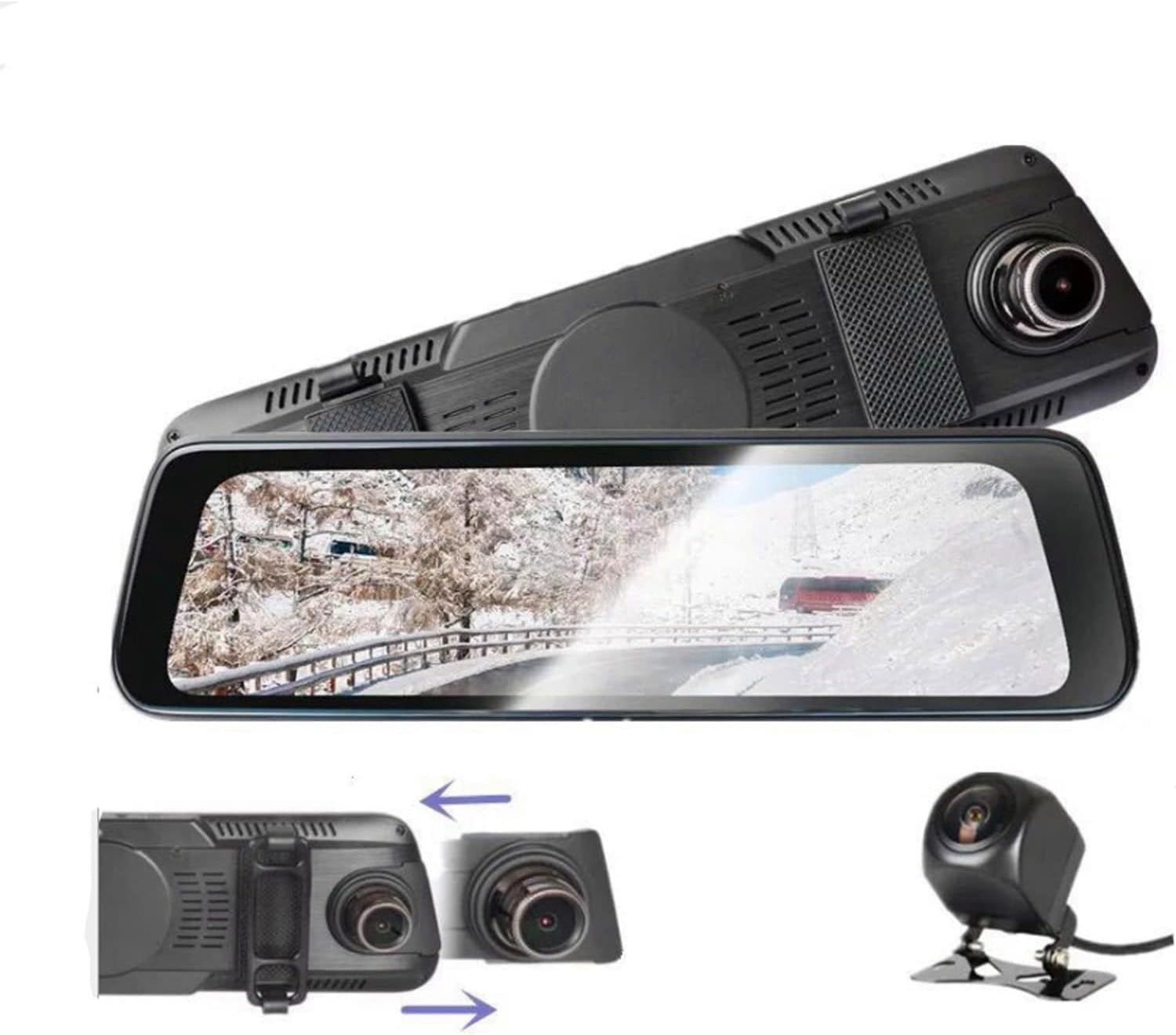
The main unit integrates a 10-inch IPS touchscreen display and the front camera. It is designed to be mounted over your existing rearview isibuko.

4.2 Ikhamera yangemuva

The rear camera provides a wide-angle view of the area behind your vehicle, enhancing safety and recording capabilities.
5. Ukusetha nokufakwa
5.1 Ukufaka Ikhadi Le-Micro SD
Before installation, insert a Class 10 or higher Micro SD card (up to 32GB, not included) into the dash cam's card slot. Ensure the card is inserted correctly until it clicks into place.
5.2 Mounting the Main Dash Cam Unit
- Attach the two rubber straps (mounting accessories) to the back of the main dash cam unit.
- Securely fasten the dash cam over your vehicle's existing rearview mirror using the rubber straps. Ensure it is stable and does not vibrate.
- Adjust the front camera lens angle to capture the desired view yomgwaqo ongaphambili.
5.3 Ukufaka ikhamera yangemuva
- Choose a suitable location at the rear of your vehicle, typically above the license plate, for the rear camera.
- Use the provided double-sided adhesive tape and screws to securely mount the rear camera.
- Route the rear camera cable to the main dash cam unit. Connect the cable to the designated rear camera input port on the main unit.
- If applicable, connect the red wire of the rear camera cable to your vehicle's reverse light power source for automatic reverse display functionality.
5.4 Ukuxhuma Amandla
- Connect one end of the car charger (power cord) to the dash cam's power input port.
- Faka olunye uhlangothi lweshaja yemoto yakho kusokhethi yesibani sikagwayi semoto yakho.
- The dash cam will automatically power on and begin recording when the vehicle engine starts, and power off when the engine is turned off.

6. Iziqondiso Zokusebenza
6.1 Vula/Vala amandla
- Okuzenzakalelayo: The device powers on and off automatically with the vehicle's ignition.
- Incwadi yezandla: Press and hold the power button (if available) to manually turn the device on or off.
6.2 Ukusebenza kwesikrini esithintwayo
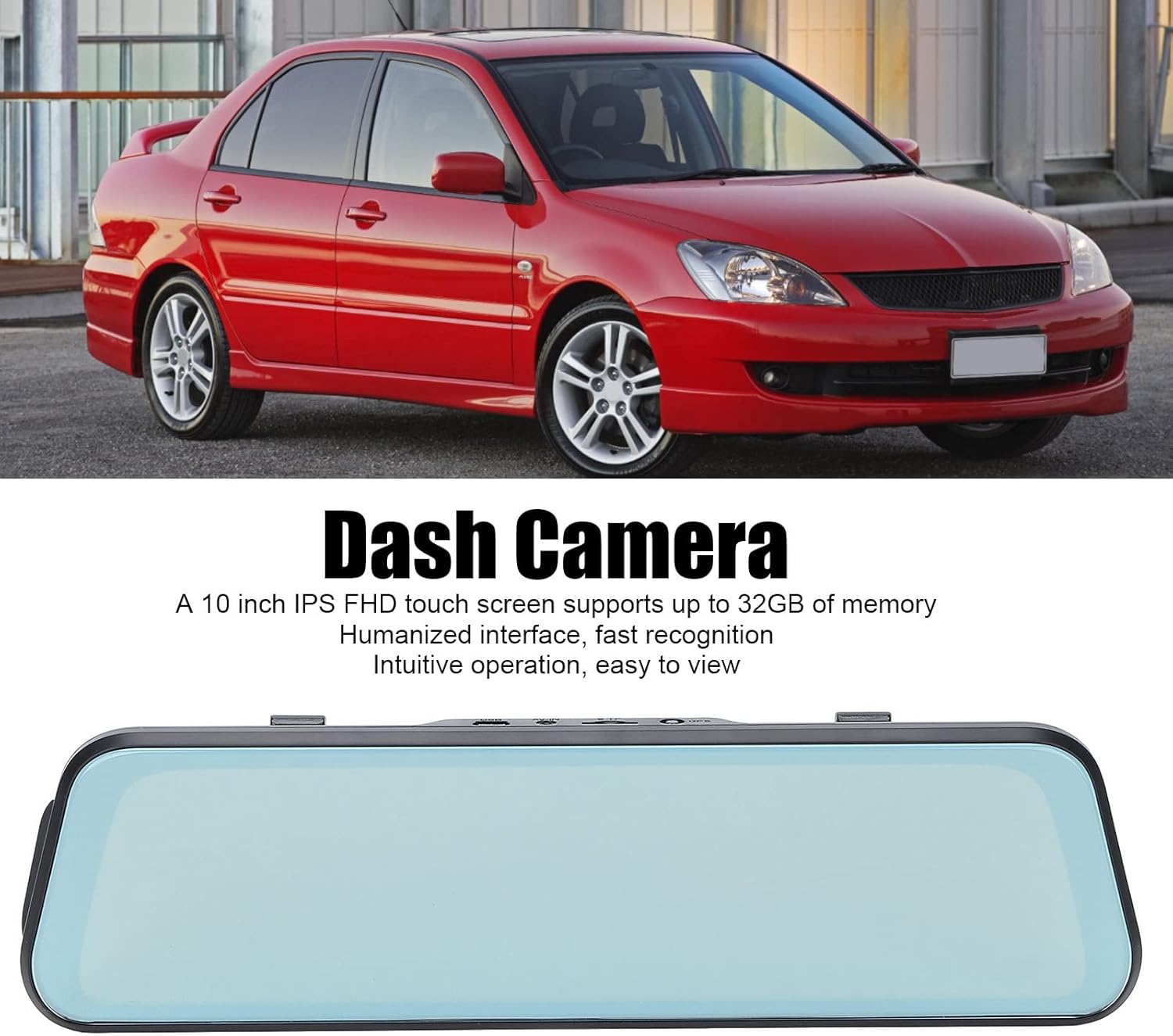
The 10-inch IPS touchscreen allows for intuitive navigation and control. Tap icons to select functions, swipe to navigate menus or switch camera views.
6.3 Amamodi okurekhoda
- Ukuqoshwa kwe-Loop: Videos are recorded in segments (e.g., 1, 3, or 5 minutes). When the memory card is full, the oldest unlocked files zibhalwe phezu.
- Ukurekhoda Okuphuthumayo (Inzwa ye-G): The built-in G-sensor detects sudden impacts or collisions and automatically locks the current video file ukuvimbela ukuthi ingalotshwa.
- Ukuqapha Ukupaka: When enabled, the dash cam will automatically start recording if it detects a collision or vibration while the vehicle is parked. This feature typically requires a hardwire kit (not included) for continuous power.
6.4 Ukushintsha ikhamera Views
On the touchscreen, you can typically swipe left or right, or tap a specific icon, to switch between front camera view, ikhamera yangemuva view, or a picture-in-picture display showing both simultaneously.

6.5 Izilungiselelo zemenyu
Access the settings menu via the touchscreen to configure various options:
- Ukulungiswa kwevidiyo: Set recording resolution (e.g., 1080p for both front and rear).
- Ubude besikhathi sokuqopha iluphu: Adjust segment length (e.g., 1/3/5 minutes).
- Ukuzwela kwe-G-Sensor: Adjust the sensitivity of impact detection.
- Ukuqapha Ukupaka: Nika amandla noma vala lesi sici.
- Idethi/Isikhathi: Setha idethi efanele nesikhathi sezikhathi ezinembileamps ekurekhodweni.
- Ulimi: Select your preferred language (supports Chinese, English, French, Italian, Korean, Russian, Spanish, German, Japanese, etc.).
- Fometha ikhadi le-SD: Format the Micro SD card to ensure optimal performance and clear old data.
7. Isondlo
- Ukuhlanza: Use a soft, dry cloth to clean the dash cam screen and lens. Do not use abrasive cleaners or solvents.
- Ukugcinwa kwekhadi le-SD: Fometha ikhadi le-Micro SD njalo (isb., kanye ngenyanga) ukuze uvimbele ukonakala kwedatha futhi uqinisekise ukuqoshwa okubushelelezi. Yenza isipele sanoma yikuphi okubalulekile files ngaphambi kokufometha.
- Isitoreji: If storing the device for an extended period, remove it from the vehicle and store it in a cool, dry place.
8. Ukuxazulula izinkinga
| Inkinga | Isixazululo Esingenzeka |
|---|---|
| Ikhamera yedeshi ayivuli amandla. |
|
| Ukurekhoda kuyama noma kubanda. |
|
| Ikhwalithi yevidiyo embi. |
|
| Ikhamera yangemuva ayibonisi. |
|
9. Imininingwane
| Isici | Imininingwane |
|---|---|
| Inombolo Yemodeli | Dpofirs37z42emfyt9349 |
| Bonisa Isikrini | Isikrini sokuthinta se-IPS esingu-10-intshi |
| Ukulungiswa Kwekhamera Yangaphambili | 1920 x 1080p @ 30fps |
| Ukulungiswa Kwekhamera Yangemuva | 1920 x 1080p @ 30fps (or 1920 x 720p @ 30fps) |
| I-engela yelensi engaphambili | 170° I-engeli ebanzi |
| I-engela yelensi yangemuva | 140° I-engeli ebanzi |
| Ukusekelwa Kwesitoreji | Micro SD Card up to 32GB (Class 10 or higher recommended) |
| Amandla ebhethri | 450 mAh Lithium Battery (built-in) |
| Izici ezikhethekile | Night Vision, Touch Screen, Loop Recording, G-Sensor, Parking Monitor, Time-lapse Recording |
| Izilimi Ezisekelwe | Chinese, English, French, Italian, Korean, Russian, Spanish, German, Japanese, etc. |
10. Iwaranti kanye Nokusekela
Bewinner products are designed for reliability and performance. For specific warranty details, please refer to the warranty card included with your purchase or contact Bewinner customer support. If you encounter any issues not covered in this manual, please reach out to our customer service team for assistance.
For further support, visit the official Bewinner webisayithi noma uxhumane nomthengisi wakho.
