1. Isingeniso
The LAUNCH CRP909E OBD2 Scanner is a professional diagnostic tool designed for comprehensive vehicle system analysis and maintenance. This device offers advanced features for automotive technicians and enthusiasts, providing accurate and efficient diagnostic capabilities for a wide range of vehicle models.
Key features include full system diagnostics, over 28 reset functions, full OBD2 modes, power balance testing, and extensive vehicle compatibility. The CRP909E operates on Android 7.0, features a 7-inch IPS touchscreen, and is equipped with a 6000mAh battery for extended use.

Image: The LAUNCH CRP909E OBD2 Scanner, showcasing its 7-inch touchscreen and robust design, ready for diagnostic tasks.
2. Okuqukethwe Kwephakheji
Uma uvula iphakheji, qinisekisa ukuthi zonke izingxenye zikhona futhi zisesimweni esihle:
- LAUNCH CRP909E Main Unit
- Ishaja
- I-adaptha yamandla
- Ikhebula le-USB-C
- Ikhebula lokuxilonga le-OBD2
- Incwadi Yomsebenzisi (le dokhumenti)
- Carry Box

Image: Contents of the LAUNCH CRP909E package, including the scanner, charger, adapter, USB-C cable, OBD2 cable, user manual, and a protective carry box.
3. Setha nokusebenzisa Okokuqala
3.1 Ukufaka amandla kudivayisi
The CRP909E is equipped with a built-in Lithium Polymer battery. To power on, press and hold the power button located on the side of the device until the screen illuminates. Ensure the device is sufficiently charged before first use. Connect the charger if the battery level is low.
3.2 Ukucushwa Kwasekuqaleni
Upon first startup, the device will guide you through initial setup steps, including language selection, Wi-Fi connection, and time zone settings. A stable Wi-Fi connection is recommended for software updates and online features.
3.3 Ukuvuselelwa Kwesoftware
It is crucial to keep the device's software updated to ensure optimal performance and access to the latest vehicle models and diagnostic functions. The CRP909E offers 2 years of free updates. Connect to Wi-Fi and navigate to the "Upgrade" section on the main menu to check for and install available updates.
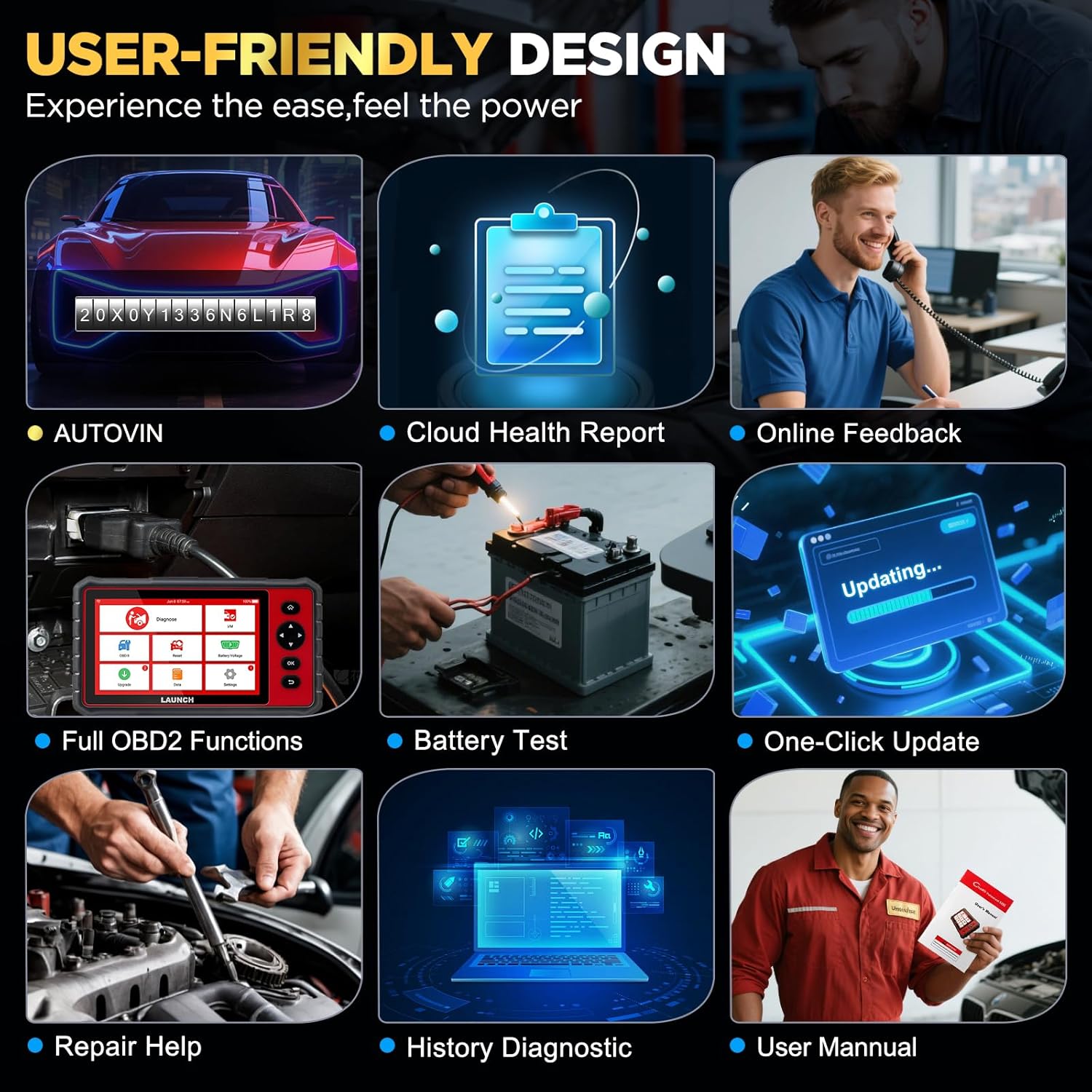
Image: The user-friendly interface of the LAUNCH CRP909E, highlighting the "Upgrade" icon for software updates and other key functions like AutoVIN and Battery Test.
4. Ukusebenzisa Iskena
4.1 I-Full System Diagnostics
The CRP909E can read and clear diagnostic trouble codes (DTCs) and view live data for all available vehicle systems. This includes, but is not limited to, Engine, Transmission, Airbag (SRS), Anti-lock Braking System (ABS), Electronic Stability Program (ESP), Tire Pressure Monitoring System (TPMS), Cruise Control, Gateway, Steering, Rain, Brake, Fuel, 4WD system, Radio, Air Conditioning, Central Locking, Electric Windows, and Xenon Headlights.
To perform a full system scan:
- Connect the OBD2 diagnostic cable to the vehicle's OBD2 port and the scanner.
- Vula ukuthungela kwemoto endaweni ON (injini icime).
- Select "Diagnose" from the main menu.
- The device will automatically detect the vehicle's VIN (Auto-VIN Scan) or prompt for manual entry.
- Follow the on-screen instructions to initiate a full system scan.
- Review the generated Cloud Health Report for a comprehensive overview of vehicle health.

Image: The LAUNCH CRP909E connected to a vehicle, illustrating its capability to perform OE All Systems Diagnostics, including reading and clearing DTCs across various modules like ABS, SRS, and Engine.
4.2 Special Functions and Maintenance Services
The CRP909E provides over 28 common reset and maintenance functions. These functions allow for specific component calibration, adaptation, or reset procedures after repairs or part replacements. Some of the key functions include:
- Ukusetha Kabusha Isibani Samafutha: Isetha kabusha isibani sesevisi kawoyela ngemva kokushintsha uwoyela.
- Electronic Parking Brake (EPB) Reset: Deactivates and reactivates the brake control system for brake pad replacement.
- Diesel Particulate Filter (DPF) Regeneration: Isusa izinto ezincane kusuka kusihlungi se-DPF.
- Steering Angle Sensor (SAS) Calibration: Ilinganisa inzwa ye-engeli yokuqondisa.
- Tire Pressure Monitoring System (TPMS) Reset: Resets TPMS sensors after tire rotation or replacement.
- Ukopha kwe-ABS: Performs brake bleeding to restore ABS brake sensitivity.
- I-Throttle Adaptation: Initializes the throttle actuator to the default state.
- Ukufaka ikhodi yomjovo: Ikhodi izinombolo zomjovo ezintsha ku-ECU.
- Battery Management System (BMS) Reset: Registers new battery replacement.
- Ukufunda Ngegiya: Completes gear learning after engine ECU replacement or crankshaft position sensor replacement.
- Sunroof Reset, Suspension Reset, AFS Headlamp Reset, Gearbox Reset, A/C System Relearn, A/F Reset, Coolant Bleed, Language Change, NOx Sensor Reset, Seats Calibration, Stop/Start Reset, Transport Mode, Tyre Reset, Windows Calibration.
To access these functions, select "Reset" from the main menu and choose the desired service function. Follow the on-screen prompts carefully.

Image: A visual representation of the 28+ special functions available on the LAUNCH CRP909E, including TPMS Reset, ABS Reset, Throttle Relearn, and Oil Reset.
4.3 Full OBDII Functions
The CRP909E supports all 10 OBDII test modes, allowing for comprehensive engine and emission-related diagnostics:
- Read Codes (P0, P1, P2, P3, U0, U1)
- Erase Codes and Reset
- Ukusakaza Kwedatha Okubukhoma
- Isimo Sokulungela I/M
- Friza Idatha Yozimele
- Ukuhlolwa kwenzwa ye-O2
- Ukuhlolwa Kwe-On-Board Monitor
- Ukuhlolwa Kwento
- Vehicle Information (VIN, CIN, CVN)
- Amamojula Akhona
Access these functions via the "OBD II" icon on the main menu.
4.4 Real-Time Data Stream
The device can display live sensor data in text, graph, or gauge format, allowing for real-time monitoring of vehicle performance parameters such as engine RPM, vehicle speed, oil temperature, misfire data, and tire pressure. The 4-in-1 graphic display mode is particularly useful for comparing multiple data streams simultaneously.

Image: The LAUNCH CRP909E displaying real-time data streams in a graphical format, showing parameters like oil temperature, vehicle speed, and accelerator pedal positions for detailed analysis.
4.5 Ukuhambisana Kwezimoto
The LAUNCH CRP909E supports 12V passenger cars, hybrid cars, diesel cars, pickups, light trucks, SUVs, gasoline cars, minivans, caravans, and vans from 1996 to 2025. It covers OBD2/EOBD/KOBD/CAN protocols and is compatible with over 150 car brands globally, including major manufacturers from USA, Europe, and Asia. For OBD1 and JOBD vehicles, an appropriate adapter is required (sold separately).

Image: A map illustrating the global vehicle coverage of the LAUNCH CRP909E, highlighting compatibility with major car brands across USA, Europe, and Asia, along with support for 11 languages.
5. Isondlo
Proper maintenance ensures the longevity and optimal performance of your CRP909E scanner.
- Ukuhlanza: Sebenzisa okuthambile, damp cloth to clean the device's screen and body. Avoid abrasive cleaners or solvents.
- Isitoreji: Store the device in its protective carry box in a cool, dry place when not in use. Avoid extreme temperatures.
- Ukunakekelwa kwebhethri: For optimal battery life, avoid fully discharging the battery frequently. If storing for an extended period, charge the battery to about 50% and recharge every few months.
- Izibuyekezo zesofthiwe: Regularly check for and install software updates to ensure compatibility with new vehicle models and access to enhanced features.
6. Ukuxazulula izinkinga
This section addresses common issues you might encounter with your CRP909E scanner.
| Inkinga | Imbangela Engenzeka | Isixazululo |
|---|---|---|
| Idivayisi ayivuli. | Low battery; power button not held long enough; device malfunction. | Charge the device for at least 30 minutes. Press and hold the power button for 3-5 seconds. If issue persists, contact support. |
| Akukho ukuxhumana nemoto. | Loose OBD2 connection; vehicle ignition off; incompatible vehicle protocol; blown vehicle fuse. | Ensure OBD2 cable is securely connected. Turn ignition to ON. Verify vehicle compatibility. Check vehicle's OBD2 port fuse. |
| Ukubuyekezwa kwesofthiwe kwehlulekile. | Unstable Wi-Fi connection; insufficient storage; server issue. | Ensure strong Wi-Fi signal. Check available storage space. Try updating again later. |
| Screen freezes or is unresponsive. | Software glitch; system overload. | Perform a forced restart by holding the power button until the device shuts down, then restart. |
For more detailed troubleshooting or issues not listed here, utilize the "Online Feedback" or "Repair Help" functions available on the device, or refer to the official user manual PDF linked in the support section.
7. Imininingwane
| Isici | Imininingwane |
|---|---|
| Imodeli | LAUNCH CRP909E |
| Isistimu esebenzayo | I-Android 7.0 |
| Bonisa | 7-intshi IPS Touchscreen |
| Ibhethri | I-6000mAh Lithium Polymer |
| Inkumbulo | 2GB RAM / 16GB Storage (internal) |
| Ukuxhumana | Wi-Fi (2.4 & 5 GHz) |
| Ubukhulu | Cishe 15 x 10.83 x 5.59 amayintshi (Iphakheji) |
| Isisindo sento | Cishe amakhilogremu angu-6.89 |
| Amaphrothokholi Asekelwe | OBD2/EOBD/KOBD/CAN |
| Buyekeza Inqubomgomo | 2 Years Free Update |
8. Iwaranti kanye Nokusekela
The LAUNCH CRP909E comes with a commitment to ongoing support and updates.
- Izibuyekezo Zamahhala: Enjoy 2 years of free software updates to ensure your device remains current with the latest vehicle data and diagnostic capabilities.
- Ukusekela kwezobuchwepheshe: For technical assistance, troubleshooting, or inquiries, utilize the "Online Feedback" or "Repair Help" features directly on your device.
- Incwadi Yomsebenzisi Esemthethweni: A detailed user manual in PDF format is available for download. For comprehensive instructions and advanced operations, please refer to the official document: LAUNCH CRP909E User Manual (PDF).


