1. Ulwazi Lokuphepha
Sicela ufunde yonke imiyalelo ngokucophelela ngaphambi kokusebenzisa le nto bese uyigcina ukuze uyibhekisele esikhathini esizayo. Ukwehluleka ukulandela le miyalelo kungabangela ukushaqeka kukagesi, umlilo, noma ukulimala okukhulu.
- Ngaso sonke isikhathi khipha ifeni ekuxhumekeni kukagesi ngaphambi kokuyihlanza, ukuyisevisa, noma ukuyihambisa.
- Do not operate the fan with a damaged cord or plug. If the cord or plug is damaged, contact customer service for repair or replacement.
- This fan is intended for indoor use only. Do not use outdoors or in wet locations.
- Gcina ifeni kude namanzi nezinye izinto eziwuketshezi. Ungacwilisi ifeni emanzini.
- Qinisekisa ukuthi ifeni ibekwe endaweni eqinile, eyisicaba ukuze ingaguquki.
- Gcina izingane nezilwane ezifuywayo kude nefeni ngesikhathi sokusebenza.
- Do not insert fingers or any objects into the grille when the fan is operating.
- Do not block air openings or operate near curtains, drapes, or other objects that could block airflow.
- Do not use the fan in areas where flammable liquids or gases are stored.
2. Umkhiqizo Uphelileview
The Amazon Basics 40" 70-Degree Oscillating Digital Tower Fan is designed to provide efficient and customizable cooling for various indoor spaces. It features a sleek, compact design and user-friendly controls.
Izingxenye
- Tower Fan Unit
- Base (requires assembly)
- Isilawuli kude
Izici Eziyinhloko
- Ukupholisa Okusebenzayo: Delivers powerful airflow for effective cooling in enclosed spaces.
- Izivinini ezenziwe ngokwezifiso: Four intuitive speed settings to adjust airflow.
- Izindlela Eziningi: Includes Standard, Breeze, and Nature modes for varied airflow patterns.
- Ukususwa: 70-degree oscillation for wide-range air flow coverage.
- Umsebenzi Wesibali sikhathi: Programmable timer up to 15 hours for energy saving and convenience.
- Isilawuli kude: Convenient remote for adjusting settings from a distance.
- Izilawuli Zedijithali: Easy-to-use digital control panel located on the top of the fan.
- Idizayini Ehlangene: Slim tower design (11.4"D x 11.4"W x 39.3"H) fits easily into any room.

Umfanekiso 2.1: The Amazon Basics 40-inch Digital Tower Fan shown with its remote control. The fan is black with a sleek, tall design, and the remote is compact with clearly labeled buttons for power, speed, mode, oscillation, and timer.

Umfanekiso 2.2: A diagram illustrating the key features of the tower fan, including its 40-inch height, 4 customizable airflow speed settings, timer with auto shutoff (1h, 2h, 4h, 8h options), and convenient remote control for adjusting speed, oscillation, and timer. The diagram highlights the digital display and control panel on top of the fan.
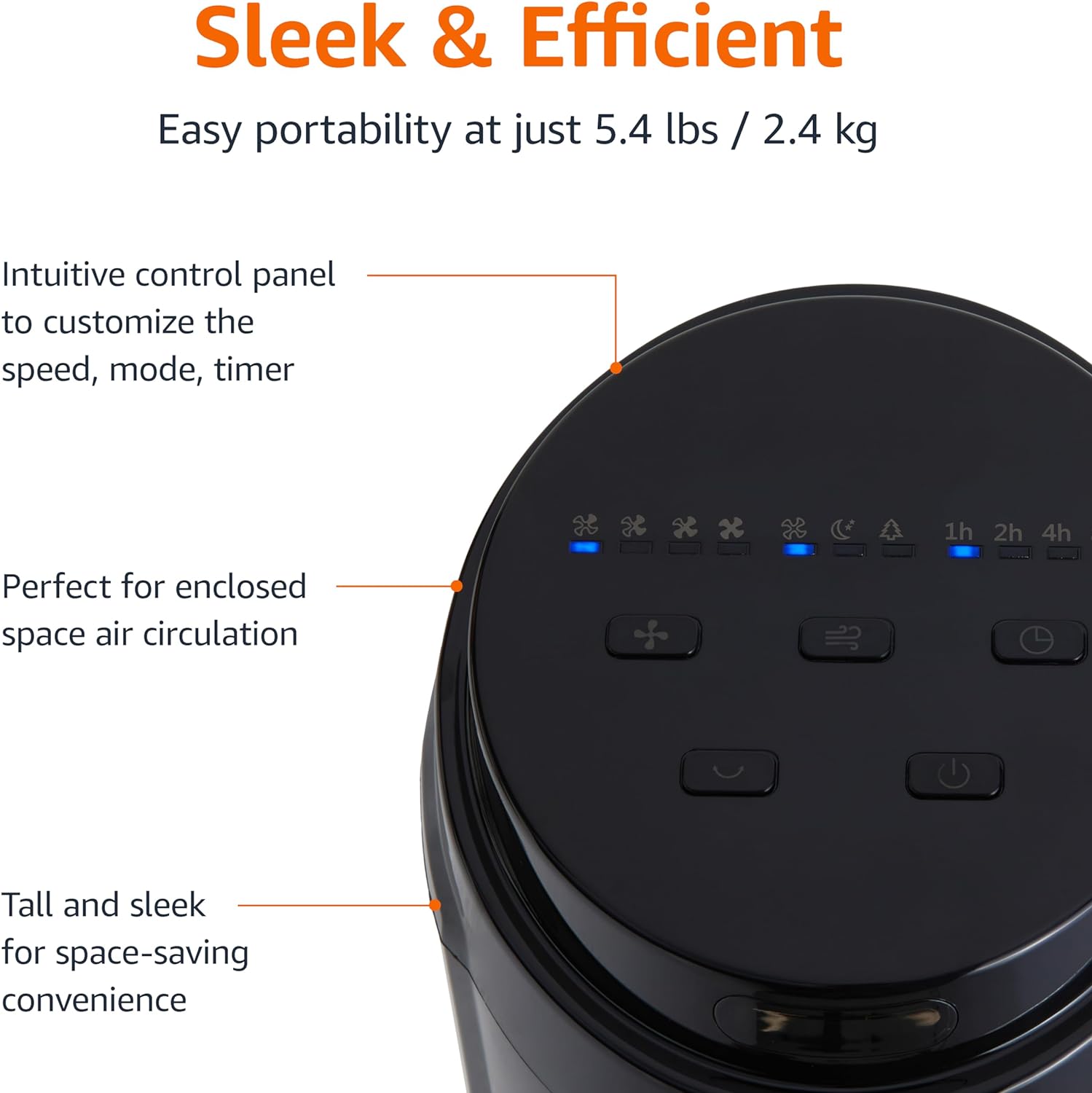
Umfanekiso 2.3: Ukuvala view of the intuitive control panel located on the top of the Amazon Basics Tower Fan. The panel features buttons for speed, mode, power, oscillation, and timer, along with LED indicators for selected settings. This design allows for easy customization of fan operation.
3. Setha
3.1 Umhlangano
- Susa ngokucophelela zonke izingxenye ephaketheni.
- Attach the fan base to the main tower unit. Align the slots on the base with the corresponding tabs on the bottom of the fan.
- Secure the base using the provided screws, if any, ensuring it is firmly attached.
3.2 Ukubekwa
- Beka ifeni endaweni eqinile, esezingeni.
- Ensure there is adequate space around the fan for proper air circulation, especially for the oscillation feature.
- Keep the fan at least 1 foot (30 cm) away from walls, furniture, and other objects.
- Plug the power cord into a standard NEMA 5-15 (US Standard Wall Outlet) electrical outlet.
4. Iziqondiso Zokusebenza
The fan can be operated using either the control panel on top of the unit or the included remote control.
4.1 Control Panel & Remote Control Functions
| Inkinobho/Umsebenzi | Incazelo |
|---|---|
| Amandla (Vula/Vala) | Ivula noma ivale ifeni. |
| Isivinini | Cycles through 4 fan speed settings (Low, Medium, High, Max). |
| Imodi | Selects between 3 operating modes:
|
| I-Oscillation | Activates or deactivates the 70-degree oscillation feature, allowing the fan to sweep air across a wider area. |
| Isikhathi | Sets the fan to automatically turn off after a specified period (up to 15 hours in 1-hour increments). |
4.2 Ukusetshenziswa kwesilawuli kude
The remote control allows for convenient operation of all fan functions from a distance. Ensure the remote is pointed towards the fan's control panel for optimal response.
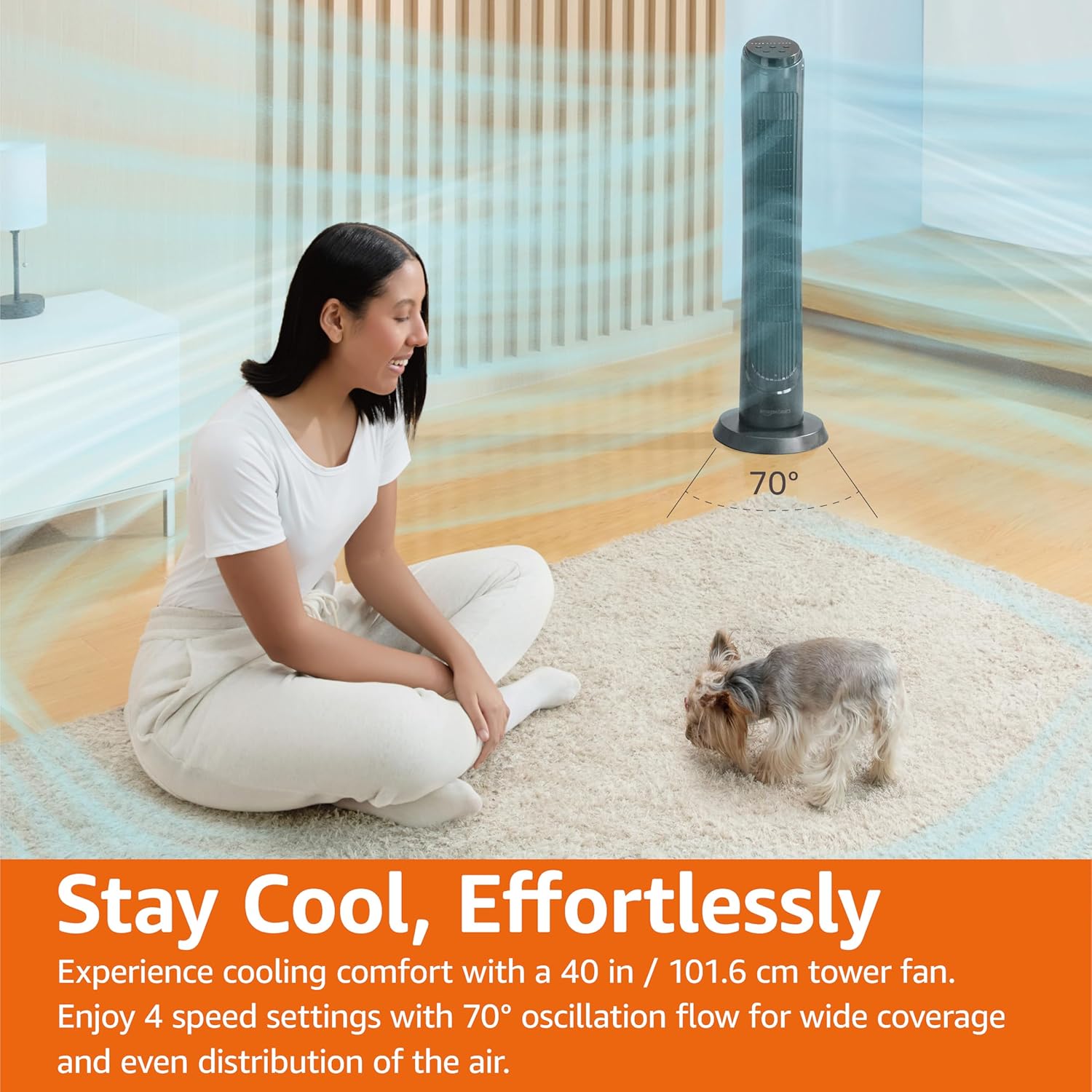
Umfanekiso 4.1: The Amazon Basics Tower Fan oscillating 70 degrees, providing wide coverage and even air distribution in a room. A person and a small dog are comfortably seated on a rug, benefiting from the airflow.

Umfanekiso 4.2: The Amazon Basics Tower Fan positioned in a modern living space, demonstrating its effective airflow. The image visually represents the air movement from the fan, highlighting its ability to circulate air throughout the room.
5. Isondlo
5.1 Ukuhlanza
- Njalo khipha isiphephetha-moya ngaphambi kokuhlanza.
- Sebenzisa okuthambile, damp cloth to wipe the exterior surfaces of the fan.
- Do not use abrasive cleaners or harsh chemicals, as these may damage the fan's finish.
- For dust accumulation on the air intake or output grilles, use a vacuum cleaner with a brush attachment to gently remove dust.
- Qinisekisa ukuthi ifeni yome ngokuphelele ngaphambi kokuthi uyixhume futhi.
5.2 Isitoreji
- Uma ugcina ifeni isikhathi eside, yihlanze kahle njengoba kuchaziwe ngenhla.
- Store the fan in its original packaging or a suitable box to protect it from dust and damage.
- Gcina endaweni epholile, eyomile.
6. Ukuxazulula izinkinga
If you experience issues with your fan, please refer to the following common problems and solutions:
| Inkinga | Imbangela Engenzeka | Isixazululo |
|---|---|---|
| Ifeni ayivuli. | Akukho ukunikezwa kwamandla; Inkinobho yamandla ayicindezelwanga. | Ensure the power cord is securely plugged into a working outlet. Press the Power button on the control panel or remote. |
| Ukugeleza komoya okubuthakathaka noma okungekho nhlobo. | Air intake/output blocked; Fan speed too low. | Check for any obstructions around the fan grilles. Increase the fan speed setting. |
| I-oscillation ayisebenzi. | Oscillation feature not activated. | Press the Oscillation button on the control panel or remote. Ensure the fan is on a flat surface. |
| Isilawuli kude asisebenzi. | Batteries are dead; Remote not pointed correctly. | Replace the remote control batteries. Ensure the remote is pointed directly at the fan's control panel. |
| Umsindo ongajwayelekile. | Ifeni hhayi endaweni esezingeni; Ukuvinjwa kwangaphakathi. | Place the fan on a stable, level surface. Unplug the fan and check for any foreign objects inside the grilles (do not attempt to disassemble). |
Uma inkinga iqhubeka ngemva kokuzama lezi zixazululo, sicela uxhumane nokwesekwa kwamakhasimende.
7. Imininingwane
| Isibaluli | Imininingwane |
|---|---|
| Ibhrendi | Amazon Basics |
| Igama Lemodeli | DC2021 |
| Umbala | Mnyama |
| Idizayini yabalandeli bakagesi | Umlandeli Waphansi |
| Umthombo wamandla | Amandla e-AC |
| Isitayela | 40" - Digital |
| Ubukhulu bomkhiqizo | 11.4"D x 11.4"W x 39.3"H |
| Uhlobo Lwegumbi | Igumbi lokulala, Igumbi lokuhlala, Ihhovisi |
| Isici Esikhethekile | Oscillating, 4 Speeds, 3 Modes, Timer, Remote Control |
| Ukusetshenziswa Okunconyiwe | Cooling and Air Circulation for Indoor Spaces |
| Izinga Lomsindo | 60db |
| Wattage | 50 watts |
| Isisindo sento | 7.5 pounds (approx. 3.4 kg) |
| Izingxenye Ezihlanganisiwe | Isilawuli kude |
| Ukusetshenziswa Kwangaphakathi/Kwangaphandle | Ngasendlini |
| Indlela Yokulawula | Isilawuli kude |
| I-Blade Material | Ipulasitiki |
| Inombolo Yamazinga Amandla | 4 |
| Uhlobo Lwesixhumi Samandla Esikhulu | NEMA 5-15 (US Standard Wall Outlet) |
| Umkhiqizi | I-Amazon |
| I-UPC | 840095880428 |
| Izwe azalelwe kulo | China |
8. Iwaranti kanye Nokusekela
For detailed warranty information, please refer to the official Warranty PDF document provided by Amazon Basics. This document outlines the terms and conditions of your product's warranty.
For further assistance, troubleshooting not covered in this manual, or to inquire about replacement parts, please contact Amazon Basics customer support.
- Incwadi Yomsebenzisi Esemthethweni (PDF): Landa i-PDF
- Iwaranti Esemthethweni (PDF): Landa i-PDF
- Amazon Basics Store: Vakashela Isitolo


