Isingeniso
This manual provides essential information for the proper use and care of your Itari 4x6 Thermal Labels. These fan-fold shipping labels are designed for thermal printers and are compatible with various shipping platforms. Please read these instructions carefully to ensure optimal performance and longevity of your labels.
Izici Zomkhiqizo
- Izinto Ezisezingeni Eliphezulu: Our shipping labels are made from high-quality material to ensure barcodes can be scanned easily.
- Water & Oil-proof & Strong Adhesive: These thermal printer labels are water & oil-proof, and scratch-proof. They feature strong adhesive for secure attachment to shipping boxes, mail, files, papers, and plastics.
- Ukuhambisana Okubanzi: The 4x6 shipping labels are compatible with Itari, Rollo, MUNBYN, Zebra, Phomemo, and other thermal label printers. They are also compatible with shipping platforms and carriers such as DHL, FedEx, USPS, Amazon, Shopify, and eBay. Note: These labels are only suitable for thermal printers, not laser or inkjet printers.
- Imininingwane: Each package contains 500 fan-fold labels. Perforations between each label allow for easy tearing and damage-free separation. Labels are designed for easy peeling.
Imininingwane
| Ibhrendi | I-Itari |
| Inombolo Yemodeli | SLP-4x6-500-1 |
| Usayizi Welebula | 4 x 6 amayintshi |
| Ubuningi | 500 labels per stack |
| Umbala | Emhlophe |
| Isimo | Unxande |
| Qeda Uhlobo | Ibhoboziwe |
| Isisindo sento | 2.49 amakhilogremu |
| Ubukhulu bomkhiqizo | 4.8 x 4.8 x 4.21 amayintshi |
Setup and Loading Labels
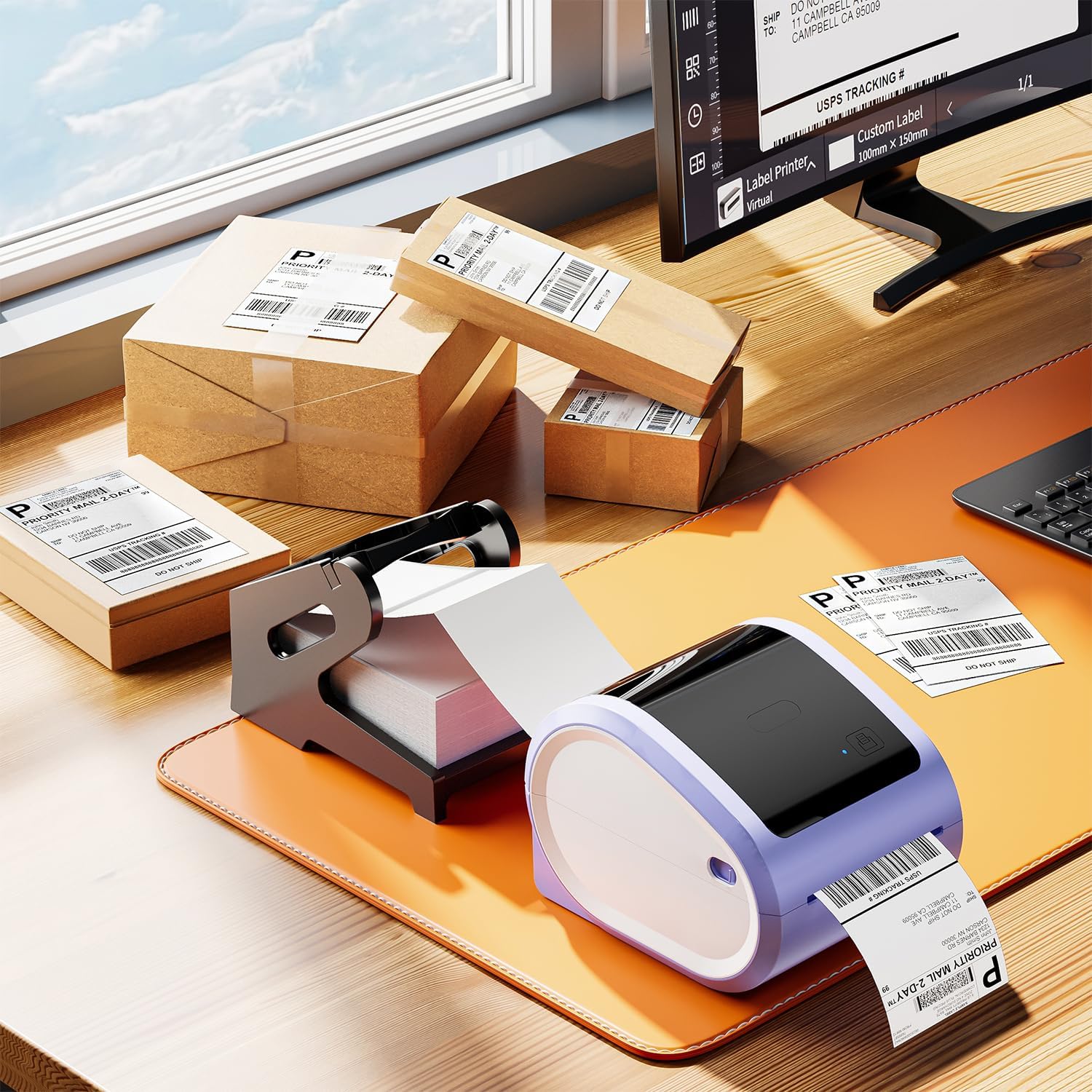
These fan-fold labels are designed for easy loading into compatible thermal label printers. Ensure your printer is powered off before loading.
- Vula Isembozo Sephrinta: Locate and press the release latch or button on your thermal printer to open the top cover.
- Adjust Paper Guides: Adjust the movable paper guide clips within the printer's paper compartment to match the 4x6 inch width of the labels.
- Layisha Amalebula: Place the stack of fan-fold labels into the rear paper slot or compartment of your thermal printer. Ensure the print side of the labels is facing up and the first label is fed smoothly into the printer's feed mechanism. The labels should be aligned straight with the paper guides to prevent skewing during printing.
- Vala Ikhava: Vala ikhava yephrinta ngokuphephile.
- Calibrate (if necessary): Some thermal printers may require calibration after loading new labels. Refer to your specific printer's manual for calibration instructions.


Video: How to Set Up with D520bt Printer
This video demonstrates the setup process for a D520bt thermal label printer, including loading labels and basic operation. While specific to the D520bt, the general principles of loading fan-fold labels apply to many thermal printers.
Imiyalelo yokusebenza
Once the labels are loaded, you can begin printing. These labels are designed for direct thermal printing, meaning no ink or toner is required.
- Xhuma Iphrinta: Ensure your thermal printer is connected to your computer or mobile device via USB or Bluetooth, as applicable.
- Ukusethwa Kwesoftware: Use your preferred shipping software (e.g., from Etsy, Shopify, Amazon, FedEx) or a label design application. Configure the label size to 4x6 inches within the software settings.
- Phrinta: Send the print job to your thermal printer. The labels will feed through and print clearly.
- Peel futhi Faka isicelo: Utilize the perforations to easily tear off printed labels. Peel the backing off the label and apply it firmly to your package or item. The strong adhesive ensures secure attachment.


Video: Print via Bluetooth
This video illustrates how to print labels wirelessly from a smartphone via Bluetooth, demonstrating the convenience of mobile printing with compatible thermal printers.
Isondlo
To maintain the quality and performance of your Itari Thermal Labels:
- Isitoreji: Store labels in a cool, dry place away from direct sunlight and excessive heat or humidity. Extreme conditions can affect adhesive quality and thermal printability.
- Ukuphatha: Avoid touching the thermal printing surface of the labels with bare hands, as oils and dirt can degrade print quality. Handle labels by the edges.
- Printer Care: Regularly clean your thermal printer's print head and platen roller according to the printer manufacturer's instructions to ensure clear prints and prevent damage to the labels.
Ukuxazulula inkinga
If you encounter issues with your Itari Thermal Labels, consider the following:
- Ikhwalithi Yokuphrinta Engalungile:
- Qinisekisa ukuthi amalebula alayishwe kahle uhlangothi lokuphrinta lubheke ikhanda lokuphrinta elishisayo.
- Clean the thermal printer's print head.
- Adjust print density or darkness settings in your printer software.
- Verify that you are using a thermal printer, not an inkjet or laser printer.
- Amalebula Angondli Kahle:
- Check that the labels are properly aligned with the paper guides in the printer.
- Ensure there are no obstructions in the paper path.
- Calibrate your printer for the label size.
- Amalebula Awanamatheli:
- Ensure the application surface is clean, dry, and free of dust or grease.
- Apply firm, even pressure across the entire label surface.
- Check the storage conditions of your labels; extreme temperatures or humidity can affect adhesive.
Iwaranti kanye Nokusekela
Itari is committed to providing quality products and customer satisfaction. If you experience any issues with your 4x6 thermal labels, please contact our customer service team.
Insizakalo yekhasimende: Our customer service team is available 24/7 via WhatsApp, Skype, email, and phone call for any issues or inquiries.
- I-imeyili: support@itaricartridge.com
- I-WhatsApp: +86 1369 772 4676
- Website for Tutorials: www.itaricartridge.com
For additional support and video tutorials, search for "Itari Tech" on YouTube.
Amadokhumenti Ahlobene - SLP-4x6-500-1
 |
Umhlahlandlela Wokuqala Osheshayo we-Itari PM-241-BT: Ukuphrinta Amalebula Okungenantambo Umhlahlandlela ophelele wokuqalisa okusheshayo wephrinta yelebula ye-Itari PM-241-BT Bluetooth, ehlanganisa ukulanda uhlelo lokusebenza, uxhumano lwephrinta, ukungenisa i-PDF, ukuphrinta, kanye nokuxhumeka kwe-PC kwamabhizinisi amancane. |
 |
Umhlahlandlela Womsebenzisi Wephrinta Yelebula Le-Itari PM-241 Logistics: Ukusetha, Ukufaka, kanye Nokusebenza Umhlahlandlela womsebenzisi ophelele wephrinta yelebula ye-Itari PM-241 Logistics, ehlanganisa ukuqala okusheshayo, umkhiqizo uphelaview, ukusetha kwe-Windows ne-macOS, ukulayisha amalebula, ukulungisa, ukuxazulula izinkinga, kanye nokufakwa komshayeli. |
 |
I-A886 Tattoo Printer Quick Start Guide Umhlahlandlela ophelele wokuqalisa okusheshayo wephrinta ye-Tattoo ye-Itari A886, enemininingwane yokusetha, uxhumano lohlelo lokusebenza nge-Bluetooth, ukuphrinta kuselula nekhompyutha, ukulungiswa, nokuxazulula izinkinga. |
 |
Umhlahlandlela Wokusetha Ipulatifomu Ye-Polono Yamalebula Okuthumela E-commerce Umhlahlandlela ophelele wokusetha iphrinta yakho yePolono kanye nesofthiwe yokuphrinta amalebula okuthumela angu-4x6 avela kumapulatifomu amakhulu e-e-commerce afaka phakathi i-Amazon, i-Shopify, i-Etsy, i-eBay, i-PayPal, i-Stamps.com, i-FedEx, kanye ne-Poshmark. |
 |
Indlela Yokuphrinta Amalebula Ahlukene Osayizi Nokuma Nge-Jadens Printer Umhlahlandlela wesinyathelo ngesinyathelo sendlela yokuphrinta amalebula anosayizi nokwakheka ngokwezifiso usebenzisa uhlelo lokusebenza lwe-Jadens Printer kanye nephrinta yelebula yokushisa ye-Bluetooth. Ihlanganisa ukulanda uhlelo lokusebenza, ukuxhuma iphrinta, ukukhetha files, ukunqampuna, ukujikeleza, nokulungisa izilungiselelo zokuphrinta zezinhlobo ezahlukene zamalebula. |
 |
Incwadi Yomsebenzisi ye-MunbynPrinter - Umhlahlandlela Wokusetha, Ukucushwa, kanye Nokusebenza Incwadi yomsebenzisi ephelele ye-MunbynPrinter, ehlanganisa ukufakwa kwesofthiwe, ukucushwa kwephrinta, imisebenzi yokuphrinta, izilungiselelo, kanye nokuxazulula izinkinga. Funda ukuthi ungaphrinta kanjani amalebula angu-4x6 kanye no-8x11 ngempumelelo ngesofthiwe ye-MUNBYN. |