1. Umkhiqizo Uphelileview
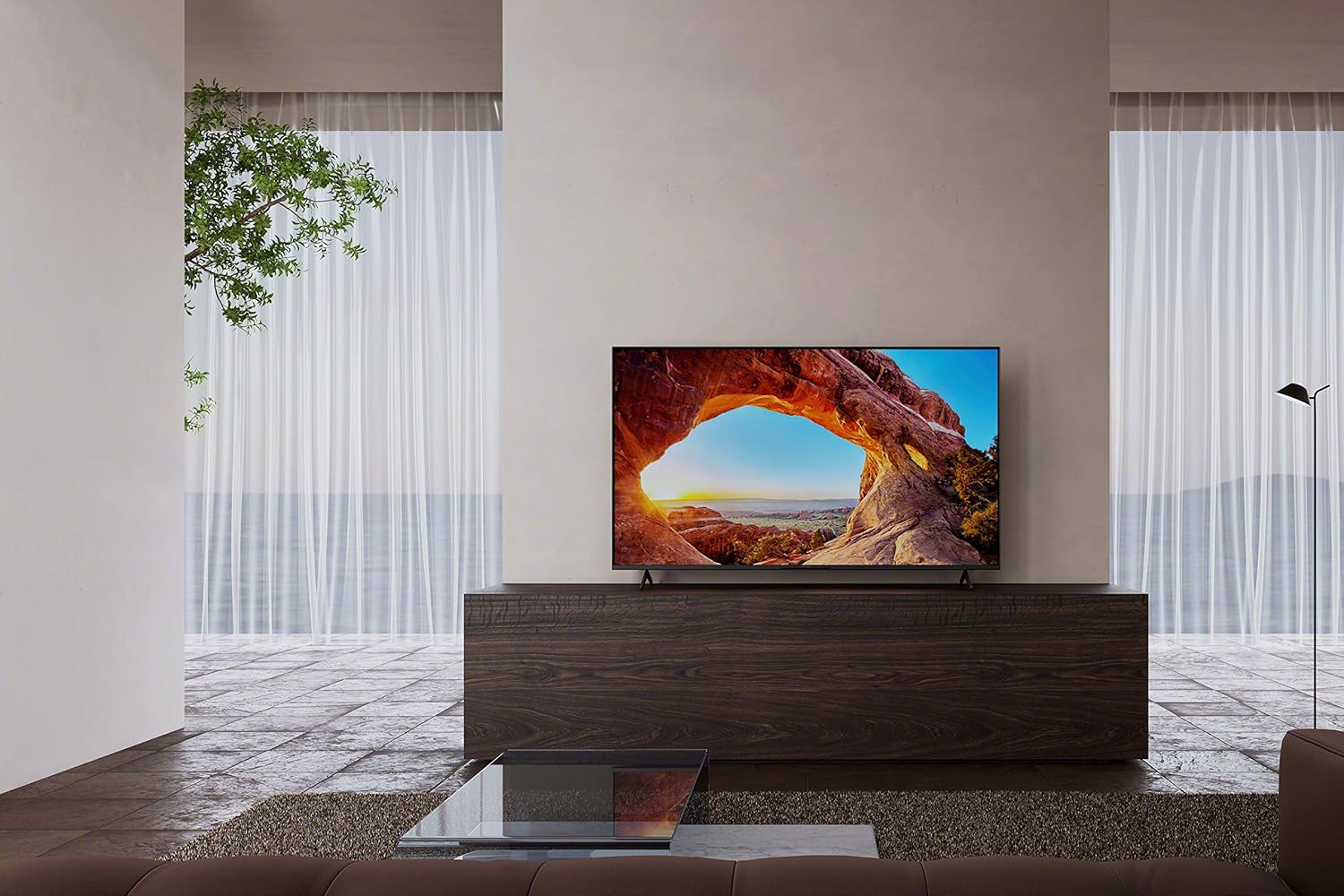
The Sony BRAVIA X85J is a 50-inch 4K Ultra HD LED Smart Google TV designed to deliver a clear and vibrant viewing experience. It features the X1 4K HDR Processor for enhanced picture quality, a native 120Hz refresh rate for smooth motion, and TRILUMINOS PRO technology for a wide color spectrum. Integrated with Google TV, it offers seamless access to a vast library of streaming content and smart home functionalities.
Izici Eziyinhloko:
- 4K HDR Processor X1: Powerful processing for smooth, clear pictures with rich colors and detailed contrast.
- Motionflow XR with Native 120Hz Refresh Rate: Ensures smooth and clear on-screen motion, ideal for sports, action movies, and gaming.
- TRILUMINOS PRO: Reproduces a wider range of colors for natural and precise picture quality.
- I-Google TV: Provides access to over 700,000 movies and TV episodes from various streaming services in one centralized interface.
- I-4K X-Reality PRO: Upscales HD content to near-4K resolution, enhancing detail and texture.
- Isebenza ne-Alexa: Compatible with Alexa-enabled devices for voice control of TV functions.
- High Dynamic Range (HDR) & Dolby Vision: Delivers immersive cinematic content as intended by creators.
- Umsizi we-Google: Voice control for finding content, getting answers, and managing smart home devices.
- I-Apple AirPlay 2: Allows easy streaming of content from Apple devices.

2. Umhlahlandlela wokusetha
2.1 Yini EseBhokisini
Upon unboxing your Sony BRAVIA X85J TV, ensure all components are present:
- Television Unit
- Table-top stand
- Intambo yamandla ye-AC
- Voice remote control with batteries
- Umhlahlandlela wokusetha okusheshayo
- Imiyalelo yokusebenza

2.2 Ukuhlela Okungokoqobo
You can either install the included table-top stand or mount the TV on a wall using a compatible VESA mount (sold separately). Follow the instructions provided in the quick setup guide for safe and secure installation.
2.3 Ukuxhumanisa Amadivayisi
The Sony X85J TV offers various ports for connecting external devices:
- Okokufaka kwe-HDMI: Multiple HDMI ports are available for connecting devices like gaming consoles (e.g., PlayStation 5, Xbox), Blu-ray players, and cable/satellite boxes. Some HDMI ports support 4K 120Hz and eARC/ARC for enhanced audio.
- Izimbobo ze-USB: Two USB ports (5V 500mA MAX and 5V 900mA MAX) are provided for connecting external storage devices or other USB accessories.
- I-Digital Audio Out (Optical): For connecting to a soundbar or audio receiver via an optical cable.
- Video In (Composite): For connecting older devices using composite video and analog audio L/R.
- I-LAN (i-Ethernet): Ukuxhumeka kwenethiwekhi okunezintambo.
- Okokufaka kwekhebula/i-Antena: Okokuxhuma uthi, noma ikhebula le-TV.

2.4 Initial Power On & Configuration
After connecting your devices and power cable, press the power button on the remote or TV. Follow the on-screen instructions to complete the initial setup, including network connection, Google account login, and channel scanning.
3. Iziqondiso Zokusebenza
3.1 Imisebenzi yokulawula kude
The included voice remote control provides intuitive navigation and quick access to your favorite content and TV features. Key buttons include power, input selection, volume, channel, navigation pad, and dedicated buttons for popular streaming services like YouTube and Netflix. The integrated Google Assistant button allows for voice commands.

3.2 Izici ze-Smart TV (i-Google TV)
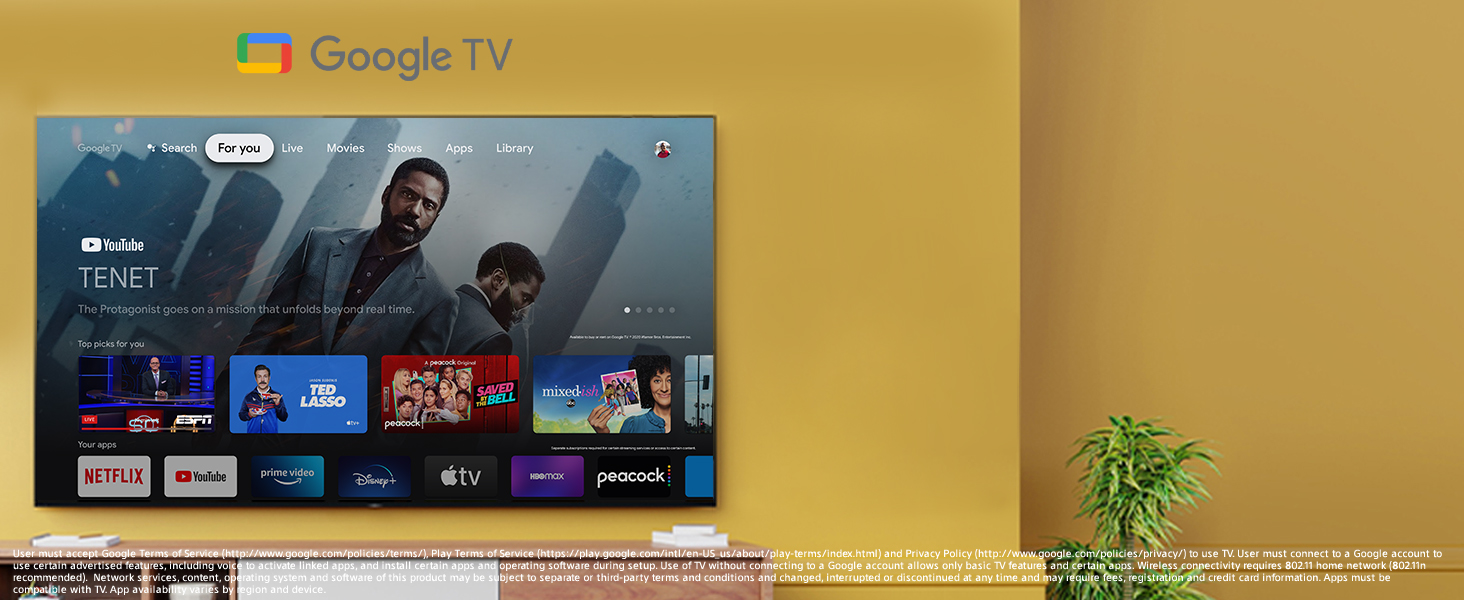
Your Sony X85J TV runs on Google TV, offering a personalized content experience. The 'For You' tab provides recommendations based on your viewing history and subscriptions. You can browse movies, shows, and apps, or use the search function to find specific content. The TV supports a wide array of streaming applications, including Netflix, Amazon Prime Video, Disney+, YouTube, and Apple TV.
3.3 Izithombe Nezilungiselelo Zomsindo
The TV's 4K HDR Processor X1 and TRILUMINOS PRO technology work together to optimize picture quality, delivering stunning clarity, color, and contrast. The native 120Hz refresh rate ensures smooth motion, which is particularly beneficial for fast-paced content. For audio, the X-Balanced Speaker system provides clear, multidimensional sound. The TV also supports Dolby Vision and Dolby Atmos for an enhanced cinematic experience.
3.4 Ukuxhumana
The TV supports Wi-Fi for wireless internet access and features Apple AirPlay 2 for seamless content streaming from your Apple devices. Chromecast built-in allows you to cast content from your smartphone or tablet directly to the TV.
4. Isondlo
4.1 Ukuhlanza i-TV
Ukuze uhlanze isikrini, sisule ngobumnene ngendwangu ethambile neyomile ye-microfiber. Uma unamabala aqinile, susa kancaneampen the cloth with water or a screen-specific cleaning solution (avoid harsh chemicals). For the TV's frame and stand, use a soft, dry cloth. Ensure the TV is unplugged before cleaning.
4.2 Ukunakekelwa Okuvamile
Avoid placing the TV in direct sunlight or near heat sources. Ensure adequate ventilation around the TV to prevent overheating. Do not block the ventilation openings on the back of the TV. Protect the remote control from spills and extreme temperatures.
5. Ukuxazulula izinkinga
If you encounter issues with your Sony X85J TV, consider the following common solutions:
- Awekho Amandla: Qinisekisa ukuthi intambo kagesi ixhunywe ngokuvikelekile kukho kokubili i-TV kanye ne-outlet kagesi esebenzayo. Zama i-outlet ehlukile.
- Asikho Isithombe/Umsindo: Verify that the correct input source is selected. Check all cable connections (HDMI, audio, etc.) for looseness or damage.
- Ikhwalithi Yesithombe Engalungile: Adjust picture settings (brightness, contrast, sharpness, color). Ensure the content source is high-quality. For upscaling issues, ensure 4K X-Reality PRO is enabled.
- Alukho Uxhumo Lwe-inthanethi: Check your Wi-Fi router and internet service. Reconnect the TV to your Wi-Fi network or try a wired Ethernet connection.
- Apps Glitching/Freezing: Restart the TV by unplugging it from the power outlet for a few minutes, then plugging it back in. Ensure all apps and the TV's operating system are updated to the latest version. Clear app cache if the issue persists.
- Isilawuli kude asisebenzi: Shintsha amabhethri. Qinisekisa ukuthi azikho izithiyo phakathi kwesilawuli kude kanye nenzwa ye-IR ye-TV.
For more complex issues, refer to the full operating instructions or contact Sony customer support.
6. Imininingwane
| Isici | Ukucaciswa |
|---|---|
| I gama le-brand | U-Sony |
| Isisindo sento | 27.9 pounds (12.7 kilograms) |
| Ubukhulu bomkhiqizo | 44.25 x 11.38 x 25.63 amayintshi (2.87"D x 44.12"W x 25.62"H) |
| Inombolo Yemodeli Yento | I-KD50X85J |
| Igama Lombala | Mnyama |
| Izici ezikhethekile | Miracast |
| Uhlobo lwesipika | Kwakhelwe ngaphakathi |
| Usayizi Wokubonisa Isikrini Esimile | 50 amayintshi |
| I-Aspect ratio | 16:9 |
| Voltage | 120 Volts (AC) |
| Bonisa Ubuchwepheshe | I-LED |
| Isixazululo | 4K |
| Isilinganiso Sokuvuselela | 120 Hz |
| Ubuchwepheshe bokuxhumana | I-Wi-Fi |
| Izingxenye Ezihlanganisiwe | Umabonakude |

7. Iwaranti kanye Nokusekela
Ukuze uthole ulwazi lwewaranti, sicela ubheke ikhadi lewaranti elifakwe nomkhiqizo wakho noma uvakashele ukwesekwa okusemthethweni kwe-Sony website. For technical assistance, troubleshooting, or service inquiries, please contact Sony customer support through their official channels.


