Isingeniso
This manual provides comprehensive instructions for the setup, operation, and maintenance of your Trust Gaming GXT 833 Thado TKL RGB Gaming Keyboard. Please read this manual carefully to ensure optimal performance and longevity of your device.
Izici Eziyinhloko:
- Compact Tenkeyless (TKL) design, reducing desk space usage.
- Multi-color LED illumination with breathing effect.
- Anti-ghosting support for up to 10 simultaneous key presses.
- Durable metal backplate with anti-slip rubber feet for stability.
- 12 multimedia hotkeys for quick access.
- Dedicated gaming mode to disable the Windows key.
- 1.8m braided USB cable for reliable connection.

Image: The compact tenkeyless design of the GXT 833 Thado keyboard, illustrating its smaller footprint compared to full-size keyboards.
Okuqukethwe Kwephakheji
Qinisekisa ukuthi zonke izinto zikhona kuphakheji:
- Trust Gaming GXT 833 Thado TKL RGB Gaming Keyboard
- Ikhebuli ye-USB (ihlanganisiwe)
- Incwadi Yomsebenzisi (le dokhumenti)
Setha
Ixhuma ikhibhodi:
- Thola i-USB port etholakalayo kukhompyutha yakho noma ku-gaming console.
- Xhuma isixhumi se-USB sekhibhodi echwebeni le-USB.
- The operating system will automatically detect and install the necessary drivers. No additional software installation is typically required for basic functionality.
- Ukukhanya kwe-RGB kwekhibhodi kuzokhanya uma uxhumano luphumelela.

Image: The Trust Gaming GXT 833 Thado TKL RGB Gaming Keyboard with its integrated USB cable, ready for connection.
Imiyalelo yokusebenza
Basic Keyboard Functions:
The GXT 833 Thado functions as a standard QWERTY keyboard. All keys perform their indicated character or function when pressed.
Ukulawula Ukukhanyisa kwe-RGB:
The keyboard features multi-color LED illumination. While the lighting is static in its color zones, you can adjust its brightness and activate a breathing effect.
- Ukulungiswa Kokukhanya: Use the dedicated brightness keys (often combined with Function keys or specific media keys) to increase or decrease the LED brightness. Refer to the keyboard layout for specific key combinations.
- Breathing Effect: Activate or deactivate the breathing light effect using the designated key combination.
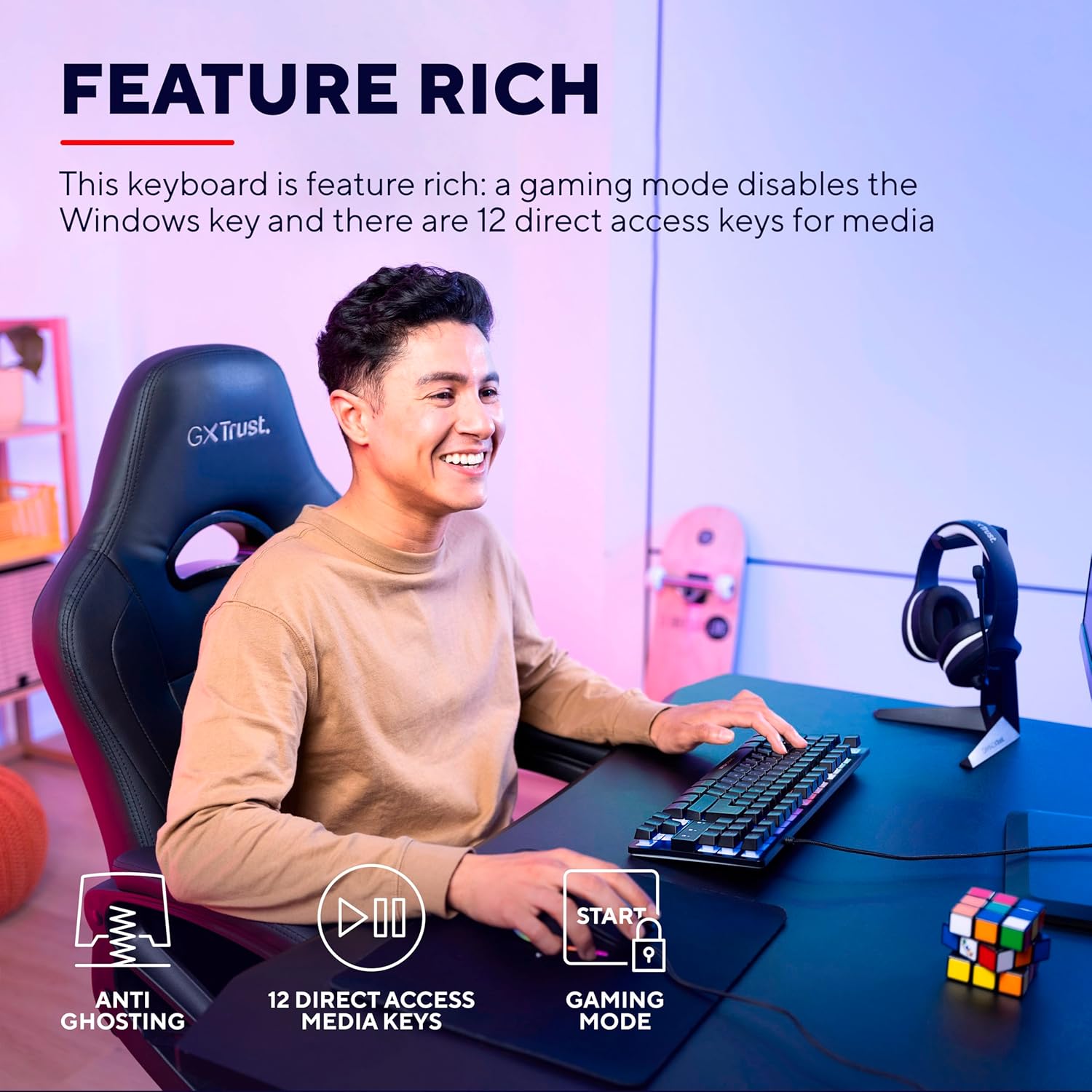
Image: The keyboard displaying its multi-color LED lighting zones.
Okhiye be-Multimedia Hotkey:
The keyboard includes 12 multimedia hotkeys, typically accessed by pressing the Fn key in combination with the F1-F12 keys. These keys allow quick control over media playback, volume, and other system functions.
- Fn + F1-F12: Refer to the icons printed on the F-keys for their specific multimedia functions (e.g., play/pause, stop, previous/next track, volume up/down, mute).
Imodi yokudlala:
Activate Gaming Mode to prevent accidental interruptions during gameplay. This mode typically disables the Windows key.
- Activating Gaming Mode: Cindezela inkinobho Fn key combined with the Windows key (often indicated by a lock icon) to toggle Gaming Mode on or off.

Image: Visual representation of the keyboard's features including anti-ghosting, multimedia keys, and gaming mode.
Isondlo
Ukuhlanza Ikhibhodi:
- Nqamula ikhibhodi kukhompuyutha yakho ngaphambi kokuhlanza.
- Sebenzisa okuthambile, kancane damp cloth to wipe the surface of the keyboard. Avoid excessive moisture.
- Ukuze uthole uthuli nemfucumfucu phakathi kokhiye, sebenzisa umoya ocindezelwe noma ibhulashi elithambile.
- Do not use harsh chemicals, abrasive cleaners, or solvents, as these can damage the keyboard's finish and key legends.
Ukuxazulula inkinga
| Inkinga | Isixazululo |
|---|---|
| Ikhibhodi ayiphenduli. |
|
| LED lighting is not working or is dim. |
|
| Izinkinobho ze-multimedia azisebenzi. |
|
| Windows key is disabled. |
|
Imininingwane
| Inombolo Yemodeli | 24067 |
| Ibhrendi | Themba |
| Uhlobo Lwekhibhodi | Tenkeyless (TKL) Gaming Keyboard |
| Ukuxhumana | I-USB enentambo |
| Isakhiwo | I-QWERTY |
| Ukukhanyisa ngemuva | Multi-color LED (RGB) |
| I-Anti-Ghosting | Up to 10 simultaneous key presses |
| I-Multimedia Keys | 12 direct access keys |
| Ubude bekhebula | 1.8 meters (braided) |
| Isisindo | awu 709g |
| Amadivayisi Ahambisanayo | PC, Gaming Consoles |
Ukucatshangelwa Kwemvelo
The Trust Gaming GXT 833 Thado keyboard is designed with environmental responsibility in mind. This product is manufactured using 69% recycled plastics.

Image: Visual representation highlighting the product's construction with 69% recycled plastics.
Iwaranti kanye Nokusekela
For warranty information, technical support, or further assistance, please refer to the official Trust Gaming webisayithi noma uxhumane nokwesekwa kwamakhasimende abo ngokuqondile.
Ungavakashela futhi Trust Brand Store on Amazon ngolwazi olwengeziwe lomkhiqizo nezisetshenziswa.


