Isingeniso
This manual provides comprehensive instructions for the setup, operation, and maintenance of your 1MORE Stylish True Wireless in-Ear Headphones, model E1026BT-I. Please read this manual thoroughly before using the product to ensure proper function and longevity.
Okuqukethwe Kwephakheji
Qinisekisa ukuthi zonke izinto zikhona kuphakheji:
- 1MORE Stylish True Wireless Earbuds (Left and Right)
- Ikesi lokushaja
- Ikhebula lokushaja le-USB
- Multiple Pairs of Ear Tips (various sizes)
- Incwadi Yomsebenzisi (le dokhumenti)
Umkhiqizo Uphelileview
The 1MORE Stylish True Wireless in-Ear Headphones feature a dynamic driver with a titanium composite diaphragm for balanced audio. They offer up to 6.5 hours of playtime on a single charge, extended to 24 hours with the charging case, and support quick charging. Connectivity is provided via an optimized Qualcomm chip with aptX and AAC compatibility for a stable Bluetooth 5.0 connection. The ergonomic design includes 45° oblique-angled nozzles for a secure fit.

Image: The 1MORE Stylish True Wireless Earbuds, pink in color, resting inside their matching pink charging case. The case is open, revealing the earbuds with their metallic pink finish and blue indicator lights.
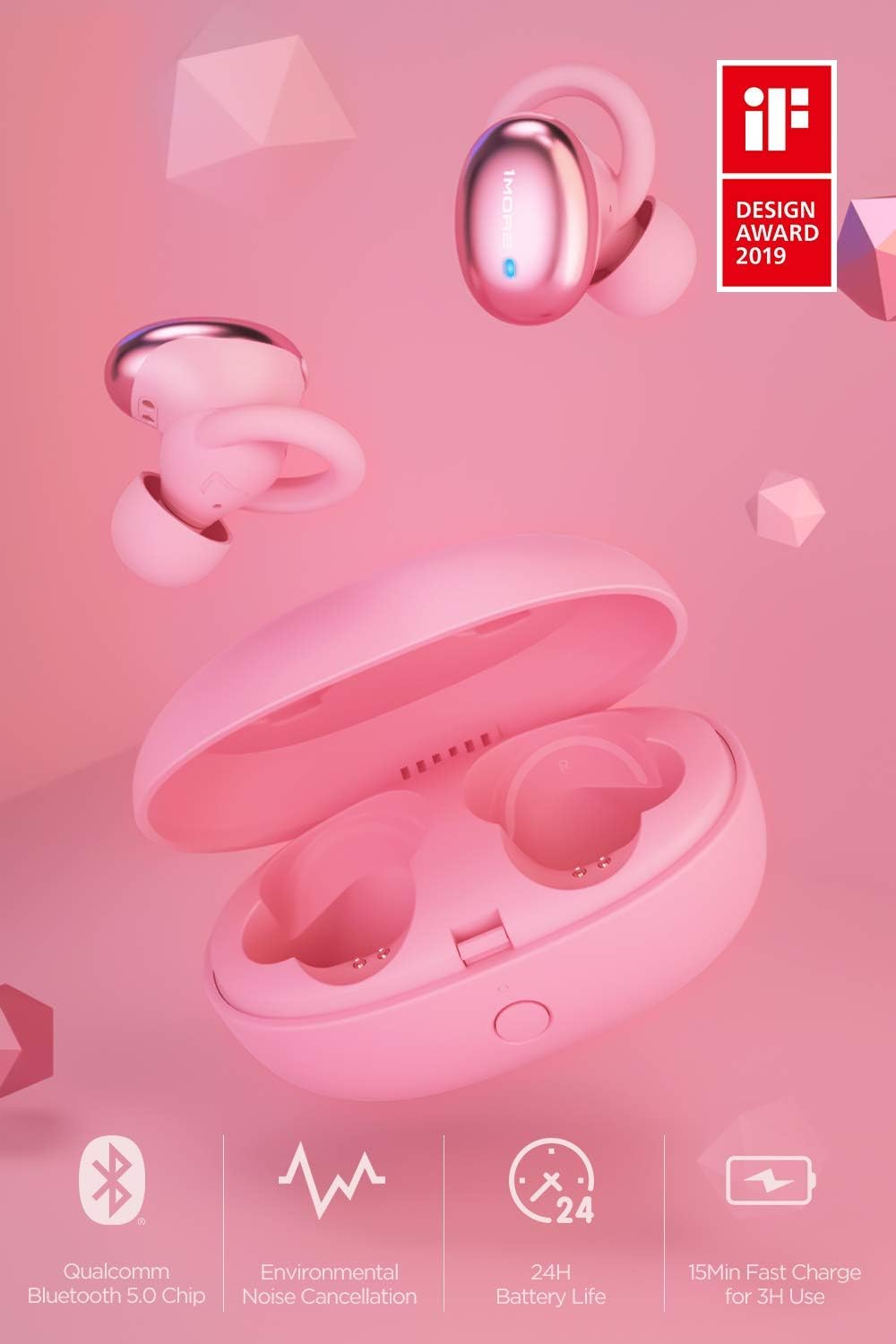
Isithombe: I-overview of the 1MORE Stylish True Wireless Earbuds, showcasing key features such as Qualcomm Bluetooth 5.0 Chip, Environmental Noise Cancellation, 24H Battery Life, and 15min Fast Charge for 3H Use. The earbuds and charging case are pink, with an 'iF DESIGN AWARD 2019' logo visible.
Setha
1. Ukushaja ama-Earbud nekesi
Ngaphambi kokusebenzisa okokuqala, shaja ngokugcwele ama-earbud nekesi lokushaja.
- Faka ama-earbud ekesini lokushaja. Qinisekisa ukuthi zihlezi ngendlela efanele.
- Xhuma ikhebula lokushaja le-USB embotsheni yokushaja kukesi kanye nakumthombo wamandla (isb., i-adaptha yodonga ye-USB, imbobo ye-USB yekhompyutha).
- The indicator light on the charging case will show charging status. A full charge typically takes approximately 2 hours for the case and earbuds.

Image: An illustration demonstrating the charging case and earbuds, highlighting the 24 hours of total battery life with the case and 6.5 hours of playtime for the earbuds on a single charge. The earbuds are shown both inside and outside the pink charging case.
2. Ukumatanisa nedivaysi ye-Bluetooth
Ama-earbud azongena ngokuzenzakalelayo kwimodi yokubhangqa uma ekhishwa ebhokisini lokushaja okokuqala.
- Open the charging case and remove both earbuds. They will automatically power on and attempt to pair with each other.
- Edivayisini yakho (i-smartphone, ithebhulethi, ikhompyutha ephathekayo), iya kuzilungiselelo ze-Bluetooth bese uvula i-Bluetooth.
- Look for "1MORE Stylish TWS" in the list of available devices and select it to connect.
- Once connected, you will hear an audio prompt, and the indicator lights on the earbuds will change.
Qaphela: If the earbuds do not automatically enter pairing mode, press and hold the multi-function button on both earbuds for 3 seconds until the indicator lights flash rapidly.
3. Ukukhetha Amathiphu Endlebe Afanele
Selecting the correct ear tip size is crucial for comfort, sound quality, and secure fit.
- Experiment with the different sizes of ear tips provided.
- A good fit will create a seal in your ear canal, enhancing bass response and noise isolation.
- The earbuds are designed with 45° oblique-angled nozzles for an ergonomic fit.

Image: A diagram illustrating the ergonomic design of the 1MORE Stylish True Wireless Earbuds, showing how they fit securely and comfortably within the ear, emphasizing the "Perfected Ergonomic Design for the Perfect Fit."
Imiyalelo yokusebenza
Vula/Vala
- Vula: Remove earbuds from the charging case. They will power on automatically. Alternatively, press and hold the multi-function button for 2 seconds.
- Cisha ugesi: Place earbuds back into the charging case. They will power off automatically. Alternatively, press and hold the multi-function button for 4 seconds.
Ukudlala Komculo

Image: An illustration showing the physical button controls on the 1MORE Stylish True Wireless Earbuds, with icons for Power, Music, Call, and Voice Assistant, indicating "Physical Button for Effortless Control."
- Dlala/Misa kancane: Single press the multi-function button on either earbud.
- Ithrekhi Elandelayo: Double press the multi-function button on the right earbud.
- Ithrekhi yangaphambilini: Double press the multi-function button on the left earbud.
Ukuphathwa Kwezingcingo
- Phendula/Phendula ikholi: Single press the multi-function button on either earbud.
- Yenqaba Ucingo: Press and hold the multi-function button on either earbud for 2 seconds.
Umsizi Wezwi
- Yenza kusebenze umsizi wezwi: Triple press the multi-function button on either earbud.
Isondlo
Ukuhlanza
- Hlanza njalo ama-earbud nekesi lokushaja ngendwangu ethambile, eyomile, engena-lint.
- Susa izindlebe bese uzihlanza ngensipho ethambile namanzi, bese womisa kahle ngaphambi kokuzinamathisela kabusha.
- Gwema ukusebenzisa izihlanzi ezihudulayo, izinyibilikisi, noma izifutho ze-aerosol.
Isitoreji
- Uma ingasetshenziswa, gcina ama-earbud kukesi lawo lokushaja ukuze uwavikele futhi uwagcine eshajile.
- Gcina endaweni epholile, eyomile, kude namazinga okushisa aphezulu kanye nelanga eliqondile.
Ukunakekela Ibhethri
- To preserve battery life, charge the earbuds and case regularly, even if not used frequently.
- Gwema ukukhipha ibhethri ngokugcwele isikhathi eside.
Ukuxazulula inkinga
| Inkinga | Imbangela Engenzeka | Isixazululo |
|---|---|---|
| Ama-earbud awavuliwe | Ibhethri eliphansi | Faka ama-earbud ekesini lokushaja bese ushaja ngokugcwele. |
| Ayikwazi ukubhanqa nedivayisi | Bluetooth not enabled; earbuds not in pairing mode; device too far | Ensure Bluetooth is on. Remove earbuds from case to enter pairing mode. Keep device within 10 meters. Forget device on your phone and re-pair. |
| Awukho umsindo noma ikhwalithi yomsindo ephansi | Incorrect ear tip size; low volume; connection issue | Adjust ear tips for a secure seal. Increase volume on device and earbuds. Reconnect Bluetooth. |
| Ama-earbud awashaji | Improper placement in case; dirty charging contacts; faulty cable/charger | Ensure earbuds are correctly seated. Clean charging contacts. Try a different USB cable or power adapter. |
Imininingwane
- Igama Lemodeli: E1026BT-I
- Ubuchwepheshe bokuxhuma: I-Bluetooth 5.0
- Uhlobo Lomshayeli Womsindo: I-Dynamic Driver
- Impilo Yebhethri (Ama-Earbuds): Kufika emahoreni angu-6.5
- Isikhathi Sokudlala Esiphelele (ne-Charging Case): Kufika emahoreni angu-24
- Ukushaja Okusheshayo: 15 minutes charge for 3 hours of use
- Charging Time (Case & Earbuds): Cishe amahora angama-2
- Indlela yokulawula: Touch / Physical Button
- Isisindo Sento: Amagremu angu-53 (inani) / ama-ounces angu-1.87
- Ubukhulu bomkhiqizo: 2.36 x 1.57 x 1.5 amayintshi (Ikesi Lokushaja)
- Izici ezikhethekile: Environmental Noise Cancellation (ENC) for calls, aptX and AAC compatibility, Ergonomic Fit
- I-UPC: 753575529154
Iwaranti kanye Nokusekela
This product is covered under the Amazon Renewed Guarantee, which provides for replacement or refund if you are not satisfied with your purchase. For specific warranty details and support, please refer to the Amazon Renewed program terms or contact Amazon customer service.
For further assistance or technical support, please visit the official 1MORE webisayithi noma uxhumane nomnyango wabo wesevisi yamakhasimende.
- Isiqinisekiso Esivuselelwe se-Amazon: Learn more about Amazon Renewed
- Umkhiqizi: 1OKUNYE


