1. Isingeniso
Thank you for choosing the ZIPRO Boost Exercise Bike. This manual provides essential information for the safe and effective assembly, operation, and maintenance of your new fitness equipment. Please read this manual thoroughly before first use and keep it for future reference.
2. Ulwazi Lokuphepha
- Bonana nodokotela ngaphambi kokuqala noma yiluphi uhlelo lokuzivocavoca.
- Qinisekisa ukuthi zonke izingxenye ziboshwe kahle ngaphambi kokusetshenziswa ngakunye.
- Gcina izingane nezilwane ezifuywayo kude namathuluzi ngesikhathi sokusebenza.
- Place the exercise bike on a flat, stable surface.
- Gqoka izingubo ezifanele zokuvivinya umzimba nezicathulo.
- Do not exceed the maximum user weight capacity of 120 kg.
- Yeka ukujima ngokushesha uma uzizwa uphelelwa amandla, unesiyezi, noma uzwa ubuhlungu.
3. Okuqukethwe Kwephakheji
Ngaphambi kokuhlanganiswa, qinisekisa ukuthi zonke izingxenye zikhona futhi azilimele:
- Uhlaka Oluyinhloko
- Ama-Stabilizer angaphambili nangemuva
- Amaphedali (Kwesobunxele nakwesokudla)
- Seat Post and Saddle
- Iposi Lebha Yezibambo Nezibambo Zezibambo
- Ziqeqeshe Ikhompyutha
- Ihadiwe yokuhlanganisa (amabhawodi, amawashi, amantongomane)
- Amathuluzi Okuhlanganisa (izinkinobho, okhiye be-Allen)
- Imaniwali yosebenzisayo
4. Iziyalezo Zomhlangano
Landela lezi zinyathelo ukuze uhlanganise kahle. Kunconywa ukuthi kube nabantu ababili ezinyathelweni ezithile.
- Namathisela ama-Stabilizer: Secure the front and rear stabilizers to the main frame using the provided bolts and washers. Ensure they are firmly tightened.
- Faka ama-Pedals: Identify the left (L) and right (R) pedals. The left pedal screws counter-clockwise, and the right pedal screws clockwise. Tighten securely.
- Mount Seat Post and Saddle: Insert the seat post into the main frame and adjust to the desired height. Attach the saddle to the seat post and secure it.
- Attach Handlebar Post: Insert the handlebar post into the main frame.
- Install Handlebars and Computer: Attach the handlebars to the handlebar post. Connect the sensor wires from the main frame to the exercise computer. Mount the computer onto the handlebar post.

Figure 4.1: Detailed assembly diagram for the ZIPRO Boost Exercise Bike.

Umfanekiso 4.2: Kuqhume view of the exercise bike components, illustrating how parts fit together during assembly.
5. Iziqondiso Zokusebenza
5.1 Ukulungisa Ukumelana
The ZIPRO Boost features an 8-level magnetic resistance system. To adjust the resistance, turn the tension control knob located below the computer display. Turn clockwise to increase resistance (harder) and counter-clockwise to decrease resistance (easier).

Figure 5.1: The resistance adjustment knob, showing levels 1 through 8.
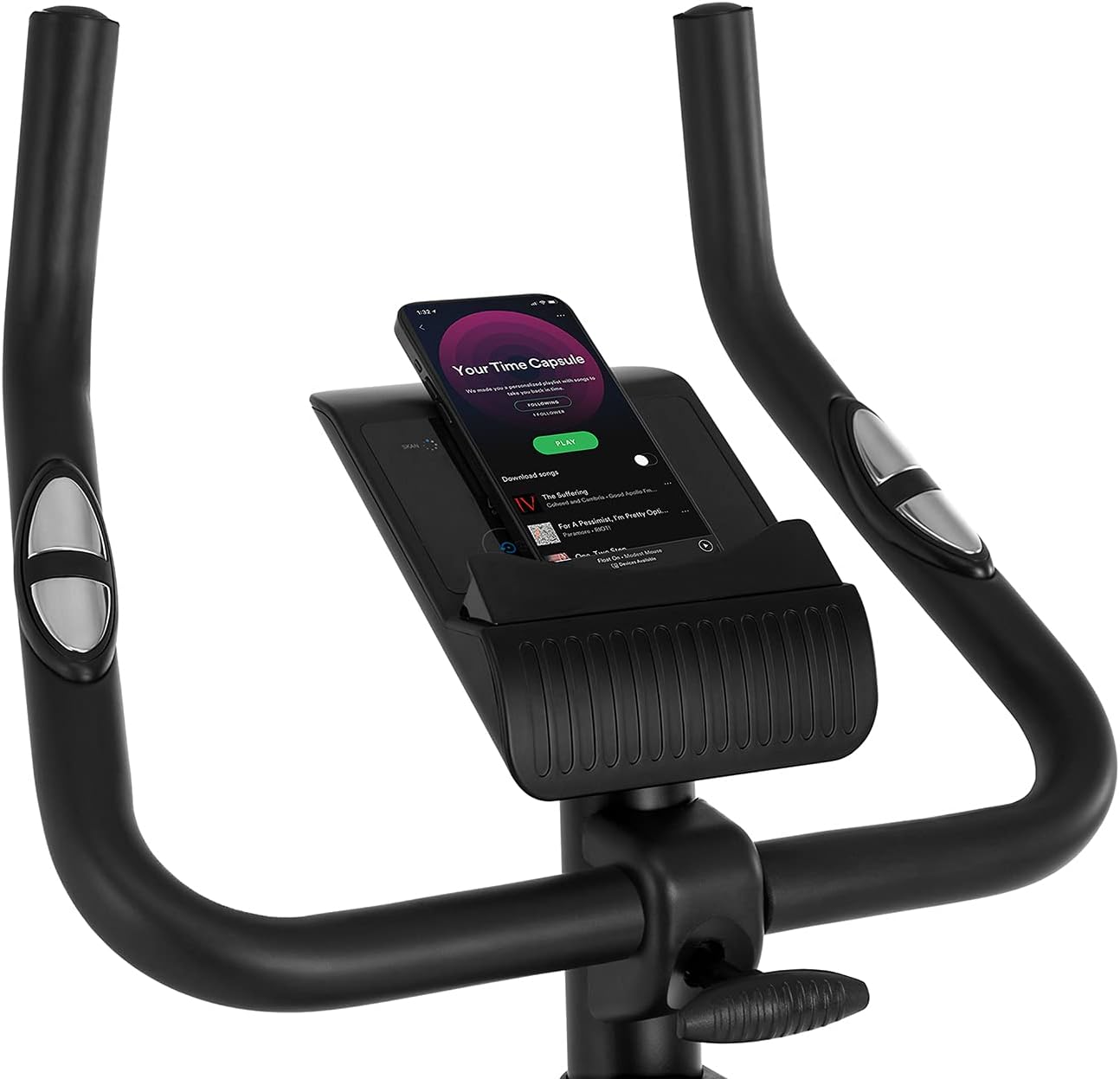
Figure 5.2: Demonstrating how to adjust the magnetic resistance using the tension control knob.
5.2 Saddle and Handlebar Adjustments
Proper adjustment of the saddle and handlebars ensures comfort and effective training.
- Saddle Height: Loosen the adjustment knob on the seat post, raise or lower the saddle to your desired height (ensure a slight bend in your knee at the bottom of the pedal stroke), and tighten the knob securely.
- Saddle Horizontal Position: Loosen the knob beneath the saddle to slide it forward or backward for optimal positioning relative to the pedals. Tighten securely.
- Ubude be-Handlebar: Loosen the adjustment knob on the handlebar post, raise or lower the handlebars to a comfortable position, and tighten the knob securely.
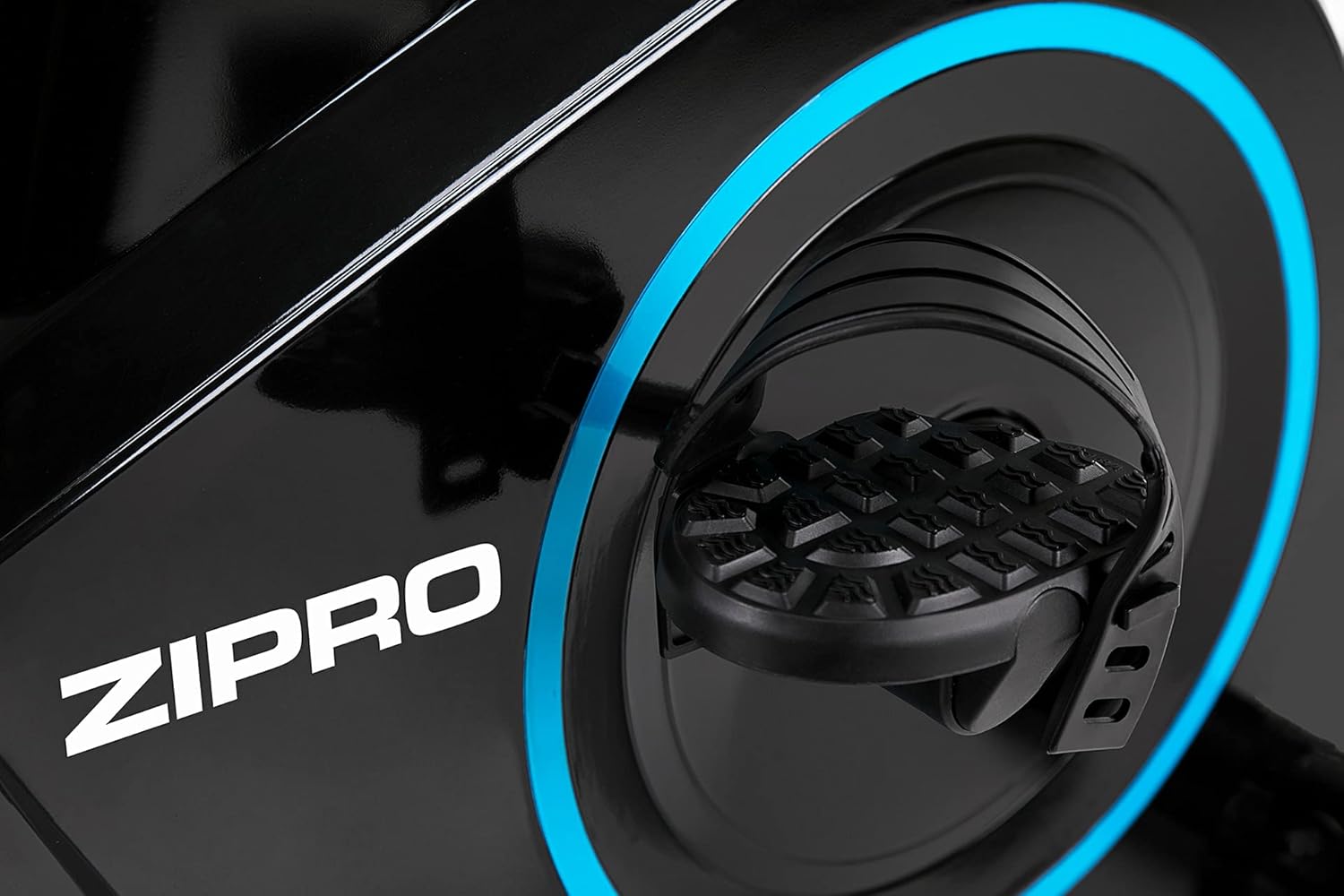
Figure 5.3: Adjusting the saddle's vertical position for user comfort.
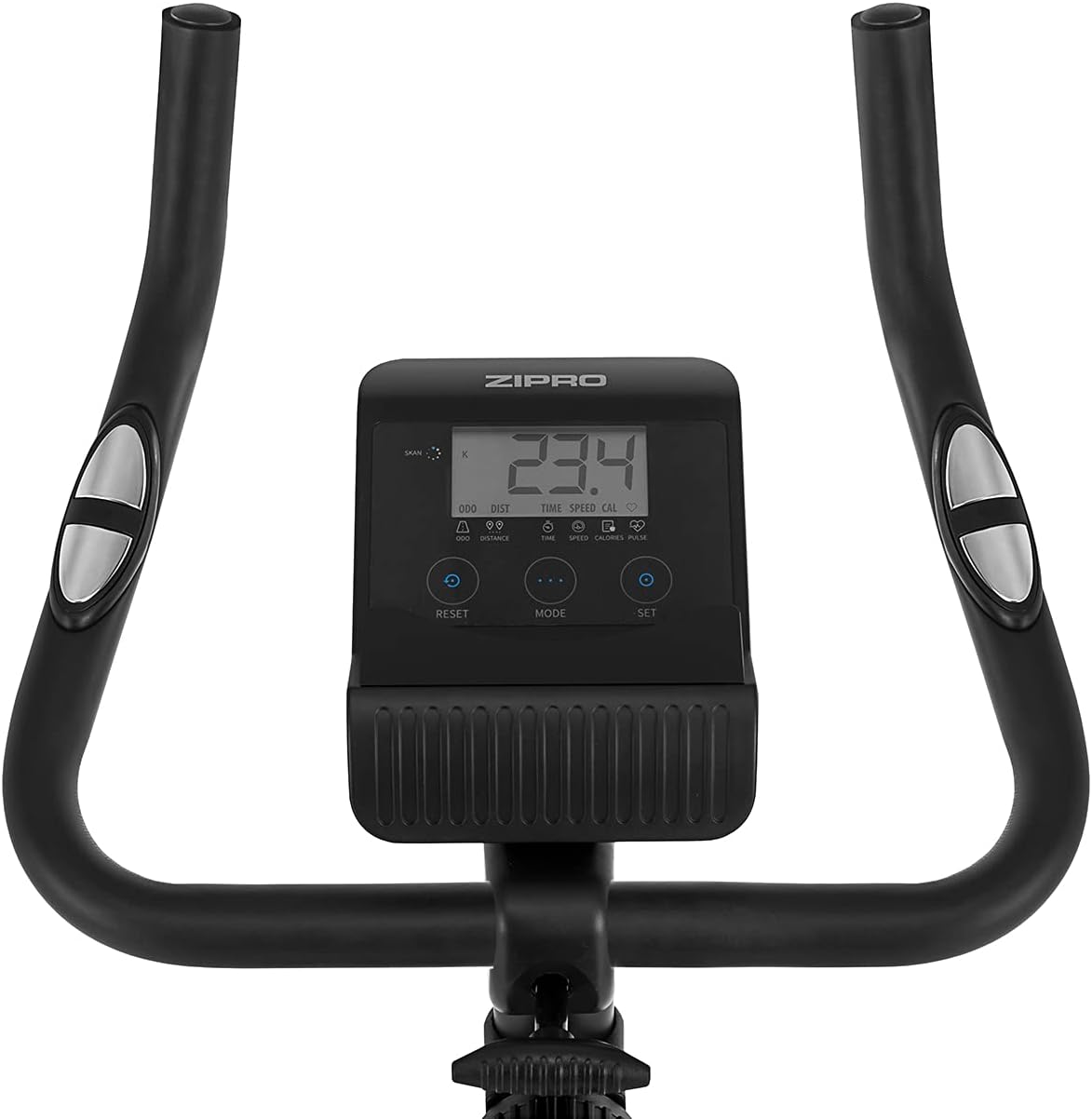
Figure 5.4: Adjusting the saddle's horizontal position for optimal riding posture.
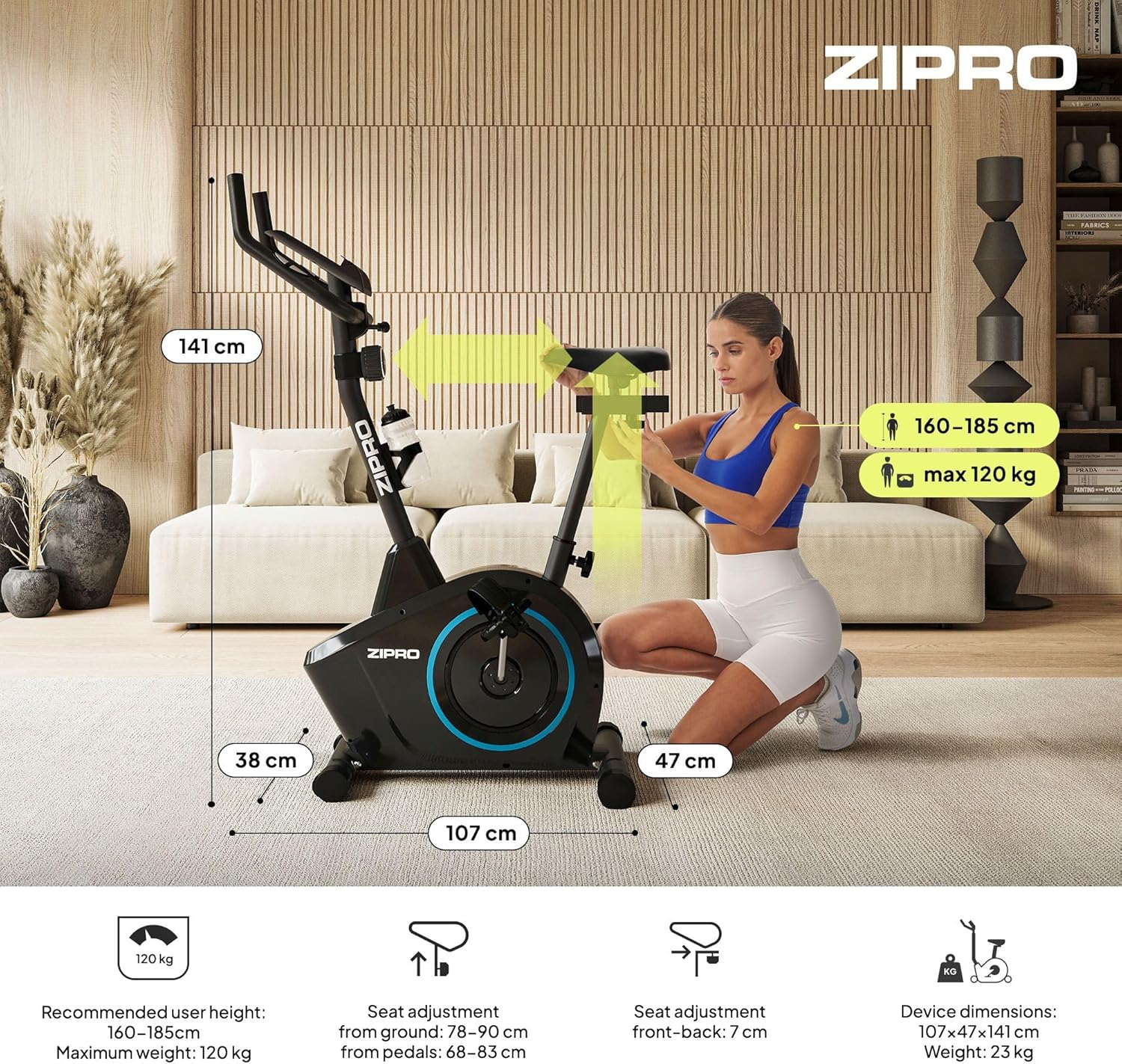
Figure 5.5: Adjusting the handlebar height to suit different user preferences and workout styles.
5.3 Computer Functions
The integrated computer tracks your workout data. It measures time, distance, speed, calories burned, and pulse (via sensors in the handlebar). The SCAN function cycles through all data alternately on the screen.
- Inkinobho ye-MODE: Press to select the display function (Time, Speed, Distance, Calories, Odometer, Pulse).
- SETHA KABUSHA Inkinobho: Press and hold to clear all current workout data (Time, Distance, Speed, Calories).
- SET Inkinobho: Used to set target values for Time, Distance, or Calories.
- Izinzwa Zokushaya Inhliziyo: Grip the metal plates on the handlebars to measure your heart rate.
- Mobile Device Shelf: A convenient shelf is provided above the computer for your smartphone or tablet.

Figure 5.6: The exercise computer display with MODE, RESET, and SET buttons.

Umdwebo 5.7: Ngaphezuluview of the computer display and integrated pulse sensors.

Figure 5.8: The integrated shelf designed to hold a mobile device like a tablet during workouts.
6. Isondlo
Ukugcinwa njalo kuqinisekisa ukuthi ibhayisikili lakho lokuzivocavoca lihlala isikhathi eside futhi lisebenza ngokuphephile.
- Ukuhlanza: Sula ibhayisikili ngesikhangisoamp indwangu ngemva kokusetshenziswa ngakunye ukususa umjuluko nothuli. Ungasebenzisi izinto zokuhlanza ezihlabayo.
- Hlola Ukuxhumana: Periodically check all bolts, nuts, and screws to ensure they are tight. Tighten if necessary.
- Ukuthambisa: The magnetic resistance system is generally maintenance-free. If you notice any squeaking from moving parts (e.g., pedal axles), apply a small amount of silicone-based lubricant.
- Isitoreji: When not in use, store the bike in a dry, cool place away from direct sunlight. The integrated transport wheels allow for easy movement.

Figure 6.1: The exercise bike features transport wheels for easy relocation after use.
7. Ukuxazulula izinkinga
| Inkinga | Imbangela Engenzeka | Isixazululo |
|---|---|---|
| Computer display not working | Loose cable connection; Dead batteries | Check all cable connections to the computer; Replace batteries (if applicable). |
| No resistance change | Resistance cable disconnected or damaged | Check the resistance cable connection to the tension knob and the main unit. |
| Umsindo wokuklolodela noma wokugaya | Loose parts; Lack of lubrication | Check and tighten all bolts and nuts; Apply silicone lubricant to moving parts if necessary. |
| Unstable during use | Bike not on a level surface; Loose stabilizers | Ensure the bike is on a flat surface; Adjust leveling caps on stabilizers; Tighten stabilizer bolts. |
8. Imininingwane
| Isici | Ukucaciswa |
|---|---|
| Imodeli | 979536 |
| Ubukhulu (L x W x H) | 73 x 48 x 137 cm |
| Isisindo Somkhiqizo | 23 kg |
| Isisindo Somsebenzisi Esiphezulu | 120 kg |
| Ukumelana System | Magnetic, 8-level manual adjustment |
| Isistimu yeDrayivu | Ibhande |
| Imisebenzi Yekhompyutha | Time, Distance, Speed, Calories, Pulse (Heart Rate) |
| Uhlobo Lwezinto | Ipulasitiki, insimbi |
| Power Source (Computer) | Isebenza Ibhethri |
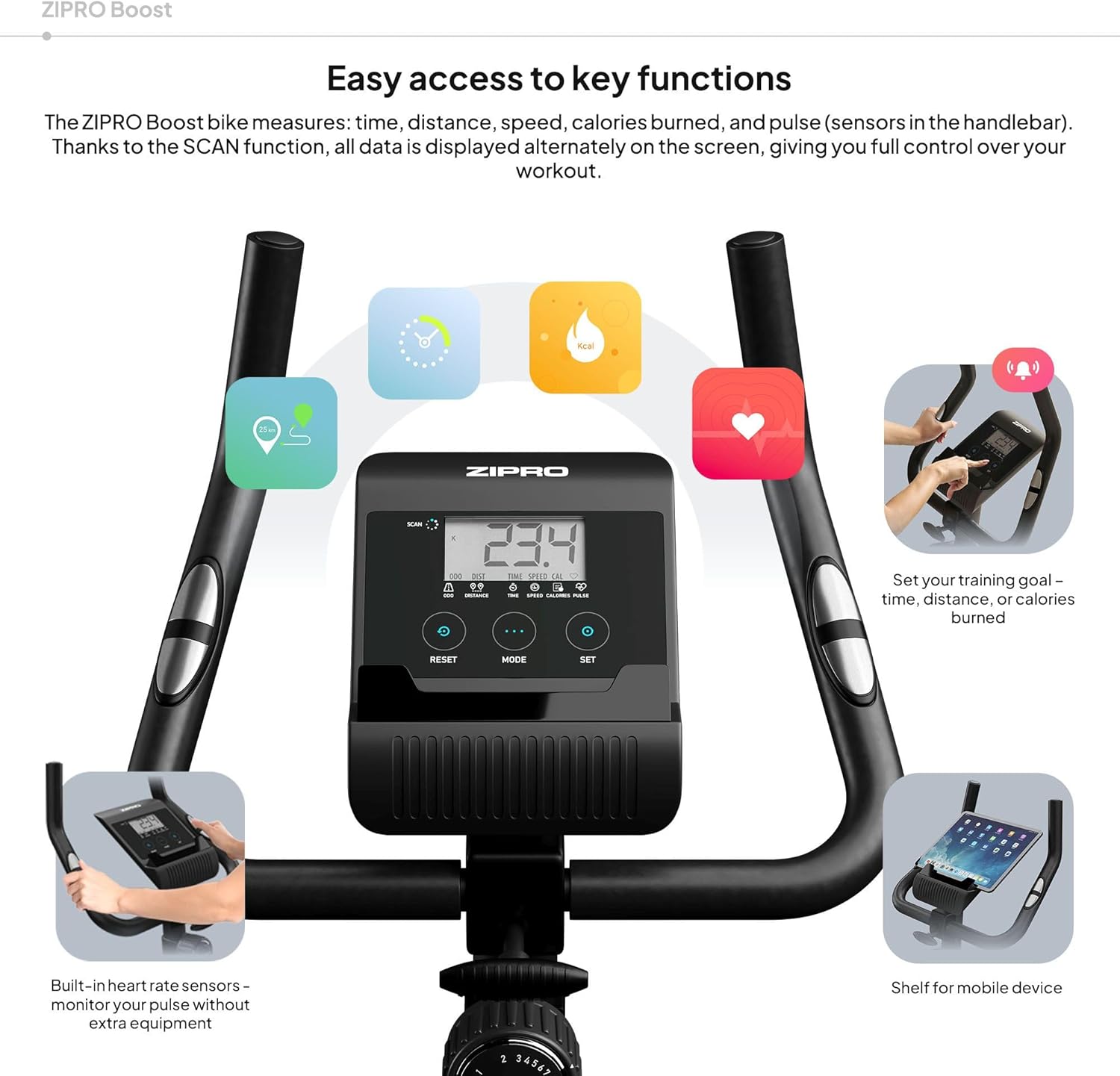
Figure 8.1: Key dimensions and user specifications for the exercise bike.
9. Iwaranti kanye Nokusekela
Your ZIPRO Boost Exercise Bike comes with a standard manufacturer's warranty. Please refer to the warranty card included in your package for specific terms and conditions. For technical support, spare parts, or any inquiries not covered in this manual, please contact ZIPRO customer service through their official webisayithi noma umthengisi lapho uthenge khona umkhiqizo.


