Isingeniso
This manual provides instructions for the safe and efficient operation, maintenance, and troubleshooting of your BODUM Bistro Electric Coffee Grinder, Model 10903-913EURO-3. For optimal coffee flavor, grinding beans just before preparation is recommended. This electric coffee grinder is designed to facilitate this process.

Image: The BODUM Bistro Electric Coffee Grinder, showing whole coffee beans in the top hopper and ground coffee in the lower collection container.
Imiyalelo Ebalulekile Yezokuphepha
Uma usebenzisa izinto zikagesi, izinyathelo zokuphepha eziyisisekelo kufanele zihlale zilandelwa ukuze kuncishiswe ingozi yomlilo, ukushaqeka kukagesi, nokulimala kwabantu, okuhlanganisa nalokhu okulandelayo:
- Funda yonke imiyalelo ngaphambi kokusebenzisa okokusebenza.
- Ungathinti izindawo ezishisayo. Sebenzisa izibambo noma amaknobho.
- Ukuze uvikeleke ekushayweni kukagesi, ungacwilisi intambo, amapulaki, noma into esetshenziswayo emanzini noma kolunye uketshezi.
- Ukugadwa okuseduze kuyadingeka uma noma isiphi isisetshenziswa sisetshenziswa izingane noma eduze kwazo.
- Khipha ipulaki lapho ingasetshenziswa nangaphambi kokuhlanza. Vumela ukuthi kuphole ngaphambi kokugqoka noma ukukhipha izingxenye, nangaphambi kokuhlanza umshini.
- Ungasebenzisi noma isiphi isisetshenziswa ngentambo noma ipulaki eyonakele, noma ngemva kokuba umshini ungasebenzi kahle noma wonakaliswe nganoma iyiphi indlela. Buyisela into esetshenziswayo esikhungweni sesevisi esigunyaziwe esiseduze ukuze sihlolwe, sikhandwe, noma silungiswe.
- Ukusetshenziswa kwezisetshenziswa ezinamathiselwe okunganconywanga umenzi wezinto zikagesi kungase kubangele umlilo, ukushaqeka kukagesi, noma ukulimala kwabantu.
- Ungasebenzisi ngaphandle.
- Ungavumeli intambo ilenge phezu konqenqema lwetafula noma ikhawunta, noma uthinte izindawo ezishisayo.
- Ungayibeki eduze noma eduze kwegesi eshisayo noma isibambi sikagesi, noma kuhhavini oshisayo.
- Njalo unamathisele ipulaki kumshini kagesi kuqala, bese uxhuma intambo endaweni ephuma odongeni. Ukuze unqamule, vala noma yikuphi ukulawula ukuze "vala," bese ukhipha ipulaki ekuphumeni odongeni.
- Ungasebenzisi into esetshenziswayo ukwenza okunye ngaphandle kwalokho okuhlosiwe.
- Ensure the lid is securely in place before operating.
- Do not remove the collection container while the grinder is operating.
Umkhiqizo Uphelileview kanye Nezingxenye
The BODUM Bistro Electric Coffee Grinder consists of several key components designed for efficient coffee grinding.
- I-Bean Hopper: Transparent container at the top for whole coffee beans.
- Ama-Conical Burrs: Internal grinding mechanism for consistent results.
- Grind Setting Dial: Adjustable dial to select desired grind fineness.
- Ukudayela Isikhathi: Controls the grinding duration.
- Inkinobho yamandla: Initiates and stops the grinding process.
- Borosilicate Glass Collection Container: Anti-static container for ground coffee.
- Isivalo: Covers the bean hopper.

Image: The BODUM Bistro Electric Coffee Grinder, showing the main unit with the collection container empty and attached.
Ukusethwa Kwasekuqaleni
Ngaphambi kokusebenzisa okokuqala, landela lezi zinyathelo:
- Khipha: Carefully remove all packaging materials from the grinder.
- Hlanza: Wash the borosilicate glass collection container and its lid with warm, soapy water. Rinse thoroughly and dry completely. Wipe the exterior of the grinder with a damp cloth. Ensure all parts are dry before assembly.
- Hlanganisa: Place the clean, dry collection container securely into its designated slot on the grinder. Ensure the bean hopper is properly seated on the base.
- Ukubekwa: Position the grinder on a stable, flat, and dry surface.
- Ukuxhuma kwamandla: Xhuma intambo kagesi endaweni kagesi efanelekile.
Imiyalelo yokusebenza
1. Adding Coffee Beans
- Susa isivalo kubhontshisi.
- Pour whole, roasted coffee beans into the hopper. Do not overfill. The grinder has a capacity of 220g.
- Replace the lid securely on the bean hopper.
2. Adjusting Grind Settings
The grinder offers 12 grinding settings, from fine to coarse. Rotate the grind setting dial located around the bean hopper to your desired fineness. Refer to the markings on the dial for guidance.
- Inhlawulo: Suitable for espresso machines.
- Okumaphakathi: Ideal for drip coffee makers.
- Okumahholo Recommended for French press or percolators.
3. Using the Timer Function
The grinder features an adjustable timer function for precise grinding duration. Rotate the timer dial to select the desired grinding time (e.g., 5, 10, 15, 20 seconds). This allows for consistent grinding of specific quantities.

Isithombe: A enemininingwane view of the grinder's top, showing the red timer dial with time markings (5, 10, 15, 20 seconds) and the grind fineness selector with various icons.
4. Starting and Stopping Grinding
- Ensure the collection container is correctly in place and the bean hopper lid is secure.
- Press the power button located on the front of the unit to start grinding. The grinder will operate for the duration set on the timer dial.
- To stop grinding manually before the timer finishes, press the power button again.
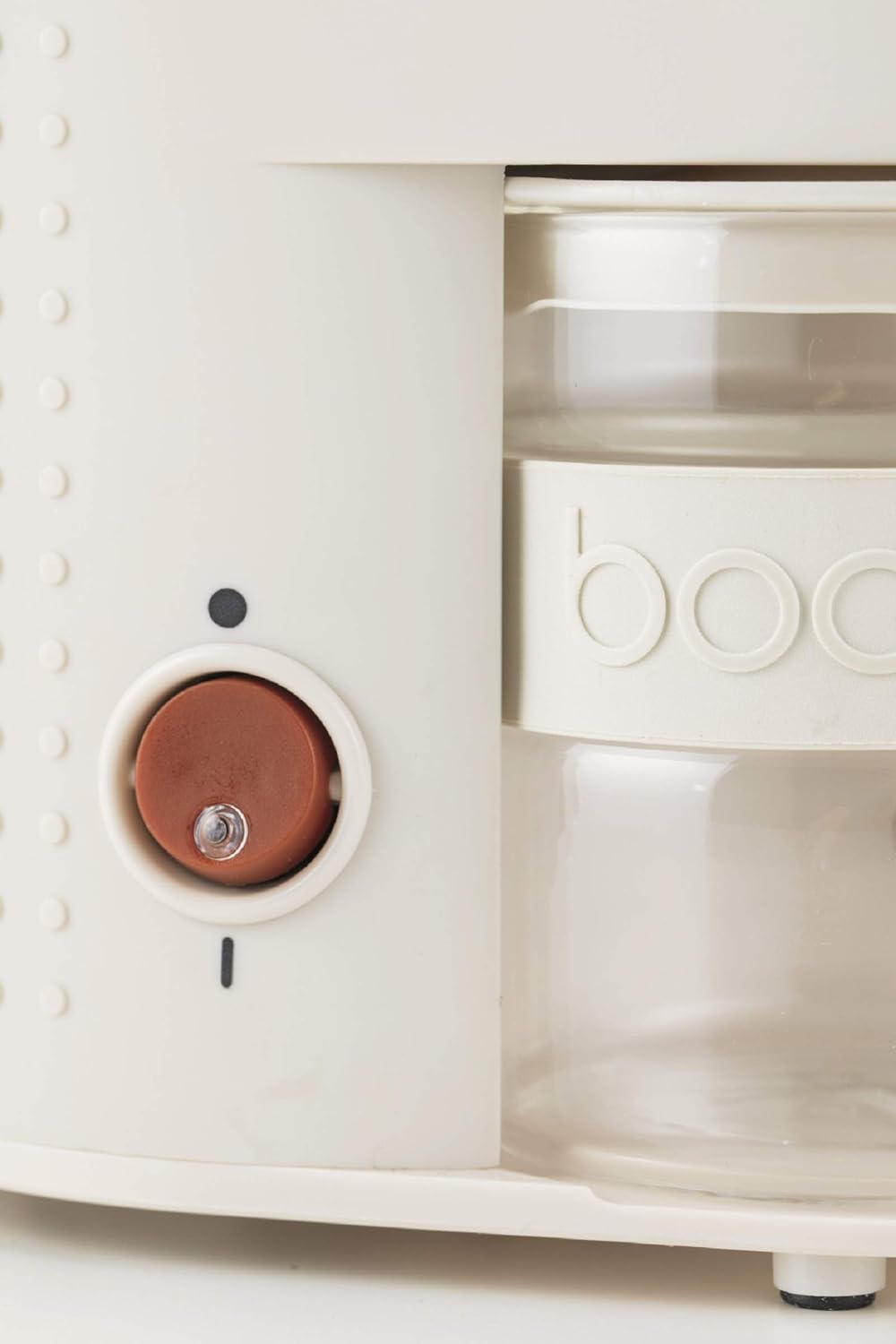
Image: A close-up of the grinder's side, highlighting the round, red power button.
Ukuhlanza Nokunakekela
Regular cleaning ensures optimal performance and extends the life of your coffee grinder.
- Khipha: Always unplug the grinder from the power outlet before cleaning.
- Empty Hopper: Susa noma yimaphi amabhontshisi ekhofi asele ku-hopper.
- Remove Collection Container: Carefully slide out the borosilicate glass collection container.
- Clean Collection Container: Wash the glass collection container and its lid with warm, soapy water. The borosilicate glass is anti-static and designed to prevent coffee powder from clinging. Rinse thoroughly and dry completely before reattaching.
- Ama-Burrs Ahlanzekile: Use a small brush (often supplied with grinders, or a stiff brush) to remove any ground coffee residue from the conical burrs. Do not use water directly on the burrs or inside the motor housing.
- Sula Ingaphandle: Sula ingaphandle legrinder ngesikhangisoamp indwangu. Ungacwilisi iyunithi eyinhloko emanzini.
- Phinda uhlanganise: Ensure all parts are completely dry before reassembling the grinder.

Image: The BODUM Bistro Electric Coffee Grinder with its borosilicate glass collection container detached and placed next to the main unit, illustrating ease of cleaning.
Ukuxazulula inkinga
If you encounter issues with your coffee grinder, refer to the following common problems and solutions:
- Grinder does not start:
- Qinisekisa ukuthi intambo kagesi ixhunywe ngokuphephile endaweni esebenzayo.
- Check that the bean hopper lid is properly closed and the collection container is correctly inserted. Safety mechanisms prevent operation if these are not in place.
- Verify that the timer dial is set to a grinding duration.
- Inconsistent grind:
- Ensure the burrs are clean and free of old coffee residue. Refer to the Cleaning and Maintenance section.
- Check that the grind setting dial is securely in position and has not shifted during operation.
- Grinder stops unexpectedly:
- The grinder may have overheated. Unplug the unit and allow it to cool down for at least 30 minutes before attempting to use it again.
- Check for any obstructions in the burr area.
- Excessive static cling of ground coffee:
- While the borosilicate glass container is designed to be anti-static, some static may occur in very dry environments. Lightly dampen the inside of the collection container with a few drops of water before grinding to reduce static.
Uma inkinga iqhubeka ngemva kokuzama lezi zixazululo, sicela uxhumane nokwesekwa kwamakhasimende.
Imininingwane Yezobuchwepheshe
| Isici | Ukucaciswa |
|---|---|
| Ibhrendi | Bodum |
| Inombolo Yemodeli | 10903-913EURO-3 |
| Umbala | Emhlophe |
| Isitayela | I-Coffee Grinder |
| Ukugaya Izilungiselelo | 12 (Fine to Coarse) |
| Uhlobo lokugaya | I-Conical Burr |
| Ubhontshisi Hopper Amandla | 220g |
| Collection Container Material | Borosilicate Glass (Anti-static) |
| Isisindo sento | 4.12 amakhilogremu |
| Ubukhulu bephakheji | 12.17 x 7.17 x 6.97 amayintshi |
| Umkhiqizi | BODUM |
| I-UPC | 699965397029 |
Iwaranti kanye Nokwesekwa Kwekhasimende
For information regarding warranty coverage, please refer to the warranty card included with your product packaging or visit the official Bodum website. If you require further assistance, have questions, or need to report a defect, please contact Bodum customer support directly.
You can typically find contact information on the Bodum webindawo noma ngomdayisi lapho umkhiqizo wathengwa khona.


