1. Isingeniso kanye Phezuview
The GE CYNC Smart LED Light Bulb, Full Color, offers advanced lighting control and customization for your home. This smart bulb allows you to select from millions of colors, including tunable white light, to create the perfect ambiance for any occasion. It integrates seamlessly with smart home ecosystems, enabling control via smartphone applications and voice commands through compatible devices.
Izici ezibalulekile zifaka:
- Full Color Spectrum: Access millions of colors to personalize your lighting.
- Ukukhanya Okumhlophe kwe-Tunable: Adjust white light from warm to cool tones, including settings that can sync with your body's sleep/wake cycle.
- Ukulawulwa Okuhlakaniphile: Dim, change colors, set schedules, and create scenes directly from your smartphone using the Cync app.
- Ukuvumelana kokulawula izwi: Works with Amazon Alexa and Google Home for hands-free operation (requires a Cync or C by GE Smart Plug Hub for Alexa, or direct connection for Google Assistant).
- Ukufinyelela kude: Control your lighting from anywhere, ensuring you never come home to a dark house.
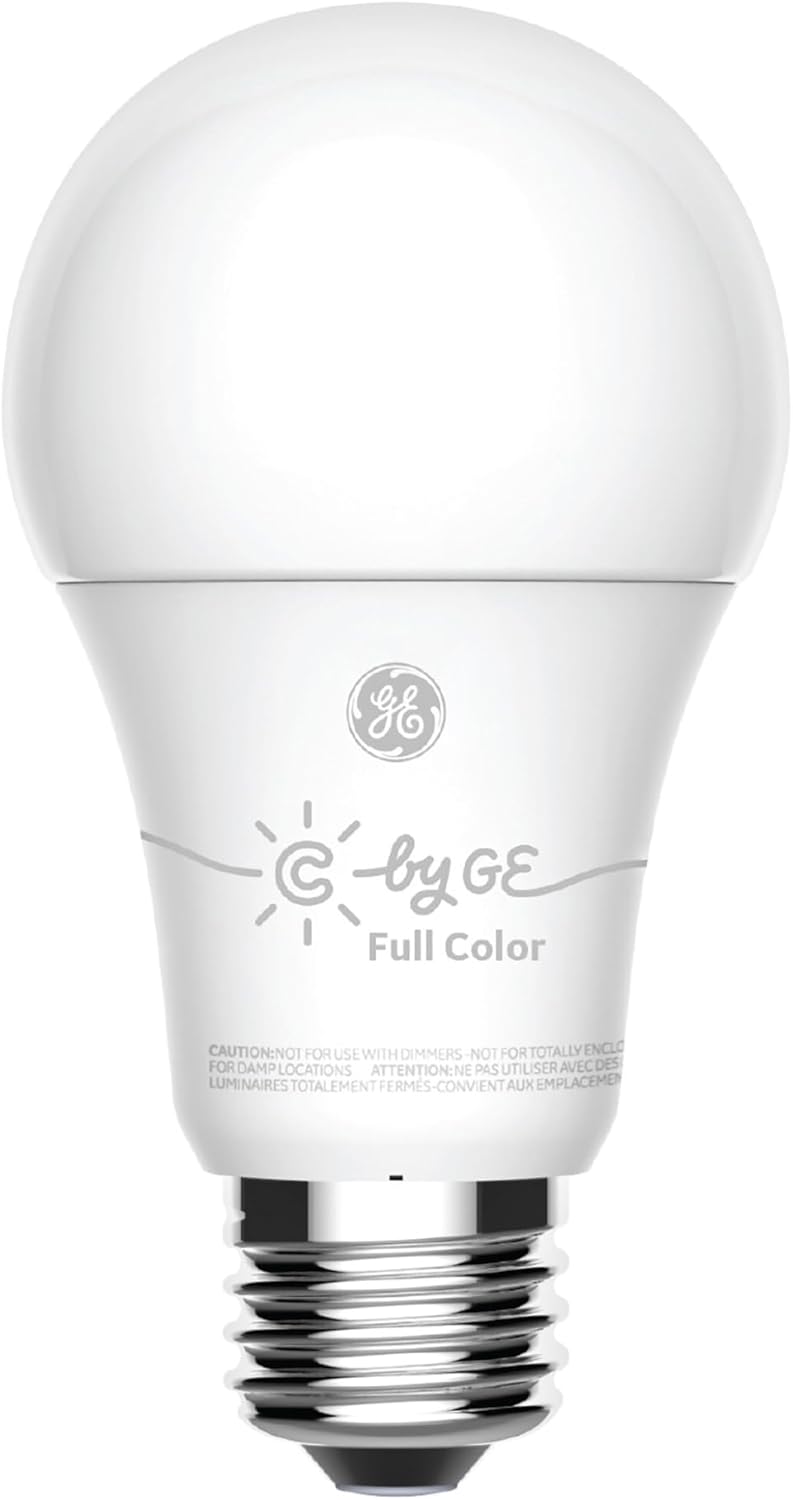
Figure 1.1: The GE CYNC Smart LED Light Bulb, Full Color.
2. Ulwazi Lokuphepha
Please read all safety instructions before installing or using the GE CYNC Smart LED Light Bulb. Failure to follow these instructions may result in electric shock, fire, or other hazards.
- ISEXWAYISO: Not for use with dimmers. This smart bulb is designed for smart dimming via the Cync app or compatible smart home systems, not traditional wall dimmers.
- ISEXWAYISO: Not for use in totally enclosed luminaires. Ensure adequate ventilation around the bulb.
- ISEXWAYISO: Not for use in damp locations. Use only in dry, indoor environments.
- Ensure the power is turned off at the switch before installation or removal.
- Ungaliqaqi noma ulishintshe ibhalbhu. Azikho izingxenye ezilungele ukusetshenziswa ngaphakathi.
- Le divayisi ayihloselwe ukusetshenziswa ezindaweni zokuphuma eziphuthumayo.

Figure 2.1: Product packaging highlighting features and important cautions.
3. Okuqukethwe Kwephakheji
Your GE CYNC Smart LED Light Bulb package includes:
- One (1) GE CYNC Smart LED Light Bulb, Full Color (Model: CLEDA1911C2/ST1P)

Figure 3.1: The smart bulb alongside its retail packaging.
4. Setha
Follow these steps to set up your GE CYNC Smart LED Light Bulb:
- Download the Cync App: Cinga "Cync" (formerly C by GE) in your smartphone's app store (iOS or Android) and download the application.
- Faka I-bulb: Screw the GE CYNC Smart LED Light Bulb into a standard E26 medium base socket. Ensure the light fixture is turned off before installation.
- Vula: Turn on the light fixture's power switch. The bulb should illuminate.
- Engeza idivayisi kuhlelo lokusebenza: Open the Cync app. Tap the "+" icon to add a new device and follow the on-screen instructions to pair your bulb. The app will guide you through the discovery and connection process.
Important Notes for Voice and Out-of-Home Control:
- For voice control with I-Amazon Alexa and out-of-home control, you will need to pair your smart bulb with a Cync or C by GE Smart Plug Hub (sold separately).
- For voice control with Umsizi we-Google, no additional hub is required for direct integration.

Figure 4.1: The E26 Medium (Standard) bulb base.

Figure 4.2: Compatibility with Amazon Alexa and Google Home.
5. Ukusebenza
Once your GE CYNC Smart LED Light Bulb is set up, you can control it using the Cync app or compatible voice assistants.
5.1 Using the Cync App
- Khanyisa cisha: Tap the bulb icon in the app to toggle the light on or off.
- Ukucwilisa: Use the brightness slider in the app to adjust the light intensity from 1% to 100%.
- Ukukhetha Umbala: Access the color palette to choose from millions of colors. You can also select specific white tones (warm to cool) to match your preference or time of day.
- Amashejuli: Set automated schedules for your lights to turn on or off at specific times, such as waking up with a gentle light or ensuring lights are off when you leave.
- Izigcawu: Create custom lighting scenes for different activities or moods (e.g., "Movie Night," "Reading," "Party"). Scenes can combine specific colors, brightness levels, and even control multiple bulbs simultaneously.
- Amaqembu: Group multiple Cync bulbs together to control them as a single unit, simplifying management of rooms or areas.
5.2 Ukulawula Izwi
After linking your Cync account to Amazon Alexa or Google Home, you can use voice commands:
- "Alexa, khanyisa isibani segumbi lokuhlala."
- "Hey Google, dim the bedroom light to 50%."
- "Alexa, change the kitchen light to blue."
- "Hey Google, set the 'Movie Night' scene."

Umfanekiso 5.1: Eksample of colored lighting in a bedroom setting.

Umfanekiso 5.2: Eksample of colored accent lighting in a kitchen.
6. Isondlo
The GE CYNC Smart LED Light Bulb is designed for long-term, maintenance-free operation. As an LED product, it does not require bulb replacement.
- Ukuhlanza: To clean the bulb, ensure the power is off at the switch. Use a soft, dry cloth to wipe the surface. Do not use liquid cleaners or abrasive materials.
- Isitoreji: If storing the bulb, keep it in a cool, dry place away from direct sunlight and extreme temperatures.
7. Ukuxazulula izinkinga
If you encounter issues with your GE CYNC Smart LED Light Bulb, refer to the following common solutions:
- Bulb Not Responding/Offline:
- Ensure the light fixture's power switch is in the ON position.
- Check your Wi-Fi or Bluetooth connection. Ensure your smartphone is connected to the internet and Bluetooth is enabled.
- Restart the Cync app.
- If using Alexa, ensure your Cync Smart Plug Hub is powered on and connected.
- Umjikelezo Wamandla: Turn the light fixture off for 10 seconds, then turn it back on. This can often resolve minor connectivity glitches.
- Ukumatanisa Kobunzima:
- Ensure the bulb is within range of your smartphone during the initial pairing process.
- Confirm you have downloaded the correct "Cync" app.
- If the bulb was previously paired, you may need to perform a factory reset (refer to the Cync app's help section for specific reset procedures, which often involve a series of on/off cycles).
- Inconsistent Color/Brightness:
- Ensure the bulb is not connected to a traditional dimmer switch.
- Verify the bulb's firmware is up to date via the Cync app.
- App Login Issues: Some users have reported needing to re-login to the Cync app periodically. Ensure your app is updated to the latest version.
For more detailed troubleshooting or persistent issues, please refer to the help section within the Cync app or visit the official Cync support webindawo.
8. Imininingwane
Detailed technical specifications for the GE CYNC Smart LED Light Bulb, Full Color:
| Isibaluli | Ukucaciswa |
|---|---|
| Igama Lemodeli | I-GE CYNC I-Smart LED Light Bulb |
| Inombolo Yemodeli | CLEDA1911C2/ST1P |
| Uhlobo Lwebhabhu | I-LED |
| Usayizi Womumo Webhalbhu | A19 |
| I-Bulb Base | E26 Phakathi |
| Umbala Okhanyayo | Full Color (Millions of colors + Tunable White) |
| Ukukhanya | 800 Lumens |
| Wattage | 10 Watts |
| I-Incandescent Equivalent | 60 Watts |
| Ukushisa Kombala | 2700 Kelvin (Tunable) |
| Voltage | 120 volts |
| Ubuchwepheshe bokuxhumana | I-Bluetooth |
| Indlela Yokulawula | App (Cync), Voice (Amazon Alexa, Google Assistant) |
| Ukusetshenziswa Kwangaphakathi/Kwangaphandle | Ngasendlini |
| Impilo Emaphakathi | Amahora angu-15,000 (cishe iminyaka engu-13.7 ngokusekelwe emahoreni ama-3 ngosuku) |
| Ubukhulu bomkhiqizo | 2.44"W x 5.75"H |
| Isisindo sento | Ama-ounces angu-2.89 (0.08 Amakhilogremu) |
| I-UPC | 043168504270 |

Figure 8.1: Lighting Facts for the GE CYNC Smart LED Light Bulb.
9. Iwaranti kanye Nokusekela
The GE CYNC Smart LED Light Bulb comes with a limited warranty. For specific details regarding the warranty period and coverage, please refer to the product packaging or the official Cync webindawo.
For technical support, product information, or to access the latest FAQs and troubleshooting guides, please visit the official Cync support portal or contact their customer service directly. Contact information can typically be found on the Cync website or within the Cync mobile application.
Izinsiza eziku-inthanethi:
- Cync Official Webindawo: www.gelighting.com/cync
- Cync App: Available on iOS App Store and Google Play Store.


