1. Isingeniso
This manual provides detailed instructions for the KeylessOption M3N5WY8609 key fob replacement. This product is designed to replace your original keyless entry remote control for compatible Ford and Lincoln vehicles, offering a reliable and functional alternative.
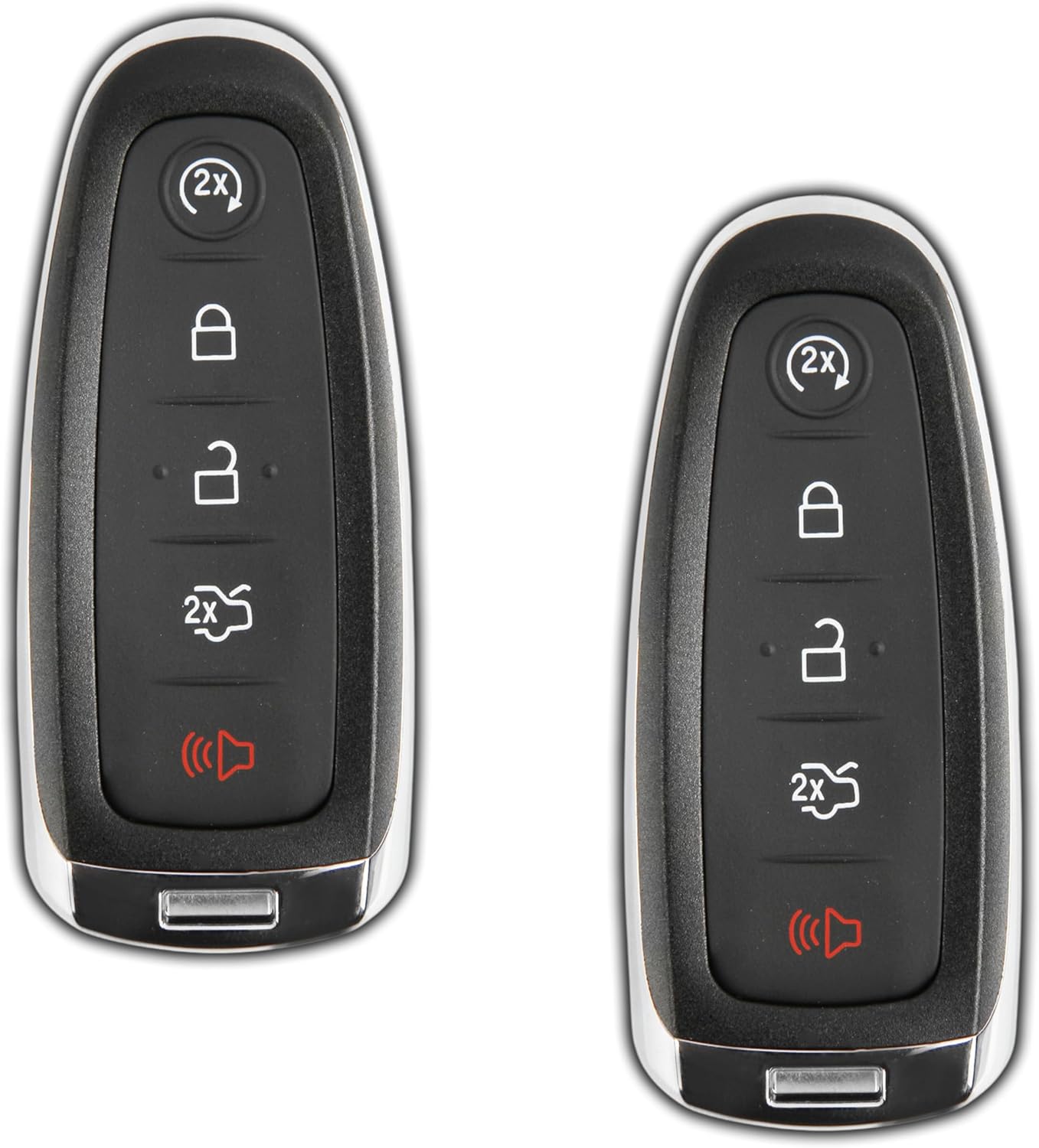
Isithombe 1: Ngaphambili view of two KeylessOption key fobs.
2. Umkhiqizo Uphelileview
The KeylessOption KPT6342 key fob features five distinct buttons for various vehicle functions. It is designed to replicate the functionality of your original remote.
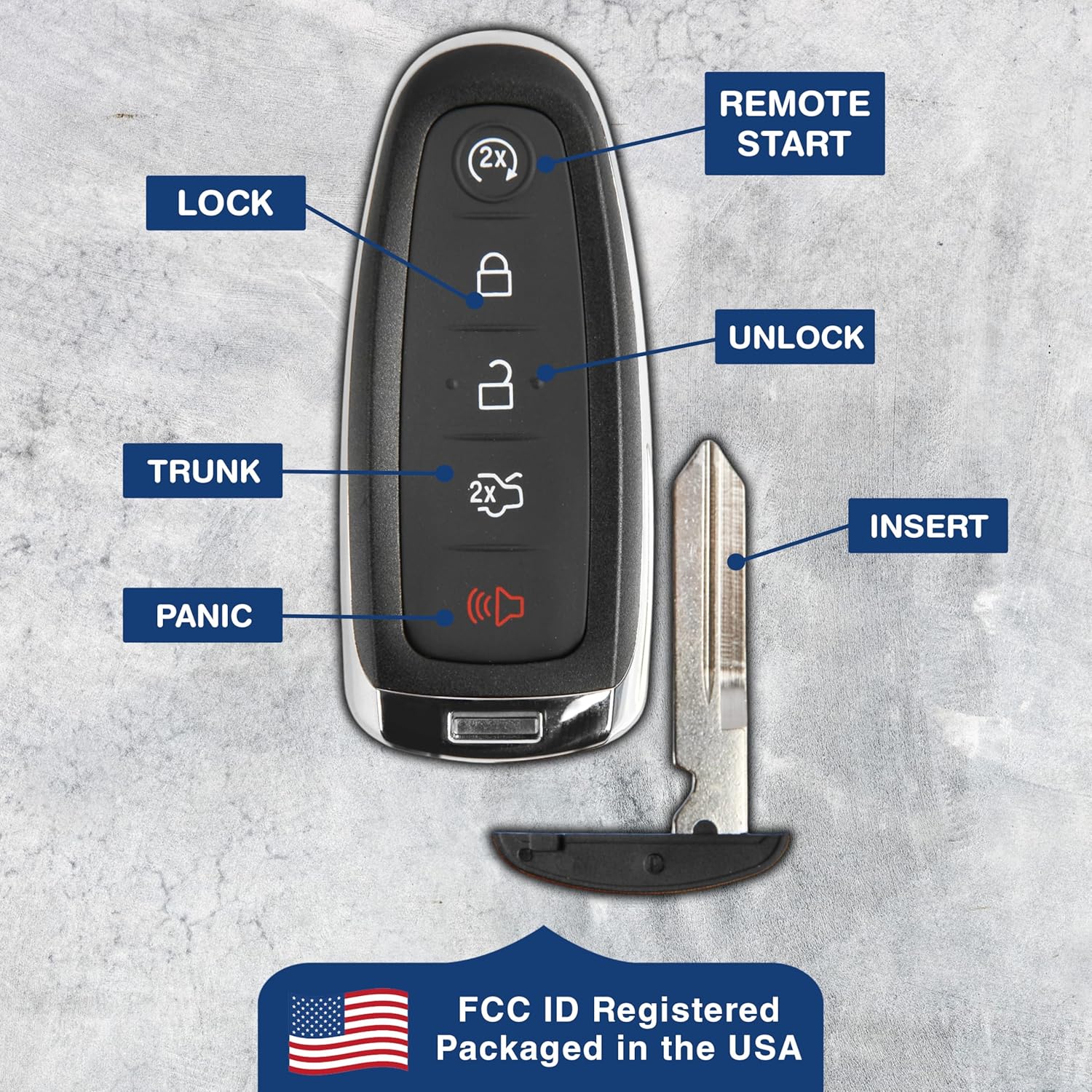
Image 2: Key fob with labeled buttons and emergency key.
- Remote Start (2X) Button: Press twice to remotely start the vehicle.
- Inkinobho yokukhiya: Cindezela kanye ukuze ukhiye yonke iminyango.
- Inkinobho yokuvula: Press once to unlock the driver's door; press twice to unlock all doors.
- Trunk Release Button: Press and hold to open the trunk or liftgate.
- Inkinobho Yokwethuka: Press and hold to activate the vehicle's alarm.
3. Ukuhambisana
This key fob is compatible with specific Ford and Lincoln vehicles that utilize the FCC ID M3N5WY8609. It is crucial to verify that your original key fob has this exact FCC ID to ensure compatibility.
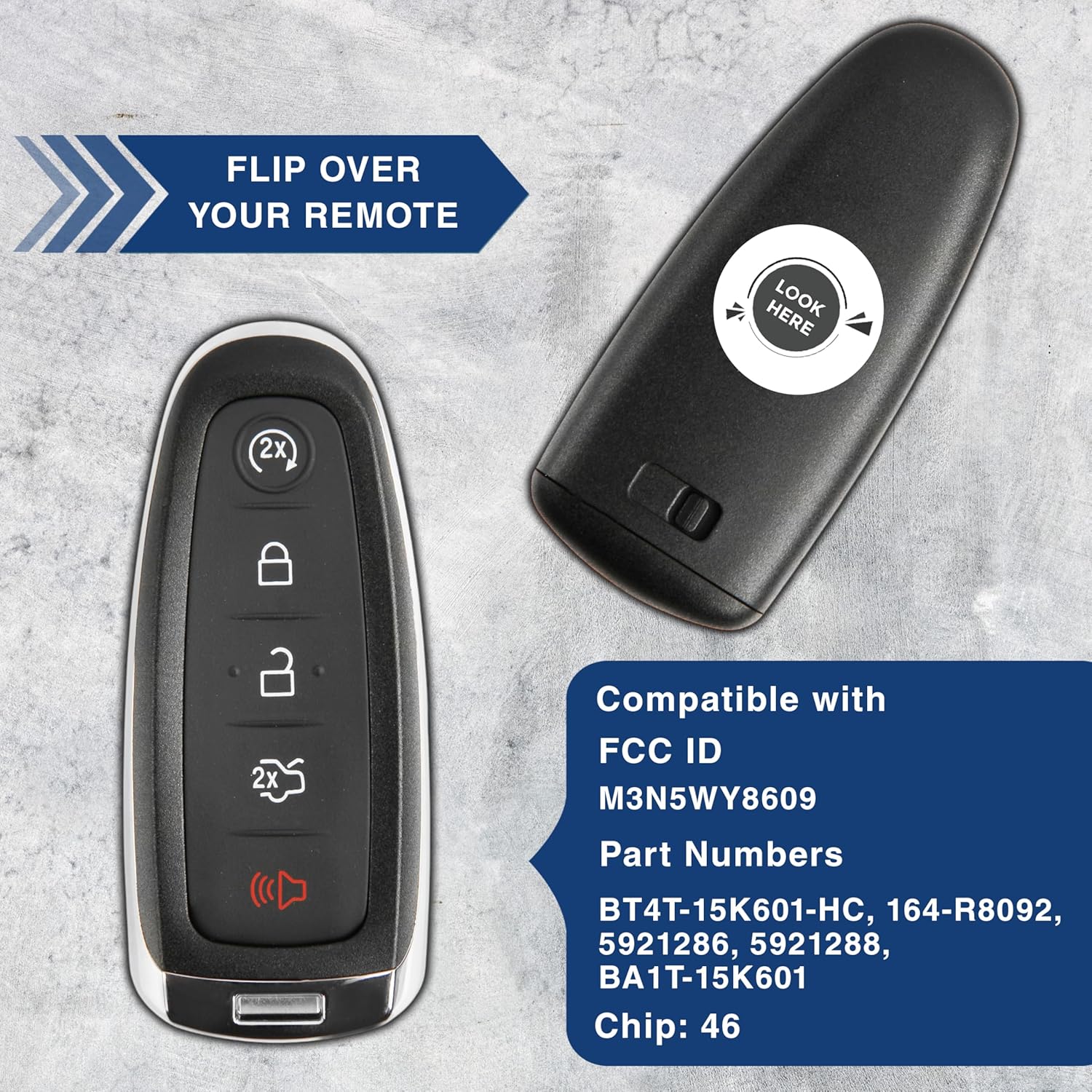
Image 3: Location of FCC ID on the key fob.
Compatible Vehicle Models (M3N5WY8609):

Image 4: List of compatible vehicles and programming requirement.
- Ford Escape: 2017 - 2020
- Ford Explorer: 2011 - 2015
- Ford Focus: 2012 - 2019
- Ford Taurus: 2013 - 2019
- Ford Edge: 2011 - 2015
- Ford Expedition: 2015 - 2017
- Ford Flex: 2013 - 2019
- Ford Focus BEV: 2012 - 2016
- Lincoln MKS: 2013 - 2016
- Lincoln MKT: 2013 - 2019
- Lincoln MKX: 2011 - 2015
- Lincoln Navigator: 2014 - 2017
4. Ukusetha nokuhlela
Okubalulekile: Professional programming by a certified automotive locksmith or dealership is required for this KeylessOption key fob. This model does not support self-programming. Attempting to program the key fob without professional assistance may result in damage or improper function.
Ensure the locksmith verifies the FCC ID M3N5WY8609 to confirm compatibility with your vehicle's system before programming.
Ividiyo 1: I-overview of KeylessOption key fob remotes for Ford vehicles. This video provides a general look at the product line.
5. Ukusebenza
Once professionally programmed, the key fob will operate your vehicle's remote functions as described in the Product Overview section. Ensure you are within range of your vehicle for the remote functions to work correctly.
- Ibanga: The effective range for remote operation may vary based on environmental factors and vehicle battery strength.
- Impendulo: Press buttons firmly and observe vehicle response (e.g., lights flashing, doors locking/unlocking).
6. Isondlo
The key fob is powered by a CR2032 lithium coin cell battery. If the remote's range decreases or it stops responding, the battery may need replacement.

Image 5: Package contents, including CR2032 batteries.
Ukushintshwa Kwebhethri:
- Carefully open the key fob casing. This usually involves prying it open with a small flat-head screwdriver at the seam.
- Remove the old CR2032 battery. Note its orientation.
- Insert a new CR2032 battery with the positive (+) side facing up (as indicated inside the fob).
- Align the two halves of the key fob casing and press them firmly together until they snap shut.
Qaphela: Lahla amabhethri amadala ngokuzibophezela ngokwemithetho yendawo.
7. Ukuxazulula izinkinga
If you encounter issues with your KeylessOption key fob, consider the following:
- Key Fob Not Responding:
- Hlola ibhethri. Lishintshe uma kudingeka (bheka iSigaba 6).
- Ensure you are within the effective operating range of the vehicle.
- Confirm the key fob has been correctly programmed by a professional.
- Ukusebenza Kwesikhashana:
- Weak battery can cause inconsistent performance. Replace the battery.
- Environmental interference (e.g., strong radio signals, power lines) can temporarily affect performance.
- Ukulimala Emzimbeni: If the key fob has been dropped or exposed to moisture, internal components may be damaged. Contact support for assistance.
If issues persist after performing these checks, contact an automotive locksmith or KeylessOption customer support.
8. Imininingwane
| Isici | Imininingwane |
|---|---|
| Inombolo Yemodeli | I-KPT6342 |
| I-ID ye-FCC | M3N5WY8609 |
| Ubukhulu bomkhiqizo | 2 x 0.75 x 4 amayintshi |
| Isisindo sento | 2 amakhilogremu |
| Uhlobo Lwebhethri | CR2032 Lithium Coin Cell |
| Amadivayisi Asekelwe Amakhulu | 2 |
| Umbala | Mnyama |
9. Iwaranti kanye Nokusekela
This KeylessOption product is covered by a Iwaranti yezinsuku ezingama-90 from the date of purchase, ensuring quality and peace of mind. This warranty covers manufacturing defects and issues arising from normal use.
For warranty claims, technical support, or any inquiries regarding your key fob, please contact KeylessOption customer service directly through their official channels or the retailer where the product was purchased.
Sicela ugcine ubufakazi bakho bokuthenga ukuze uqinisekise iwaranti.