KEYSIGHT U1242C Handheld Digital Multimeter User Manual
Imodeli: U1242C
1. Isingeniso
The KEYSIGHT U1242C is a robust and reliable handheld digital multimeter (DMM) designed for professional and industrial use. It offers high accuracy, durability, and advanced features for various electrical measurements. This manual provides essential information for the safe and efficient operation, maintenance, and troubleshooting of your U1242C DMM.
Izici ezibalulekile zifaka:
- 50,000 counts resolution on dual display
- 0.03% basic DC voltage ukunemba
- True RMS AC measurement
- Data logging to DMM (max. 200 points) & PC with software bundle
- IP 67 certified for dust and water resistance
- Withstands up to 3-meter (10 feet) drop
- Ithoshi le-LED elakhelwe ngaphakathi
2. Ulwazi Lokuphepha
WARNING: Read and understand all safety instructions before operating this device. Failure to follow these instructions may result in injury or damage to the meter.
- Lo mkhiqizo uhloselwe ukusetshenziswa ngochwepheshe kuphela.
- Hlala unamathela kumakhodi okuphepha asendaweni nawezwe lonke.
- Do not use the meter if it appears damaged or if the insulation is compromised.
- Ensure test leads are in good condition and properly connected before making measurements.
- Do not exceed the maximum input limits for any function.
- Sebenzisa ukuqapha lapho usebenza nge-voltagngaphezu kwe-30V AC RMS, i-peak engu-42V, noma i-60V DC. Lezi voltagbeka ingozi yokushaqeka.
- Always turn off the circuit power and discharge all high-voltage capacitors before performing resistance, continuity, or diode tests.
- Replace the battery and fuses only with the specified type and rating.
3. Umkhiqizo Uphelileview
3.1 Ngaphambili View

This image displays the front of the KEYSIGHT U1242C Digital Multimeter, showing its large orange casing, the dual display screen, the rotary dial for function selection, and the input jacks for test leads. Various buttons for functions like Max/Min, Hz, Log, Hold, and Range are visible around the display.
3.2 Uhlangothi View
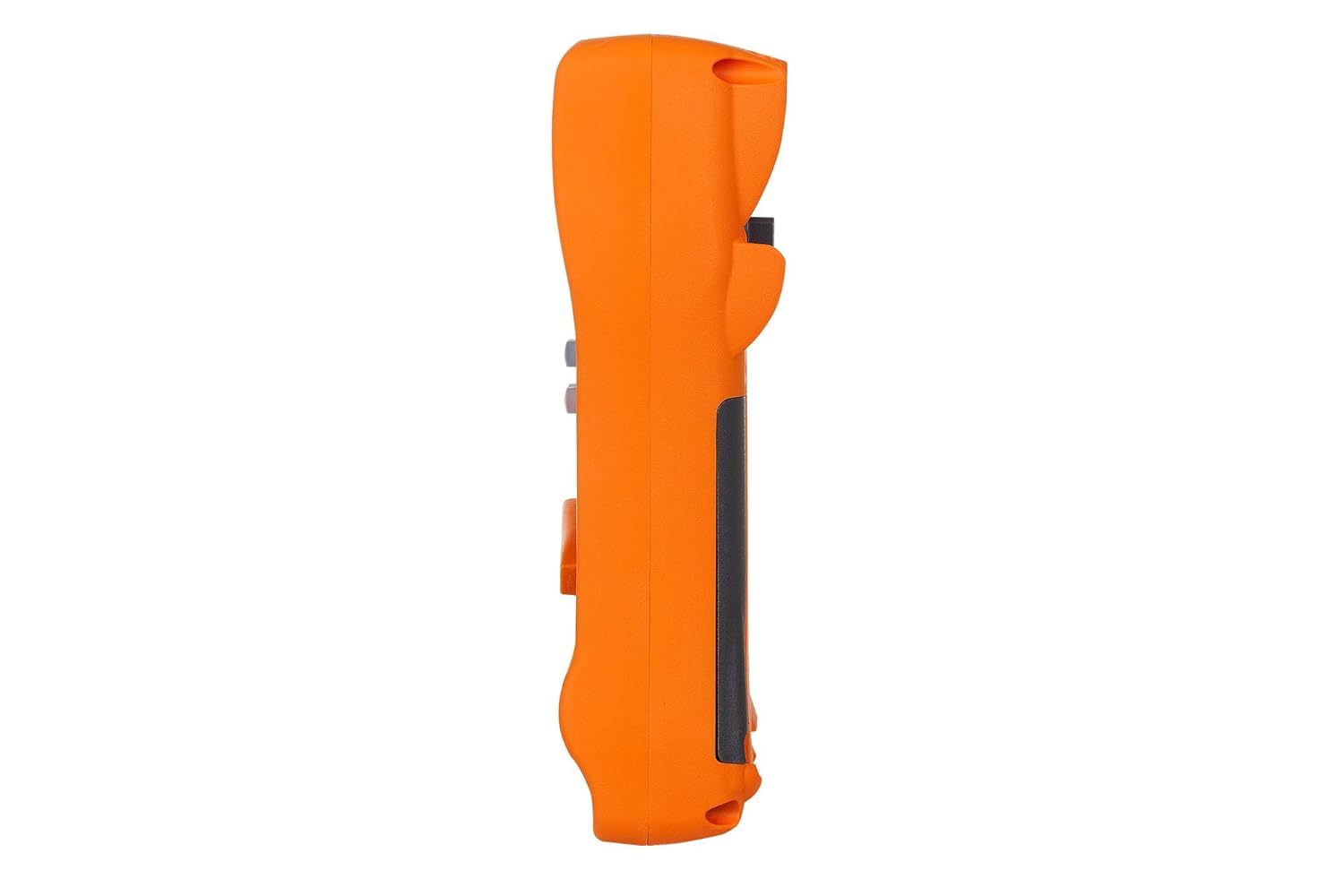
Lesi sithombe sibonisa uchwepheshe osecelenifile of the KEYSIGHT U1242C Digital Multimeter, highlighting its ergonomic design and the textured grip on the orange casing. The side view emphasizes the compact and robust build of the device.
3.3 Emuva View

This image presents the back of the KEYSIGHT U1242C Digital Multimeter, revealing the battery compartment cover, the kickstand for hands-free operation, and the product label with model and serial number information. The robust construction of the casing is also evident.
3.4 Izilawuli nezixhumi
- Bonisa: Large dual display for primary and secondary readings.
- I-Rotary Switch: Selects measurement functions (Voltage, Current, Resistance, etc.).
- Izinkinobho Zomsebenzi: Max/Min, Hz, Log, Hold, Range, View, Shift.
- Okokufaka Jacks:
- I-VΩHz: Okokufaka kwevolumutage, resistance, frequency, capacitance, and diode tests.
- COM: Common input for all measurements.
- mAµA: Input for milliamplapha kanye ne-microampizilinganiso zamanje.
- 10A MAX FUSED: Input for high current measurements (up to 10A).
4. Setha
4.1 Ukufakwa kwebhethri
- Qinisekisa ukuthi i-multimeter ivaliwe.
- Bheka indawo yebhethri ngemuva kwemitha.
- Sebenzisa i-screwdriver ukuze ukhulule isikulufu esivikela isembozo sebhethri.
- Khipha ikhava yebhethri.
- Insert the specified batteries (e.g., 4 x AAA batteries) observing the correct polarity (+/-).
- Shintshanisa ikhava yebhethri bese uqinisa isikulufu ngokuphepha.
4.2 Uxhumano Lomholi Wokuhlola
Always connect the test leads to the appropriate input jacks for the measurement you intend to perform. Incorrect connection can lead to damage to the meter or personal injury.
- Ngezilinganiso eziningi (Umqulutage, Resistance, Continuity, Diode, Capacitance, Frequency), connect the black test lead to the COM uJack kanye nomzila wokuhlola obomvu oya ku- VΩHz ujeke.
- For current measurements (mA/µA), connect the black test lead to the COM uJack kanye nomzila wokuhlola obomvu oya ku- mAµA ujeke.
- For high current measurements (up to 10A), connect the black test lead to the COM uJack kanye nomzila wokuhlola obomvu oya ku- 10A MAX FUSED ujeke.
5. Iziqondiso Zokusebenza
This section outlines the basic steps for performing common measurements with your U1242C DMM.
5.1 Ukulinganisa i-AC/DC Voltage
- Vula iswishi ejikelezayo ibe yivolthi oyifunayotage range (V~ for AC, V- for DC). The meter may have an auto-ranging feature.
- Xhuma ukuhola okumnyama ku COM uJack kanye nomzila wokuhlola obomvu oya ku- VΩHz ujeke.
- Connect the test probes in parallel across the circuit or component to be measured.
- Funda ivolumutage kusibonisi.
5.2 Ukulinganisa i-AC/DC Current
CAUTION: Never connect the meter in parallel with a voltagumthombo lapho kulinganiswa ugesi. Lokhu kungaqhumisa i-fuse noma kulimaze imitha.
- Turn the rotary switch to the desired current range (A~ for AC, A- for DC, or mA/µA ranges).
- Xhuma ukuhola okumnyama ku COM ujeke.
- For mA/µA measurements, connect the red test lead to the mAµA jack. For 10A measurements, connect the red test lead to the 10A MAX FUSED ujeke.
- Open the circuit where current is to be measured and connect the meter in series with the circuit.
- Funda inani lamanje esibukweni.
5.3 Ukulinganisa Ukumelana
- Turn the rotary switch to the Ω (Ohms) range.
- Xhuma ukuhola okumnyama ku COM uJack kanye nomzila wokuhlola obomvu oya ku- VΩHz ujeke.
- Qinisekisa ukuthi isekethe noma ingxenye ayinamandla ngaphambi kokulinganisa ukumelana.
- Xhuma ama-probe okuhlola kuyo yonke ingxenye ezolinganiswa.
- Funda inani lokumelana esibonisweni.
5.4 Ukuhlola Ukuqhubeka
- Turn the rotary switch to the continuity symbol (speaker icon).
- Xhuma ukuhola okumnyama ku COM uJack kanye nomzila wokuhlola obomvu oya ku- VΩHz ujeke.
- Qinisekisa ukuthi isekethe ayinamandla.
- Xhuma ama-probe okuhlola kulo lonke isekethe noma ingxenye.
- The meter will beep if continuity is detected (resistance below a certain threshold).
5.5 Ukungena Kwemininingwane
The U1242C supports data logging. Refer to the detailed user manual for specific instructions on activating and managing data logging functions, including connecting to a PC with the software bundle for extended logging capabilities.
6. Isondlo
6.1 Ukuhlanza
Sula i-c yemithaasing nesikhangisoamp indwangu kanye nensipho yokuwasha ethambile. Ungasebenzisi izinto zokukhuhla noma izinyibilikisi. Qinisekisa ukuthi imitha yomile ngokuphelele ngaphambi kokusebenzisa.
6.2 Ukushintshwa Kwebhethri
When the battery indicator appears on the display, replace the batteries as described in Section 4.1. Prompt battery replacement ensures accurate readings and proper operation.
6.3 Ukushintshwa kwe-Fuse
WARNING: Always replace blown fuses with fuses of the exact same type and rating to maintain safety and performance.
- Ensure the multimeter is turned OFF and all test leads are disconnected.
- Vula indawo yebhethri njengoba kuchazwe eSigabeni 4.1.
- Thola i-fuse(ama-fuse) ngaphakathi kwegumbi.
- Gently remove the blown fuse.
- Insert a new fuse of the correct rating (e.g., 10A/1000V for the 10A input).
- Shintshanisa ikhava yebhethri bese uqinisa isikulufu ngokuphepha.
6.4 Ukulinganisa
The U1242C is factory calibrated. For continued accuracy, periodic calibration by a qualified service center is recommended. Refer to KEYSIGHT's official support channels for calibration services.
7. Ukuxazulula izinkinga
| Inkinga | Imbangela Engenzeka | Isixazululo |
|---|---|---|
| Imitha ayivuli | Amabhethri afile noma afakwe ngokungalungile | Shintsha amabhethri, hlola i-polarity |
| Akukho kufundwa noma "OL" (Overload) okubonisiwe | Incorrect function selected; Open circuit; Input exceeds range | Select correct function; Check circuit continuity; Select higher range or auto-range |
| Ukufundwa okunganembile | Low battery; Dirty test leads; Environmental interference; Needs calibration | Replace battery; Clean leads; Move away from interference; Consider calibration |
| Ukulinganisa kwamanje akusebenzi | Blown fuse; Incorrect lead connection; Meter not in series | Check/replace fuse; Verify lead connection; Ensure meter is in series with circuit |
8. Imininingwane
| Isici | Ukucaciswa |
|---|---|
| Inombolo Yemodeli | U1242C |
| Izibalo zokubonisa | 50,000 |
| Basic DC Voltage Ukunemba | 0.03% |
| Isilinganiso se-AC | I-RMS yeqiniso |
| Isilinganiso se-Ingress Protection (IP). | IP67 |
| Drop Protection | Kufika kumamitha ayi-3 (10 amafidi) |
| Umthombo wamandla | Isebenza Ibhethri |
| Isisindo sento | 1 Pound (16 ounces) |
| Umkhiqizi | I-KEYSIGHT |
| Usuku Lokuqala Olutholakalayo | Meyi 22, 2018 |
9. Iwaranti kanye Nokusekela
9.1 Umshwana Wokuzikhipha Emthwalweni Wezomthetho
Keysight Technologies products are classified as industrial monitoring and control equipment designed exclusively for professional or industrial use and related training programs. Keysight products are designed and certified to meet national industrial safety standards (such as Electrical Equipment for Measurement, Control and Laboratory Use) where products are sold solely for use by trained professionals. Keysight products are not intended for consumer use in a residential setting and may not meet consumer level standards for EMC and other regulated radiated emissions. Keysight products are intended for use in the country where the product was originally sold.
9.2 Ukwesekwa Kwezobuchwepheshe
For technical assistance, service, or warranty claims, please contact KEYSIGHT customer support through their official website or authorized service centers. Provide your product model number (U1242C) and serial number when seeking support.


