1. Isingeniso
This manual provides essential instructions for operating your Canon PowerShot SX620 HS Digital Camera. Designed for ease of use, this compact camera features a powerful 25x optical zoom, built-in Wi-Fi and NFC connectivity, and a 20.2 Megapixel CMOS sensor for capturing high-quality photos and Full HD videos.
2. Yini EseBhokisini
- Canon PowerShot SX620 HS Digital Camera (Black)
- Wrist Strap WS-800
- Iphakethe Lebhethri NB-13L
- Battery Charger CB-2LH
- Note: Memory card and interface cable are not included and must be purchased separately.
3. Ikhamera iphelileview

Umfanekiso 3.1: Ngaphambili view of the Canon PowerShot SX620 HS Digital Camera. This image shows the camera's lens, flash, and the Canon branding.

Umfanekiso 3.2: Ngemuva view of the Canon PowerShot SX620 HS Digital Camera. The large 3.0-inch LCD screen and control buttons are visible.

Umfanekiso 3.3: Uhlangothi view of the Canon PowerShot SX620 HS Digital Camera. This image highlights the connectivity ports, including HDMI and USB.
4. Ukusetha nokusebenza okuyisisekelo
4.1. Ukushaja Ibhethri
Insert the provided Battery Pack NB-13L into the Battery Charger CB-2LH. Connect the charger to a power outlet. The charging indicator will show the charging status. A full charge typically takes approximately 295 shots, with an Eco Mode extending to 405 shots.
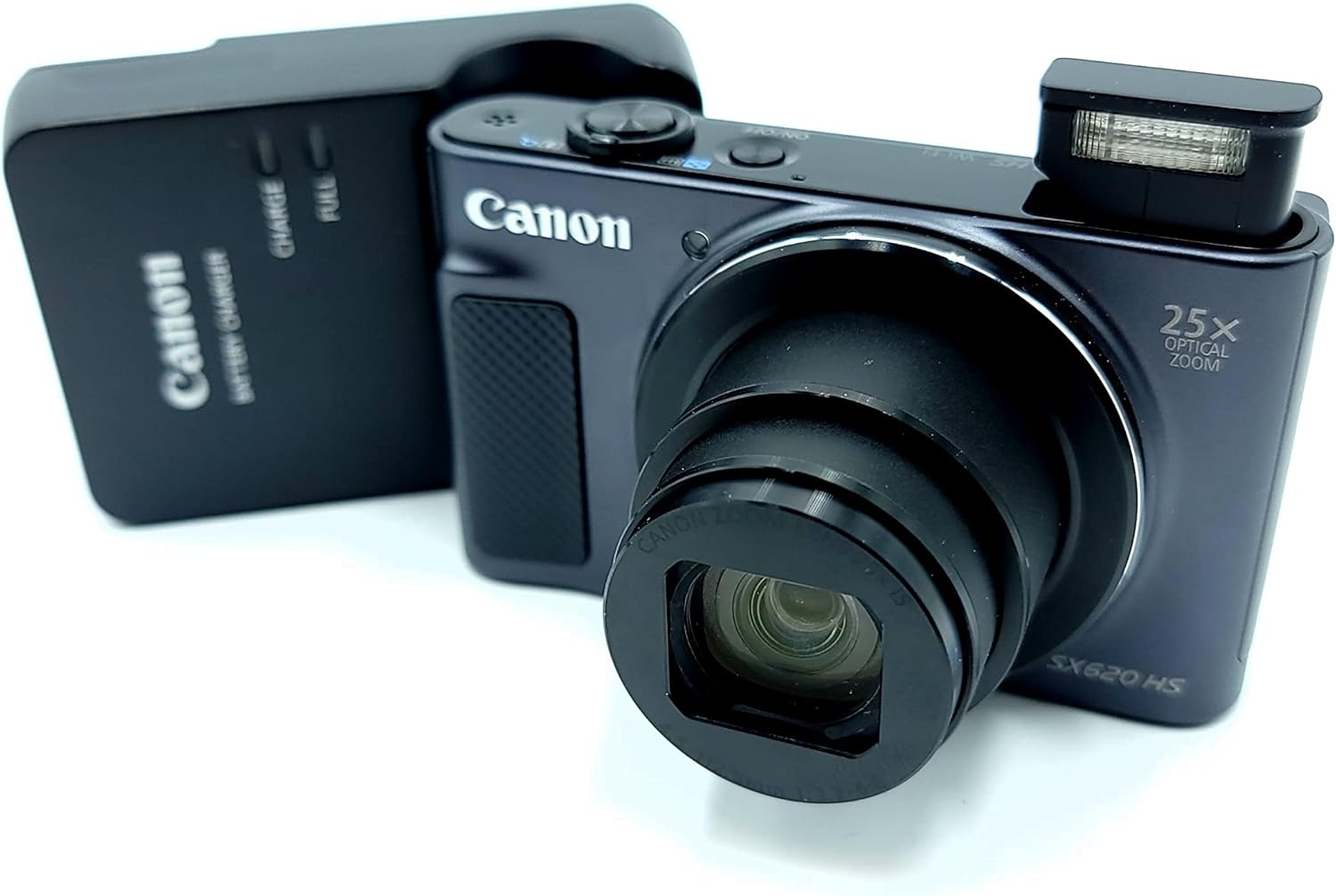
Figure 4.1: Canon PowerShot SX620 HS camera alongside its battery charger. Ensure the battery is correctly inserted into the charger for optimal performance.
4.2. Ukufaka ibhethri nekhadi lememori
Open the battery/card cover on the bottom of the camera. Insert the charged Battery Pack NB-13L, ensuring correct orientation. Insert a compatible SDXC memory card (not included) into the memory card slot. Close the cover securely.
4.3. Ukuvula/Ukucisha
Cindezela inkinobho KHANYISA CISHA button located on the top of the camera to power it on or off.
4.4. Izithombe Eziyisisekelo
- Sondeza: Use the zoom lever around the shutter button to adjust the 25x optical zoom.
- I-Flash: The camera features a built-in flash. Adjust flash modes (Auto, Flash On, Off, Slow Sync) via the camera's menu or dedicated button.
- Izindlela Zokudubula: Select from various shooting modes like Smart AUTO, Program, Hybrid Auto, Creative Shot, Portrait, and more, to optimize settings for different scenes.
- Inkinobho yokuvala: Press halfway to focus, then fully to capture the image.
5. Izici Ezithuthukile
5.1. Ukuqoshwa Kwevidiyo
The PowerShot SX620 HS supports spectacular 1080p Full HD video recording. Press the dedicated movie button to start and stop recording. Dynamic IS helps stabilize video footage, even when moving.
5.2. Ukuxhumana kwe-Wi-Fi ne-NFC
Utilize built-in Wi-Fi and NFC to easily transfer photos and videos to compatible smartphones, tablets, or directly to select social networking sites via the Canon Camera Connect app. The Wi-Fi button allows for quick connection in both Shooting and Playback modes.
5.3. Intelligent IS (Image Stabilization)
Intelligent IS automatically analyzes camera movement and applies the most suitable shake correction method for the shooting conditions, ensuring virtually shake-free images and videos.
5.4. Auto Zoom
Enable Auto Zoom to allow the camera to automatically determine the correct size and framing by detecting subjects, zooming in to the appropriate length for well-composed shots.
6. Isondlo
- Keep the lens and LCD screen clean using a soft, lint-free cloth.
- Avoid exposing the camera to extreme temperatures, dust, or moisture.
- Gcina ikhamera endaweni eyomile, epholile uma ingasetshenziswa.
- Regularly back up your photos and videos from the memory card.
7. Ukuxazulula izinkinga
- Ikhwalithi yesithombe ephansi ekukhanyeni okuphansi: The camera's small image sensor may struggle in very dim conditions. Use the flash or ensure adequate lighting for best results.
- Ikhamera ayivuli: Qinisekisa ukuthi ibhethri ishajwe ngokugcwele futhi ifakwe ngendlela efanele.
- Wi-Fi/NFC connection issues: Refer to the Canon Camera Connect app instructions or the Canon website for detailed troubleshooting steps. Ensure your mobile device is compatible.
8. Imininingwane
| Isici | Imininingwane |
|---|---|
| Igama Lemodeli | ICanon PowerShot SX620 HS |
| Ukulungiswa Kwenzwa Yesithombe | 20.2 MP CMOS |
| I-Optical Zoom | 25x |
| Ukuzinzisa Isithombe | I-Optical (i-IS ehlakaniphile) |
| Ukulungiswa kwevidiyo | 1080p i-HD ephelele |
| Usayizi Wesikrini | 3.0 Inches (approx. 922,000 dots) |
| Ukuxhumana | Wi-Fi, NFC, HDMI, USB |
| Impilo Yebhethri | Approx. 295 shots (405 in Eco Mode) |
| Isekelwe File Ifomethi | I-JPEG |
| Uhlobo Lwenkumbulo | SDXC (not included) |
| Isisindo sento | 1 Pondo |
9. Ividiyo Yomkhiqizo Esemthethweni
Video 9.1: Canon PowerShot SX620 Digital Camera Review. Le vidiyo inikeza i-overview of the camera's features and capabilities from the seller.
10. Iwaranti kanye Nokusekela
For detailed warranty information, user guides, software downloads, and customer support, please visit the official Canon webindawo: http://www.canon.com/icpd.
Isiphakamiso 65 Isexwayiso: Lo mkhiqizo ungahle uqukathe amakhemikhali aziwa yiSifundazwe SaseCalifornia ukuthi abangele umdlavuza kanye nokukhubazeka kokuzalwa noma okunye ukulimala kokuzala.


