Isingeniso
The Intermec PB51 is a rugged, 4-inch direct thermal mobile receipt printer designed for demanding field service, route accounting, and point-of-service applications. It offers fast, reliable printing performance to enhance productivity for mobile workers.
This manual provides essential information for the proper setup, operation, maintenance, and troubleshooting of your PB51 printer.
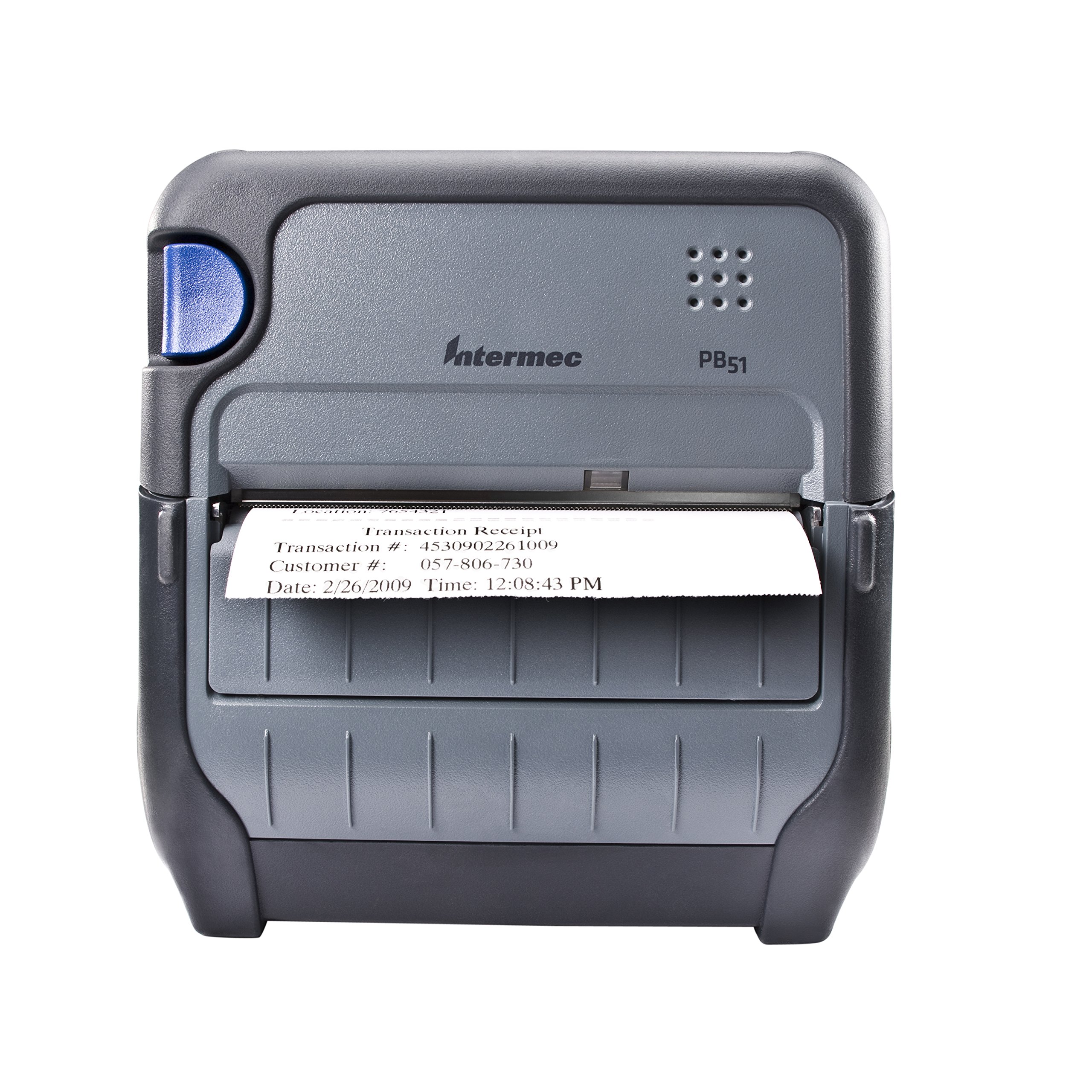
Umfanekiso 1: Ngaphambili view of the Intermec PB51 mobile receipt printer. A receipt is partially ejected from the front slot, displaying "Transaction Receipt", "Transaction #: 4530902261009", "Customer #: 057-806-730", and "Date: 2/26/2009 Time: 12:08:43 PM". The printer features a dark gray casing with a blue button on the left side and the "Intermec PB51" logo on the top panel.
Setha
1. Ukuqaqa kanye Nokuhlola
- Susa ngokucophelela iphrinta nazo zonke izesekeli ephaketheni.
- Qinisekisa ukuthi zonke izingxenye ezibalwe ku-packing slip zikhona.
- Inspect the printer for any visible damage. If damage is found, contact your supplier immediately.
2. Ukufaka nokushaja Ibhethri
- Qinisekisa ukuthi iphrinta ivaliwe.
- Locate the battery compartment on the printer.
- Insert the battery, ensuring proper alignment with the contacts.
- Vala indawo yebhethri ngokuphephile.
- Connect the AC adapter to the printer and a power outlet. The battery indicator light will show charging status. Allow the battery to fully charge before first use.
3. Ukulayisha Iphepha Elishisayo
- Vula ikhava yengxenye yephepha.
- Insert the thermal paper roll with the print-side facing the print head.
- Pull a small amount of paper out past the print mechanism.
- Close the paper compartment cover firmly until it latches.
- The printer's paper sensors will detect the paper, minimizing lost transactions.
4. Connectivity Setup (Bluetooth / USB / Serial)
- I-Bluetooth: Turn on the printer and enable Bluetooth on your host device (e.g., smartphone, tablet, or computer). Cinga available devices and select the PB51. Pair using the default PIN (refer to the printer's display or documentation for the specific PIN).
- I-USB: Connect the printer to your host device using a standard USB cable. Install the necessary printer drivers on your host device if prompted.
- I-serial: Connect the printer to your host device using a serial cable. Configure the serial port settings (baud rate, data bits, parity, stop bits) on both the printer and the host device to match.
Imiyalelo yokusebenza
1. Ukuvula/Ukucisha
- Ukuze uvule, cindezela futhi ubambe inkinobho yamandla kuze kube yilapho isibonisi sikhanya.
- To power off, press and hold the power button until the display indicates shutdown, then release.
2. Printing a Receipt
- Ensure the printer is powered on and connected to your host device.
- Open the application on your host device that generates receipts or invoices.
- Initiate the print command from your application. The PB51 is designed for 20-30% faster time-to-receipt printing.
- The printer will automatically feed and print the receipt.
- Tear off the receipt along the serrated edge.
3. Using the LCD Display
The standard LCD display provides important information about the printer's status, battery level, connectivity, and error messages. Use the navigation buttons (if present) to scroll through menu options and settings.
Isondlo
1. Ukuhlanza Ikhanda Lokuphrinta
- Vala iphrinta bese uyinqamula kunoma yimuphi umthombo wamandla.
- Vula ingxenye yephepha.
- Gently wipe the print head surface with a lint-free cloth dampifakwe nge-isopropyl alcohol.
- Vumela ikhanda lokuphrinta ukuthi lome ngokuphelele ngaphambi kokuvala ikhava bese unika amandla iphrinta.
- Perform this cleaning regularly, especially if print quality degrades.
2. Ukunakekelwa Kwebhethri
- Ukwandisa impilo yebhethri, gwema ukukhipha ibhethri ngokugcwele njalo.
- Store the printer and battery in a cool, dry place when not in use for extended periods.
- Use only genuine Intermec replacement batteries.
3. Ukuhlanza Okujwayelekile
Sula ingaphandle lephrinta ngesithambile, damp cloth. Do not use harsh chemicals or abrasive cleaners. Ensure no liquid enters the printer's openings.
Ukuxazulula inkinga
| Inkinga | Imbangela Engenzeka | Isixazululo |
|---|---|---|
| Iphrinta ayivuli | Low or dead battery; faulty power adapter; loose battery connection. | Charge the battery; check power adapter connection; re-seat the battery. |
| Akukho okukhiphayo kokuphrinta | No paper; paper loaded incorrectly; connectivity issue; print head dirty. | Load paper correctly; check Bluetooth/USB/Serial connection; clean print head. |
| Ikhwalithi yokuphrinta engeyinhle | Dirty print head; incorrect paper type; low battery. | Clean print head; ensure thermal paper is used; charge battery. |
| Izinkinga zokuxhumana | Incorrect pairing; driver issues; out of range. | Re-pair Bluetooth; reinstall drivers; move closer to host device. |
If the problem persists after attempting these solutions, please contact Intermec customer support.
Imininingwane
| Isici | Imininingwane |
|---|---|
| Igama Lemodeli | PB51B33004100 |
| Ubuchwepheshe bokuphrinta | I-Direct Thermal |
| Okukhipha Iphrinta | I-Monochrome |
| Ubukhulu Bosayizi Wemidiya | 4 amayintshi |
| Ubuchwepheshe bokuxhumana | USB, Serial, Bluetooth |
| Isisindo sento | 42 Ounces (approx. 2.63 lbs) |
| Ubukhulu bephakheji | 10.2 x 10 x 5 amayintshi |
| Uhlobo lwesilawuli | I-Android (iyahambisana) |
| Umkhiqizi | I-Intermec |
Iwaranti kanye Nokusekela
Specific warranty information for the Intermec PB51 printer is not available in this document. Please refer to the warranty card included with your product or visit the official Intermec (now Honeywell) webindawo ngemigomo nemibandela yewaranti enemininingwane.
For technical support, service, or to purchase accessories, please contact your authorized Intermec/Honeywell dealer or visit their official support portal.


