1. Isingeniso
This manual provides instructions for the proper setup, operation, and maintenance of your Amazon Basics Large Portable Bluetooth Speaker (Model BTV3_2). Please read this manual thoroughly before using the product to ensure optimal performance and safety.
2. Ulwazi Lokuphepha
- Ungabeki isipikha emanzini noma emanzini amaningi.
- Gwema ukubeka isipikha eduze kwemithombo yokushisa noma elangeni eliqondile.
- Ungazami ukuqaqa noma ukuguqula isipikha. Lokhu kuzosusa iwaranti.
- Use only the provided AC power adapter for charging.
- Gcina isikhulumi kude nezingane.
3. Okuqukethwe Kwephakheji
Qinisekisa ukuthi zonke izinto zikhona kuphakheji:
- Amazon Basics Large Portable Bluetooth Speaker
- Isixhumi Amandla se-AC

Incazelo: This image shows the Amazon Basics Large Portable Bluetooth Speaker securely placed within its brown cardboard packaging, indicating how the product is received.
4. Umkhiqizo Uphelileview
4.1. Ngaphambili View

Incazelo: This image displays the front of the Amazon Basics Large Portable Bluetooth Speaker, featuring a black mesh grille that covers the speaker drivers.
4.2. Izilawuli zephaneli ephezulu

Incazelo: This image shows the top panel of the speaker with four circular buttons and a small LED indicator. From left to right, the buttons are: Volume Down (-), Play/Pause, Volume Up (+), and Bluetooth Pairing/Call Answer. Below the buttons, a small Bluetooth logo and an LED indicator are visible.
- - (Volume Down): Yehlisa ivolumu yomsindo.
- Dlala/Misa kancane: Idlala noma imisa ukudlala komsindo.
- + (Volume Up): Inyusa ivolumu yomsindo.
- Bluetooth/Call: Initiates Bluetooth pairing mode or answers/ends phone calls.
- Inkomba ye-LED: Displays power and Bluetooth status.
4.3. Side Panel Ports

Incazelo: This image shows the right side panel of the speaker, featuring a power switch, a DC input port for charging, and an AUX input port for wired audio connections.
- VULA / VULA Shintsha: Inika amandla noma ivale isipikha.
- I-DC IN Port: Connects to the AC power adapter for charging.
- Imbobo ye-AUX: Connects to audio devices using a 3.5mm stereo cable (not included).
5. Setha
5.1. Ukushaja uSomlomo
- Connect the provided AC power adapter to the DC IN port on the side of the speaker.
- Xhuma i-adaptha yamandla e-AC endaweni yokuxhuma odongeni.
- The LED indicator will illuminate to show charging status. A full charge provides up to 8 hours of playback.
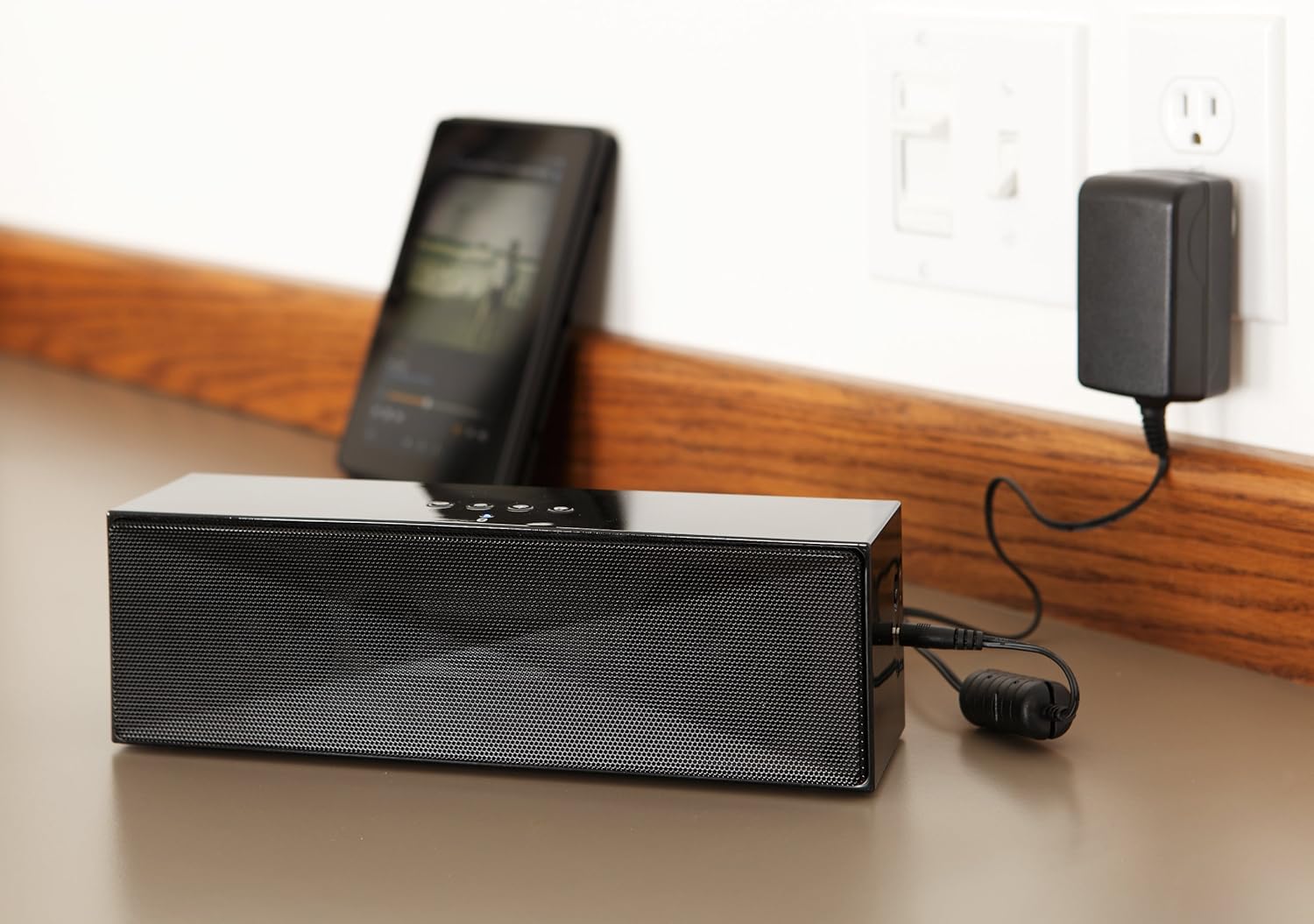
Incazelo: This image shows the speaker placed on a surface, with its AC power adapter plugged into a wall outlet, illustrating the charging process.
5.2. Ukuvula/Ukucisha
Slide the ON/OFF switch located on the side panel to the "ON" position to power on the speaker. Slide it to the "OFF" position to power off.
6. Iziqondiso Zokusebenza
6.1. Ukubhanqa kwe-Bluetooth
- Ensure the speaker is powered on. The LED indicator will flash, indicating it is in pairing mode.
- Kudivayisi yakho esebenzisa i-Bluetooth (i-smartphone, ithebhulethi, i-laptop), vula i-Bluetooth bese usesha amadivayisi atholakalayo.
- Select "Amazon Basics BTV3_2" from the list of devices.
- Once paired, the LED indicator on the speaker will glow solid blue.
- The speaker can connect to devices up to 30 feet (10 meters) away.

Incazelo: This image shows the speaker positioned next to a tablet displaying a music playback interface, demonstrating a typical Bluetooth connection scenario.
6.2. Connecting via AUX Cable
- Connect one end of a 3.5mm stereo audio cable (not included) to the AUX port on the speaker.
- Xhuma enye ingxenye yekhebula kujeke ophumayo womsindo wedivayisi yakho.
- The speaker will automatically switch to AUX input mode.
6.3. Ukushaya Ngezandla
The speaker features a built-in microphone for hands-free calls when connected via Bluetooth.
- Ukuphendula Ucingo: Press the Bluetooth/Call button once.
- Ivala Ucingo: Press the Bluetooth/Call button once during a call.
- Ukwenqaba Ucingo: Press and hold the Bluetooth/Call button.
7. Isondlo
- Clean the speaker with a soft, dry cloth. Do not use liquid cleaners or aerosols.
- Gcina isipikha endaweni epholile, neyomile lapho singasetshenziswa isikhathi eside.
- Gwema ukuwisa isipikha noma ukusifaka emsindweni onamandla.
8. Ukuxazulula izinkinga
| Inkinga | Imbangela Engenzeka | Isixazululo |
|---|---|---|
| Isipikha asikhanyisi. | Ibhethri liphelile. | Connect the speaker to the AC power adapter and charge it. |
| Ayikwazi ukubhanqa nge-Bluetooth. | Speaker is not in pairing mode; device Bluetooth is off; device is out of range. | Ensure speaker LED is flashing; enable Bluetooth on your device; move device closer to the speaker (within 30 feet/10 meters). |
| Awukho umsindo noma ivolumu ephansi. | Volume on speaker or connected device is too low; incorrect input source. | Increase volume on both the speaker and your connected device. Ensure correct connection (Bluetooth or AUX). |
| Speaker turns off automatically when using AUX. | Automatic power-off feature activated due to prolonged silence. | This model may have an automatic power-off feature after a period of inactivity or silence, even when connected via AUX. To resume playback, power the speaker off and then on again using the side switch. |
| Ukuhlanekezelwa komsindo. | Volume too high; weak battery; interference. | Reduce volume; charge the speaker; move away from other electronic devices. |
9. Imininingwane
| Isici | Imininingwane |
|---|---|
| Inombolo Yemodeli | BTV3_2 |
| Ubukhulu (L x W x H) | 10.2 x 2.9 x 3.1 amayintshi (25.9 x 7.4 x 7.9 cm) |
| Isisindo | 1.61 pounds (0.73 kg) |
| Okukhiphayo kwesipika | 2 x 5W (10W total) |
| Ukuxhumana | I-Bluetooth, 3.5mm AUX |
| I-Bluetooth Range | Kufika ku-30 feet (10 metres) |
| Impilo Yebhethri | Kufika emahoreni angu-8 |
| Amandla ebhethri | 8000 mAh |
| Imakrofoni eyakhelwe ngaphakathi | Yebo |
| Umthombo wamandla | Battery Powered, AC Adapter |
| Okubalulekile | Ipulasitiki |

Incazelo: This image provides a visual representation of the speaker's dimensions, showing its length (10.2"), width (2.9"), and height (3.1").
10. Iwaranti kanye Nokusekela
Ukuze uthole ulwazi lwewaranti kanye nokusekelwa kwamakhasimende, sicela ubheke amadokhumenti afakiwe ekuthengeni kwakho noma uvakashele i-Amazon Basics esemthethweni. webindawo. Gcina ubufakazi bakho bokuthenga ngezimangalo zewaranti.
Ukusekelwa Kwe-inthanethi: Isitolo Sezisekelo ze-Amazon


