1. Isingeniso
This manual provides detailed instructions for the setup, operation, and maintenance of your Denon AVC-S511HD-K AV Surround Amplifier. Please read this manual thoroughly before using the product to ensure correct and safe operation.
The Denon AVC-S511HD-K is a compact AV Surround Amplifier featuring HDMI Ver1.4a compatibility, including 3D and Audio Return Channel (ARC) support. It offers three HDMI inputs and one HDMI output. The unit includes an automatic sound selection feature for TV programs and an iPod dock control terminal. It supports high-quality playback of compressed audio and can be expanded to a 5.1 channel surround sound system with additional speakers.
2. Ulwazi Lokuphepha
Ukuze uvimbele ukushaqeka kukagesi, umlilo, noma umonakalo kuyunithi, sicela uqaphele izinyathelo zokuphepha ezilandelayo:
- Ungabeki lesi sisetshenziswa emvuleni noma emswakameni.
- Do not remove the cover or back panel. There are no user-serviceable parts inside. Refer all servicing to qualified service personnel.
- Qinisekisa ukungena komoya ngendlela efanele. Ungavimbi izimbobo zokungenisa umoya.
- Ungabeki iyunithi eduze nemithombo yokushisa efana nama-radiator, amarejista okushisa, izitofu, noma ezinye izinto (okuhlanganisa ampama-lifiers) akhiqiza ukushisa.
- Sebenzisa kuphela okunamathiselwe/izinsiza ezicaciswe umenzi.
- Khipha lo mshini ngesikhathi seziphepho zombani noma uma ungasetshenziswa isikhathi eside.
3. Okuqukethwe Kwephakheji
Verify that all items listed below are included in your package. If any items are missing or damaged, please contact your dealer immediately.
- Denon AVC-S511HD-K AV Surround AmpIyunithi ye-lifier
- Isilawuli kude
- Intambo Yamandla
- Setup Microphone (for automatic calibration)
- Ama-Antenna e-FM/AM
- Quick Start Guide / Instruction Manual (this document)
- Speaker Cables (if included in bundle)
- Small Satellite Speakers (if included in bundle)

Image 3.1: Contents of the Denon AVC-S511HD-K package, including the main amplifier unit, remote control, speakers, and various cables.
4. Setha
4.1 Ukubekwa
Beka i- amplifier on a stable, level surface with adequate ventilation. Avoid placing it in direct sunlight or near heat sources. Ensure there is sufficient space around the unit for airflow.
4.2 Ukuxhuma Amadivayisi Akho
Follow these steps to connect your audio and video sources to the AVC-S511HD-K ampokokuphila.
- Izixhumanisi ze-HDMI: Connect your HDMI-compatible devices (e.g., Blu-ray player, game console, cable box) to the HDMI INPUT ports on the rear panel. Connect your TV or projector to the HDMI MONITOR OUT port.
- Front HDMI Input: For temporary connections, use the HDMI input located on the front panel.
- Izixhumanisi zesipika: Connect your speakers to the corresponding speaker terminals on the rear panel. Ensure correct polarity (+ to + and - to -) for each speaker. For a 5.1 channel setup, connect front left, front right, center, surround left, surround right, and a subwoofer.
- Ukuxhuma kwamandla: Ngemuva kokuthi zonke ezinye izixhumanisi zenziwe, xhuma intambo yamandla ku- ampi-lifier bese emva kwalokho uye endaweni yokuphuma odongeni.
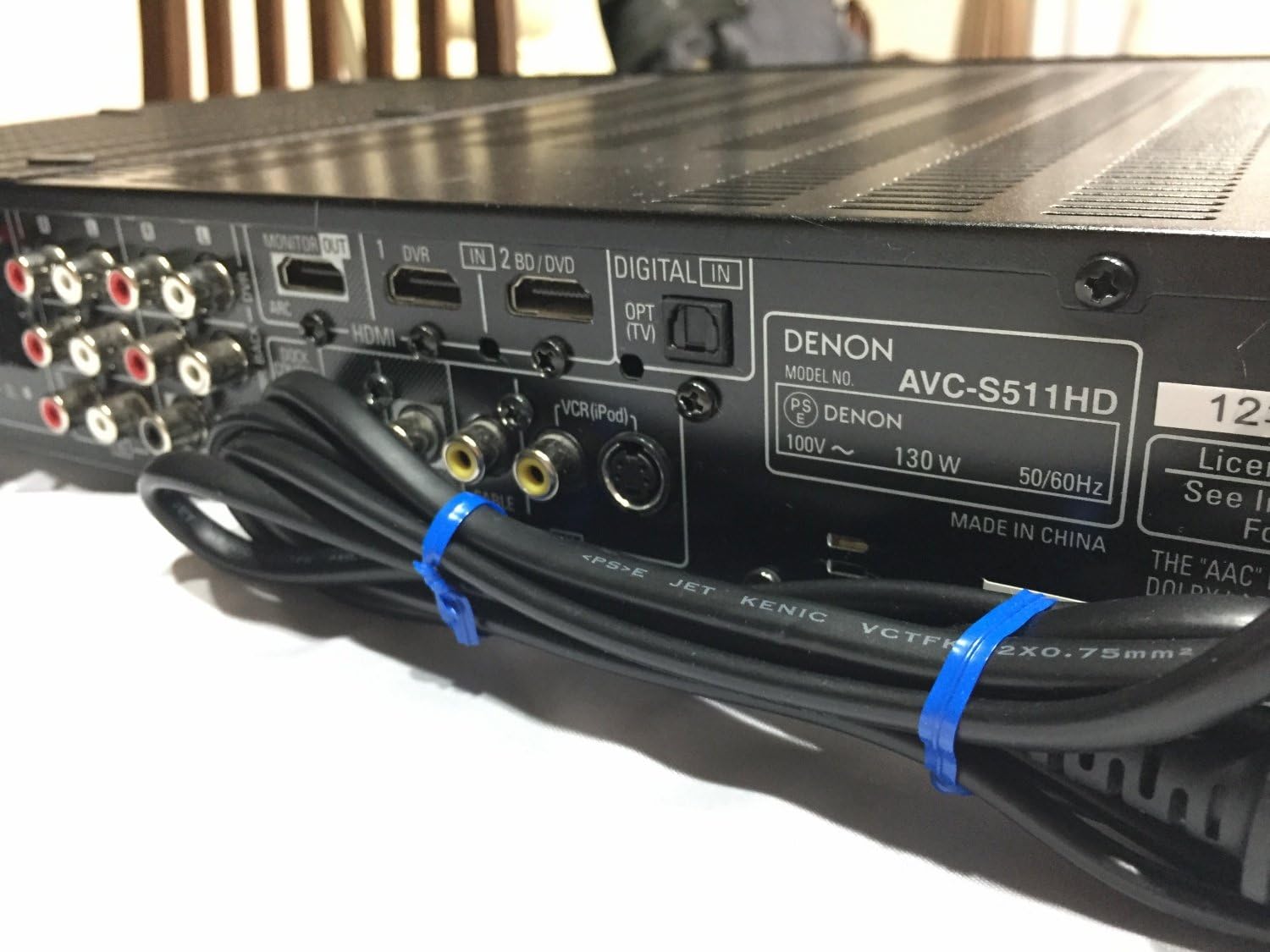
Image 4.1: Rear panel of the Denon AVC-S511HD-K, showing HDMI input/output ports, digital audio inputs, and analog audio/video connections.
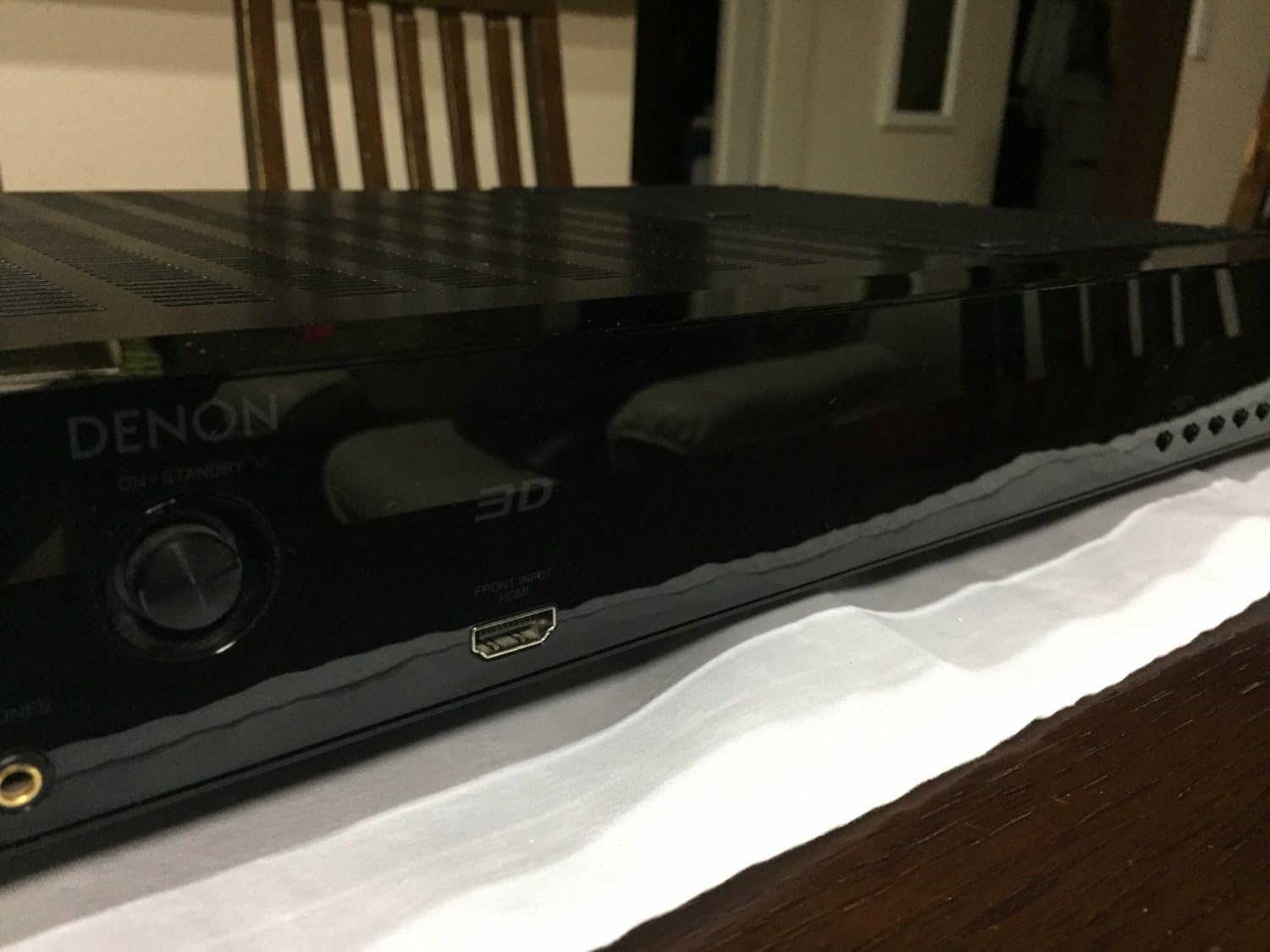
Image 4.2: Front panel of the Denon AVC-S511HD-K, highlighting the front HDMI input port and the '3D' indicator.

Isithombe 4.3: Phezulu view of two compact satellite speakers, typically used as part of a 5.1 channel system with the AVC-S511HD-K.

Isithombe 4.4: Uhlangothi view of a Denon satellite speaker, showing its compact design and speaker grille.
4.3 Ukusethwa Kokuqala Nokulinganisa
Upon first power-on, the amplifier will guide you through an initial setup process. This typically includes:
- Ukusethwa kwesipikha: Use the included setup microphone to automatically calibrate speaker levels and distances for optimal sound.
- Input Assignment: Assign names to your HDMI and other inputs for easy selection.
- Ukusethwa Kwenethiwekhi (uma kusebenza): Configure network settings if your model supports internet connectivity.
5. Iziqondiso Zokusebenza
5.1 Ukusebenza Okuyisisekelo
- Vula/Vala: Cindezela inkinobho ethi POWER kuphaneli engaphambili noma kwisilawuli kude.
- Ukukhetha Okokufaka: Sebenzisa inkinobho ye-INPUT SELECTOR kuphaneli engaphambili noma izinkinobho zokufaka ezizinikele kusilawuli kude ukuze ushintshe phakathi kwamadivayisi axhunyiwe.
- Ukulawula ivolumu: Adjust the master volume using the VOLUME knob on the front panel or the VOL +/- buttons on the remote control.
5.2 Izici Ezithuthukile
- I-HDMI ARC (Isiteshi Sokubuyisela Umsindo): If your TV supports ARC, audio from your TV can be sent back to the amplifier via the HDMI cable connected to the MONITOR OUT port, eliminating the need for a separate optical cable. Ensure ARC is enabled on both your TV and the ampokokuphila.
- 3D Video Pass-through: I amplifier supports 3D video signals from compatible sources to a 3D-compatible TV.
- iPod Control: Connect your iPod to the dedicated iPod dock control terminal (if available) to play audio and control playback via the amplifier's remote.
- Izindlela Zomsindo: Explore various sound modes (e.g., Stereo, Surround, Movie, Music) to optimize your listening experience for different content.
6. Isondlo
- Ukuhlanza: Sula iyunithi ngendwangu ethambile, eyomile. Ungasebenzisi izinto zokuhlanza abrasive noma izincibilikisi.
- Ukungenisa umoya: Ensure that the ventilation openings are not blocked by dust or debris. Periodically clean the vents if necessary.
- Isitoreji: If storing the unit for an extended period, disconnect the power cord and store it in a cool, dry place.
7. Ukuxazulula izinkinga
If you encounter issues with your AVC-S511HD-K, refer to the following common problems and solutions:
| Inkinga | Imbangela Engenzeka | Isixazululo |
|---|---|---|
| Awekho amandla | Power cord not connected; power outlet malfunction | Check power cord connection; try a different outlet |
| Awukho umsindo | Incorrect input selected; speaker cables loose; volume too low; mute activated | Select correct input; check speaker connections; increase volume; deactivate mute |
| Ayikho ividiyo | Incorrect input selected; HDMI cable loose or faulty; TV input not set correctly | Select correct input; check HDMI cables; ensure TV is on correct HDMI input |
| Isilawuli kude asisebenzi | Batteries depleted; obstruction between remote and unit | Replace batteries; remove obstructions; ensure remote is pointed at the unit |
If the problem persists after trying these solutions, please contact Denon customer support or a qualified service technician.
8. Imininingwane
| Isici | Imininingwane |
|---|---|
| Inombolo Yemodeli | AVC-S511HD-K |
| Ibhrendi | UDenon |
| Umbala | Mnyama |
| Ubuchwepheshe bokuxhumana | I-HDMI |
| Isamba samachweba we-HDMI | 4 (3 phakathi / 1 ngaphandle) |
| Izici ezikhethekile | ARC (Audio Return Channel), 3D Pass-through |
| Imodi Yokukhipha Umsindo | Zungeza |
| Ukucushwa Kwesiteshi Somsindo Esizungezile | 5.1 |
| Inombolo Yeziteshi | 5 |
| Amadivayisi Ahambisanayo | Izipikha |
| Idethi Yokuqala Etholakalayo | Novemba 2, 2010 |
9. Iwaranti kanye Nokusekela
Ukuze uthole ulwazi lwewaranti kanye nokusekelwa kwamakhasimende, sicela ubheke ikhadi lewaranti elifakwe nomkhiqizo wakho noma uvakashele iDenon esemthethweni. webindawo. Gcina ubufakazi bakho bokuthenga ngezimangalo zewaranti.
Denon Official Webindawo: www.denon.com


