
1. Umkhiqizo Uphelileview
The boAt Airdopes 148 Gen 2 are True Wireless Stereo (TWS) earbuds designed for an immersive audio experience. They feature a long-lasting battery, advanced microphone technology for clear calls, and a low-latency mode for gaming. This manual provides instructions for setting up, operating, and maintaining your earbuds.
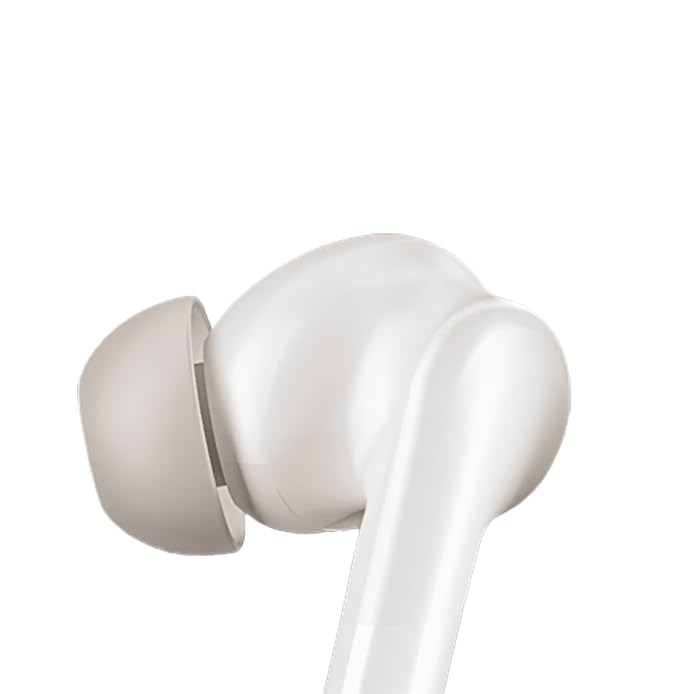
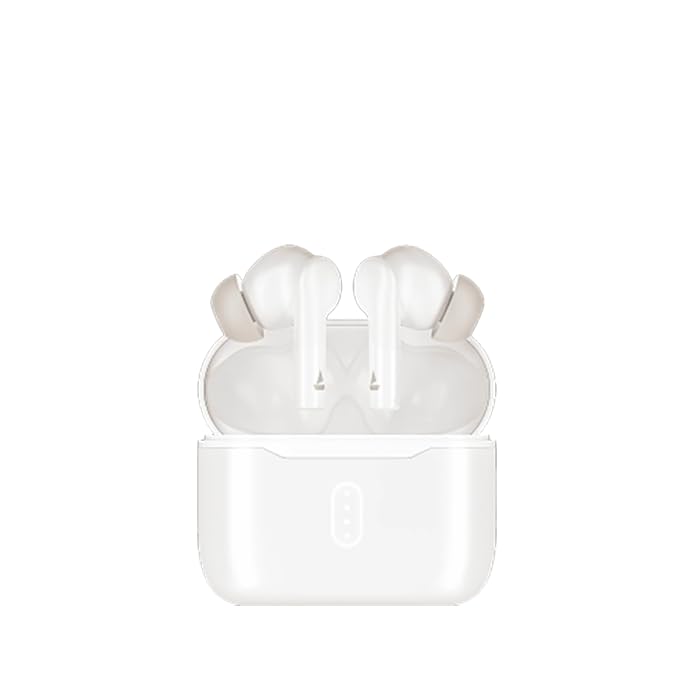
Image: boAt Airdopes 148 Gen 2 earbuds shown with their charging case.
2. Yini EseBhokisini
Sicela uhlole okuqukethwe kwephakheji ukuze uqinisekise ukuthi zonke izinto zikhona:
- boAt Airdopes 148 Gen 2 Earbuds (Left and Right)
- Ikesi lokushaja
- Ikhebula lokushaja le-USB
- Additional Ear Cushions (various sizes)
- Imaniwali yosebenzisayo
3. Sethaphu Imiyalelo
3.1 Ukushaja Kwasekuqaleni
Ngaphambi kokusebenzisa okokuqala, shaja ngokugcwele ama-earbud nekesi lokushaja.
- Beka zombili izindlebe endlebeni kukesi lokushaja.
- Xhuma ikhebula lokushaja le-USB embobeni yokushaja kukesi kanye nomthombo wamandla.
- The indicator lights on the case will show charging status. Once fully charged, the lights may change or turn off.

Image: The boAt Airdopes 148 Gen 2 charging case with earbuds inserted, illustrating the charging process.
3.2 Pairing with Your Device (Insta Wake N' Pair)
The Airdopes 148 Gen 2 feature Insta Wake N' Pair (IWP) technology for seamless connection.
- Vula isivalo sekesi lokushaja. Ama-earbud azovula ngokuzenzakalelayo futhi angene kumodi yokumatanisa.
- Vumela i-Bluetooth ku-smartphone yakho noma enye idivayisi.
- Cinga "Airdopes 148 Gen 2" in the list of available Bluetooth devices.
- Khetha ukuze uxhume. Uma usuxhumekile, uzozwa umsindo.
Note: The earbuds will automatically connect to the last paired device when the case lid is opened, if Bluetooth is enabled on the device.

Image: A visual representation of key features including Bluetooth v5.4 and Insta Wake N' Pair technology.
4. Iziqondiso Zokusebenza
4.1 Izilawuli zokuthinta
The Airdopes 148 Gen 2 feature intuitive touch controls on each earbud:
- Dlala/Misa kancane: Ukuthepha okukodwa kunoma iyiphi i-earbud.
- Ithrekhi Elandelayo: Thepha kabili ku-earbud engakwesokudla.
- Ithrekhi yangaphambilini: Thepha kabili ku-earbud engakwesokunxele.
- Phendula/Phendula ikholi: Ukuthepha okukodwa kunoma iyiphi i-earbud.
- Yenqaba Ucingo: Cindezela isikhathi eside (imizuzwana emi-2) kunoma iyiphi i-earbud.
- Yenza kusebenze umsizi wezwi: Thepha kathathu kunoma iyiphi i-earbud.
- BEAST Mode On/Off: Long press (3 seconds) on the right earbud.
- Switch Dual EQs: Long press (3 seconds) on the left earbud.
4.2 BEAST Mode (Low Latency)
Activate BEAST Mode for an ultra-low latency audio experience, ideal for gaming and video streaming. This minimizes audio delay between your device and the earbuds.
- Ukwenza kusebenze: Cindezela isikhathi eside i-earbud engakwesokudla amasekhondi angu-3.
- Ukuyekisa ukusebenza: Long press the right earbud for 3 seconds again.
4.3 Dual EQs
Switch between different sound profiles (e.g., Balanced, Bass) to suit your audio preference.
- To Switch: Cindezela isikhathi eside i-earbud yesobunxele imizuzwana emi-3.
4.4 Umsizi Wezwi
Access your device's voice assistant (e.g., Google Assistant, Siri) directly from the earbuds.
- Ukwenza kusebenze: Thepha kathathu kunoma iyiphi i-earbud.
4.5 Calling with ENx Technology
The earbuds feature Quad Mics with ENx Technology for clear voice calls by cancelling environmental noise.

Image: A user wearing an earbud, highlighting the Quad Mics with ENx Technology for enhanced call clarity.
4.6 Impilo Yebhethri
The Airdopes 148 Gen 2 offer up to 48 hours of total playback time with the charging case. ASAP Charge provides 180 minutes of playback from just 10 minutes of charging.

Image: A graphic illustrating the impressive battery life of up to 48 hours and the fast charging capability.
5. Isondlo
5.1 Ukuhlanza
Ukuhlanza njalo kusiza ukugcina ikhwalithi yomsindo nenhlanzeko.
- Sula kahle ama-earbud nekesi lokushaja ngendwangu ethambile, eyomile, engena-lint.
- Susa izindlebe bese uzihlanza ngensipho ethambile namanzi, bese womisa kahle ngaphambi kokuzinamathisela kabusha.
- Use a cotton swab or a small, soft brush to carefully clean the speaker mesh and charging contacts.
Isithombe: Ukuvala view of an earbud tip, showing the area that requires regular cleaning.
5.2 Ukumelana Namanzi (IPX4)
The Airdopes 148 Gen 2 are IPX4 rated, meaning they are resistant to splashes of water and sweat. They are not designed for submersion in water.
- Avoid exposing the earbuds to heavy rain or submerging them in water.
- Dry the earbuds thoroughly if they get wet from sweat or splashes before placing them back in the charging case.
6. Ukuxazulula izinkinga
If you encounter issues with your Airdopes 148 Gen 2, try the following solutions:
- Azikho Izinkinga Zomsindo/Zokuxhuma:
- Qinisekisa ukuthi ama-earbud ashajiwe.
- Qiniseka ukuthi i-Bluetooth ivuliwe kudivayisi yakho.
- Forget "Airdopes 148 Gen 2" from your device's Bluetooth list and re-pair.
- Qala kabusha idivayisi yakho.
- I-Earbud eyodwa ayisebenzi:
- Place both earbuds back in the case, close the lid, wait a few seconds, then open again.
- Qinisekisa ukuthi womabili ama-earbud ashajiwe.
- Izinkinga zokushaja:
- Hlola ikhebula lokushaja kanye ne-adaptha.
- Qinisekisa ukuthi oxhumana nabo abashaja kuma-earbud kanye nebhokisi kuhlanzekile.
- Ivolumu Ephansi:
- Lungisa ivolumu kukho kokubili idivayisi yakho nama-earbud.
- Clean earbud speaker mesh.
7. Imininingwane
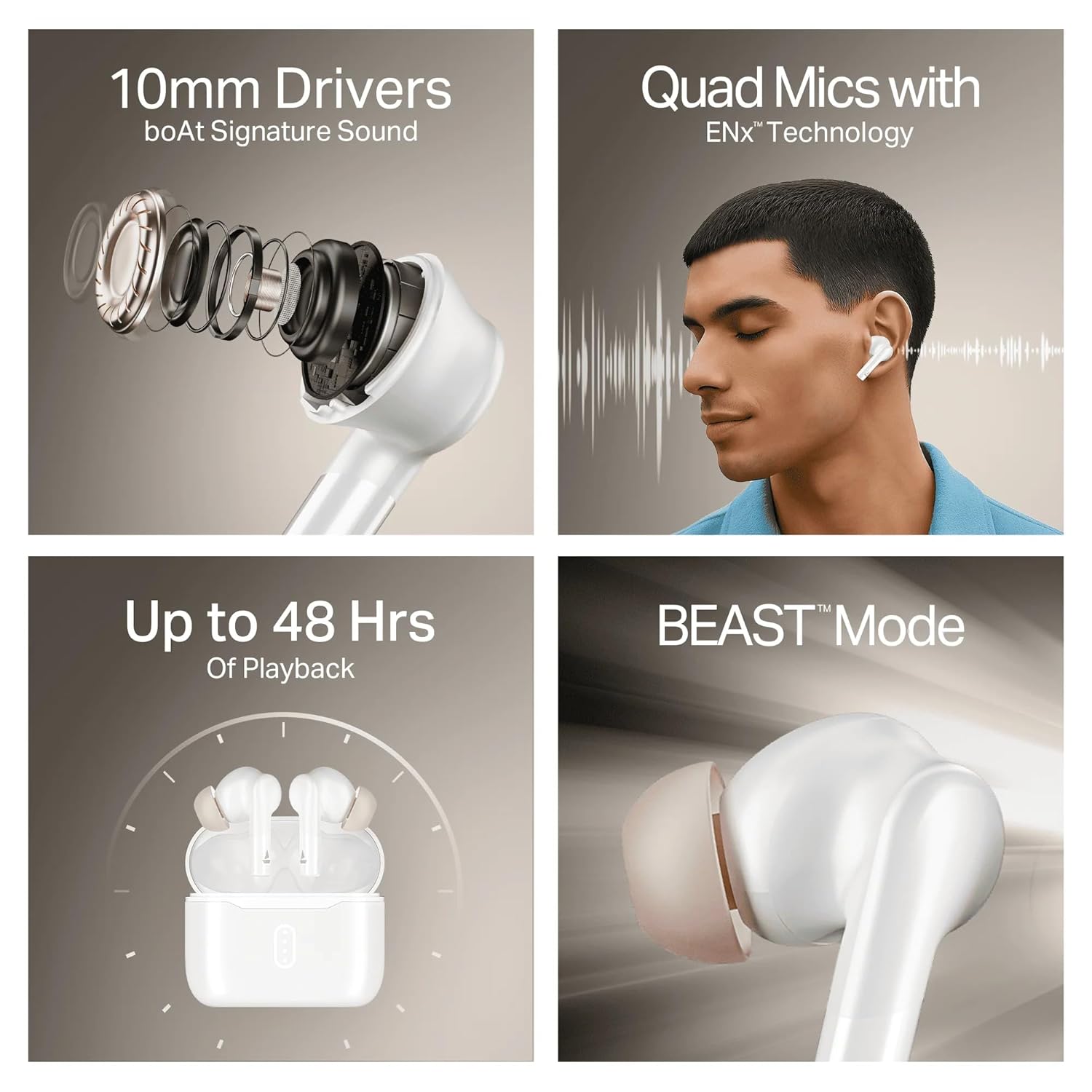
Image: A summary of key specifications and features of the Airdopes 148 Gen 2.
| Isici | Incazelo |
|---|---|
| Igama Lemodeli | Airdopes 148 Gen 2 |
| Inguqulo ye-Bluetooth | 5.4 |
| Isikhathi sokudlala | Kuze kube amahora angama-48 (ngecala lokushaja) |
| Inkokhelo ASAP | 10 mins charge = 180 mins playback |
| Imakrofoni | Quad Mics with ENx Technology |
| Abashayeli | 10 mm |
| Ukumelana Namanzi | IPX4 |
| Latency Mode | BEAST Mode (Ultra-low latency) |
| Ukuxhumana | Okungenantambo |
| Uhlobo Lokulawula | Ukulawula Ukuthinta |
| Amadivayisi Ahambisanayo | Laptops, Smartphones, Tablets |
8. Iwaranti kanye Nokusekela
8.1 Ulwazi Lwewaranti
The boAt Airdopes 148 Gen 2 comes with a 12 + 3 months manufacturer warranty. Sicela ugcine ubufakazi bakho bokuthenga izimangalo zewaranti.
8.2 Ukwesekwa Kwamakhasimende
For any support, queries, or warranty claims, please contact boAt customer service:
- I-imeyili: info@imaginemarkengindia.com
- Umkhiqizi: Imagine Marketing Ltd