
1. Umkhiqizo Uphelileview
The Hunter ZenTech 52 Inch Smart Ceiling Fan (Model 53638) is designed for both indoor and covered outdoor spaces, offering quiet, efficient performance with advanced smart home integration. This 5-blade fan features a slim DC motor, adjustable LED lighting with TrueLight technology, and Wi-Fi connectivity for control via the HunterSMART app, Amazon Alexa, Google Assistant, and Apple HomeKit. It is ENERGY STAR certified and damp-rated for versatile use.
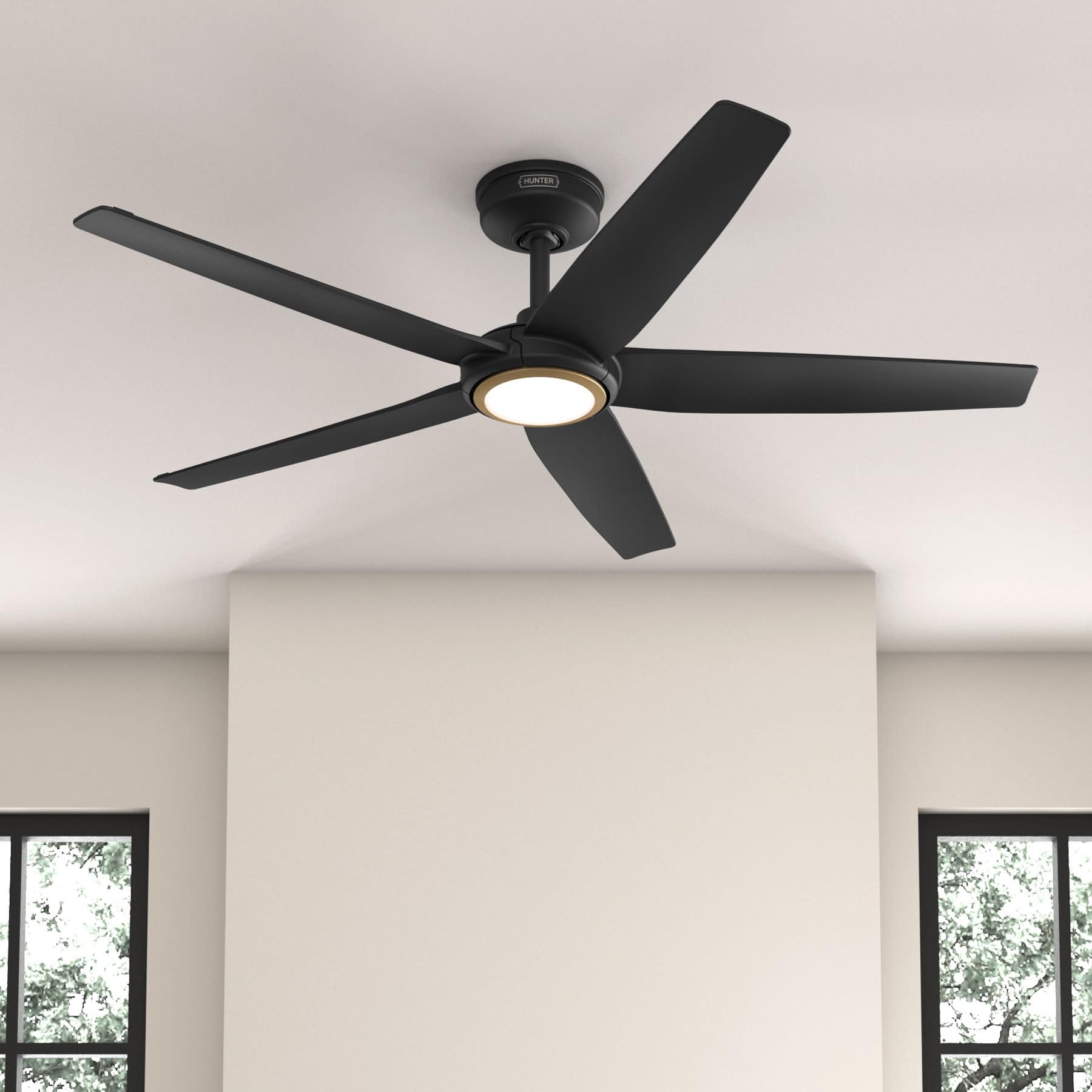
Figure 1: Hunter ZenTech 52 Inch Smart Ceiling Fan (Matte Black)
Izici Eziyinhloko:
- Idizayini Ethuthukile: Ultra-slim DC motor for powerful, quiet airflow and a modern aesthetic.
- Ukuhlanganiswa Kwekhaya Elihlakaniphile: HunterSMART technology for app and voice control via Amazon Alexa, Google Assistant, and Apple HomeKit.
- Ukukhanyisa Kwe-LED Okulungisekayo: TrueLight LED offers 10 brightness levels and 10 color temperatures, protected by a durable Duralight lens.
- SureSpeed Guarantee: Delivers strong, consistent airflow with quiet, wobble-free performance.
- Ukonga Amandla: ENERGY STAR certified reversible 6-speed DC motor.
- Damp Kukalwe: Suitable for indoor and covered outdoor areas.
2. Imiyalelo Yezokuphepha Ebalulekile
Funda yonke imiyalelo ngokucophelela ngaphambi kokuqala ukufaka. Ukwehluleka ukulandela le miyalelo kungabangela ukushaqeka kukagesi, umlilo, noma ukulimala komuntu.
- Always disconnect power at the main circuit breaker before installation or servicing.
- Qinisekisa ukuthi konke ukuxhumana kukagesi kuhambisana nemithetho nemithetho yendawo. Uma ungajwayelene nezintambo zikagesi, xhumana nochwepheshe kagesi oqeqeshiwe.
- Isakhiwo sokusifaka kumele sikwazi ukusekela isisindo sefeni (cishe amakhilogremu angu-14.11).
- Do not bend blade brackets during installation or cleaning.
- Keep hands clear of the fan blades when the fan is operating.
- Lo mlandeli ngu-damp-rated for use in covered outdoor areas but should not be exposed directly to water.
3. Okuqukethwe Kwephakheji
Qinisekisa ukuthi zonke izingxenye ezibalwe ngezansi zikhona kuphakheji yakho ngaphambi kokuqala ukufakwa.
- Ceiling Fan Motor Housing
- 5 Ama-Fan Blades
- Light Kit with Duralight Lens
- I-Downrod engamasentimitha angu-6
- Canopy and Mounting Bracket
- Isilawuli kude esiphathwayo
- I-Hardware Pack (izikulufu, amawasha, amantongomane ocingo)

Figure 2: ZenTech 52 Inch Fan Components
4. Umhlahlandlela Wokufaka
Professional installation is recommended. Ensure the power is OFF at the circuit breaker before starting.
4.1 Ukukhweza Ifeni
- Secure the mounting bracket to the ceiling junction box. The junction box must be listed for fan support.
- Assemble the downrod (6-inch included, compatible with up to 24-inch downrods) to the fan motor housing.
- Hang the fan assembly from the mounting bracket.
- Complete electrical wiring connections as per the wiring diagram provided in the full manual.
- Namathisela ama-fan blades e-motor housing.
- Install the light kit and Duralight lens.

Figure 3: ZenTech Fan installed in a covered outdoor space
5. Iziqondiso Zokusebenza
The ZenTech fan can be operated using the included handheld remote control or through the HunterSMART app.
5.1 Ukusebenza kokulawula kude
- Ukuvula / ukuvala abalandeli: Cindezela inkinobho yesifeni ukuze uvule noma uvale ifeni.
- Isivinini saphephela: Use the speed buttons to cycle through 6 fan speeds.
- Khanyisa/Vala: Cindezela inkinobho yokukhanya ukuze uvule noma uvale isibani.
- Ukukhanya Okukhanyayo: Hold the light button to dim or brighten the light.
- Izinga lokushisa lombala: Press the color temperature button to cycle through different color temperatures (warm to cool).
- Umsebenzi wokuhlehlisa: Press the reverse button to change the fan's direction for seasonal use.
5.2 LED Light Control (TrueLight Technology)
The TrueLight LED system allows for precise control over your lighting environment. You can select from 10 brightness levels and 10 color temperatures to match your preference.

Figure 4: TrueLight LED Technology for adjustable lighting
6. I-Smart Home Integration
The ZenTech fan features HunterSMART technology, enabling seamless integration with popular smart home ecosystems.
6.1 Connecting to HunterSMART App
- Download the HunterSMART app from your device's app store.
- Follow the in-app instructions to create an account and add your ZenTech fan.
- Ensure your fan is powered on and your mobile device is connected to a 2.4 GHz Wi-Fi network during setup.
6.2 Voice Control Compatibility
Once connected to the HunterSMART app, you can link your fan to:
- I-Amazon Alexa
- Umsizi we-Google
- I-Apple HomeKit
Refer to the respective smart home platform's instructions for linking smart devices.

Figure 5: HunterSMART Control Options
7. Ukunakekela Nokunakekela
Ukugcinwa njalo kuqinisekisa ukusebenza kahle kanye nobude besikhathi somoya wophahla lwakho.
- Ukuhlanza: Dust the fan blades and motor housing periodically with a soft, lint-free cloth. For damp-rated areas, wipe down with a slightly damp cloth, then dry thoroughly. Do not use abrasive cleaners or solvents.
- Ukuhlola Ukuqina: Annually, check all screws and connections for tightness. Vibrations can cause them to loosen over time.
- Ikhithi Ekhanyayo: The LED light source is designed for long life and is not user-serviceable.
8. Umhlahlandlela wokuxazulula izinkinga
If you encounter issues with your ZenTech ceiling fan, refer to the table below for common problems and solutions.
| Inkinga | Imbangela Engenzeka | Isixazululo |
|---|---|---|
| Umlandeli akaqali | Awekho amandla kufeni; Ukuxhumeka kwezintambo okuxekethile; Ibhethri yesilawuli-kude siphansi. | Hlola i-circuit breaker; Qinisekisa ukuthi zonke izintambo zixhumekile ziphephile; Buyisela ibhethri lokulawula okude. |
| Ukukhanya akusebenzi | No power to the light kit; Loose wire connection; Light kit malfunction. | Check circuit breaker; Verify light kit wiring; Contact customer support if LED is faulty. |
| Umlandeli uyavevezela | Loose blades or blade holders; Improperly balanced blades; Loose mounting bracket. | Ensure all blade screws are tight; Use a blade balancing kit (not included); Tighten mounting bracket screws. |
| Izici ezihlakaniphile azixhumani | Incorrect Wi-Fi network (not 2.4 GHz); Incorrect app setup; Router issues. | Ensure connection to 2.4 GHz Wi-Fi; Re-attempt app setup; Restart router and fan. |
9. Imininingwane Yezobuchwepheshe
| Ukucaciswa | Imininingwane |
|---|---|
| Ibhrendi | Umzingeli |
| Igama Lemodeli | ZenTech |
| Inombolo Yemodeli | 53638 |
| Usayizi | 52 amayintshi |
| Umbala | I-Matte Black |
| Ubukhulu bomkhiqizo | 52"D x 52"W x 11.78"H |
| Isisindo sento | 14.11 Amakhilogremu |
| Inombolo yama-Blades | 5 |
| Uhlobo Lwezimoto | DC |
| Inombolo Yezivinini | 6 |
| Amandla Okugeleza komoya | 5443.94 Cubic Feet Ngomzuzu |
| Wattage | 17 watts |
| Voltage | 120 volts |
| Ukusetshenziswa Kwangaphakathi/Kwangaphandle | Indoor, Covered Outdoor (Damp Rated) |
| Izici ezikhethekile | LED Light, Quiet Operation, Water Resistant, Wi-Fi Enabled |
| Uhlobo lwesilawuli | Ukulawula Uhlelo Lokusebenza, Isilawuli kude |
| Izitifiketi | I-ETL, i-Energy Star, i-FCC |
| Ubude be-Downrod | 6 Inches (included) |
10. Ulwazi Lwewaranti
The Hunter ZenTech 52 Inch Smart Ceiling Fan is backed by Hunter's commitment to quality. It includes a limited lifetime motor warranty, ensuring long-term confidence in your product. For full warranty details and terms, please refer to the documentation included with your fan or visit the official Hunter Fan Company webindawo.
11. Ukwesekwa Kwamakhasimende
If you require further assistance, have questions about installation, operation, or troubleshooting that are not covered in this manual, please contact Hunter Fan Company customer support. You can typically find contact information on the official Hunter Fan Company webindawo noma ngaphakathi kwephakheji yomkhiqizo.