
1. Umkhiqizo Uphelileview
The HP Laptop 15-fd2353la is a versatile and efficient computing device designed for everyday tasks, entertainment, and productivity. It features an Intel Core Ultra 5 processor, a vibrant 15.6-inch Full HD display, ample memory, and fast solid-state storage. This manual will guide you through the setup, operation, and maintenance of your new laptop.

Ngaphambili view of the HP Laptop 15-fd2353la, highlighting its Intel Core Ultra 5 processor, 24 GB RAM, 512 GB SSD, and 15.6-inch Full HD display.
2. Setha
2.1 Ukuqaqa
Carefully remove your laptop and all accessories from the packaging. Ensure the following items are present:
- HP Laptop 15-fd2353la
- I-adaptha yamandla nekhebula
- Amadokhumenti (Umhlahlandlela Wokuqala Ngokushesha, Ulwazi Lwewaranti)
2.2 Ukuxhuma I-adaptha Yamandla
Before first use, connect the power adapter to the laptop's power port and then plug it into a wall outlet. Allow the battery to charge for a few hours, or until fully charged, before initial use.
2.3 Ukuqalisa Kokuvula Nokusethwa KweWindows
Press the power button located on the keyboard to turn on the laptop. Follow the on-screen instructions to complete the Windows 11 Home setup process. This includes selecting your language, connecting to a Wi-Fi network, and creating a user account.
3. Iziqondiso Zokusebenza
3.1 Vula/Vala kanye nemodi yokulala
- Vula: Cindezela inkinobho yamandla.
- Vala shaqa: Chofoza inkinobho ethi Qala, bese Amandla > Vala shaqa.
- Imodi Yokulala: Vala isivalo noma chofoza inkinobho ethi Qala, bese uvula > Lala.
3.2 Ukusebenzisa ikhibhodi nephedi yokuthinta
The laptop features a full-size Spanish QWERTY keyboard and a precision touchpad. Use the touchpad for navigation, clicking, and multi-touch gestures. Refer to Windows settings for touchpad customization.
3.3 Ukuxhuma ku-Wi-Fi
Ukuze uxhume kunethiwekhi engenantambo:
- Chofoza isithonjana se-Wi-Fi kubha yomsebenzi.
- Khetha inethiwekhi oyithandayo ohlwini.
- Enter the network password if prompted, then click Connect.
4. Izici Eziyinhloko
The HP Laptop 15-fd2353la offers a range of features designed to enhance your computing experience:
- Iphrosesa: Intel Core Ultra 5 225U (up to 4.8 GHz with Intel Turbo Boost Technology, 12 MB L3 Cache, 12 cores, 14 threads) for efficient multitasking.
- Isitoreji: 512 GB PCIe NVMe M.2 Solid State Drive for fast boot times and application loading.
- Inkumbulo: 24 GB DDR5-5600 MT/s RAM for smooth performance across demanding applications.
- Bonisa: 15.6-inch Full HD (1920 x 1080) IPS anti-glare display with 250 nits brightness and 62.5% sRGB for clear visuals.
- Isistimu esebenzayo: Kufakwe kusengaphambili ne-Windows 11 Home.
- Impilo Yebhethri: Up to 9 hours and 45 minutes of AI-optimized battery life, with HP Fast Charge capable of recharging 50% in approximately 30 minutes.
- Webcam and Audio: Kuhlanganisiwe webcam with a privacy shutter and a clear microphone featuring external noise reduction for improved video calls.
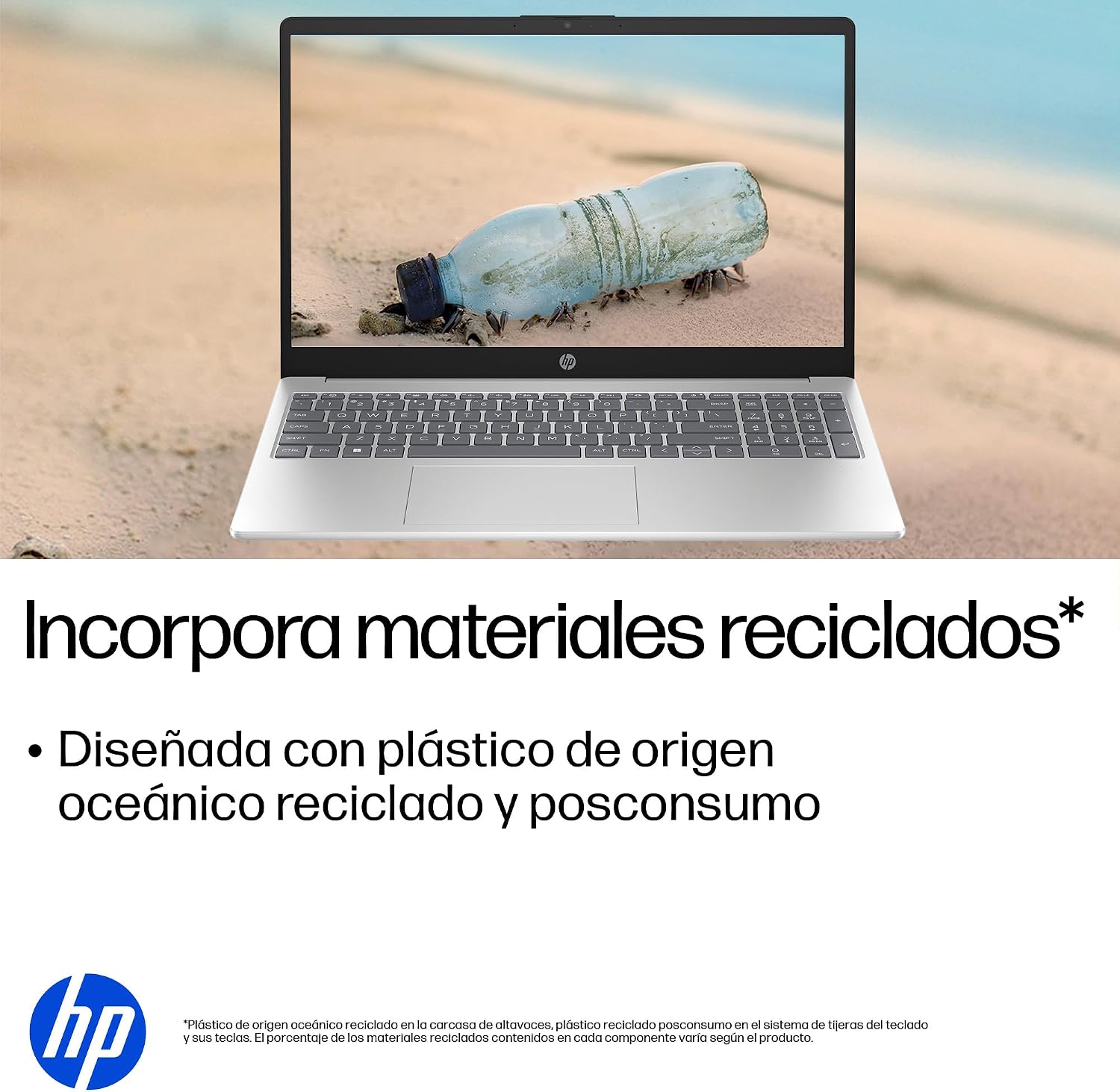
- Idizayini Eqhubekayo: Constructed with ocean-bound and post-consumer recycled plastics in various components.

The laptop features an integrated webcam shutter for privacy and a clear microphone with external noise reduction.

Experience an immersive visual display with an 85% screen-to-body ratio and an anti-glare Full HD screen.

Enjoy extended use with up to 9 hours and 45 minutes of AI-optimized battery life, and quickly recharge 50% in 30 minutes with HP Fast Charge.

This laptop incorporates recycled materials, including ocean-bound and post-consumer plastics, in its design.
5. Amachweba kanye Nokuxhumana
Your HP Laptop 15-fd2353la is equipped with various ports for connecting peripherals and external devices:

Diagram illustrating the location and type of ports on the HP Laptop 15-fd2353la.
- Uhlangothi Lwesobunxele:
- 1 x USB Type-A 5 Gbps signaling rate port
- 1 x Imbobo ye-HDMI
- 1 x USB Type-C 5 Gbps signaling rate port
- 1 x Headphone/Microphone combo jack
- Uhlangothi Lwesokudla:
- 1 x USB Type-A 5 Gbps signaling rate port
- 1 x Power connector
6. Imininingwane
| Isici | Ukucaciswa |
|---|---|
| Ibhrendi | HP |
| Igama Lemodeli | 15-fd2353la |
| Usayizi Wesikrini | 15.6 amayintshi |
| Ukulungiswa Kwesikrini Okukhulu | 1920 x 1080 Amaphikseli (FHD) |
| Uhlobo lokubonisa | IPS, Anti-glare LCD |
| Umbala | Isiliva |
| Imodeli ye-CPU | I-Intel Core Ultra 5 225U |
| Isivinini Sephrosesa | Kufika ku-4.8 GHz |
| Usayizi we-RAM | 24 GB |
| Ubuchwepheshe be-RAM | DDR5-5600 MT/s |
| Usayizi we-Hard Drive | I-SSD engu-512 GB (i-PCIe NVMe M.2) |
| Isistimu esebenzayo | Windows 11 Ikhaya |
| I-Graphics Coprocessor | I-Intel Integrated Graphics |
| Izimbobo ze-USB | 3 (2x USB Type-A, 1x USB Type-C) |
| Izimbobo ze-HDMI | 1 |
| Uhlobo Lwebhethri | I-Lithium ion |
| Okuqukethwe Kwamandla Ebhethri | 41 Watt-amahora |
| Isakhiwo Sekhibhodi | QWERTY (Spanish) |
| Isisindo | 1.65 kg |
| Ubukhulu (L x W x H) | 23.6 x 36 x 1.9 cm |
Visual representation of the laptop's dimensions and weight.
7. Isondlo
7.1 Ukuhlanza iLaptop
- Sebenzisa indwangu ethambile, engenalinti kancane dampifakwe ngamanzi noma isicoci sesikrini ukuze sihlanze isibonisi.
- Ngekhibhodi ne-chassis, sebenzisa indwangu ethambile. Gwema amakhemikhali anokhahlo noma izinto ezilumayo.
- Use compressed air to clear dust from keyboard keys and vents.
7.2 Ukunakekelwa Kwebhethri
- Gwema amazinga okushisa aphezulu.
- Ungalikhiphi ibhethri ngokugcwele.
- Uma ugcina i-laptop isikhathi eside, qiniseka ukuthi ibhethri lishajwa cishe ku-50%.
7.3 Ukuvuselelwa Kwesoftware
Regularly update your Windows operating system and drivers to ensure optimal performance and security. Windows Update can be accessed via Settings > Windows Update.
7.4 Ukuphathwa Kwesitoreji
Ngezikhathi ezithile review futhi ususe ngokungadingekile files to maintain sufficient free space on your 512 GB SSD, which helps in sustaining system performance.
8. Ukuxazulula izinkinga
8.1 Izinkinga zamandla
- Ikhompyutha ephathekayo ayivuli: Qinisekisa ukuthi i-adaptha yamandla ixhunywe ngokuphephile kokubili kwi-laptop kanye ne-outlet yamandla esebenzayo. Hlola ukuthi i-outlet yamandla iyasebenza yini.
- Ibhethri ayishaji: Qinisekisa ukuthi i-adaptha yamandla ixhunywe ngendlela efanele. Zama enye indawo kagesi.
8.2 Izinkinga zokubonisa
- Asikho isithombe esikrinini: Xhuma i-monitor yangaphandle echwebeni le-HDMI ukuze uhlole ukuthi inkinga imayelana nesibonisi se-laptop noma ikhadi lehluzo.
- Isikrini esifiphele noma esicwayizayo: Adjust screen brightness using the keyboard function keys. Update display drivers.
8.3 Izinkinga zokuxhuma
- I-Wi-Fi ayixhumeki: Ensure Wi-Fi is enabled. Restart your router and modem. Check network settings in Windows.
- Imishini ye-USB ayaziwa: Try connecting the device to a different USB port. Ensure device drivers are installed.
8.4 Izinkinga Zokusebenza
- Ukusebenza kancane: Vala izinhlelo zokusebenza ezingadingekile. Hlola izinqubo zangemuva ezisebenzisa izinsiza eziningi (Umphathi Wemisebenzi). Qinisekisa ukuthi isikhala esanele sesitoreji samahhala.
- System freezes: Restart the laptop. Check for recent software installations or updates that might be causing conflicts.
9. Iwaranti kanye Nokusekela
9.1 Ulwazi Lwewaranti
Your HP Laptop 15-fd2353la comes with a Iwaranti ekhawulelwe yeminyaka engu-1. This warranty covers manufacturing defects and hardware failures under normal use conditions. Please refer to the warranty documentation included with your product for full terms and conditions.
9.2 Ukwesekwa Kwezobuchwepheshe
For technical assistance, warranty claims, or service inquiries, please visit the official HP support website or contact HP customer service. Have your product model number (15-fd2353la) and serial number ready when contacting support.
You can find more information and support resources at the official HP webindawo: www.hp.com/support