
1. Isingeniso
Thank you for choosing the FLEXISPOT Electric Standing Desk. This manual provides detailed instructions for the assembly, operation, and maintenance of your new adjustable height desk. Designed to promote a healthier work environment, this desk allows you to easily switch between sitting and standing positions, reducing the negative effects of prolonged sitting. Please read this manual thoroughly before assembly and use to ensure proper function and safety.
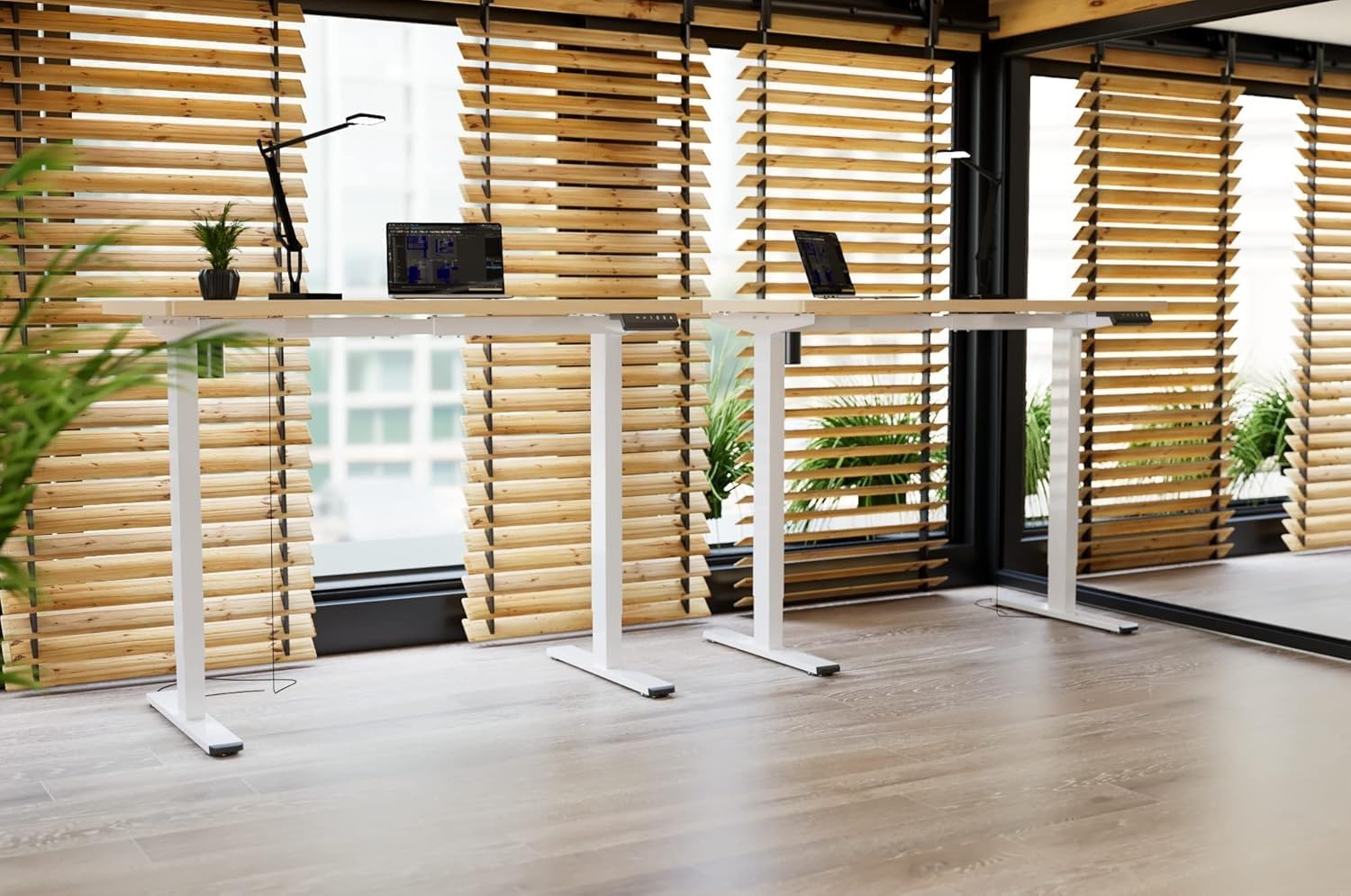
Image: Two FLEXISPOT electric standing desks with maple tops and white frames, set up in an office environment.
2. Ulwazi Lokuphepha
- Qinisekisa ukuthi zonke izingxenye zikhona futhi azilimele ngaphambi kokuhlanganisa.
- Gcina izingane nezilwane ezifuywayo kude nedeski ngesikhathi sokusebenza.
- Do not place hands or other body parts near moving parts of the desk frame.
- Avoid overloading the desk beyond its specified weight capacity.
- Only use the provided power adapter and ensure it is connected to a grounded outlet.
- Do not disassemble or modify the desk's motor or control system.
- Uma kwenzeka umsindo noma ukunyakaza okungajwayelekile, yeka ukusebenza ngokushesha bese ukhipha i-plug yedeski.
- Leli deski lenzelwe ukusetshenziswa endlini kuphela.
3. Okuqukethwe Kwephakheji
Sicela uqinisekise ukuthi zonke izingxenye ezilandelayo zifakiwe kuphakheji yakho:
- Desktop (Maple, 140x60cm)
- Electric Lifting Columns (2x)
- Desk Feet (2x)
- Crossbar/Frame Components
- Ibhokisi Lokulawula
- Ikhiphedi Yemisebenzi eminingi
- I-adaptha yamandla nekhebula
- Backpack Hook (2x)
- Assembly Hardware (screws, Allen wrenches)
- Incwadi Yeziqondiso
4. Ukusetha nokuhlanganisa
Follow these steps to assemble your FLEXISPOT Electric Standing Desk. It is recommended to have two people for assembly.
- Khipha Izingxenye: Susa ngokucophelela zonke izingxenye ephaketheni futhi uzibeke endaweni ehlanzekile, ethambile ukuvimbela imihuzuko.
- Assemble Desk Feet: Attach the desk feet to the bottom of the lifting columns using the provided screws.
- Xhuma i-Crossbar: Secure the crossbar components between the two lifting columns.
- Namathisela ideskithophu: Place the desktop upside down on a soft surface. Carefully position the assembled frame onto the desktop, aligning the pre-drilled holes. Secure the frame to the desktop with the appropriate screws.
- Install Control Box and Keypad: Mount the control box and multi-function keypad to the underside of the desktop using the provided hardware.
- Xhuma Amakhebuli: Connect the motor cables from the lifting columns to the control box. Connect the keypad cable to the control box. Finally, connect the power adapter to the control box and then to a power outlet.
- Faka Izinsiza: Attach the backpack hooks to the desired location on the desk frame or desktop edge.
- Ukuphathwa Kwekhebula: Organize all cables using cable ties or management trays (not included) to prevent tangles and ensure safe operation.
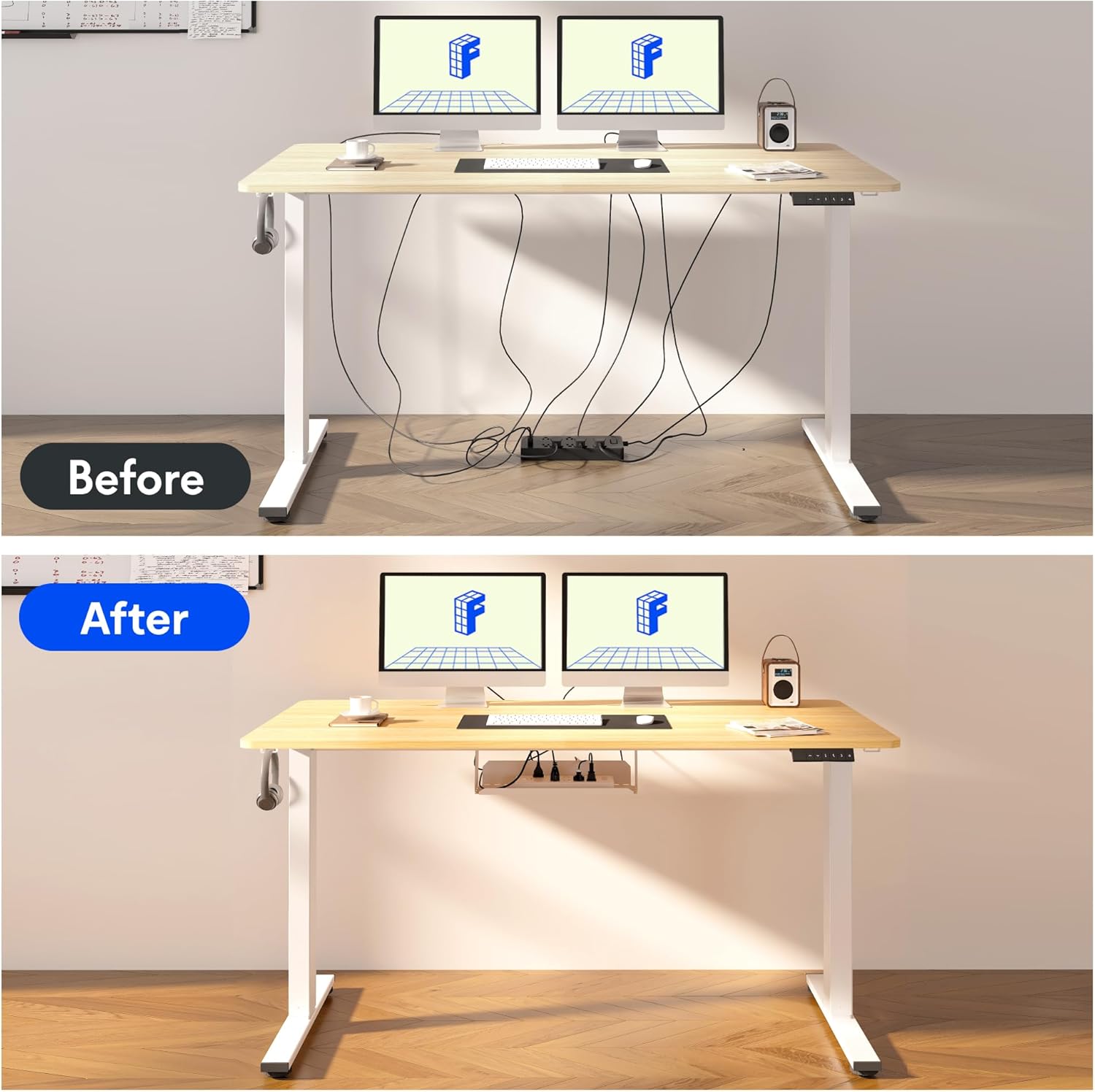
Image: Illustration of effective cable management for the desk, showing a 'before' state with loose cables and an 'after' state with cables neatly secured.

Isithombe: Eduze view of the optional cup holder and backpack hooks, demonstrating their attachment to the desk.
5. Iziqondiso Zokusebenza
Your FLEXISPOT desk features an intuitive multi-function keypad for easy height adjustment and memory presets.

Isithombe: Ngemininingwane view of the multi-function keypad, highlighting the LED display, up and down adjustment keys, and four memory preset buttons.
- Ukulungisa Ubude: Sebenzisa i- Up (▲) kanye Phansi (▼) keys to raise or lower the desk to your desired height. The current height will be displayed on the LED screen.
- Ukusetha Amasethi Ememori Asengaphambili:
- Adjust the desk to your preferred sitting or standing height using the Up/Down keys.
- Cindezela inkinobho "M" button (or similar memory set button, if present, otherwise directly press a number).
- Immediately press one of the numbered memory buttons (1, 2, 3, noma 4) to save the current height to that preset. The LED display will confirm the setting.
- Ukukhumbula Amasethi Ememori: Press any of the numbered memory buttons (1, 2, 3, noma 4) ukuhambisa ngokuzenzakalelayo ideski liye ekuphakameni okugciniwe.
- Setha kabusha Umsebenzi: If the desk encounters an error or needs to be reset, press and hold the Phansi (▼) button until the desk reaches its lowest position and then slightly rises, indicating a successful reset.
6. Isondlo
- Ukuhlanza: Sula ubuso bedeski kanye nohlaka ngopende oluthambile, damp indwangu. Gwema amakhemikhali anokhahlo noma izihlanzi ezilumayo.
- Ukuphathwa Kwekhebula: Regularly check and organize cables to prevent damage and ensure smooth operation.
- Ukuthambisa: The lifting mechanism is designed to be maintenance-free. Do not apply lubricants to the columns.
- Ukuhlola: Hlola ngezikhathi zonke zonke izikulufu nezixhumi ukuze uqinisekise ukuthi ziqinile. Phinda uqinise uma kunesidingo.
7. Ukuxazulula izinkinga
| Inkinga | Imbangela Engenzeka | Isixazululo |
|---|---|---|
| Ideski alinyakazi. | Power cable disconnected, control box cable loose, overload. | Check all cable connections. Reduce weight on the desk. Perform a reset (see Operating Instructions). |
| Ideski lihamba ngokungalingani noma lenza umsindo ongavamile. | Loose screws, obstruction, uneven load. | Check all assembly screws. Ensure no obstructions are in the path of the lifting columns. Distribute weight evenly. |
| Amasethingi ememori awasebenzi. | Amasethingi awakagcinwa kahle. | Re-save the memory presets following the steps in the Operating Instructions. |
| LED display shows an error code. | Iphutha lesistimu. | Perform a reset. If the error persists, contact customer support. |
8. Imininingwane
- Desktop Dimensions: 140 cm (Ubude) x 60 cm (Ububanzi)
- Ibanga Lobude Elilungisekayo: 73.5 cm kuya ku-118 cm
- Okubalulekile: Maple wood desktop, Metal frame (White)
- Imoto: Single motor, quiet operation (below 50 dB)
- Izici ezikhethekile: Electric height adjustment, Smart memory panel (4 presets), Backpack hook (2x)
- Ukuzinza: Enhanced frame design with wider feet and thicker columns for improved stability.

Image: Technical drawing illustrating the desktop dimensions (140x60cm) and the adjustable height range of the desk frame (73.5-118cm).

Isithombe: Ngaphakathi view of the desk's powerful and quiet motor, emphasizing its smooth and stable operation.
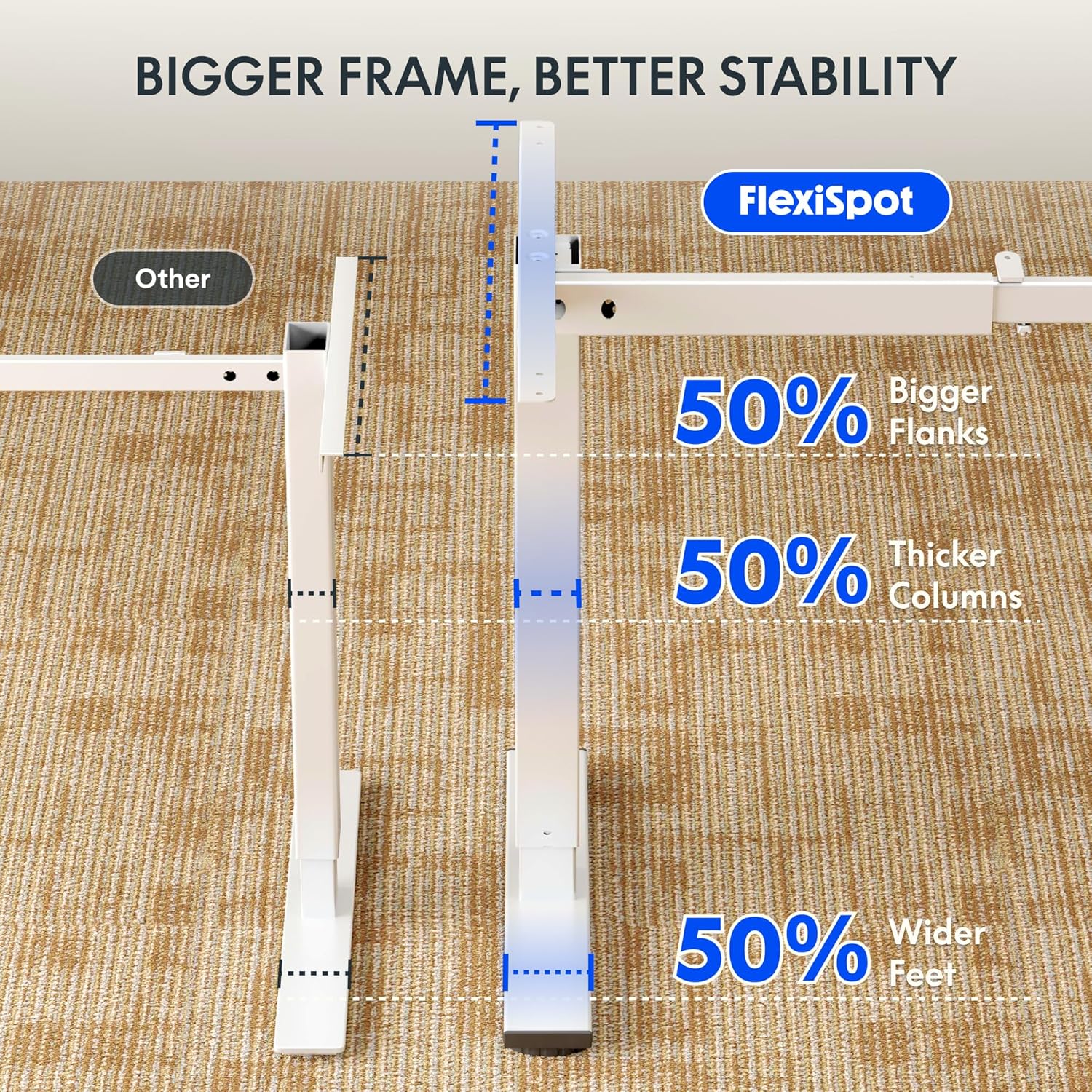
Image: Comparative diagram illustrating the superior stability of the FlexiSpot desk frame, featuring 50% bigger flanks, thicker columns, and wider feet compared to standard designs.
9. Ulwazi Lwewaranti
This FLEXISPOT Electric Standing Desk is covered by a limited manufacturer's warranty. Please refer to the warranty card included in your package or visit the official FLEXISPOT website for detailed terms and conditions regarding coverage, duration, and claims process. Keep your proof of purchase for warranty service.
10. Ukwesekwa Kwamakhasimende
If you have any questions, require assistance with assembly, or encounter issues not covered in this manual, please contact FLEXISPOT customer support. You can find contact information on the official FLEXISPOT webisayithi noma ngomthengisi wakho.
Ukuze uthole ulwazi olwengeziwe, vakashela: www.flexispot.com