
Umkhiqizo Uphelileview
The Sofirn ST10 is a compact, multi-functional Everyday Carry (EDC) flashlight designed for versatility and durability. It features multiple light sources, including a powerful main light, a broad side light, and a specialized deep red light, catering to various lighting needs from general illumination to night vision preservation and signaling. Its robust aluminum alloy construction ensures resilience against impacts and water, making it suitable for diverse environments and activities.
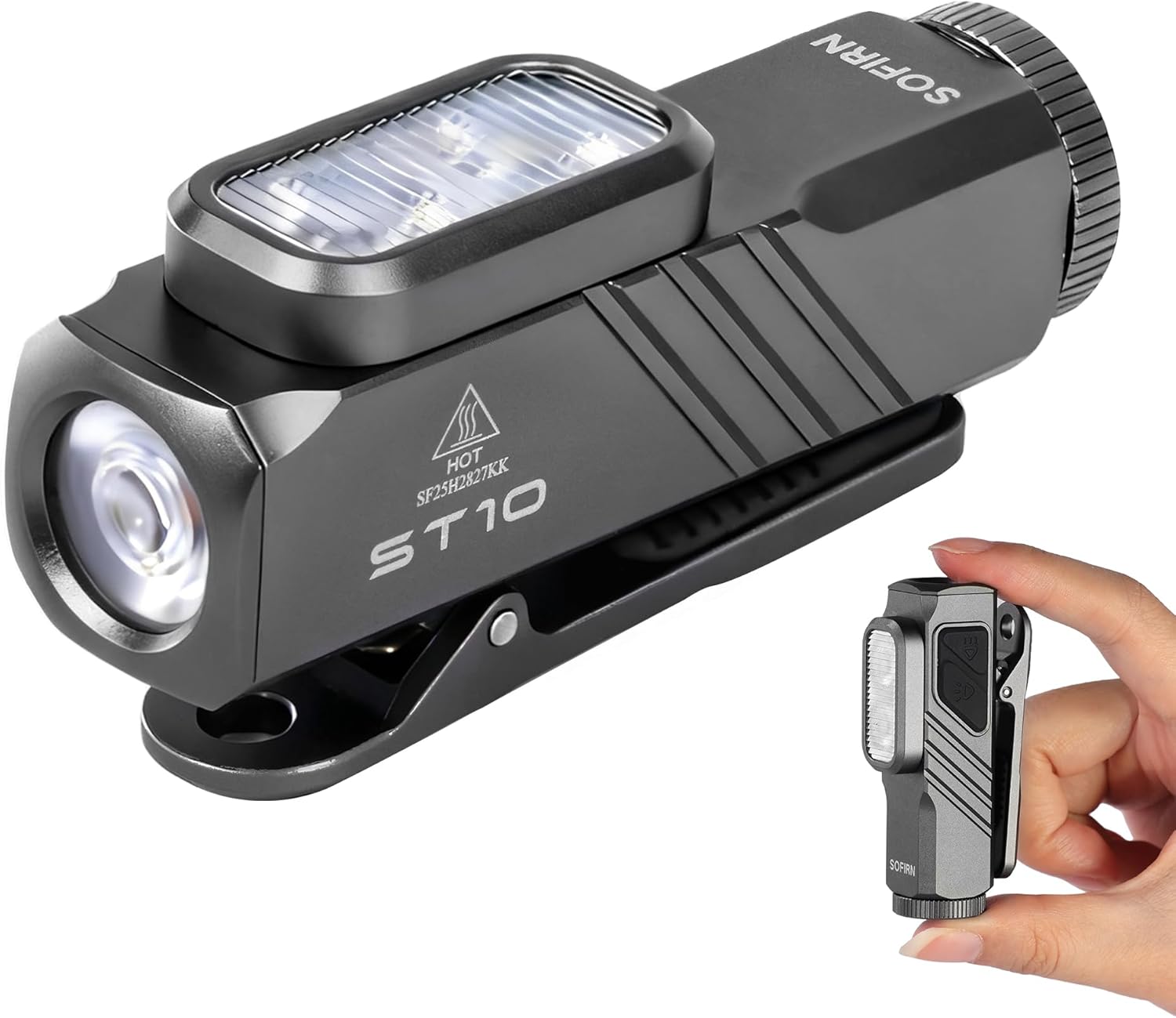
Image: The Sofirn ST10 flashlight, highlighting its compact form factor and dual light sources.
Okuqukethwe Kwephakheji
- Sofirn ST10 EDC Clip-ON Flashlight
- 14500 Rechargeable Battery (with built-in USB-C port)
- Ikhebuli yokushaja ye-USB-C kuya ku-USB-C
- Wrist Strap / Lanyard
- Spare O-rings (for water resistance)
- Imaniwali yosebenzisayo

Image: All items included in the Sofirn ST10 package, neatly arranged.
Izici Eziyinhloko
- Umklamo we-EDC ohlangene: The ST10 delivers up to 1000 lumens with a 144 m beam distance in a lightweight, pocket-sized body, ideal for everyday carry.
- Versatile Triple Light Sources: Features a white main light, a white side light, and a 660nm deep red side light for diverse applications, from general illumination to signaling and night vision preservation.
- Durable & Weather Resistant: Constructed from aluminum alloy, it is impact resistant up to 1 m and rated IPX6 water resistant, ensuring reliability in challenging conditions.
- Dual-Button Operation & Intelligent Lockout: Two independent buttons control the main and side lights for intuitive use. A triple-click lock/unlock function prevents accidental activation.

Image: The ST10 showcasing its three distinct lighting modes.

Image: The ST10 in use during rain, demonstrating its durability and water resistance.
Setha
Ukufakwa kwebhethri nokushaja
- Unscrew the tail cap of the flashlight to access the battery compartment.
- Faka ibhethri elishajekayo elingu-14500 elifakiwe kanye nengxenye eqondile (+) ebheke ngasekhanda lethoshi.
- Replace the tail cap, ensuring it is securely tightened to maintain water resistance.
- To charge the 14500 battery, remove it from the flashlight. Locate the built-in USB-C port on the battery itself.
- Connect the provided USB-C cable to the battery's port and to a suitable USB power source. The battery will glow red while charging and turn green when fully charged.
- The ST10 is also compatible with standard AA Alkaline/NiMH batteries, offering flexible power options.

Image: The 14500 battery with its integrated USB-C charging port and indicator lights.
Imiyalelo yokusebenza
The Sofirn ST10 features a dual-button interface for intuitive control of its main and side lights.
Main Light (Spotlight) Operation
- VULA/VALA: Single click the Main Light Switch.
- Cycle Brightness: When ON, press and hold the Main Light Switch to cycle through Moonlight → Low → Medium → High. The light has a memory function for the last used mode (excluding Moonlight, Turbo, and Beacon).
- Imodi ye-Turbo: Double click the Main Light Switch from any state (ON or OFF).
- Imodi ye-Beacon: From Turbo mode, double click the Main Light Switch again.
Side Light (Floodlight & Red Light) Operation
- Turn ON/OFF (White Side Light): Single click the Side Light Switch.
- Cycle Brightness (White Side Light): When ON, press and hold the Side Light Switch to cycle through Low → Medium → High.
- Turbo Mode (White Side Light): Double click the Side Light Switch from any state (ON or OFF).
- Imodi Yokukhanya Okubomvu: From OFF, press and hold the Side Light Switch to activate the Red Light.
- Cycle Brightness (Red Light): When Red Light is ON, single click the Side Light Switch to cycle through Low → Medium → High.
- Red Flash Mode: From Red Light mode, double click the Side Light Switch.
Intelligent Lockout Function
- Kuya Khiya the flashlight: Triple click either the Main Light Switch or the Side Light Switch. The light will flash briefly to indicate it is locked.
- Kuya Vula the flashlight: Triple click either the Main Light Switch or the Side Light Switch. The light will flash briefly and then turn on to the last used mode.

Image: Detailed diagram of the ST10's intuitive dual-button user interface.

Image: Comprehensive UI diagram for both main and side light functions.
Video: A seller demonstrating the Sofirn ST10's features, including its 1000 lumens output and various light modes.
Isondlo
- Ukuhlanza: Regularly clean the flashlight body and threads with a clean cloth.
- I-O-ring Maintenance: Inspect the O-rings periodically for wear and tear. Replace them with the provided spare O-rings if necessary to maintain water resistance. Apply silicone grease to the O-rings to prevent wear.
- Ukunakekelwa kwebhethri: Gcina ibhethri endaweni epholile, eyomile uma ingasebenzi. Gwema ukuchichima kakhulu noma ukushaja kakhulu ibhethri.
Ukuxazulula inkinga
- Ukukhanya okungakhanyi:
- Ensure the battery is correctly inserted with the positive (+) end facing forward.
- Hlola ukuthi ibhethri ishajiwe yini. Shaja kabusha uma kunesidingo.
- Qinisekisa ukuthi ikepisi lomsila liqiniswe ngokuphelele.
- Check if the flashlight is in lockout mode (triple click to unlock).
- Ukukhanya okwehlisiwe noma isikhathi esifushane sokusebenza:
- Ibhethri kungenzeka iphansi. Shaja kabusha ibhethri ngokugcwele.
- Ensure the battery is a genuine 14500 rechargeable battery or a fresh AA battery.
- Ukungena kwamanzi:
- Check the O-rings for damage or improper seating. Replace if needed.
- Ensure all caps and covers are securely tightened.
Imininingwane
| Isici | Inani |
|---|---|
| Light Output (Max) | 1000 Lumens |
| Ibanga Lomsebe (Ubukhulu) | 144 amamitha |
| I-Red Light Wavelength | 660nm |
| Isisindo | Amagremu angu-49 (ama-ounces angu-1.73) |
| Okubalulekile | Ingxube ye-aluminium |
| Ukumelana Namanzi | IPX6 |
| Ukumelana Nomthelela | imitha eyi-1 |
| Uhlobo Lwebhethri | 14500 Lithium-Ion Polymer (included), also compatible with AA Alkaline/NiMH |
| Iyashaja | USB-C (built into battery) |
| Ubukhulu bomkhiqizo | 2.73"D x 0.8"W x 1.33"H |

Image: Detailed performance specifications for the main light modes.

Image: Detailed performance specifications for the side white light modes.

Image: Detailed performance specifications for the side red light modes.
Iwaranti kanye Nokusekela
The Sofirn ST10 EDC Clip-ON Flashlight comes with a Iwaranti yonyaka ongu-2 from the manufacturer. For any support inquiries, troubleshooting assistance, or warranty claims, please contact Sofirn customer service directly through their official channels or the retailer where the product was purchased.