
Isingeniso
This manual provides detailed instructions for the setup, operation, and maintenance of your EIGIIS KE3P Military GPS Smart Watch. Please read this manual thoroughly to ensure proper use and to maximize the features of your device.
Yini EseBhokisini
- 1x EIGIIS Military Smart Watch for Men
- 1x Ikhebula lokushaja
- 1x Incwadi Yomsebenzisi
Umkhiqizo Uphelileview
Familiarize yourself with the components and controls of your EIGIIS KE3P Smart Watch.

Umfanekiso 1: Ngaphambili view of the EIGIIS KE3P Smart Watch, showcasing its rugged design and vibrant display.

Umfanekiso 2: Emuva view of the EIGIIS KE3P Smart Watch, highlighting the optical heart rate and blood oxygen sensors.

Umfanekiso 3: Uhlangothi view of the EIGIIS KE3P Smart Watch, showing the physical buttons and the integrated LED flashlight.
Izingxenye Ezibalulekile:
- Isibonisi se-TFT esingu-1.45-intshi: Full-touch color screen for interactive use.
- Upper Button (Home): Navigates to the home screen or activates specific functions.
- Lower Button (Back): Returns to the previous screen or activates specific functions.
- I-Flashlight ye-LED: Kuhlanganiswe ohlangothini ukuze kukhanye.
- Izinzwa zamehlo: Located on the back for heart rate and sleep monitoring.
- Imbobo yokushaja: Magnetic charging pins on the back for power input.
- Imakrofoni Nesipikha: For Bluetooth calling functionality.
Setha
Follow these steps to set up your EIGIIS KE3P Smart Watch.
1. Ukushaja Idivayisi
Before first use, fully charge your smartwatch. Connect the magnetic charging cable to the charging port on the back of the watch and plug the USB end into a power adapter (not included).

Figure 4: The EIGIIS KE3P Smart Watch connected to its magnetic charging cable, illustrating its 530mAh battery capacity.
2. Ukufakwa kohlelo lokusebenza nokumatanisa
Your smartwatch is compatible with iOS 13+ and Android 5.0+ devices. Download the companion app (e.g., 'GloryFit' or as specified in the watch manual) from your device's app store. Follow the in-app instructions to pair your watch via Bluetooth.
Video 1: Demonstrates the process of connecting the EIGIIS KE3P Smart Watch to a smartphone via the companion app, including Bluetooth pairing steps.
Video 2: An unboxing video for the EIGIIS KE3P Smart Watch, showing the contents of the package and initial device handling.
Imiyalelo yokusebenza
Learn how to use the various features of your EIGIIS KE3P Smart Watch.
1. Built-in GPS Tracking
The smartwatch features built-in GPS with support for six satellite systems for faster and more accurate positioning. Use this feature to track your outdoor activities and routes.

Figure 5: The EIGIIS KE3P Smart Watch displaying a GPS-tracked route during an outdoor activity.
Video 3: A guide on correctly using the GPS function of the EIGIIS KE3P Smart Watch for outdoor tracking.
2. I-Flashlight ye-LED
Activate the built-in LED flashlight with bright, flash, and SOS modes for convenience in low-light conditions.

Figure 6: The EIGIIS KE3P Smart Watch with its powerful LED flashlight activated, providing illumination.
Video 4: Showcases the LED flashlight feature of the EIGIIS KE3P Smart Watch, demonstrating its utility in dark environments.
3. Bluetooth Calling & Message Notifications
With a built-in microphone and speaker, you can make and receive calls directly from your wrist. The watch also displays real-time alerts from various applications.

Figure 7: The EIGIIS KE3P Smart Watch showing an incoming Bluetooth call, illustrating its hands-free communication capability.
4. 24-Hour Health Monitoring
The smartwatch continuously monitors your heart rate, blood oxygen, and sleep patterns. Sync data to the app for a comprehensive overview of your health metrics.

Figure 8: The EIGIIS KE3P Smart Watch showing real-time heart rate data, part of its continuous health monitoring features.

Figure 9: The EIGIIS KE3P Smart Watch presenting sleep monitoring data, including sleep stagubude besikhathi kanye nesikhathi.
5. 100+ Izindlela Zezemidlalo
Track your performance across over 100 sports modes, including steps, heart rate, and calories burned. The 3ATM water resistance rating makes it suitable for various water sports.
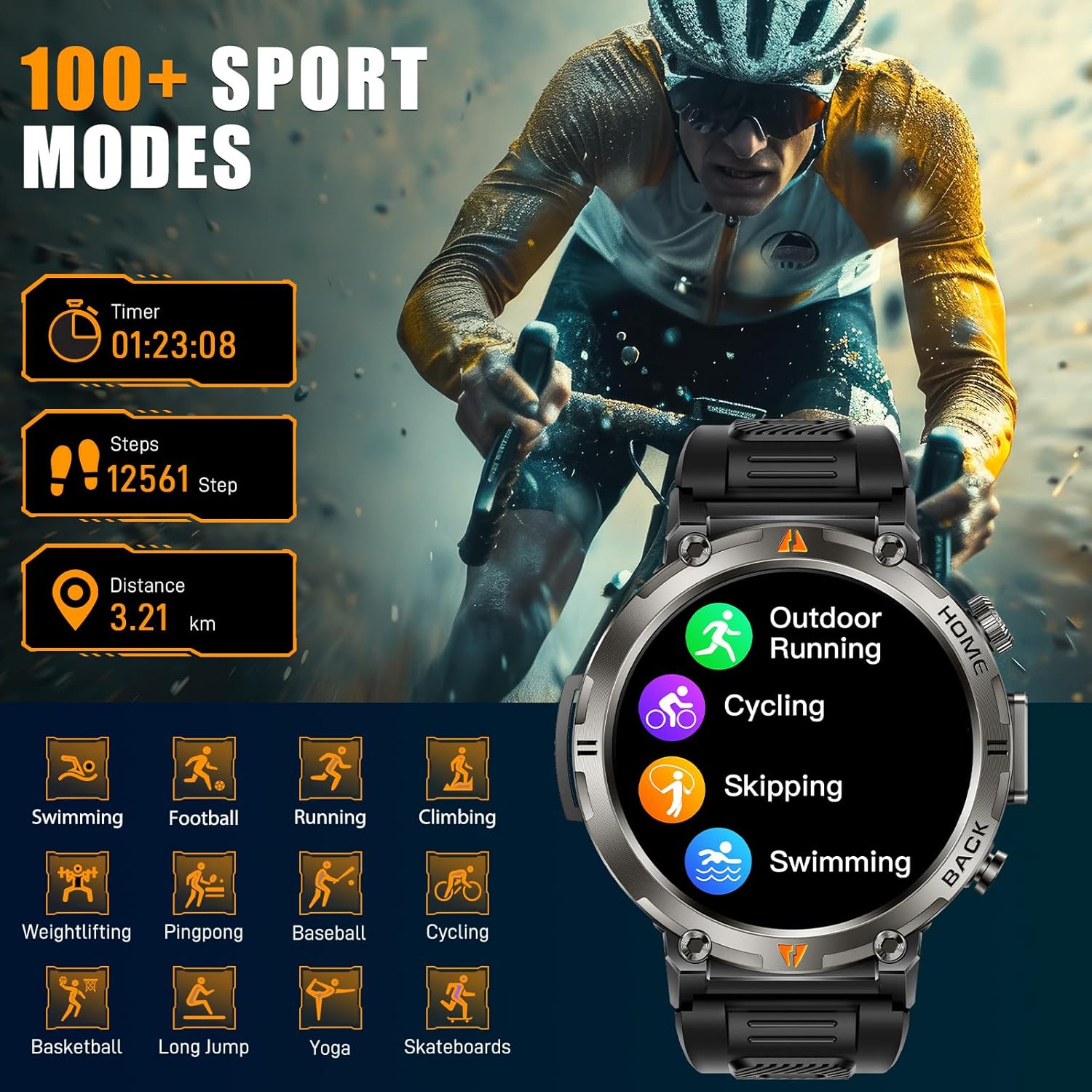
Figure 10: The EIGIIS KE3P Smart Watch interface showing a selection of its 100+ available sports tracking modes.
6. Custom Watch Faces
Personalize your smartwatch with a variety of pre-installed watch faces or create your own using the companion app.

Figure 11: The EIGIIS KE3P Smart Watch showcasing its 1.45-inch full-touch TFT display with various customizable watch face options.
Isondlo
To ensure the longevity and optimal performance of your EIGIIS KE3P Smart Watch, follow these maintenance guidelines:
- Ukuhlanza: Sula njalo isikrini sewashi bese usibopha ngendwangu ethambile, eyomile. Ukuze uthole ukungcola okunenkani, sebenzisa u-d kancaneamp cloth and dry thoroughly. Avoid harsh chemicals.
- Iyashaja: Use only the provided charging cable. Ensure the charging contacts on both the watch and the cable are clean and dry before charging.
- Ukuchayeka emanzini: While the watch is 3ATM waterproof, avoid prolonged exposure to hot water, steam, or high-velocity water. Dry the watch thoroughly after exposure to water.
- Isitoreji: Gcina iwashi endaweni epholile, eyomile uma lingasetshenziswa. Gwema amazinga okushisa aphezulu.
Ukuxazulula inkinga
If you encounter any issues with your EIGIIS KE3P Smart Watch, refer to the following common solutions:
- Iwashi elingavuliwe: Qinisekisa ukuthi iwashi lishajwe ngokugcwele. Yixhume kushaja okungenani imizuzu engama-30.
- Ayikwazi ukubhanqa nefoni: Make sure Bluetooth is enabled on your phone and the watch is within range. Restart both the watch and your phone, then try pairing again through the app.
- Idatha yezempilo enganembile: Ensure the watch is worn snugly on your wrist, not too tight or too loose. Clean the sensor area on the back of the watch.
- Izaziso azitholwanga: Check app permissions on your phone to ensure the companion app has access to notifications. Verify that notifications are enabled within the watch's settings and the companion app.
- Impilo yebhethri emfushane: Reduce screen brightness, disable unnecessary features (e.g., continuous heart rate monitoring if not needed), and ensure the watch is fully charged regularly.
Uma inkinga iqhubeka, sicela uxhumane nokwesekwa kwamakhasimende.
Imininingwane
| Isici | Imininingwane |
|---|---|
| Ubukhulu bomkhiqizo | 6.73 x 4.37 x 1.06 amayintshi |
| Isisindo sento | 5.6 amakhilogremu |
| Inombolo Yemodeli Yento | KE3 |
| Amabhethri | Kudingeka amabhethri angu-1 C (afakiwe) |
| Umkhiqizi | EIGIIS |
| Usayizi Wokubonisa Isikrini Esimile | 1.45 amayintshi |
| Amandla Okugcina Inkumbulo | 128 MB |
| Isistimu esebenzayo | I-iPhone Android |
| Izici ezikhethekile | Built-in GPS, 3 Modes Flashlight, 530 mAh Big Battery, 3ATM waterproof, Compass, 1.45'' Big Screen, 360*360 Pixels, Bluetooth Calling, Contact Person, Call Records, Voice Assistant, Workout Records, Heart Rate, Sleep Monitor, Messages, Weather, Music, Breath Training, Stopwatch, Timer, Alarm Clock, Calendar, Calculator, Find Phone, Remote Camera Control |
| Amandla ebhethri | 530 millionamp Amahora |
| Ubuchwepheshe bokuxhumana | I-Bluetooth |
| Izinga Lokuxhumana Okungenantambo | I-Bluetooth |
| Ukwakhiwa Kweseli Yebhethri | I-Lithium ion |
| I-GPS | I-GPS eyakhelwe ngaphakathi |
| Isimo | Umjikelezo |
| Usayizi Wesikrini | 1.45 amayintshi |
Iwaranti kanye Nokusekela
This EIGIIS KE3P Smart Watch is compatible with iOS 13+ and Android 5.0+ (not for PC or tablets). We provide 24-hour customer support to ensure your satisfaction. For any inquiries or assistance, please contact our support team.