Isingeniso
The Redmi Buds 8 Lite are advanced wireless earbuds designed to deliver an immersive audio experience with hybrid active noise cancellation, powerful sound, and extended battery life. This manual provides essential information for setting up, operating, and maintaining your earbuds.
Yini EseBhokisini
- Redmi Buds 8 Lite Earbuds (Left and Right)
- Ikesi lokushaja
- Ikhebula lokushaja le-USB Type-C
- Amathiphu Endlebe Ye-Silicone (osayizi abahlukahlukene)
- Imaniwali yosebenzisayo

Image: Redmi Buds 8 Lite earbuds in their open charging case, showcasing umklamo omnyama ocwebezelayo.
Setha
1. Ukushaja ama-Earbud nekesi
Before first use, fully charge the earbuds and the charging case. Place the earbuds into the charging case and connect the USB Type-C cable to the charging port on the case and a power source. The indicator light on the case will show charging status.

Image: The Redmi Buds 8 Lite charging case with earbuds, illustrating the extended battery life of up to 36 hours with the case.
2. Ukumatanisa Kokuqala
- Vula ikesi lokushaja. Ama-earbud azongena ngokuzenzakalelayo kumodi yokumatanisa.
- Edivayisini yakho (i-smartphone, ithebhulethi, njll.), vula i-Bluetooth.
- Cinga "Redmi Buds 8 Lite" in the list of available Bluetooth devices and select it to connect.
- For Android devices, Google Fast Pair will simplify the connection process by displaying a pop-up notification.
Isebenzisa ama-Earbuds
Izilawuli zokuthinta
The Redmi Buds 8 Lite feature intuitive touch controls on each earbud. The functions can be customized via the Xiaomi Earbuds app.
- Dlala/Misa kancane: Ukuthepha okukodwa kunoma iyiphi i-earbud.
- Ithrekhi Elandelayo: Thepha kabili ku-earbud engakwesokudla.
- Ithrekhi yangaphambilini: Thepha kabili ku-earbud engakwesokunxele.
- Phendula/Phendula ikholi: Ukuthepha okukodwa kunoma iyiphi i-earbud.
- Yenqaba Ucingo: Cindezela bese ubamba noma iyiphi i-earbud.
- Yenza kusebenze umsizi wezwi: Thepha kathathu kunoma iyiphi i-earbud.
- Shintsha i-ANC/Imodi Yokucaca: Press and hold either earbud (customizable).
Ukukhanselwa Kwemisindo Esebenzayo (ANC)
The earbuds feature 42dB Hybrid Active Noise Cancellation to reduce ambient noise, allowing for a more focused listening experience. You can switch between ANC, Transparency, and Standard modes using the touch controls or the Xiaomi Earbuds app.
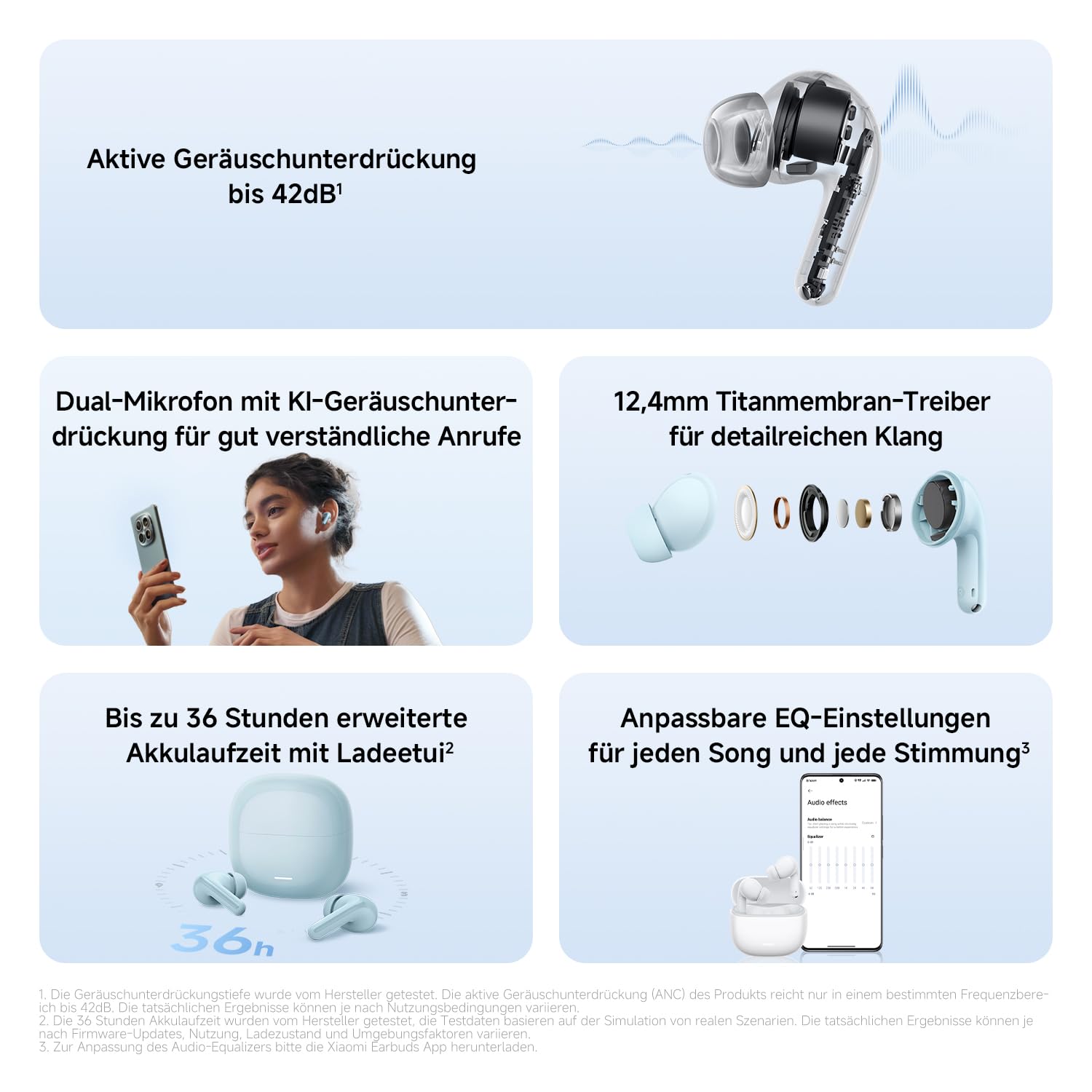
Isithombe: A enemininingwane view of the Redmi Buds 8 Lite earbud highlighting its active noise cancellation capability of up to 42dB.
Crystal-Clear Calls with AI Dual-Microphone
Equipped with an AI dual-microphone system, the earbuds effectively reduce background noise and wind interference during calls, ensuring your voice is transmitted clearly.

Image: A user wearing Redmi Buds 8 Lite earbuds while on a call, demonstrating the effectiveness of the AI dual-microphone system for clear communication.
I-Xiaomi Earbuds App
Download the Xiaomi Earbuds app to unlock full customization options, including personalized EQ settings, firmware updates, and touch control adjustments.
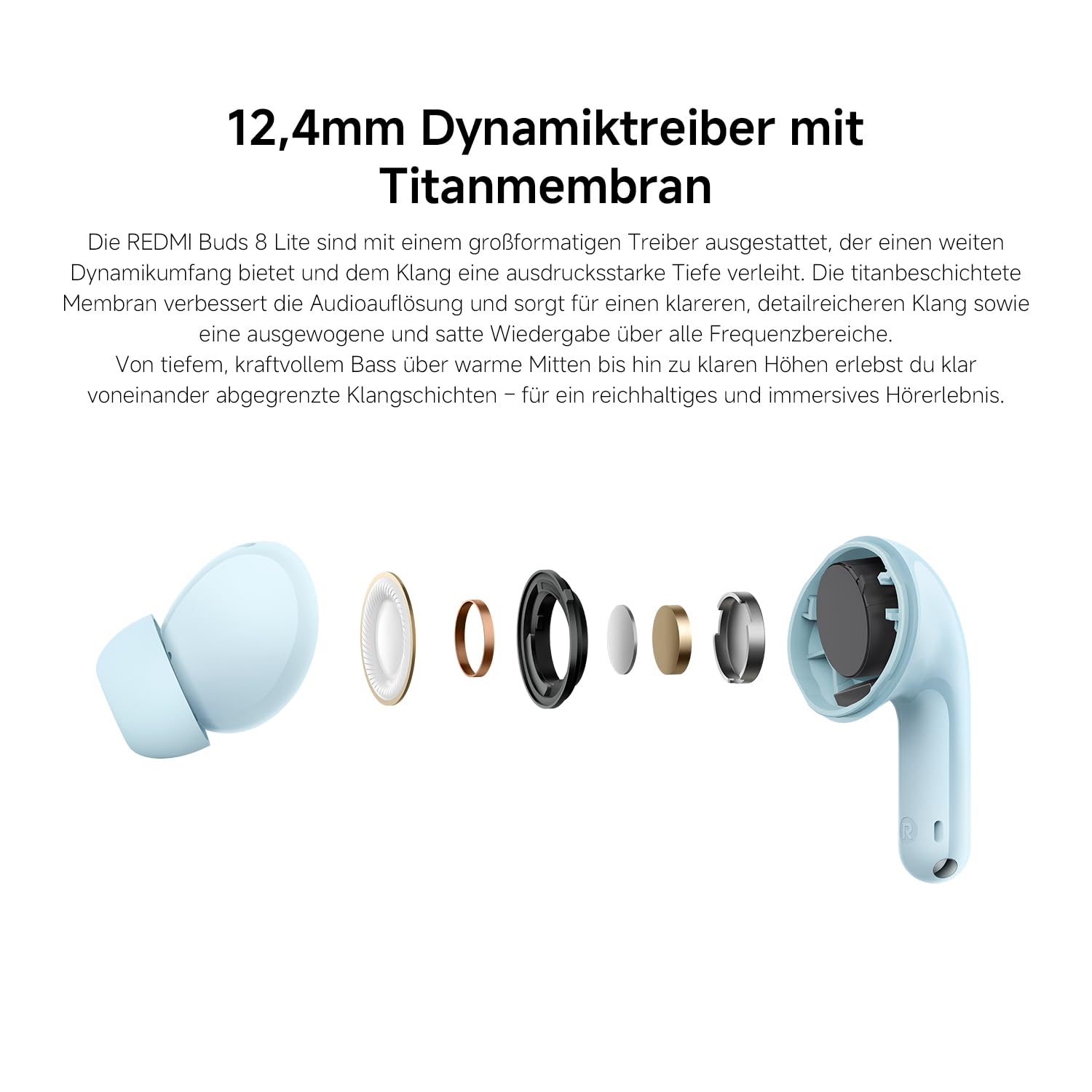
Image: A smartphone screen displaying the Xiaomi Earbuds app interface with various customizable EQ settings for audio personalization.
Izici Eziyinhloko
- 42dB Hybrid Active Noise Cancellation: Provides deep quiet by blocking out ambient noise for immersive sound.
- Powerful 12.4mm Dynamic Driver: Delivers rich, detailed sound with strong bass and clear treble.
- AI Dual-Microphone System: Ensures crystal-clear calls by reducing background noise and wind interference.
- 8/36-Hour Ultra-Long Battery: Up to 8 hours on a single charge, and 36 hours total with the charging case.
- Ukushaja Okushesha Kakhulu: Get 2 hours of music from just a 10-minute charge.
- Umsindo Owenza ngokwezifiso: Fine-tune audio via the Xiaomi Earbuds app with EQ settings.
- I-Bluetooth 5.4 Ukuxhumana: Inikeza uxhumano olungenantambo oluzinzile nolusebenzayo.
- I-IP54 Ukumelana Namanzi: Protects against splashes and sweat, suitable for workouts and outdoor activities.
- I-Google Fast Pair: Enables quick and seamless pairing with Android devices.
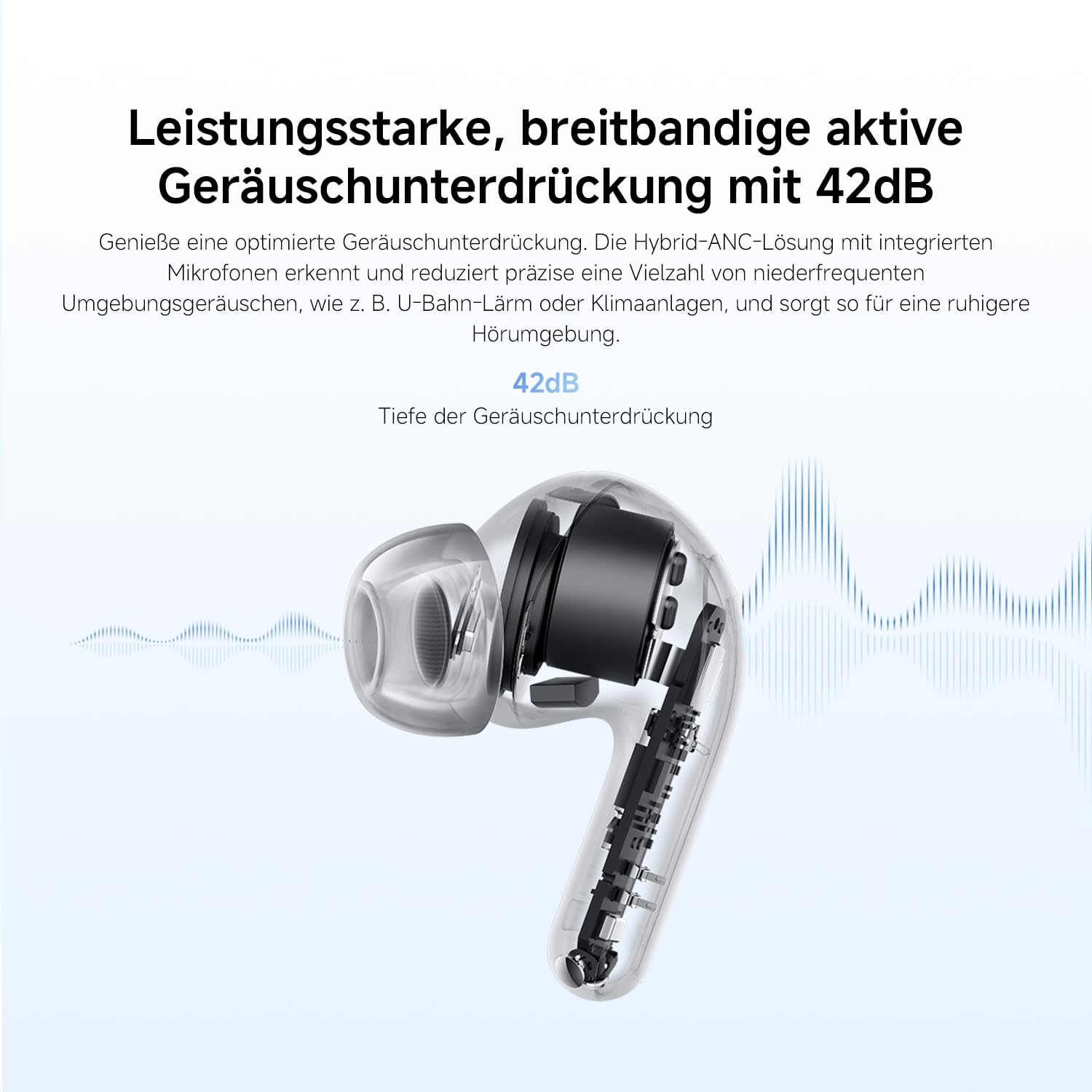
Image: An exploded diagram of the Redmi Buds 8 Lite earbud, highlighting its 12.4mm dynamic driver for detailed audio.
Isondlo
To ensure the longevity and optimal performance of your Redmi Buds 8 Lite, follow these maintenance guidelines:
- Ukuhlanza: Hlanza njalo ama-earbud nekesi lokushaja ngendwangu ethambile, eyomile, engena-lint. Ungasebenzisi amakhemikhali anokhahlo noma izinto ezilumayo.
- Amathiphu Endlebe: Susa futhi uhlanze amathiphu endlebe e-silicone ngezikhathi ezithile ngamanzi kanye nensipho ethambile. Qinisekisa ukuthi omile ngokuphelele ngaphambi kokuwanamathisela kabusha.
- Ukumelana Namanzi: The earbuds are IP54 water-resistant, meaning they are protected against splashes and sweat. Do not submerge them in water or expose them to heavy rain. Dry them thoroughly if they get wet.
- Isitoreji: Uma ingasetshenziswa, gcina ama-earbud kukesi lawo lokushaja ukuze uwavikele othulini nasekonakaleni.
Ukuxazulula inkinga
If you encounter any issues with your Redmi Buds 8 Lite, refer to the following common solutions:
- Ama-earbud awamataniswa: Qinisekisa ukuthi womabili ama-earbud asesikhwameni sokushaja, bese uvula isivalo ukuze uqalise imodi yokubhangqa. Hlola izilungiselelo ze-Bluetooth zedivayisi yakho bese uzama ukuxhuma kabusha.
- Awukho umsindo ovela ku-earbud eyodwa: Place both earbuds back into the case, close the lid, wait a few seconds, then open it again. This often re-syncs them.
- Izinkinga zokushaja: Verify the charging cable is securely connected to both the case and the power source. Clean the charging contacts on the earbuds and inside the case.
- Ikhwalithi yomsindo engeyinhle: Ensure the ear tips provide a snug fit to your ear canal. Try different sized ear tips for better seal. Check for any debris blocking the earbud speakers.
- Izilawuli zokuthinta aziphenduli: Ensure your fingers are clean and dry. A firmware update via the Xiaomi Earbuds app might resolve the issue.
- Ukusetha kabusha kwefekthri: If problems persist, perform a factory reset (refer to the Xiaomi Earbuds app or official support for specific instructions).
Imininingwane
| Isici | Ukucaciswa |
|---|---|
| Ibhrendi | XIAOMI |
| Igama Lemodeli | redmi buds 8 lite |
| Inombolo Yemodeli | BHR08OMGL |
| Umbala | Mnyama |
| Ukubekwa Kwendlebe | Endlebeni |
| I-Form Factor | Endlebeni |
| Impedance | 32 ohm |
| Ubuchwepheshe bokuxhumana | Okungenantambo |
| Ubuchwepheshe obungenantambo | I-Bluetooth |
| Inguqulo ye-Bluetooth | 5.4 |
| I-Bluetooth Range | 10 Amamitha |
| Uhlobo Lokulawula | Ukulawula Ukuthinta |
| Indlela Yokulawula | Uhlelo lokusebenza |
| Impilo Emaphakathi Yebhethri | Amahora angu-38 (nekesi lokushaja) |
| Isikhathi sokushajwa kwebhethri | Ihora elingu-1 |
| Ukulawula Umsindo | Hybrid Noise Cancellation (42 dB) |
| I-Frequency Range | 20 Hz - 20,000 Hz |
| Uhlobo Lomshayeli Womsindo | I-Dynamic Driver (12.4mm) |
| Izinga Lokumelana Namanzi | Ukumelana Namanzi (IP54) |
| Isisindo sento | 39 amagremu |
Iwaranti kanye Nokusekela
The Redmi Buds 8 Lite are covered by a Iwaranti yomkhiqizi yonyaka ongu-1 kusukela ngedethi yokuthenga. Lesi siqinisekiso sihlanganisa amaphutha ezintweni zokwakha kanye nokusebenza ngaphansi kokusetshenziswa okuvamile. Ayifaki umonakalo odalwe ukusetshenziswa kabi, izingozi, ukuguqulwa okungagunyaziwe, noma ukuguga okuvamile.
For warranty claims, technical support, or further assistance, please visit the official XIAOMI support webisayithi noma uxhumane nesevisi yabo yamakhasimende. Gcina ubufakazi bakho bokuthenga ukuze uqinisekise iwaranti.
Official XIAOMI Support: https://www.mi.com/global/support