
Isingeniso
This manual provides essential information for setting up, operating, and maintaining your Insta360 X4 Air 8K 360 Camera. Please read it thoroughly before using the device to ensure proper function and longevity.
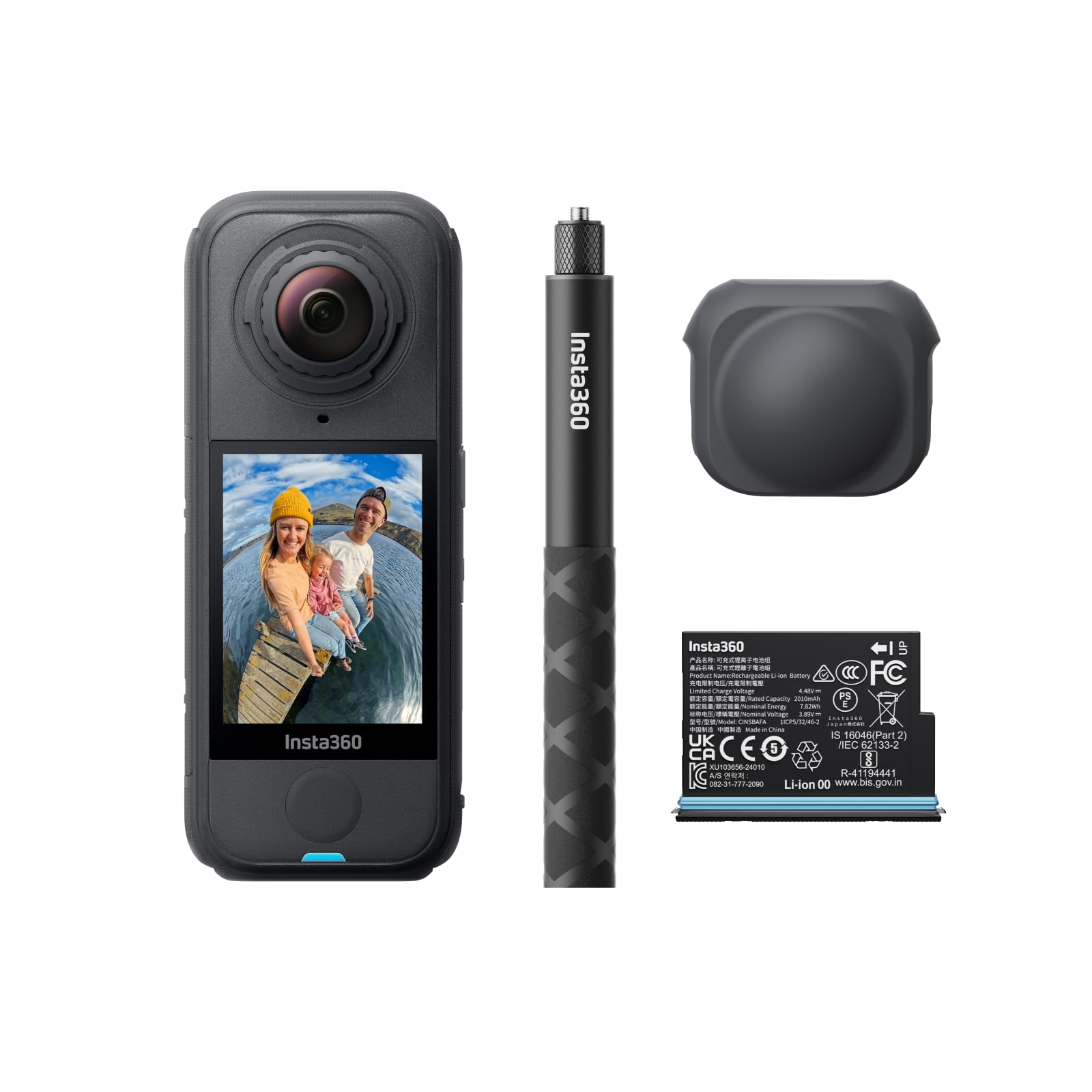
Umfanekiso 1: Ngaphambili view of the Insta360 X4 Air camera.
Yini EseBhokisini
The Insta360 X4 Air Starter Bundle includes the following items:
- 1x Insta360 X4 Air Camera
- 1x Ibhethri Engeziwe
- 1x 114cm Invisible Selfie Stick
- 1x Ikhephu yelensi

Figure 2: All components included in the Insta360 X4 Air Starter Bundle.
Setha
1. Ukufakwa kwebhethri
- Locate the battery compartment on the side of the Insta360 X4 Air.
- Vula ikhava yegumbi.
- Insert the provided battery, ensuring correct orientation.
- Vala ikhava yegumbi ngokuphephile.
Video 1: Demonstrates the installation of the Insta360 X4 Air battery and provides a review of its specifications.
2. Micro SD Card Insertion
A Micro SD card (not included in all bundles) is required for storing footage. Ensure the card is a high-speed UHS-I, V30 or above for optimal performance.
- Locate the Micro SD card slot, typically near the battery compartment.
- Faka ikhadi le-Micro SD oxhumana nabo babheke phansi kuze kube yilapho lichofoza endaweni yalo.
3. Attaching the Lens Cap
To protect the camera lenses when not in use, attach the provided rubber lens cap.
Video 2: Shows how to attach and remove the lens cap for the Insta360 X4 Air.
4. Attaching the Invisible Selfie Stick
The 114cm Invisible Selfie Stick is designed to vanish from your 360 footage. Attach it to the camera's screw mount.
Video 3: Demonstrates the build quality and attachment mechanism of the Insta360 selfie stick.
5. Power On and Language Selection
- Press and hold the power button (usually marked with a power symbol) to turn on the camera.
- Landela imiyalo esesikrinini ukuze ukhethe ulimi oluncamelayo.
Ividiyo 4: A review of the Insta360 X4 Air buttons and initial language selection process.
Operating Your Insta360 X4 Air
Recording 8K 360 Video
The Insta360 X4 Air captures stunning 8K30fps 360-degree video, ensuring no angle is missed. Simply press the record button to begin capturing your surroundings.

Figure 3: The camera's dual lenses capture a full 360-degree view in 8K resolution.
Shoot First, Frame Later
With 360-degree capture, you don't need to aim the camera. Record the entire scene and use the Insta360 app's reframing tools to select the best angles and perspectives after shooting.
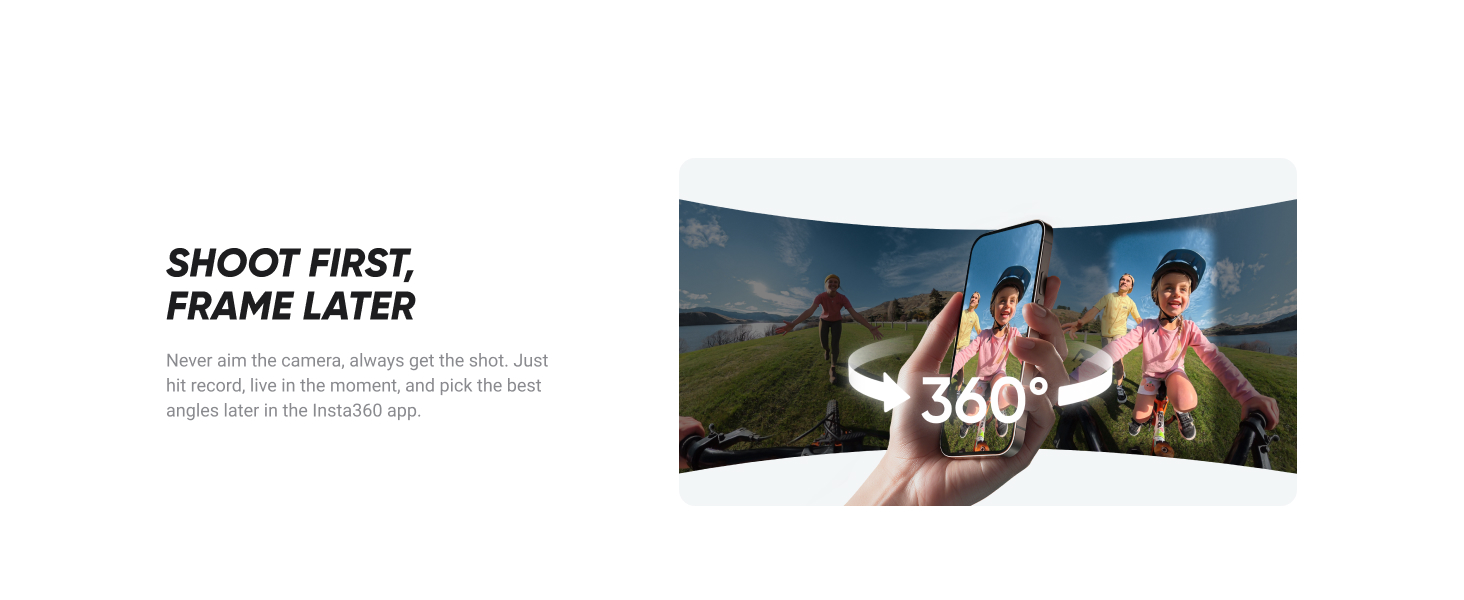
Figure 4: Reframing footage using the Insta360 app on a smartphone.
Invisible Selfie Stick Effect
Achieve drone-like shots and third-person perspectives. The selfie stick is automatically removed from your 360 footage, creating a seamless and immersive view.
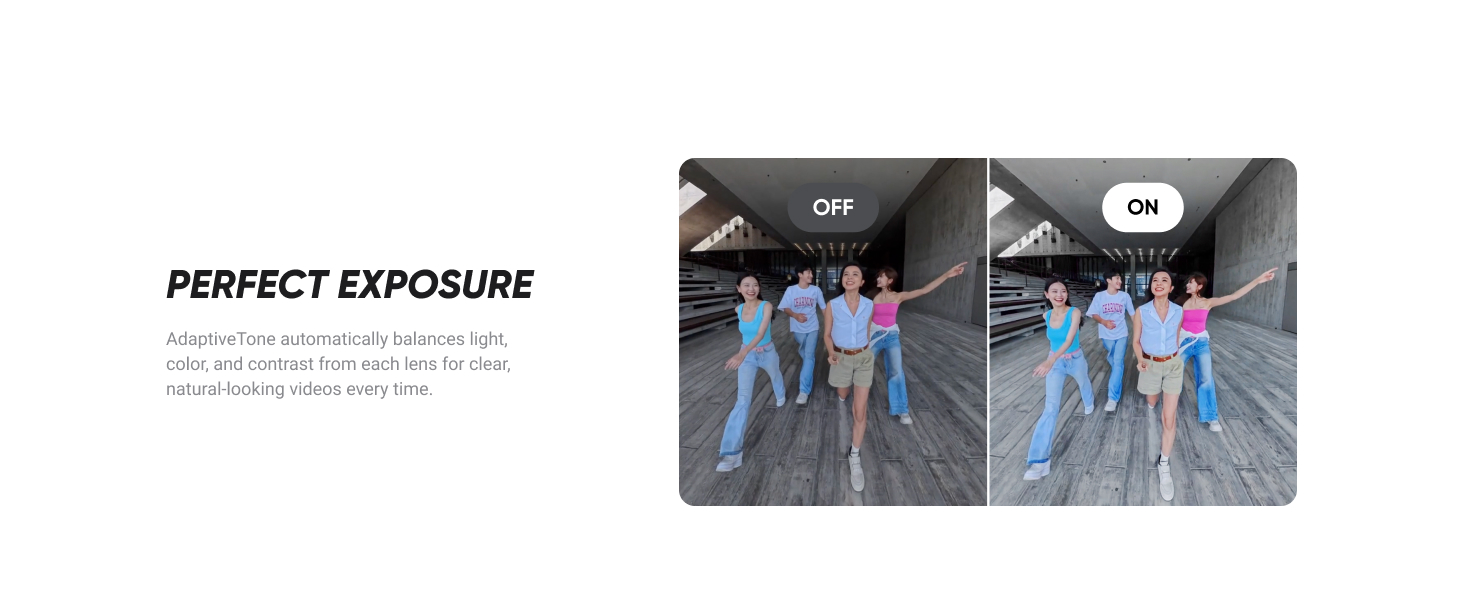
Figure 5: Comparison of raw footage and the result with the invisible selfie stick effect.
FlowState Stabilization & 360º Horizon Lock
The camera features advanced FlowState Stabilization for smooth video and 360º Horizon Lock to keep your footage perfectly level, regardless of camera movement.
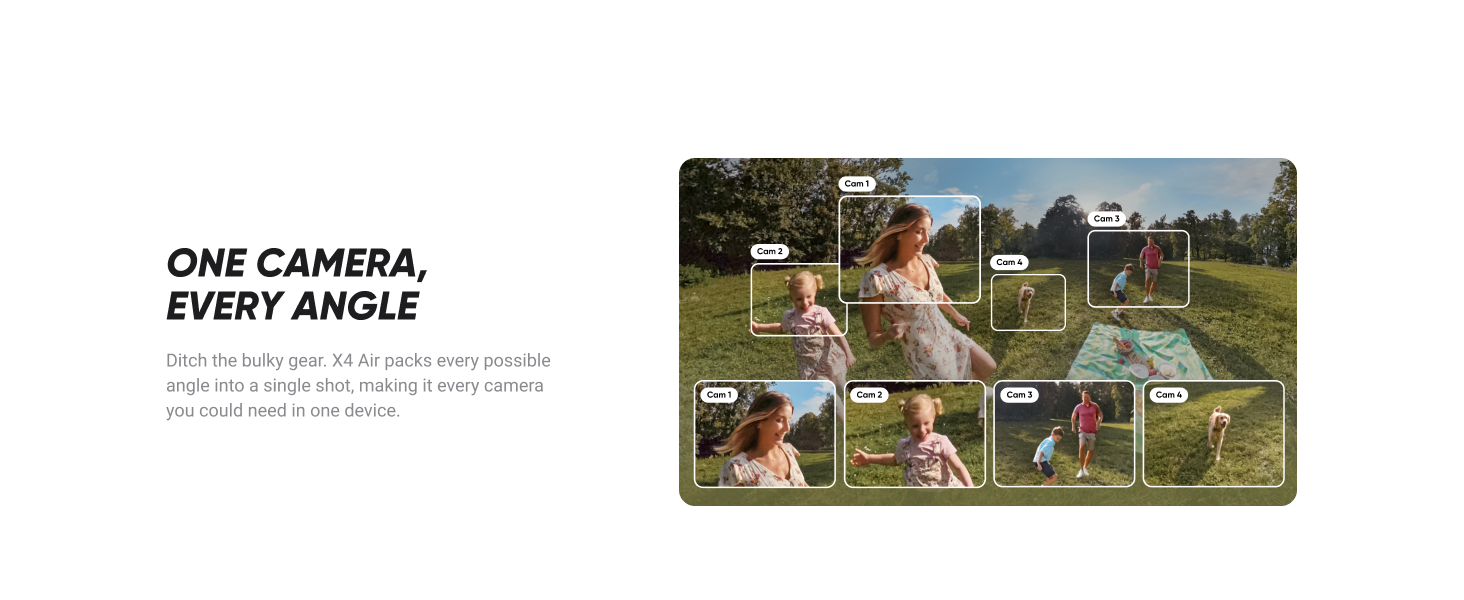
Figure 6: Visual comparison of unstabilized vs. stabilized footage with Horizon Lock.
8K30fps Active HDR
Active HDR mode enhances colors and details in both highlights and shadows, providing superior image quality in challenging lighting conditions.
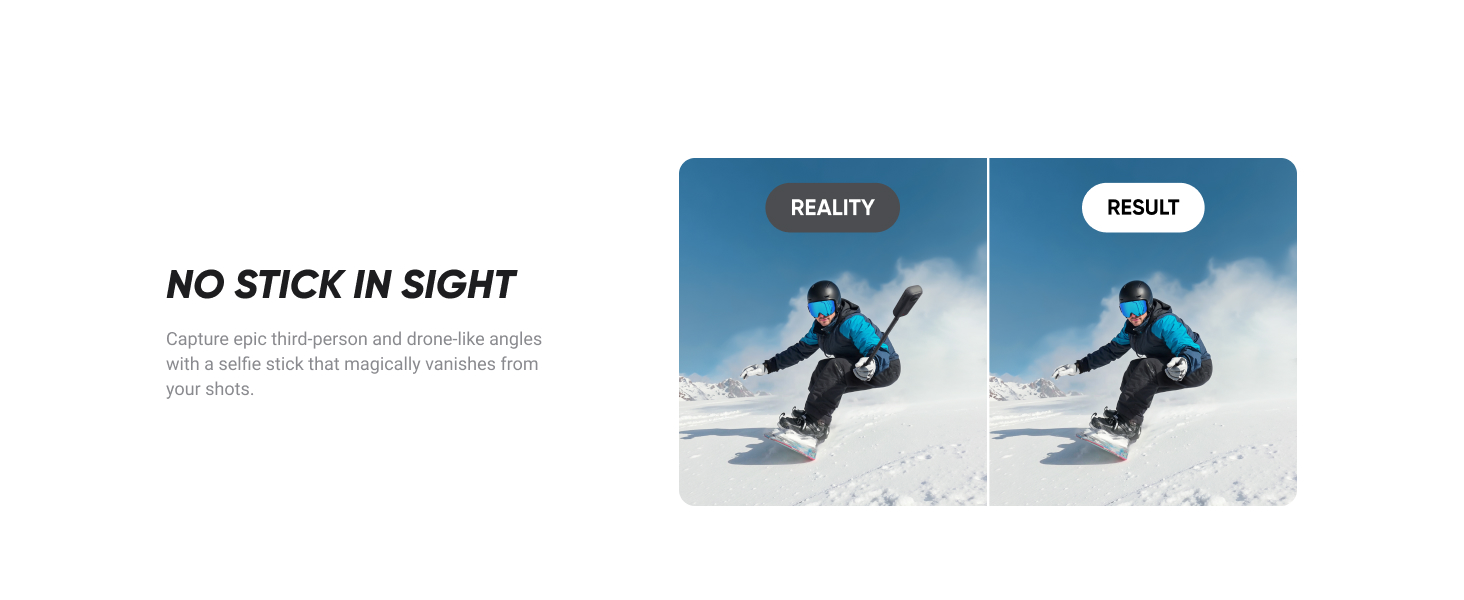
Figure 7: Comparison of footage with Active HDR off and on, showing improved dynamic range.
Izici Zomsindo
The Insta360 X4 Air includes a built-in wind guard to reduce wind noise and improved audio modes for clear sound, even in windy conditions or at high speeds.

Figure 8: Visual representation of the camera's wind guard and enhanced audio capabilities.
AI-Powered Editing
Utilize the Insta360 app's AI tools for dynamic video editing, one-tap templates, and creative effects. Features include Auto Edit and AI Frame to simplify content creation.

Umfanekiso 9: Eksamples of AI-powered Auto Edit and AI Frame features in the Insta360 app.
Izinketho zokulawula
- Twist to Shoot: Rotate your selfie stick twice to start/stop filming or take a photo.
- Ukulawula Ukuthinta: Film and take pictures using only your palm and the peace sign.
- Ukulawula Izwi 2.0: Give voice commands to control your camera from a distance.

Figure 10: Various methods for controlling the Insta360 X4 Air camera.
Isondlo
Replaceable Lenses
The X4 Air features rugged, durable, and easily replaceable lenses. If a lens gets damaged, you can swap it out using a replacement kit without needing to replace the entire camera.
Figure 11: Illustration of how to replace the camera lenses.
Ukuhlanza
Regularly clean the camera body and lenses with a soft, lint-free cloth. For lenses, use a specialized lens cleaning solution and cloth to avoid scratches. Ensure the camera is dry before closing any ports or compartments.
Ukunakekela Ibhethri
To prolong battery life, store the battery in a cool, dry place. Avoid fully discharging the battery or leaving it fully charged for extended periods. Refer to the battery's specifications for optimal charging and usage.
Ukuxazulula inkinga
- Ikhamera Ayivuliwe: Qinisekisa ukuthi ibhethri ishajwe ngokugcwele futhi ifakwe ngendlela efanele.
- Izinkinga Zokurekhoda: Check if the Micro SD card is properly inserted and has sufficient free space. Ensure it meets the recommended speed class.
- Ikhwalithi Yevidiyo Ephansi: Verify that the lenses are clean and free from smudges or scratches. Check lighting conditions and consider using Active HDR.
- Izinkinga Zokuxhumanisa Uhlelo Lokusebenza: Ensure your camera's Wi-Fi is enabled and your smartphone is connected to the camera's Wi-Fi network.
- I-Cloud Service: The Insta360+ Cloud Service offers auto file backup and cloud editing, which can help resolve storage or editing issues.
Imininingwane
| Isici | Imininingwane |
|---|---|
| I gama le-brand | I-Insta360 |
| Isisindo sento | 1.76 pounds (cishe 798g) |
| Ubukhulu bomkhiqizo | 8.54 x 10.79 x 2.72 amayintshi (cishe. 21.7 x 27.4 x 6.9 cm) |
| Inombolo Yemodeli Yento | CINSAAFA |
| Amabhethri | Kudingeka amabhethri angu-2 AAA (afakiwe) |
| Igama Lombala | Igrafu Emnyama |
| Izici ezikhethekile | Ikhamera yezemidlalo |
| Ubuchwepheshe benzwa yesithombe | I-CMOS |
| Ukulungiswa kokuthwebula ividiyo | 8K |
| Ubude bokugxila obukhulu | 30 amamilimitha |
| Isikhala esiphezulu | 1.95 f |
| Uhlobo Lwememori Ye-Flash | I-Micro SD |
| Ifomethi yokuthwebula ividiyo | MP4 |
| Ifomethi yomsindo esekelwe | AAC, PCM |
| Usayizi Wesikrini | 2.09 amayintshi |
| Ubuchwepheshe bokuxhumana | I-Wi-Fi |
Iwaranti kanye Nokusekela
Insta360+ Cloud Service
The Insta360+ Cloud Service offers valuable benefits including auto file backup, up to 2TB of cloud storage, one-tap sharing of 360 footage, cloud editing and export, and exclusive member benefits. This service helps keep your memories safe and accessible.
Insta360 FlexiCare
Cabangela ukuthengaasing Insta360 FlexiCare for extended protection. This plan covers accidental damage with up to 4 low-cost replacements within 2 years and includes free shipping both ways. A 1-year coverage period for accessories is also available.

Figure 12: Information regarding Insta360 FlexiCare plans.
Xhumana Nosekelo
For further assistance, please visit the official Insta360 support webisizindalwazi noma ubheke imininingwane yokuxhumana enikezwe emaphaketheni omkhiqizo wakho.