
1. Isingeniso kanye Phezuview
The DATOUBOSS 6200W 48V Hybrid Solar Inverter is a pure sine wave inverter designed to convert 48V DC power to 220/230V AC power. It integrates a 120A MPPT solar charge controller and supports a maximum PV array power of 8500W. This inverter is engineered for reliable performance in various applications, including RVs, camping boats, and home emergency power systems. It features advanced protection mechanisms and flexible operating modes to optimize solar energy utilization.
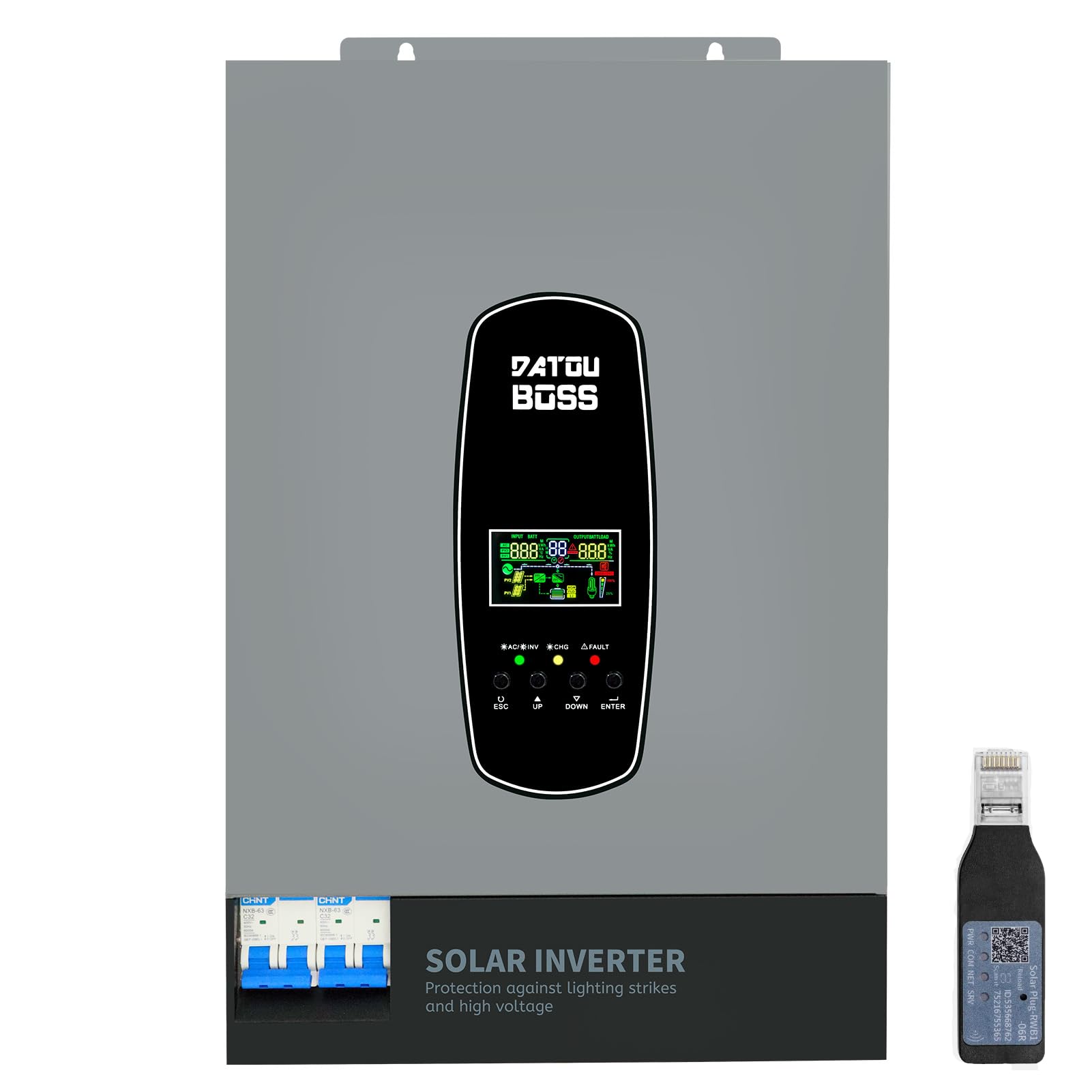
Image 1.1: The DATOUBOSS 6200W Hybrid Solar Inverter, highlighting its 6200W battery inverter output, 6500W PV inverter output, 120A MPPT charging, 8500W maximum PV input, and 60-500Vdc MPPT input voltagibanga.
2. Ulwazi Lokuphepha
Please read all safety instructions carefully before installation and operation. Failure to follow these instructions may result in electric shock, fire, or serious injury. Keep this manual for future reference.
- Ukufakwa Kochwepheshe: Ukufakwa kufanele kwenziwe kuphela izisebenzi eziqeqeshiwe.
- Ukungenisa umoya: Qinisekisa ukuthi umoya ungena ngokwanele eduze kwe-inverter ukuze uvimbele ukushisa ngokweqile.
- Ukuchayeka emanzini: Ungayibeki i-inverter emvuleni, eqhweni, esifuthweni, noma kunoma yiluphi uketshezi.
- Ukubeka phansi: Isisekelo esifanele sibalulekile ekuphepheni.
- Ukuvalwa Kwesimo Esiphuthumayo: Yazi ukuthi ungawunqamula kanjani ugesi ngokushesha uma kunesimo esiphuthumayo.
- Lightning and Surge Protection: This inverter includes enhanced lightning and overvoltage protection. Integrated safety switches at input and output further enhance safety against overload, short circuit, and surge hazards.

Image 2.1: The inverter features a new lightning-proof design, offering lightning and high-voltage protection, input and output safety switches, increased PV input current, improved inverter performance under PV, higher PV utilization, and EMI filtering.
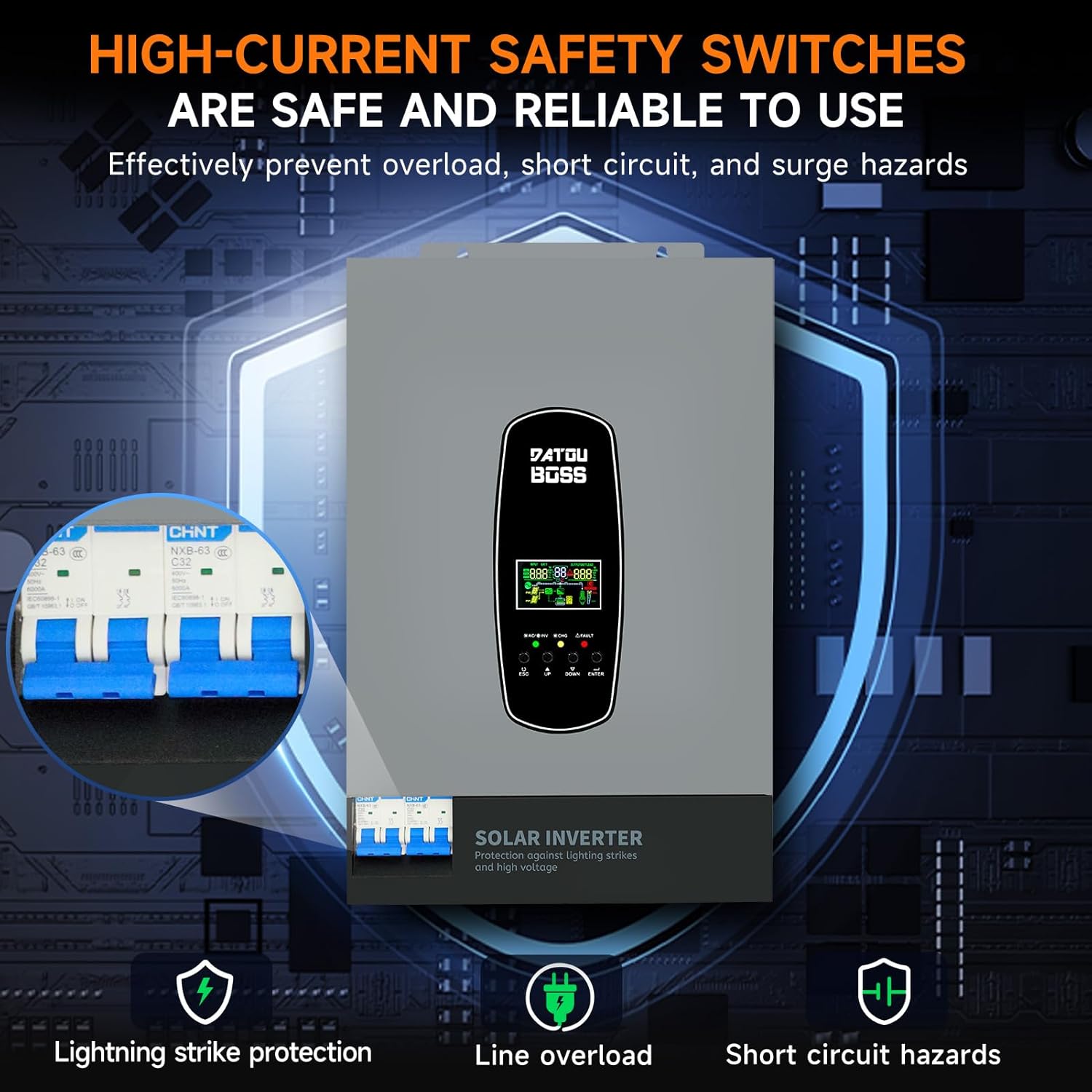
Image 2.2: High-current safety switches are integrated to effectively prevent overload, short circuit, and surge hazards, ensuring safe and reliable operation.
3. Izici zomkhiqizo
- Okuphumayo kwe-Pure Sine Wave: Provides high-quality AC power suitable for sensitive electronics.
- Isilawuli Sokushaja se-MPPT Esihlanganisiwe: Features a 120A MPPT solar charge controller for efficient solar power harvesting.
- Battery-Less Operation: Supports direct power supply to loads from PV array or AC source without requiring a battery connection.
- BMS Protection System: Equipped with a Battery Management System for lithium batteries, preventing overcharge and deep discharge.
- Customizable Charging Modes: Offers three battery charging modes: Hybrid (solar and utility), Solar Limited, and Pure Solar.
- LCD Display and LED Indicators: Real-time system data and operating status are displayed on the LCD screen, complemented by 3 dynamic LED indicators. Error codes are shown for easy troubleshooting.
- EMI Filtering: Minimizes electromagnetic interference for stable operation.
- Imbobo Yokuxhumana ye-RS485: Enables communication with batteries for monitoring and optimized charging.
4. Incazelo Yokubukeka
The DATOUBOSS 6200W Hybrid Solar Inverter features a robust design with clearly labeled connection points and an intuitive user interface.

Image 4.1: This image provides a detailed view of the inverter's front, left, and right sides. The front panel includes an LCD display, status indicators, and control buttons (ESC, UP, DOWN, ENTER). The top panel shows AC input, BMS/RS485, AC output, RS232 Dry Contact, and PV input ports. The bottom features a safety switch and ground wire connection. The left and right sides show ventilation grilles.
- Iphaneli yangaphambili: Features an LCD display for real-time data, status indicators (AC/INV, CHG, FAULT), and navigation buttons (ESC, UP, DOWN, ENTER).
- Top Connections: Includes terminals for AC input, AC output, PV input, BMS/RS485 communication, and RS232 Dry Contact.
- Bottom Connections: Equipped with a safety switch and a ground wire terminal.
- Izinhlangothi: Designed with ventilation grilles for efficient heat dissipation.
5. Imininingwane
Key technical specifications for the DATOUBOSS 6200W 48V Hybrid Solar Inverter:

Image 5.1: A close-up of the inverter's detailed parameters label, showing model DT4862L, capacity, PV and DC specifications, operating temperature, and protection degree.
| Isici | Ukucaciswa |
|---|---|
| Inombolo Yemodeli | DATOUBOSS-48V-6200W |
| Amandla | 6200W / 6200VA |
| Okokufaka Voltage | 48 VDC |
| Okukhipha Umqtage | 230 VAC (Pure Sine Wave) |
| Amandla Okukhiphayo Okuphakeme | 9300 Watts |
| MPPT PV Voltage Ibanga | 60 VDC kuya ku-500 VDC |
| I-Max PV Array Power | 8500 W |
| Max Solar Charging Current | 120 A |
| Ukushaja Okuphezulu Kwe-AC Yamanje | 100 A |
| Max Combined Charging Current (PV + AC) | 120 A |
| I-Operating Temperature Range | -10°C kuya ku-50°C |
| Idigri Yokuvikela | IP21 |
| Ubukhulu (L x W x H) | 31 x 13.4 x 46.3 cm |
| Isisindo sento | 10.4 kg |
| Uhlobo lokubonisa | I-LCD |
6. Setha
Proper setup is crucial for the safe and efficient operation of your hybrid solar inverter. Always ensure all power sources are disconnected before making any connections.
- Ukukhweza: Choose a suitable location for mounting the inverter. It should be indoors, well-ventilated, and protected from direct sunlight, moisture, and extreme temperatures. Ensure sufficient clearance around the unit for airflow.
- Ukubeka phansi: Connect the inverter's ground terminal to a reliable earth ground.
- Uxhumano Lwebhethri: Connect the battery bank to the inverter's battery terminals. Ensure correct polarity (positive to positive, negative to negative). Use appropriate cable gauges and fuses. The inverter supports 48V lithium batteries and includes a lithium battery activation function.
- Ukuxhumeka kwe-PV Array: Connect the solar panel array to the PV input terminals. Verify that the PV voltage and current are within the inverter's specified operating range (60-500 VDC MPPT range, max 500 VDC open circuit voltage, max 27A input current). Ensure correct polarity.
- AC Input Connection (Utility/Generator): Connect the AC utility grid or a compatible generator to the AC input terminals.
- I-AC Output Connection (Imithwalo): Connect your AC loads (appliances, circuits) to the AC output terminals.
- Communication Connections (Optional): If using, connect the RS485 port to a compatible battery or monitoring device. The WiFi module (if included) can be connected for remote monitoring.
- Ukuhlolwa kokugcina: Double-check all connections for tightness and correct polarity. Ensure all safety switches are in the OFF position before powering on.
7. Ukusebenza
Once the inverter is properly installed and all connections are secure, you can begin operation.
- Vula: Turn on the battery breaker first, then the PV array breaker, and finally the AC input breaker (if connected). Switch the inverter's main power ON/OFF switch to the 'ON' position.
- Isibonisi se-LCD: The LCD screen will illuminate, displaying system data such as input voltage, okukhiphayo voltage, battery status, and load percentage. Use the 'UP' and 'DOWN' buttons to navigate through different display screens and the 'ENTER' button to confirm selections.
- Izinkomba ze-LED: Observe the three LED indicators:
- I-AC/INV: Indicates AC input status or inverter operation.
- I-CHG: Indicates battery charging status.
- IPHUTHA: Illuminates if an error occurs. Refer to the LCD for specific error codes.
- Setting Charging Modes: The inverter allows customization of battery charging modes:
- Hybrid Charge: (Default) Utilizes both solar energy and AC utility power for charging.
- Solar Limited Charge: Prioritizes solar charging, using AC utility only when solar is insufficient.
- Pure Solar Charge: Ishaja amabhethri ngogesi welanga kuphela.
- Battery-Less Mode: The inverter can operate without a battery connected, directly powering loads from the PV array or AC source. This mode can be configured through the system settings.
- Ukuqapha: Regularly check the LCD display for system status and performance. If a WiFi module is installed, use the dedicated application for remote monitoring.
8. Isondlo
Regular maintenance ensures the longevity and optimal performance of your DATOUBOSS Hybrid Solar Inverter.
- Ukuhlanza: Gcina i-inverter ihlanzekile futhi ingenalo uthuli. Sebenzisa indwangu eyomile ukusula ingaphandle. Qinisekisa ukuthi izikhala zomoya azivaliwe.
- Ukuhlola Ukuxhumana: Periodically inspect all electrical connections for tightness and signs of corrosion. Tighten any loose connections.
- Ukuhlolwa kwebhethri: If using batteries, regularly check their terminals for corrosion and ensure they are clean and secure. Monitor battery health via the inverter's display or communication port.
- Izimo Zemvelo: Ensure the inverter remains in a suitable environment, free from excessive heat, cold, or humidity.
- Ukuvuselelwa kwe-Firmware: Hlola okomkhiqizi website for any available firmware updates to ensure your inverter has the latest features and bug fixes.
9. Ukuxazulula izinkinga
Lesi sigaba sinikeza isiqondiso ezindabeni ezivamile. Ngezinkinga eziyinkimbinkimbi, xhumana nosekelo lobuchwepheshe.
| Inkinga | Imbangela Engenzeka | Isixazululo |
|---|---|---|
| I-inverter ayivuli | No battery power; main switch off; loose connections. | Hlola ivolumu yebhethritage; ensure main switch is ON; verify all connections. |
| Akukho okukhiphayo kwe-AC | Overload; short circuit; low battery voltage; fault code. | Reduce load; check for short circuits; charge battery; check LCD for error codes. |
| Ibhethri ayishaji | PV input too low/high; AC input unavailable; incorrect charging mode. | Bheka i-PV voltage/current; verify AC input; adjust charging mode settings. |
| Fault LED illuminated | Internal error; over-temperature; over-voltage/okwamanje. | Note the error code on the LCD and consult the full user manual for specific remedies. Power cycle the unit if safe to do so. |
10. Iwaranti kanye Nokusekela
DATOUBOSS is committed to providing high-quality products and customer satisfaction.
- Ubude bempilo: This product is designed for a 10-year lifespan.
- Isiqinisekiso: A 5-year guarantee covers manufacturing defects and malfunctions under normal use.
- Ukwesekwa Kwamakhasimende: We offer 24-hour response for technical inquiries and support.
- Isevisi: Local warehouses are available for efficient service and parts.

Image 10.1: Visual representation of DATOUBOSS's commitment to product quality and customer service, including a 10-year lifespan, 5-year guarantee, 24-hour response, and local warehouses.
For further assistance or to report an issue, please contact DATOUBOSS customer service through the official channels provided with your purchase.