
1. Isingeniso
This manual provides comprehensive instructions for the ZIUTY T21 Wireless Earbuds. These earbuds feature Active Noise Cancellation (ANC) and Environmental Noise Cancellation (ENC) for clear audio, a multi-functional touchscreen charging case, Bluetooth 5.3 connectivity, and an IPX7 waterproof rating. Please read this manual carefully to ensure proper use and optimal performance of your device.
2. Yini EseBhokisini
Qinisekisa ukuthi zonke izinto ezibalwe ngezansi zifakiwe kuphakheji yakho:
- Ama-Earbud angenantambo we-T21
- Ikesi Lokushaja Elinesikrini Sokuthinta
- Ikhebuli yokushaja ye-USB-C
- Ama-Eartips (osayizi be-S/M/L)
- Imaniwali yosebenzisayo

Image: Package contents of the ZIUTY T21 Wireless Earbuds.
3. Umkhiqizo Uphelileview
3.1 Izingxenye
The ZIUTY T21 system consists of two wireless earbuds and a portable charging case with an integrated touchscreen.
3.2 Izilawuli
The earbuds and charging case offer various control options:
Earbud Touch Controls:
- Dlala/Misa kancane: Ukuthepha okukodwa kunoma iyiphi i-earbud.
- Ithrekhi Elandelayo: Thepha kabili i-earbud kwesokudla.
- Ithrekhi yangaphambilini: Thepha kabili i-earbud kwesokunxele.
- Phendula/Phendula ikholi: Ukuthepha okukodwa kunoma iyiphi i-earbud.
- Yenqaba Ucingo: Cindezela bese ubamba noma iyiphi i-earbud.
- Yenza kusebenze umsizi wezwi: Thepha kathathu kunoma iyiphi i-earbud.
- Shintsha i-ANC/Imodi Yokucaca: Press and hold for 2 seconds on either earbud.
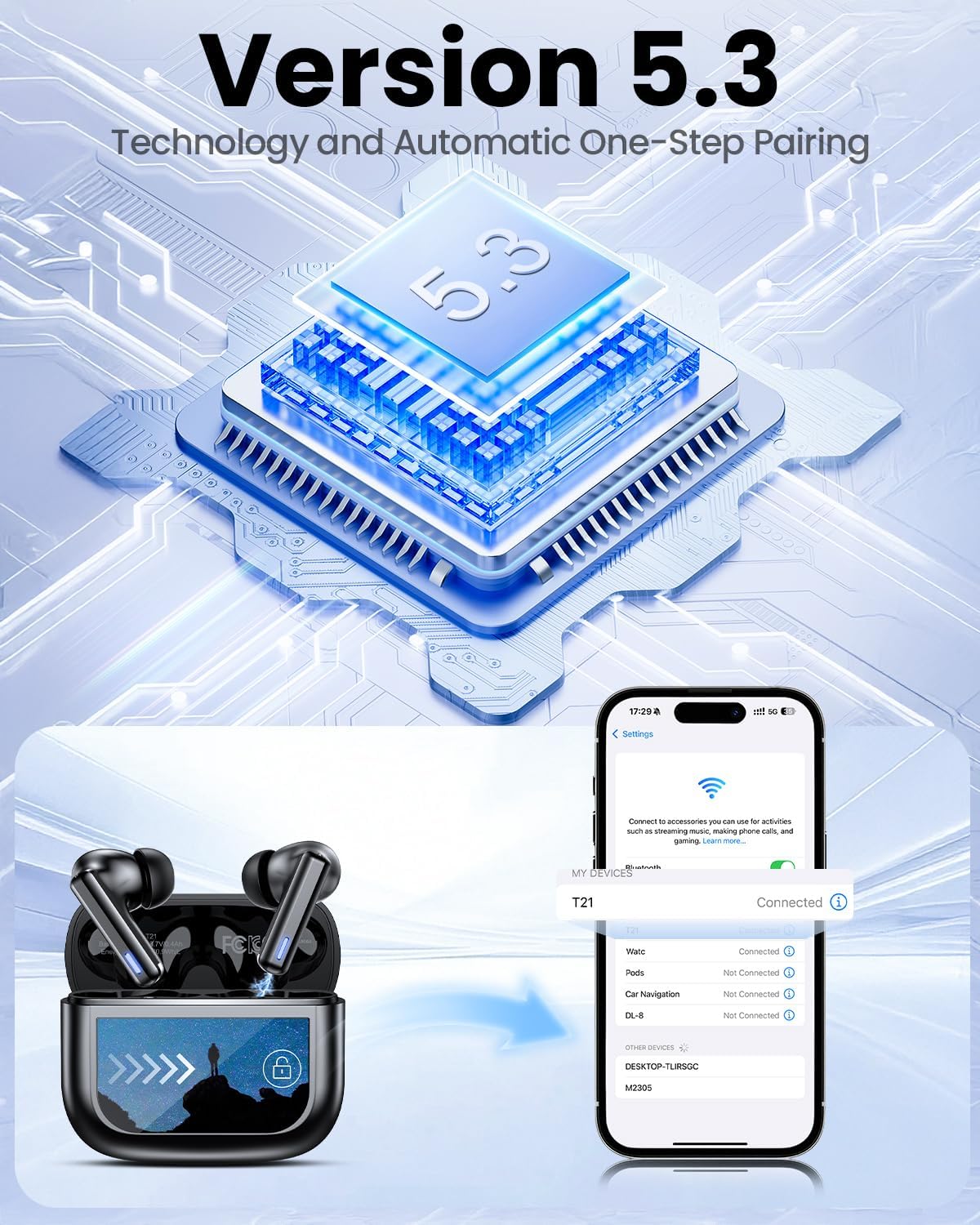
Image: Smart touch controls available on the earbuds.
Charging Case Touch Screen Functions:
- Ukudlala Umculo: Control play, pause, and track navigation.
- Ukulawula ivolumu: Lungisa izinga lokukhipha umsindo.
- Ukunciphisa Umsindo: Toggle between ANC, Transparency, and Normal modes.
- Isilinganisi (EQ): Select from 5 preset sound profiles.
- Ileveli Yokukhanya: Lungisa ukukhanya kwesikrini.
- Ukushintsha Ulimi: Shintsha ulimi lokubonisa.
- Thola I-Earphone Yami: Thola ama-earbud alahlekile.
- Ukulawula Ikhamera: Qalisa ukude ikhamera yefoni yakho.

Image: Multi-functional LCD touch screen interface on the charging case.
4. Setha
4.1 Ukushaja Kwasekuqaleni
- Before first use, remove the protective film from the charging contacts on both earbuds.
- Faka ama-earbud ekesini lokushaja.
- Connect the USB-C charging cable to the case and a power source. The case's touchscreen will display the charging status.
- Fully charge the earbuds and case before initial use. A full charge takes approximately 1.5 hours.
4.2 Ukumatanisa kwe-Bluetooth
- Vula ikesi lokushaja. Ama-earbud azongena ngokuzenzakalelayo kumodi yokumatanisa.
- Edivayisini yakho (i-smartphone, ithebhulethi, ikhompyutha ephathekayo), vula i-Bluetooth.
- Cinga available Bluetooth devices and select "T21" from the list.
- Once connected, the earbuds will indicate successful pairing, and the device will show "Connected".

Image: Bluetooth 5.3 technology and one-step pairing process.
5. Iziqondiso Zokusebenza
5.1 Ukucishwa Komsindo Okusebenzayo (i-ANC) kanye Nendlela Esobala
The earbuds feature Hybrid Active Noise Cancellation (ANC) to reduce ambient noise by up to 40dB, and a Transparency Mode to allow you to hear your surroundings.
- Ukushintsha Amamodi: Press and hold either earbud for 2 seconds to cycle between ANC, Transparency, and Normal modes. You can also switch modes via the charging case touchscreen.

Image: Active Noise-Cancelling in use.
5.2 Sound Quality and EQ Modes
Equipped with 14.2mm dynamic drivers, the earbuds deliver balanced audio. You can customize your listening experience with 5 Equalizer (EQ) presets:
- Okuvamile
- Idwala
- Okwakudala
- I-Pop
- I-Jazz
Select your preferred EQ mode directly from the charging case touchscreen.

Image: Available 5 EQ Modes for audio customization.
5.3 Ukushaya nokwamukela izingcingo
The dual-ENC microphones are designed to reduce 98% of background noise, ensuring clear calls even in noisy environments.
- Phendula/Phendula ikholi: Ukuthepha okukodwa kunoma iyiphi i-earbud.
- Yenqaba Ucingo: Cindezela bese ubamba noma iyiphi i-earbud.

Image: Earbud design for superior call clarity with built-in microphones.
5.4 Find My Earbuds Feature
The charging case touchscreen includes a "Find My Earphone" function to help locate misplaced earbuds.
- Access the "Find My Earphone" option on the case's touchscreen. The earbuds will emit a sound to assist in locating them.

Image: Using the 'Find My Earbuds' feature on the charging case.
5.5 Ukuphathwa Kwebhethri
The earbuds provide up to 8 hours of playtime on a single charge, extended to a total of 40 hours with the charging case. A 10-minute quick charge can provide 2 hours of music playback.
- The charging case touchscreen displays the battery percentage for both the case and individual earbuds.

Image: Battery life indication for ZIUTY T21 earbuds and charging case.
6. Isondlo
6.1 Ukuhlanza
Regular cleaning helps maintain optimal performance and charging efficiency.
- Use an alcohol pad or a soft, dry cloth to clean the charging contacts on both the earbuds and inside the charging case.
- Gently clean the ear tip mesh to remove any dust or earwax that may affect sound quality or volume.

Image: Cleaning instructions for earbuds and charging case contacts.
6.2 Ukumelana Namanzi
The ZIUTY T21 earbuds have an IPX7 waterproof rating, meaning they can withstand immersion in water up to 1 meter for 30 minutes. This makes them suitable for workouts and light rain exposure.
- Ungacwilisi isikhwama sokushaja emanzini.
- Qinisekisa ukuthi ama-earbud omile ngaphambi kokuba uwabuyisele ekesini lokushaja ukuze uvimbele umonakalo.

Image: IPX7 Waterproof feature of the earbuds.
6.3 Eartip Selection and Comfort
The package includes S, M, and L size eartips to ensure a comfortable and secure fit for various ear canal sizes. A proper fit is crucial for optimal sound quality and noise cancellation.
- Experiment with different eartip sizes to find the best seal and comfort for your ears.
- To replace eartips, gently pull off the current tip and push on the new one, ensuring it is securely attached.

Image: Eartip sizes for comfortable and stable fit.
7. Ukuxazulula izinkinga
If you encounter issues with your ZIUTY T21 Wireless Earbuds, refer to the following common problems and solutions:
- Ama-earbud awamataniswa:
Ensure earbuds are charged and removed from the case. Turn off and on your device's Bluetooth. Forget "T21" from your device's Bluetooth list and re-pair. - Awukho umsindo ovela ku-earbud eyodwa:
Check if both earbuds are charged. Try placing both earbuds back in the case, closing it, and then reopening to reset the connection. Clean the charging contacts. - Izinkinga zokushaja:
Ensure the USB-C cable is securely connected to both the case and the power source. Clean the charging contacts on the earbuds and inside the case. Try a different charging cable or power adapter. - Poor sound quality or low volume:
Ensure eartips provide a good seal. Clean the ear tip mesh to remove any obstructions. Adjust volume on both the earbuds (via touch controls) and your connected device. - Izilawuli zokuthinta aziphenduli:
Qinisekisa ukuthi iminwe yakho ihlanzekile futhi yomile. Zama ukusetha kabusha ama-earbud ngokuwafaka ebhokisini bese uwavala imizuzwana embalwa.
8. Imininingwane
| Isici | Ukucaciswa |
|---|---|
| Igama Lemodeli | T21 |
| Ubuchwepheshe bokuxhumana | Okungenantambo (Bluetooth 5.3) |
| I-Bluetooth Range | 15 Amamitha |
| Ukulawula Umsindo | Ukukhanselwa Kwemisindo Esebenzayo (ANC) |
| Imakrofoni | Dual-ENC Microphones |
| Usayizi Womshayeli Womsindo | 14.2 amamilimitha |
| Impendulo Yemvamisa | 20 khz |
| Ukuzwela | 107db |
| Impedance | 32 ohm |
| Impilo Yebhethri (Earbuds) | Kufika emahoreni angu-8 |
| Impilo Yebhethri (enekesi) | Kufika emahoreni angu-40 |
| Isikhathi sokushaja | Cishe. Amahora angu-1.5 |
| Izinga Lokumelana Namanzi | IPX7 |
| Uhlobo Lokulawula | Ukulawula Ukuthinta (Ama-Earbud), Isikrini Sokuthinta (Ikhesi) |
| Izici ezikhethekile | 5 EQ Presets, Find My Earbuds, Camera Control |
| Okubalulekile | I-Acrylonitrile Butadiene Styrene (ABS) |
| Isisindo sento | 3.17 ama-ounces (90 amagremu) |
| Ubukhulu bomkhiqizo | 2.23 x 1.01 x 1.94 amayintshi |
9. Iwaranti kanye Nokusekela
For warranty information or technical support, please refer to the contact details provided with your purchase or visit the official ZIUTY webindawo. Gcina ubufakazi bakho bokuthenga banoma yiziphi izimangalo zewaranti.