
1. Isingeniso
This manual provides detailed instructions for the setup, operation, and maintenance of your EIGIIS KE3P Military GPS Smartwatch. Please read this manual thoroughly before using your device to ensure proper functionality and to maximize your user experience. Keep this manual for future reference.
2. Incazelo Yomkhiqizo
The EIGIIS KE3P is a rugged smartwatch designed for active lifestyles, featuring a 1.45-inch HD display and a durable construction. Key features include:
- I-GPS eyakhelwe ngaphakathi: For accurate route tracking without a phone.
- LED Flashlight & Compass: Essential tools for outdoor activities.
- 530mAh Ibhethri: Inikeza isikhathi sokusetshenziswa esengeziwe.
- Isilinganiso esingangeni manzi se-3ATM: Ifanele ukubhukuda kanye nemidlalo eyahlukahlukene yasemanzini.
- Military-Grade Toughness: Designed to withstand harsh environments.
- Ukushaya kwe-Bluetooth: Shaya futhi wamukele izingcingo ngqo esihlakaleni sakho.
- Health & Fitness Monitoring: Includes 24/7 heart rate, sleep tracking, and over 110 sports modes.
- Izaziso Ezihlakaniphile: Receive alerts for messages and applications.

Isithombe: Ngaphambili view of the EIGIIS KE3P Smartwatch, showcasing isibonisi sayo kanye nomklamo wayo oqinile.
Video: A demonstration of the EIGIIS KE3P Smartwatch features and user interface.
3. Setha
3.1 Yini EseBhokisini
- 1 x EIGIIS Watch Body
- 1 x Ibhendi yokubuka
- 1 x Ikhebuli yokushaja
- 1 x Ibhokisi Lesipho
- 1 x Incwadi Yomsebenzisi
Video: An unboxing of the EIGIIS KE3P Smartwatch, showing the contents of the package.
3.2 Ukushaja i-Smartwatch
Before initial use, fully charge your smartwatch. Connect the magnetic charging cable to the charging contacts on the back of the watch and plug the USB end into a power adapter (not included) or a computer's USB port. The watch display will indicate charging status.

Image: The EIGIIS KE3P Smartwatch displaying its battery level, indicating charging.
3.3 Ukufakwa nokumatanisa kohlelo lokusebenza
To unlock the full potential of your EIGIIS KE3P Smartwatch, download and install the companion app (GloryFit) on your smartphone. Cinga "GloryFit" in your device's app store (Apple App Store for iOS, Google Play Store for Android).
- Download and install the GloryFit app.
- Vula uhlelo lokusebenza bese ulandela imiyalelo ekusikrini ukuze udale i-akhawunti noma ungene ngemvume.
- Qinisekisa ukuthi i-Bluetooth ivuliwe ku-smartphone yakho.
- In the GloryFit app, navigate to the device pairing section and select your EIGIIS KE3P Smartwatch from the list of available devices.
- Qinisekisa isicelo sokubhanqa kokubili ku-smartphone yakho kanye newashi elihlakaniphile.
3.4 Keeping the App Running in the Background
To ensure continuous data synchronization and notification delivery, the GloryFit app needs to run in the background. Follow the instructions below for your specific phone operating system:
Kubasebenzisi be-iPhone:
Video: Instructions on how to configure the GloryFit app to run in the background on an iPhone.
Kubasebenzisi be-Android:
Video: Instructions on how to configure the GloryFit app to run in the background on an Android device.
4. Iziqondiso Zokusebenza
4.1 Ukuhamba Okuyisisekelo
The EIGIIS KE3P Smartwatch features a touch screen and physical buttons for navigation:
- Isikrini sokuthinta: Swipe left/right, up/down to navigate menus and features. Tap to select.
- Upper Button (HOME): Cindezela ukuze ubuyele esikrinini sasekhaya noma uvuse idivayisi.
- Lower Button (BACK): Cindezela ukuze ubuyele esikrinini sangaphambilini.
4.2 Ukulandelela i-GPS
The smartwatch features built-in GPS for tracking outdoor activities. You can use GPS independently or in conjunction with your smartphone.
Using GPS without a Cellphone:
Video: Instructions on how to use the EIGIIS KE3P Smartwatch's GPS tracking feature independently, without a connected cellphone.
Using GPS with a Cellphone:
Video: Instructions on how to use the EIGIIS KE3P Smartwatch's GPS tracking feature while connected to a cellphone.

Image: The EIGIIS KE3P Smartwatch displaying a GPS-tracked route on its screen.
4.3 Flashlight and Compass
The smartwatch includes a built-in LED flashlight and a digital compass for convenience during outdoor activities. Access these features through the watch's menu.
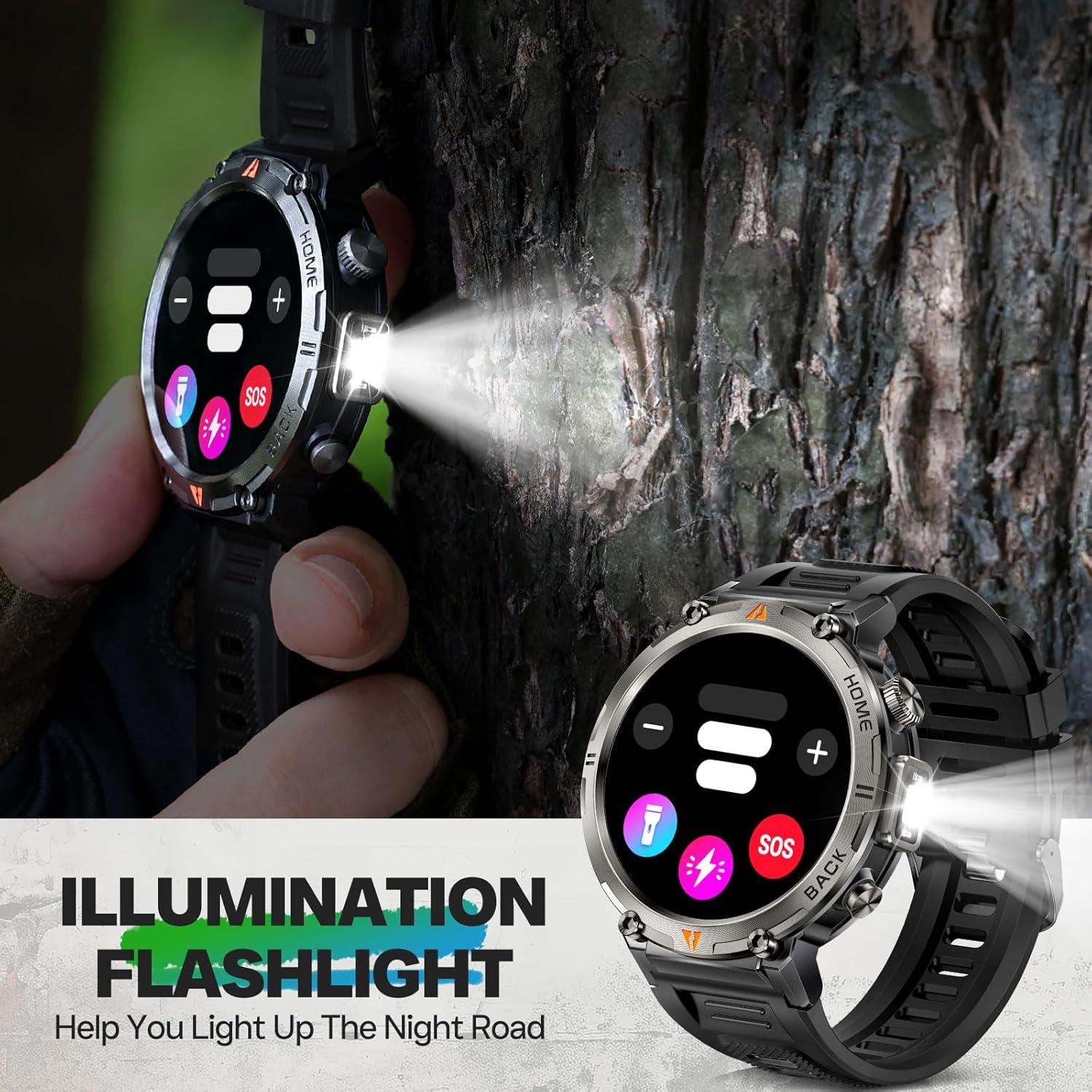
Image: The EIGIIS KE3P Smartwatch with its integrated LED flashlight activated.
4.4 Ukushaya ucingo nge-Bluetooth kanye nezaziso
Once paired with your smartphone, the smartwatch allows you to make and receive calls directly from your wrist. It also displays notifications for incoming messages and app alerts.
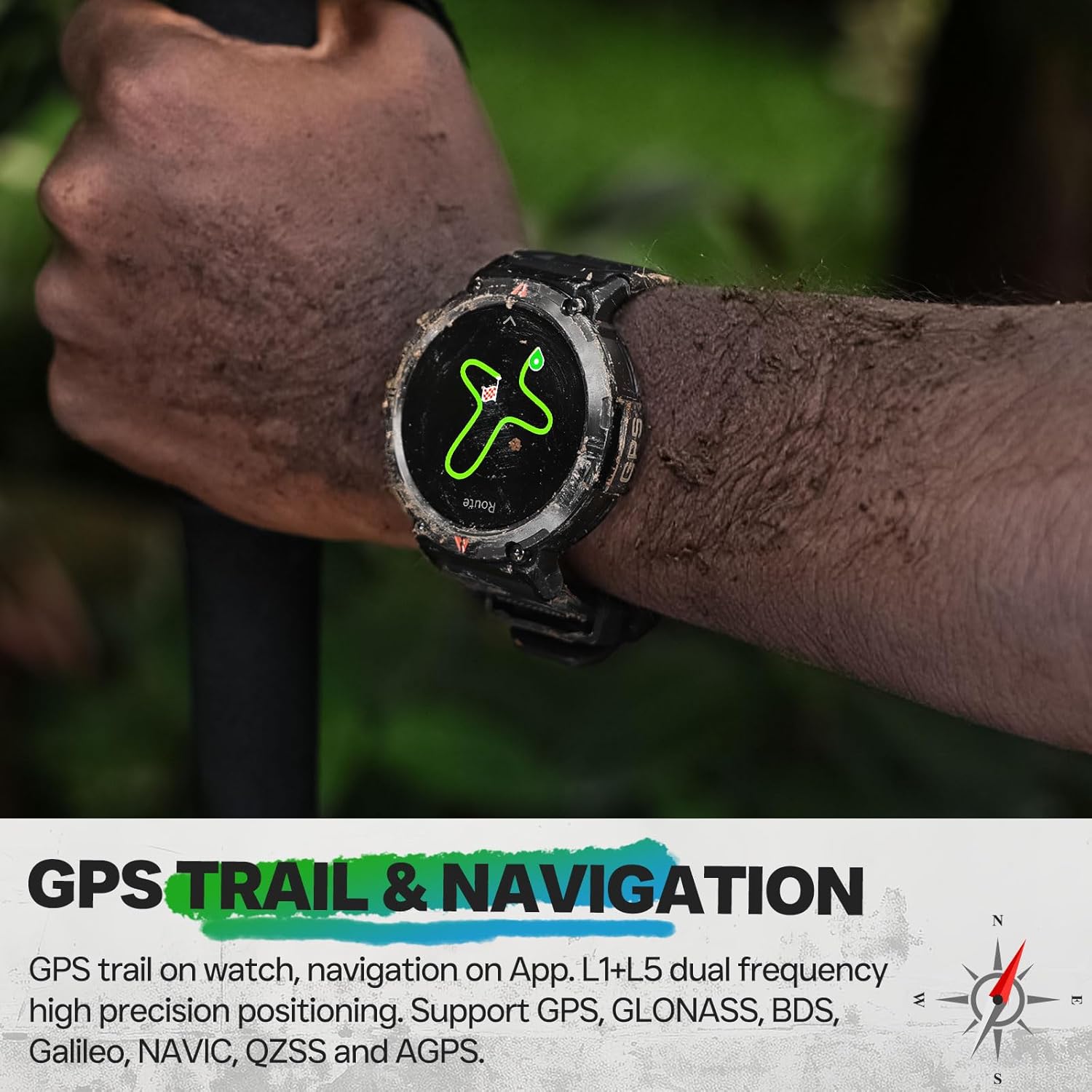
Image: The EIGIIS KE3P Smartwatch displaying an incoming call notification.
4.5 Health and Fitness Monitoring
The EIGIIS KE3P Smartwatch is equipped with sensors to monitor various health and fitness metrics:
- Ukuqapha Kwezinhliziyo: Continuous 24/7 heart rate tracking.
- Ukulandelela Ukulala: Monitors sleep patterns and quality.
- 110+ Izindlela Zezemidlalo: Track specific data for a wide range of activities.

Image: The EIGIIS KE3P Smartwatch displaying heart rate, calories, and activity duration during a workout.
4.6 Daily Life Assistant Features
Beyond fitness, the smartwatch offers several features to assist with daily tasks:
- Ukulawula Ukudlala Komculo
- Isibikezelo sezulu
- Isilawuli Sekhamera Ekude
- Izikhumbuzi Zokuhlala
- Iwashi eline alamu

Image: The EIGIIS KE3P Smartwatch displaying a grid of various application icons, representing its multi-functional capabilities.
5. Isondlo
5.1 Iziqondiso Zokuvimbela Ukungena Kwamanzi
The EIGIIS KE3P Smartwatch has a 3ATM waterproof rating, meaning it is resistant to splashes, rain, and can be worn during swimming. However, it is not suitable for hot showers, saunas, or diving, as steam and high water pressure can compromise the seals.

Image: The EIGIIS KE3P Smartwatch submerged in water, illustrating its 3ATM waterproof capability.
5.2 Ukuhlanza
Regularly clean your smartwatch and watch band with a soft, damp indwangu. Gwema ukusebenzisa amakhemikhali anamandla noma izinto ezihudulayo ezingalimaza idivayisi.
5.3 Ukunakekelwa Kwebhethri
To prolong battery life, avoid extreme temperatures and fully discharging the battery frequently. The 530mAh battery provides 7-10 days of typical use.
6. Ukuxazulula izinkinga
If you encounter issues with your EIGIIS KE3P Smartwatch, try the following steps:
- Idivayisi Ayivuli: Ensure the watch is fully charged. Connect it to the charging cable and a power source.
- Ayikwazi Ukubhanqa Nefoni: Ensure Bluetooth is enabled on your phone and the watch. Restart both devices and try pairing again through the GloryFit app.
- Idatha Engalungile: Ensure the watch is worn snugly on your wrist. For GPS, ensure you are in an open area with a clear sky.
- Izaziso Azitholwanga: Check app permissions on your phone to ensure GloryFit has access to notifications. Verify that the app is running in the background.
- Isikrini asiphenduli: Try restarting the watch by pressing and holding the power button (if available) or performing a hard reset if the option is present in the settings.
For further assistance, please refer to the official EIGIIS support channels.
7. Imininingwane
| Inombolo Yemodeli Yento | KE3P |
| Ubukhulu bephakheji | 6.73 x 4.37 x 1.06 amayintshi |
| Isisindo sento | 5.6 ama-ounces (160 Amagremu) |
| Amabhethri | 1 C battery required (included) |
| Usayizi Wokubonisa Isikrini Esimile | 1.45 amayintshi |
| Amandla Okugcina Inkumbulo | 128 MB |
| Isistimu esebenzayo | No (Proprietary OS) |
| Izici ezikhethekile | GPS, 3ATM Waterproof, 530 mAh Large Battery, 1.45" Big Screen, Flashlight, Compass, Military Standard, Bluetooth Calling, Built-in Speaker, 110+ Sports Modes, Heart Rate Monitor, Sleep Tracker, Long Standby Time, Weather Forecast, Music Control, Sedentary Reminder, Remote Camera Control, Alarm Clock |
| Amandla ebhethri | 530 millionamp Amahora |
| Ubuchwepheshe bokuxhumana | I-Bluetooth |
| Izinga Lokuxhumana Okungenantambo | I-Bluetooth |
| I-GPS | I-GPS eyakhelwe ngaphakathi |
| Isimo | Umjikelezo |
| Ukusekela Ulimi | IsiNgisi, isiFulentshi, isiJalimane, isiNtaliyane, iSpanishi |
| Umkhiqizi | EIGIIS |
8. Iwaranti kanye Nokusekela
For warranty information and customer support, please refer to the documentation included with your product or visit the official EIGIIS webindawo. Gcina irisidi lakho lokuthenga njengobufakazi bokuthenga kwanoma yiziphi izimangalo zewaranti.