
1. Isingeniso
Thank you for choosing the Parsonver G01 GPS Smart Watch. This manual provides essential information for the proper setup, operation, and maintenance of your device. Please read it carefully to ensure optimal performance and longevity of your smartwatch.

Image: The Parsonver G01 Smart Watch displayed with various outdoor activity scenes, highlighting its versatile use.
2. Okuqukethwe Kwephakheji
Uma uvula iphakheji, qinisekisa ukuthi zonke izinto zikhona:
- 1x Parsonver G01 Smart Watch
- Ikhebula Lokushaja Elingu-1x
- 1x Incwadi Yomsebenzisi

Image: An illustration detailing the package contents, including the smartwatch, charging cable, and user manual.
3. Umhlahlandlela wokusetha
3.1 Ukushaja i-Smart Watch
Before initial use, fully charge your Parsonver G01 Smart Watch. The device features a 520mAh battery, providing extended usage time.
- Xhuma ikhebula lokushaja elinozibuthe ezingxoxweni zokushaja ezingemuva kwewashi.
- Plug the USB-A end of the cable into a standard USB power adapter (not included) or a computer's USB port.
- Isibonisi sewashi sizobonisa isimo sokushaja. Ukushaja okugcwele ngokuvamile kuthatha cishe amahora angu-2.

Image: The smartwatch connected to its magnetic charging cable, illustrating the charging process and battery life indicators.
3.2 Ukufakwa nokumatanisa kohlelo lokusebenza
To unlock the full functionality of your smartwatch, download and install the companion application on your smartphone.
- Scan the QR code provided in the quick start guide or search for "Glory Fit" in your smartphone's app store (compatible with iOS 9.0/Android 5.0 or above).
- Install the "Glory Fit" application.
- Vula uhlelo lokusebenza bese ulandela imiyalelo ekusikrini ukuze udale i-akhawunti noma ungene ngemvume.
- Qinisekisa ukuthi i-Bluetooth ivuliwe ku-smartphone yakho.
- In the app, navigate to the device pairing section and select your Parsonver G01 Smart Watch from the list of available devices.
- Qinisekisa isicelo sokumatanisa kukho kokubili i-smartphone yakho newashi.
4. Iziqondiso Zokusebenza
4.1 Ukuhamba Okuyisisekelo
The Parsonver G01 features a 1.95-inch HD touchscreen for intuitive interaction.
- Swayiphela Phezulu/Phansi: Finyelela izilungiselelo noma izaziso ezisheshayo.
- Swayiphela Kwesokunxele/Kwesokudla: Navigate through widgets and main functions.
- Thepha: Khetha into noma uqinisekise isenzo.
- Cindezela Inkinobho Eseceleni: Return to the home screen or power on/off.
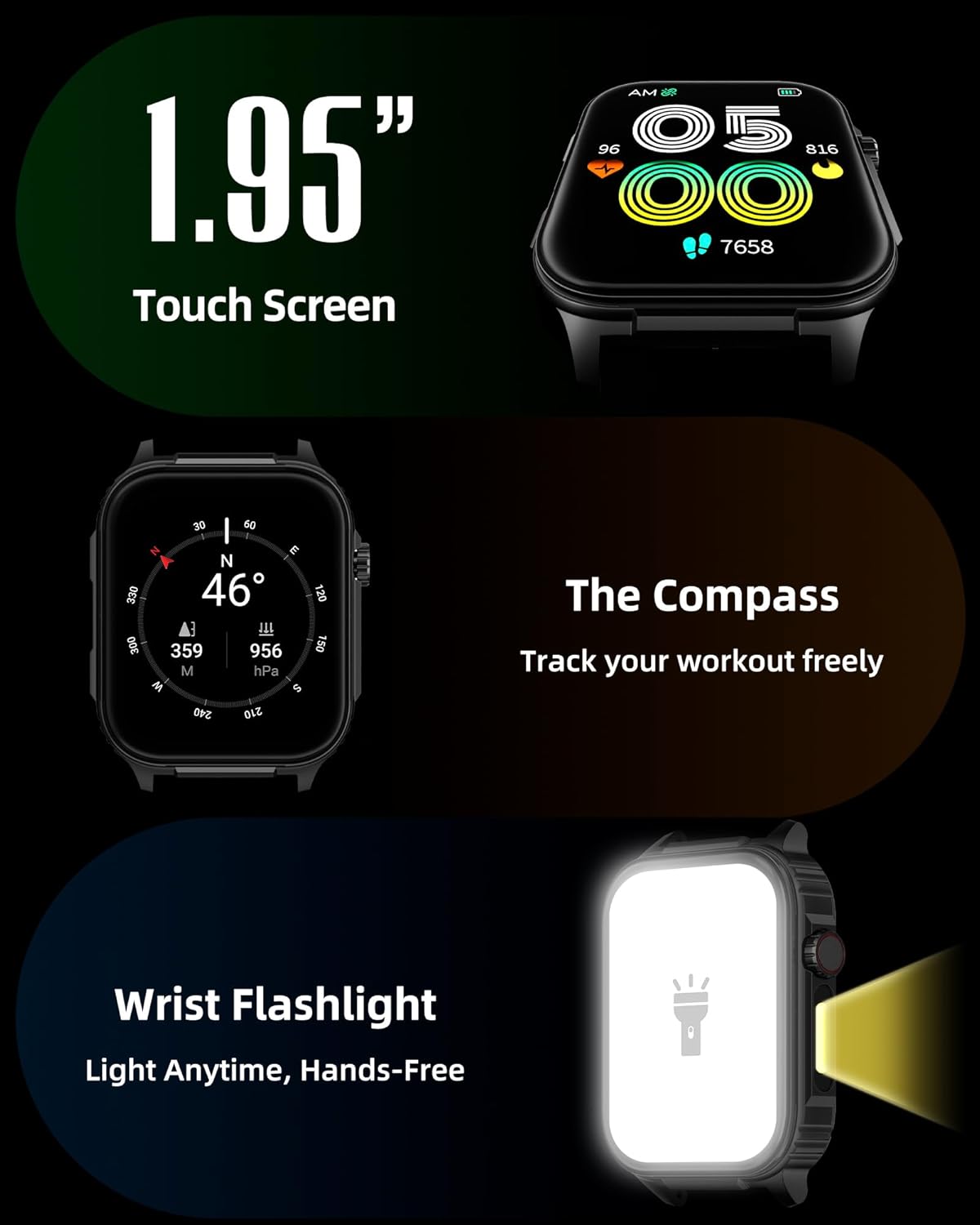
Isithombe: A enemininingwane view of the smartwatch screen, illustrating its 1.95-inch size, along with icons for compass and flashlight functions.
4.2 Izingcingo ze-Bluetooth kanye nezaziso ezihlakaniphile
Stay connected by making and receiving calls directly from your wrist and receiving instant notifications.
- Ukushaya izingcingo: Once paired via Bluetooth 5.3, access the call function on your watch to dial numbers or select contacts.
- Yamukela Izingcingo: Incoming calls will display on the watch screen, allowing you to answer or reject them.
- Izaziso: The watch provides vibration alerts for SMS, WhatsApp, Facebook, and other app notifications. Note: Direct replies from the watch are not supported.

Image: A man on a mountain trail interacting with his Parsonver G01 Smart Watch to manage a Bluetooth call, with notification icons floating above.

Image: The smartwatch screen showing incoming messages and app notifications, demonstrating its smart notification feature.
4.3 Buka Ubuso
Personalize your watch with over 400 available watch faces or create your own custom designs.
- Access the watch face market through the "Glory Fit" app.
- Browse and download various styles, from classic to modern.
- Use the DIY function to upload custom photos and create unique watch faces.

Image: The smartwatch screen showcasing a variety of watch face designs, illustrating the customization options.
4.4 Built-in GPS and Compass
Track your outdoor activities and navigate with precision, even without your phone.
- Ukulandelwa kwe-GPS: The built-in GPS accurately records your route, distance, and pace during outdoor workouts like running, hiking, and cycling. Ensure you are in an open area for optimal GPS signal acquisition.
- Ikhampasi: Utilize the integrated compass for navigation and orientation during your adventures.

Image: A cyclist wearing the Parsonver G01 Smart Watch, with the watch display showing GPS tracking data and a map.

Image: Hikers on a mountain trail, with the smartwatch displaying compass and GPS navigation features.
4.5 Isibani se-LED
The integrated LED flashlight provides convenient illumination when needed.
- Access the flashlight function from the quick settings menu or a dedicated shortcut.
- The flashlight provides hands-free lighting for various situations.

Image: The smartwatch with its LED flashlight illuminated, demonstrating its utility in dark environments.
4.6 Izindlela Zezemidlalo
The watch supports over 100 built-in sports modes to track your physical activities.
- Select your desired sport from the activity menu.
- The watch will track metrics such as calories burned, steps, distance, and heart rate in real-time.
- Examples include running, cycling, yoga, hiking, football, and more.

Image: An athlete tying shoelaces, with the smartwatch displaying various sports tracking metrics like steps, calories, distance, and heart rate.

Image: A visual representation of the smartwatch's extensive range of over 100 built-in sports modes, including running, football, and cycling.
4.7 Ukuqapha Ezempilo
The Parsonver G01 provides comprehensive health monitoring features to help you maintain a healthy lifestyle.
- Ukuqapha Kwezinhliziyo: Continuous 24/7 heart rate tracking.
- Ukuqapha I-Blood Oxygen (SpO2): Track your blood oxygen levels in real-time.
- Ukuqapha Ukulala: Uhlaziya ubuthongo stages (deep, light, awake) to provide insights into your sleep quality.
- Stress and Mood Monitoring: Kukusiza ukuthi uqonde futhi uphathe amazinga akho okucindezeleka.
- Izikhumbuzi Zokuhlala: Ikwazisa ukuthi uhambe ngemva kwezikhathi zokungasebenzi.
- Izivivinyo Zokuphefumula: Guided breathing sessions to help reduce stress.
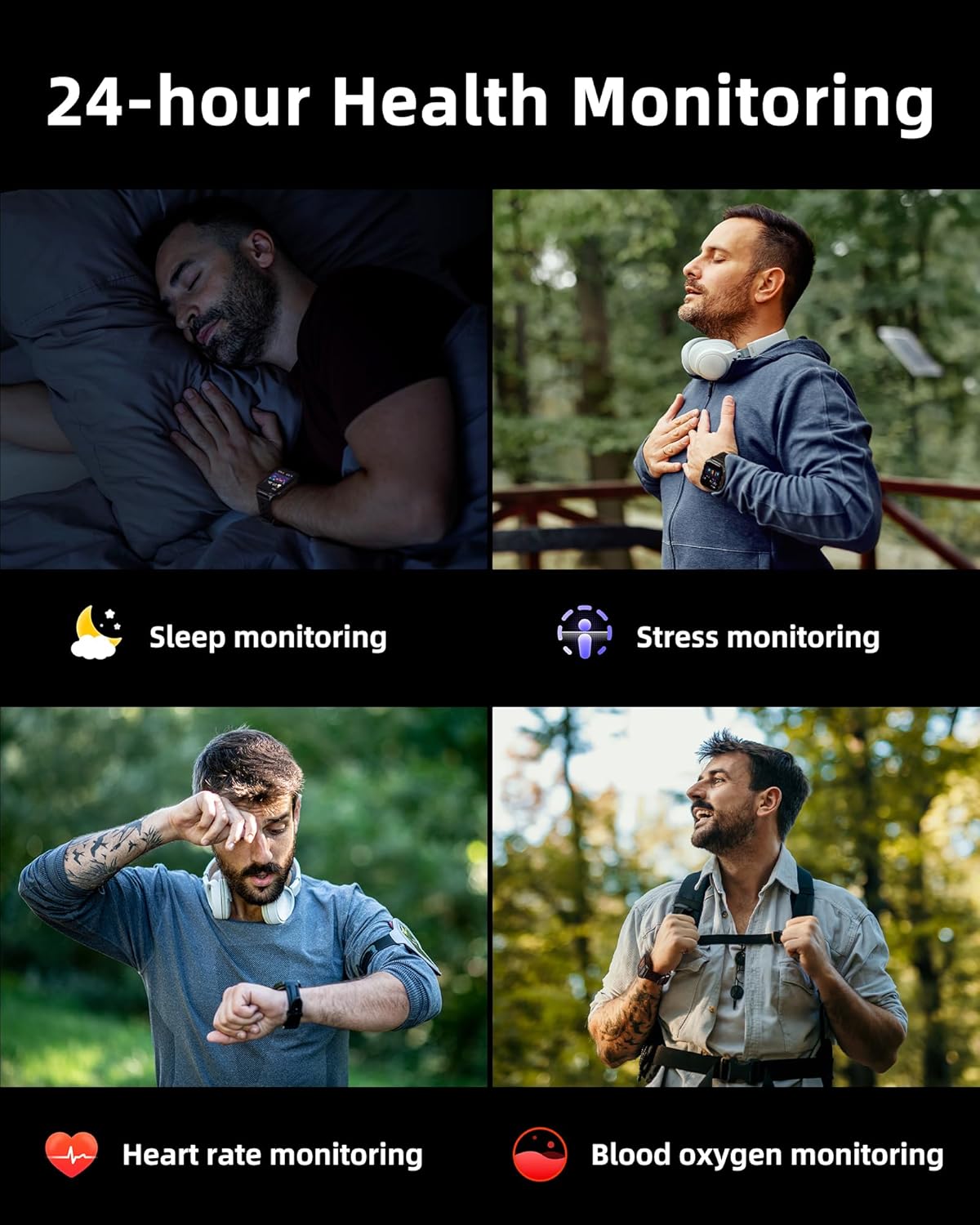
Image: A collage illustrating the smartwatch's 24-hour health monitoring capabilities, including sleep, stress, heart rate, and blood oxygen tracking.

Image: A man sleeping, with the smartwatch on his wrist, and a graphic showing detailed sleep analysis data.
4.8 Eminye Imisebenzi Ewusizo
The Parsonver G01 includes a variety of additional features to assist with daily tasks:
- Iwashi eline alamu: Setha ama-alamu amaningi.
- Isikhathi newashi elimiswayo: For precise timing.
- Isibali: Basic arithmetic functions.
- Ikhalenda: View izinsuku nohlelo.
- Ukulawula Umculo: Play, pause, skip tracks on your connected phone.
- Isimo sezulu: Thola izibuyekezo zesimo sezulu sesikhathi sangempela.
- Umsizi Wezwi: Xhumana nomsizi wezwi wefoni yakho.
- Isilawuli Sekhamera Ekude: Trigger your phone's camera remotely.
- Thola Ucingo: Thola i-smartphone yakho elahlekile.
- Raise-to-Wake: Automatically activate the screen when you raise your wrist.

Image: A display of various practical functions on the smartwatch, including alarm, timer, stopwatch, calculator, calendar, music control, and weather.
5. Isondlo
5.1 Ukumelana Namanzi
The Parsonver G01 Smart Watch has an IP68 waterproof rating, meaning it is resistant to dust and can withstand immersion in water up to 1.5 meters for 30 minutes. It is suitable for daily splashes, hand washing, and light rain.
Inothi elibalulekile:
- The IP68 rating does not make the watch suitable for swimming, showering, or sauna use. Exposure to hot water, steam, or high-pressure water jets may compromise the water resistance.
- Gwema ukucindezela izinkinobho ngaphansi kwamanzi.
- If the watch gets wet, dry it thoroughly before charging or using the touchscreen.

Image: A hand wearing the smartwatch under running water, illustrating its IP68 waterproof capabilities for everyday use.
5.2 Ukuhlanza nokunakekela
- Regularly clean the watch and strap with a soft, dry cloth.
- Uma kunesidingo, sebenzisa kancane damp gcoba ngensipho ethambile, bese uyageza futhi wome kahle.
- Gwema ukusebenzisa amakhemikhali anokhahlo, izinto zokuhlanza ezinamalazayo, noma izincibilikisi, njengoba lokhu kungalimaza isiphetho nezingxenye zewashi.
- Keep the charging contacts clean and free of debris to ensure proper charging.
6. Ukuxazulula izinkinga
If you encounter issues with your Parsonver G01 Smart Watch, refer to the following common solutions:
- Iwashi elingavuliwe: Qinisekisa ukuthi iwashi lishajwe ngokugcwele. Yixhume kushaja okungenani imizuzu engama-30.
- Ayikwazi ukubhanqa ne-smartphone:
- Qinisekisa ukuthi i-Bluetooth ivuliwe efonini yakho nasewashini.
- Qiniseka ukuthi iwashi lingaphakathi kwebanga le-Bluetooth efonini yakho.
- Qala kabusha kokubili iwashi nefoni yakho.
- Check if the "Glory Fit" app has necessary permissions on your phone.
- Inaccurate GPS data:
- Qinisekisa ukuthi usendaweni engaphandle evulekile ehlanzekile view yesibhakabhaka ukuze uthole ukwamukela okungcono kwesathelayithi.
- Allow sufficient time for the watch to acquire a GPS signal before starting an activity.
- Screen lights up during sleep: This can be caused by wrist movements activating the raise-to-wake feature. You may be able to disable or adjust the sensitivity of the raise-to-wake feature in the watch settings or the companion app.
- Impilo yebhethri emfushane:
- Frequent use of GPS, Bluetooth calls, and continuous health monitoring can consume more battery.
- Reduce screen brightness or shorten screen-on time.
- Khubaza izaziso ezingadingekile.
- Compass inaccuracy: Calibrate the compass if available in the watch settings or app. Ensure no strong magnetic fields are nearby.
If the issue persists, consult the FAQ section within the "Glory Fit" app or contact customer support.
7. Imininingwane
| Isici | Ukucaciswa |
|---|---|
| Inombolo Yemodeli | G01 |
| Usayizi Wesikrini | 1.95 amayintshi |
| Uhlobo lokubonisa | Full Touch Screen HD |
| Amandla ebhethri | 520 mAh Lithium Polymer |
| Ukusebenzisa Impilo Yebhethri Okujwayelekile | Izinsuku ezingu-7-10 |
| Isikhathi sokulinda | Kufika Ezinsukwini ezingama-40 |
| Isikhathi sokushaja | Approx. 2 Hours (Magnetic Fast Charging) |
| Ukuxhumana | I-Bluetooth 5.3 |
| Ukuhambisana Kwesistimu Esebenzayo | iOS 9.0 / Android 5.0 or above |
| Isilinganiso Sokumelana Namanzi | IP68 |
| Izici Ezakhelwe ngaphakathi | GPS, Compass, LED Flashlight |
| Ukuqapha Ezempilo | Heart Rate, Blood Oxygen, Sleep, Stress, Mood |
| Izindlela Zezemidlalo | 100+ |
| Isisindo sento | Amagremu angu-47 (ama-ounces angu-1.66) |
| Amandla Okugcina Inkumbulo | 256 MB |
8. Iwaranti kanye Nokusekela
Parsonver is committed to providing reliable products and dedicated customer support. For any questions, technical assistance, or warranty inquiries, please refer to the contact information provided with your purchase or visit the official Parsonver webindawo.