
1. Isingeniso
This manual provides essential information for the safe and efficient operation, installation, and maintenance of your Carrier XCEL EDGE Fxi 2 Ton 3 Star Split Inverter AC. Please read this manual thoroughly before using the appliance and keep it for future reference.
2. Imiyalelo Yezokuphepha Ebalulekile
Always follow basic safety precautions to reduce the risk of fire, electric shock, or injury. Failure to do so may result in serious injury or property damage.
- Ensure the AC is installed by a qualified and certified technician.
- Do not operate the AC with wet hands or when standing in water.
- Ungafaki izinto endaweni yokungenisa umoya noma ephumayo.
- Turn off the main power supply to the unit before performing any cleaning or maintenance.
- Keep children and pets away from the unit, especially the outdoor unit.
- Use only the specified refrigerant (R32) as indicated on the unit's nameplate.
- Do not attempt to repair the unit yourself. Contact authorized service personnel.
3. Umkhiqizo Uphelileview
The Carrier XCEL EDGE Fxi is a 2-ton, 3-star rated split inverter air conditioner designed for efficient cooling in residential spaces. It features advanced inverter technology, Wi-Fi smart connectivity, and multiple cooling modes for personalized comfort.
Izici Eziyinhloko:
- Ubuchwepheshe be-Inverter: Adjusts compressor speed based on heat load, ensuring energy-efficient operation.
- Wi-Fi Smart Connect: Allows control via smartphone applications and voice commands for enhanced convenience.
- 6-in-1 Convertible Cooling: Offers six different cooling modes to adjust capacity according to room occupancy and weather conditions.
- Copper Condenser: Ensures efficient heat transfer, rapid cooling, and extended durability.
- I-R32 Isiqandisi: Isebenzisa isiqandisi esinobungani nemvelo esinamandla okunciphisa ukufudumala komhlaba.
- Isibonisi Esifihliwe: Features a sleek, concealed digital display for a modern aesthetic.
- High Ambient Cooling: Designed to deliver effective cooling even at ambient temperatures up to 55°C.
- Ukusebenza Komsindo Ophansi: Operates as low as 32dB, providing a quiet environment.
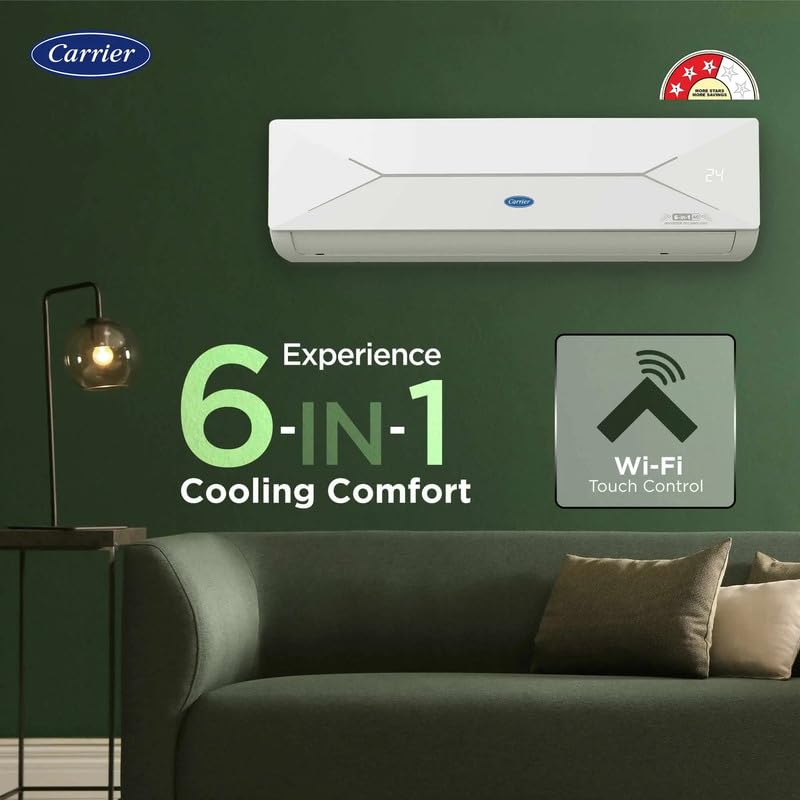
Umfanekiso 1: Indoor unit highlighting 6-in-1 Convertible Cooling and Wi-Fi Smart Connect capabilities.
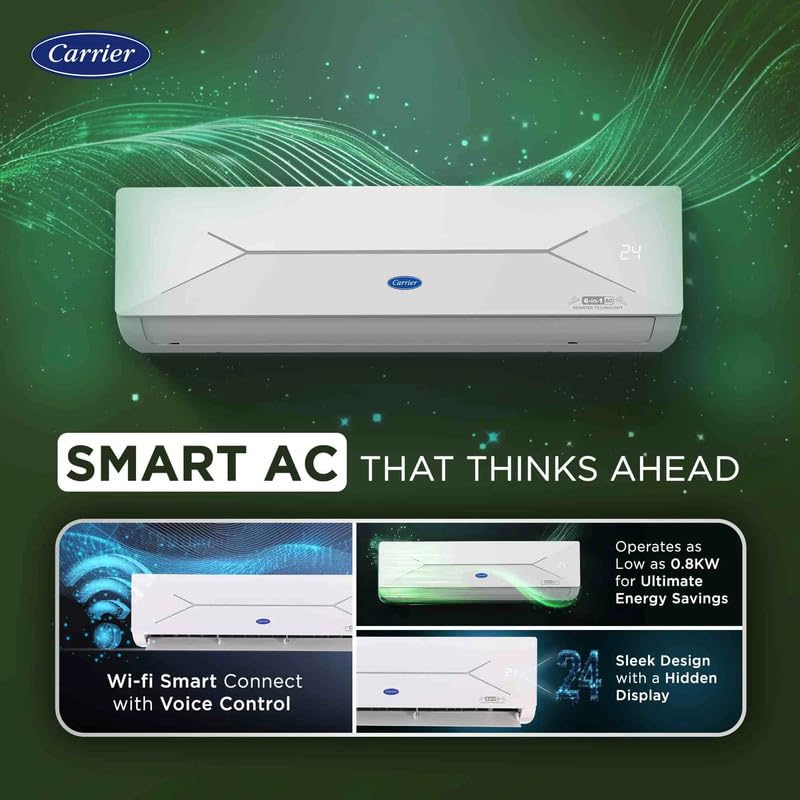
Umfanekiso 2: Smart features including Wi-Fi Smart Connect with voice control, sleek design with a hidden display, and energy-efficient operation as low as 0.8KW.
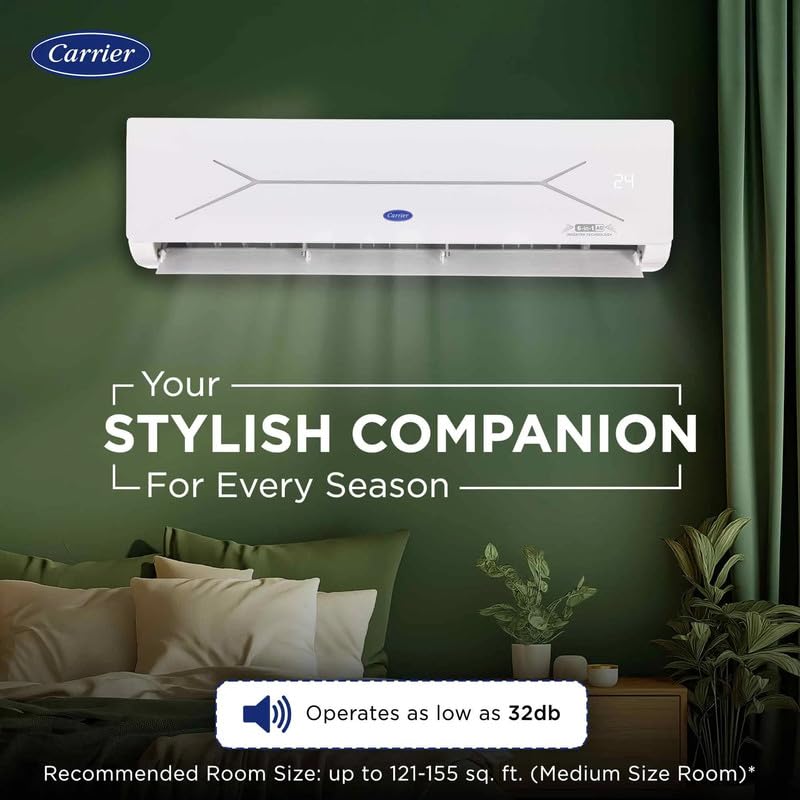
Umfanekiso 3: The indoor unit's quiet operation (as low as 32dB) and suitability for medium-sized rooms (121-155 sq. ft.).
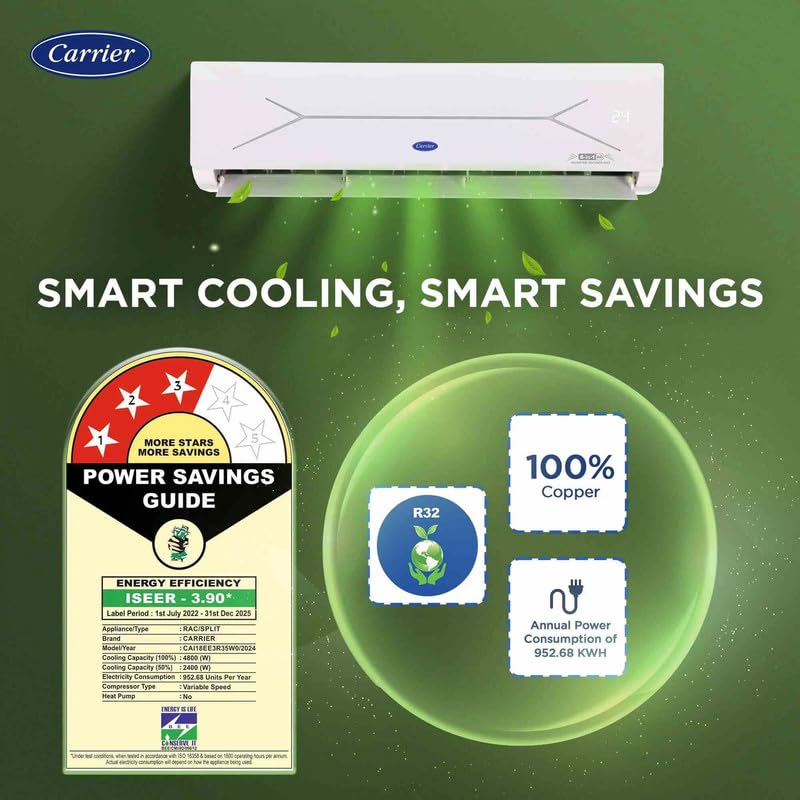
Umfanekiso 4: Energy efficiency details, including the 3-star rating, R32 refrigerant, 100% copper condenser, and annual power consumption of 952.68 KWH.
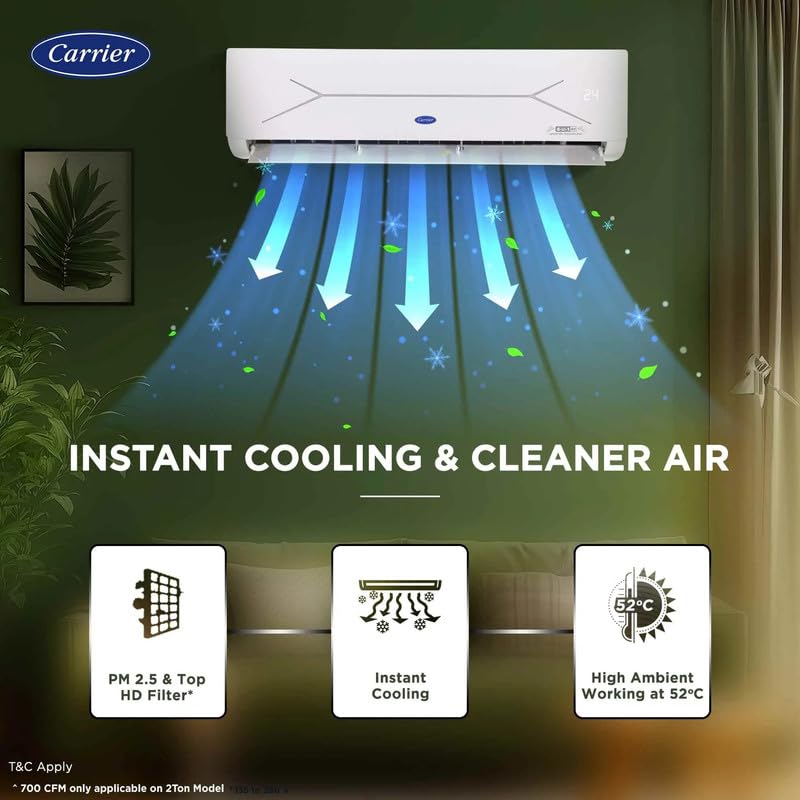
Umfanekiso 5: Features for instant cooling, PM 2.5 & Top HD Filter, and high ambient temperature operation up to 55°C.
4. Ukusetha nokufakwa
Proper installation is crucial for the performance and longevity of your air conditioner. It is highly recommended that installation be performed by a certified Carrier service technician to ensure safety and compliance with local regulations.
4.1 Ukuqaqa kanye Nokuhlola:
- Carefully unpack all components: Indoor Unit, Outdoor Unit, Remote Control, and User Manual.
- Inspect all items for any signs of shipping damage. Contact your dealer immediately if any damage is found.
4.2 Ukukhetha Indawo:
- Iyunithi yasendlini: Choose a location that allows for even air distribution throughout the room, away from direct sunlight, heat sources, or obstacles that may block airflow. Ensure sufficient space around the unit for maintenance.
- Iyunithi yangaphandle: Select a well-ventilated area, free from obstructions, and with adequate clearance for proper airflow. Avoid locations where noise might disturb neighbors.
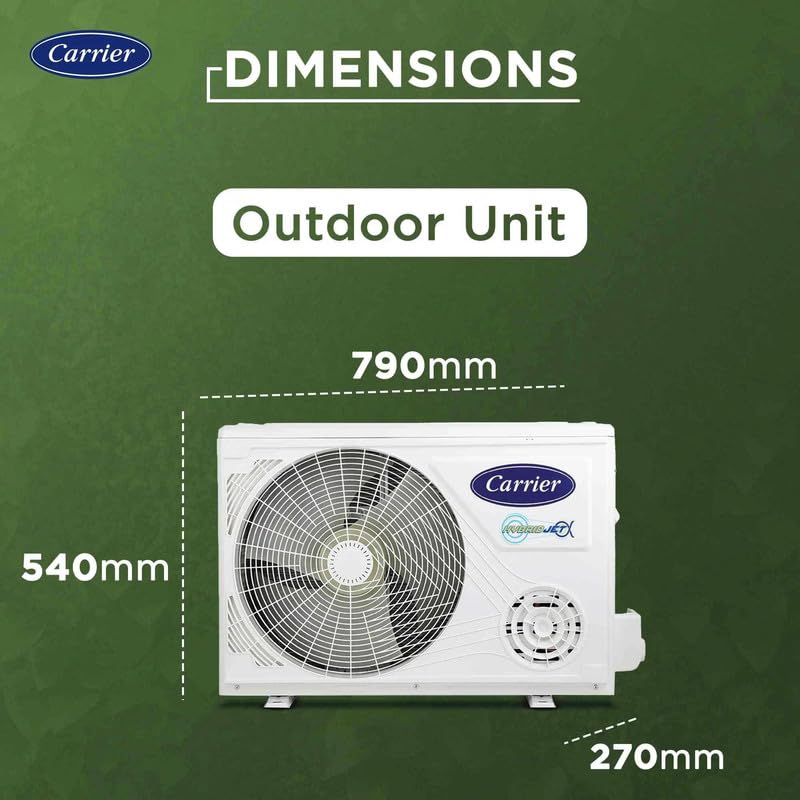
Umfanekiso 6: Dimensions of the outdoor unit for installation planning (790mm W x 540mm H x 270mm D).
4.3 Electrical Requirements:
- Ensure the electrical power supply matches the specifications of the unit (220 Volts, 3000 Watts).
- A dedicated circuit breaker for the air conditioner is strongly recommended to prevent electrical overloads.
4.4 Wi-Fi Smart Connect Setup:
Your AC supports Wi-Fi connectivity for remote control and smart features. Refer to the separate Wi-Fi setup guide provided with your unit or the Carrier Home app for detailed instructions on connecting your unit to your home network and integrating with voice assistants.
5. Iziqondiso Zokusebenza
Your Carrier XCEL EDGE Fxi AC can be operated using the included remote control or via the Wi-Fi Smart Connect feature through a smartphone application.
5.1 Remote Control Operation:
The remote control allows you to adjust various settings. Ensure the remote is pointed towards the indoor unit when transmitting commands for proper communication.
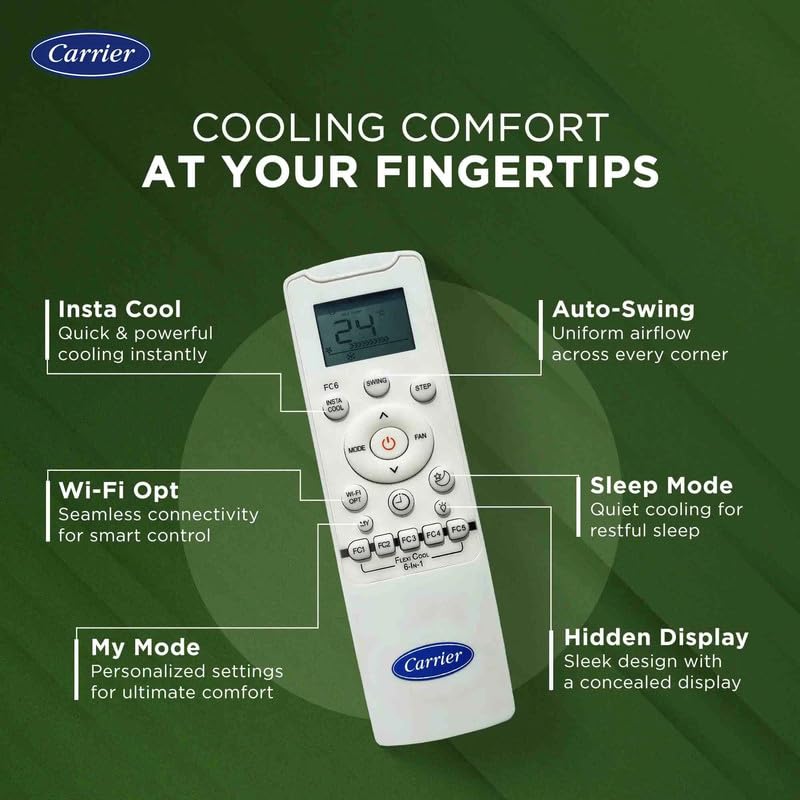
Umfanekiso 7: Remote control layout and key functions, including Insta Cool, Auto-Swing, Wi-Fi Opt, Sleep Mode, My Mode, and Hidden Display activation.
Imisebenzi Eyinhloko Ekude:
- Inkinobho yamandla: Ivula noma IVALI iyunithi.
- Inkinobho yemodi: Cycles through available operating modes: Cooling, Fan, Dry, and Auto.
- Ukulungiswa Kwezinga Lokushisa: Sebenzisa ▲ (Phezulu) kanye ne- ▼ (Down) buttons to set your desired room temperature.
- Isivinini saphephela: Adjusts the fan speed (Low, Medium, High, Auto) for airflow control.
- Inkinobho Yokushwiba: Controls the vertical movement of the louver for uniform air distribution.
- Insta Cool: Activates a rapid cooling function for quick comfort.
- 6-in-1 Convertible Cooling: Press this dedicated button to cycle through different tonnage modes (e.g., 1.6T, 1.4T, 1.2T, 1.0T, 0.8T, 0.6T) to optimize energy saving or enhance cooling based on your needs.
- Imodi Yokulala: Optimizes temperature and fan speed settings during sleep for comfort and energy conservation.
- Wi-Fi Opt: Initiates the Wi-Fi pairing mode for connecting to your smart device.
- Imodi yami: Allows you to save and recall your preferred operating settings.
5.2 6-in-1 Convertible Cooling:
This feature allows you to adjust the cooling capacity of the AC to match your specific needs, saving energy when full capacity is not required. Use the dedicated button on the remote to select from various tonnage options, effectively reducing power consumption while maintaining comfort.
5.3 Wi-Fi Smart Connect and Voice Control:
Once connected to your home Wi-Fi network, you can control your AC using the Carrier Home smartphone application. This includes turning the unit on/off, adjusting temperature, changing modes, and setting schedules from anywhere. Voice control is also supported through compatible smart home assistants (e.g., Google Assistant, Amazon Alexa).
6. Isondlo
Regular maintenance ensures optimal performance, energy efficiency, and extends the lifespan of your AC unit. Always disconnect power to the unit before performing any maintenance tasks.
6.1 Air Filter Cleaning:
- The air filters should be cleaned every two weeks or more frequently depending on usage and local air quality.
- Vula iphaneli yangaphambili yeyunithi yasendlini.
- Susa ngokucophelela izihlungi zomoya.
- Wash them with lukewarm water and a mild detergent. Rinse thoroughly to remove all soap residue.
- Allow filters to dry completely in a shaded area before reinserting them into the unit. Do not expose to direct sunlight.
6.2 Indoor Unit Cleaning:
- Sula ubuso beyunithi yangaphakathi nge-d ethambile, ethambileamp indwangu.
- Do not use harsh chemicals, abrasive cleaners, or solvents, as these can damage the unit's finish.
6.3 Outdoor Unit Cleaning:
- Periodically clear any debris such as leaves, dust, or dirt from around the outdoor unit to ensure proper airflow.
- Ensure the condenser coils are clean for efficient heat exchange. This may require professional cleaning by a qualified technician.
6.4 Seasonal Checks:
- Before the start of each cooling season, check for any unusual noises, odors, or visible damage.
- Consider scheduling a professional service check annually to ensure the unit is operating at peak efficiency.
7. Ukuxazulula izinkinga
Before contacting customer service, refer to the following table for common issues and their potential solutions. This may help you resolve minor problems quickly.
| Inkinga | Imbangela Engenzeka | Isixazululo |
|---|---|---|
| AC does not turn on | No power supply, remote control batteries are low, or circuit breaker is tripped. | Check the main power supply, replace remote batteries, or reset the circuit breaker. |
| Ukupholisa okunganele | Dirty air filters, blocked outdoor unit, incorrect mode selected, or room size exceeds capacity. | Clean air filters, clear obstructions from the outdoor unit, select the appropriate operating mode, or ensure the room size is within the AC's capacity. |
| Umsindo ongajwayelekile ovela kuyunithi | Loose parts, foreign objects inside the unit, or the unit is not level. | Check for loose parts, remove any foreign objects, and ensure the unit is installed on a level surface. If noise persists, contact service. |
| Ukuvuza kwamanzi kuyunithi yasendlini | Blocked drain pipe, or improper installation of the indoor unit. | Check and clear the drain pipe for blockages. If the issue persists, contact a qualified technician for inspection. |
| Izinkinga zokuxhumeka kwe-Wi-Fi | Router problems, incorrect Wi-Fi password, or the unit is out of Wi-Fi range. | Restart your Wi-Fi router, re-enter the Wi-Fi password, or ensure the unit is within the effective range of your Wi-Fi network. Refer to the Wi-Fi setup guide. |
8. Imininingwane
Detailed technical specifications for the Carrier XCEL EDGE Fxi 2 Ton 3 Star Split Inverter AC (Model CAI24CE3R35F0).
| Isici | Imininingwane |
|---|---|
| Ibhrendi | Inkampani yenethiwekhi |
| Igama Lemodeli | CAI24CE3R35F0 |
| Amandla | 2 amathani |
| Ukusebenza Kwamandla | 3 Star BEE Rating |
| Ukusetshenziswa Kwezamandla Ngonyaka | 952.68 KWH |
| Uhlobo lwefriji | R32 |
| Uhlobo lwe-Condenser | Ithusi |
| Izici ezikhethekile | Hidden Display, Smart Energy Display, Smart Wi-Fi, 6-in-1 Convertible Cooling |
| Izinga Lomsindo (Indoor) | 38 Decibels (as low as 32dB) |
| High Ambient Cooling | Kufika ku-55°C |
| Ubukhulu Bomkhiqizo (Iyunithi Yangaphakathi) | 20.5D x 94W x 27.5H Amasentimitha |
| Outdoor Unit Ubukhulu | 790mm W x 540mm H x 270mm D |
| Voltage | 220 volts |
| Wattage | 3000 Watts |
| Izingxenye Ezihlanganisiwe | 1 Outdoor Unit, 1 Indoor Unit, Remote Control, User Manual |
9. Iwaranti kanye Nokusekela
For detailed warranty information, please refer to the warranty card included with your product packaging or visit the official Carrier India website. For technical assistance, service requests, or inquiries regarding spare parts, please contact Carrier customer support through the channels listed below.
Carrier Customer Service: Please refer to your purchase documentation or the official Carrier website for the most current contact details, including phone numbers and email support.
Izinsiza eziku-inthanethi: www.carrierindia.com