
1. Isingeniso
Thank you for choosing the HONOR Choice Over-Ear Bluetooth Headset. This manual provides essential information for setting up, operating, and maintaining your headphones to ensure optimal performance and longevity. Please read this manual thoroughly before use.
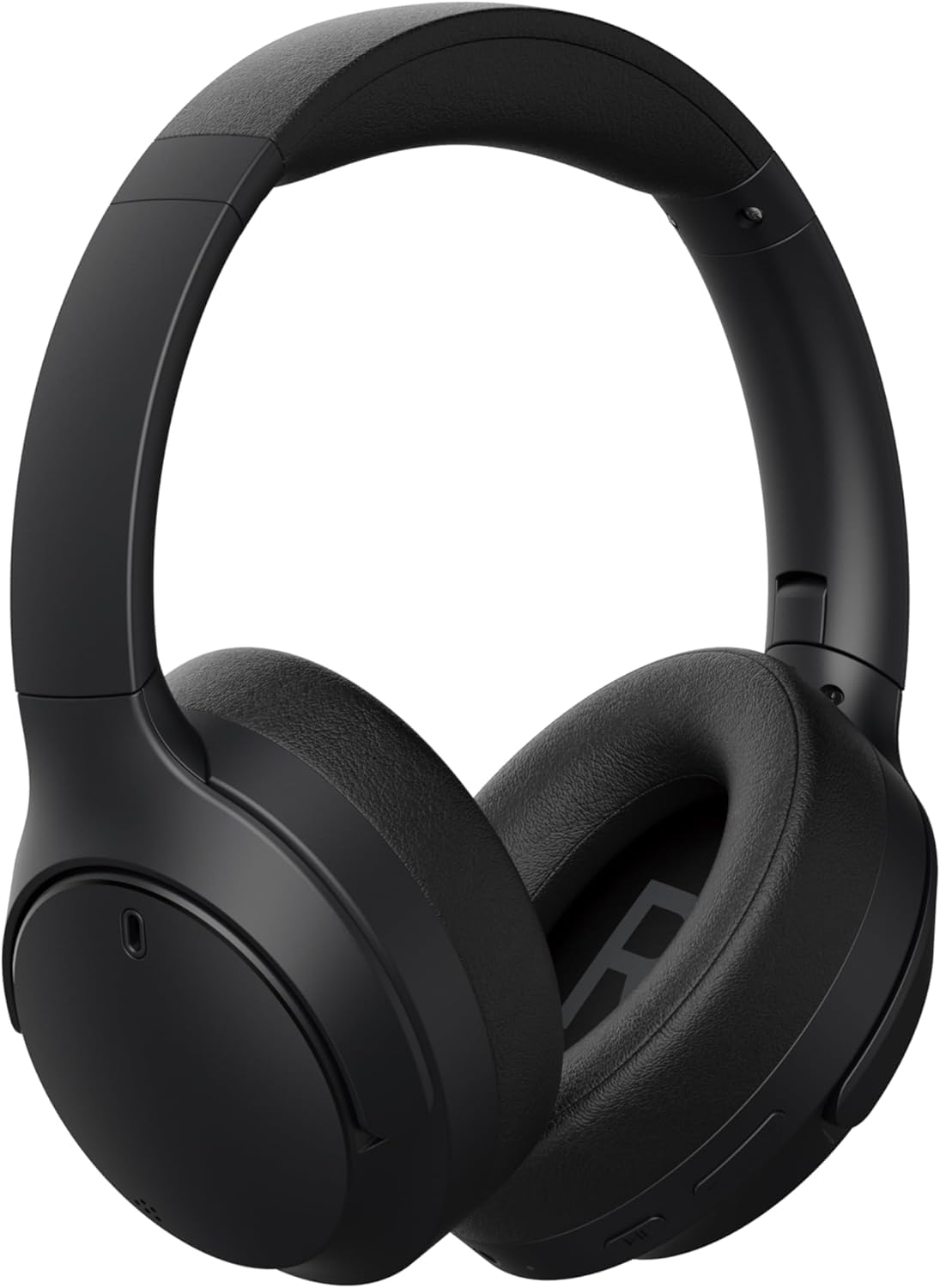
Isithombe 1.1: Ngaphambili view of the HONOR Choice Headphone.
Izici Eziyinhloko:
- Hi-Res Audio Certified 40mm Drivers: Delivers high-resolution audio with deep bass and clear vocals.
- Massive 80-Hour Battery Life: Isikhathi sokulalela esengeziwe ngokushaja okukodwa.
- ENC for Crystal-Clear Calls: Environmental Noise Cancellation reduces background noise for clear voice communication.
- Bluetooth 5.4 & Wired Connectivity: Offers stable wireless connection and a 3.5mm jack for wired use.
- Idizayini engasindi futhi enethezekile: Weighs 219g for extended wear comfort.
2. Yini EseBhokisini
Sicela uhlole okuqukethwe kwephakheji lakho. Uma kukhona izinto ezingekho noma ezilimele, xhumana nomthengisi wakho.
- HONOR Choice Headphone
- Isikhwama seSling
- AUX Cable (3.5mm audio cable)
- Uhlobo C lokushaja ikhebula
- Incwadi Yomsebenzisi (le dokhumenti)
3. Umkhiqizo Uphelileview
Familiarize yourself with the different parts of your HONOR Choice Headphone.

Isithombe 3.1: Ukuvala view of the headphone controls, including power button, volume buttons, and playback controls.

Isithombe 3.2: Ukuvala view of the charging port (USB-C) and 3.5mm audio jack.

Isithombe 3.3: Phezulu view of the headphones, showing the headband and earcups.
4. Setha
4.1 Ukushaja ama-headphones
Before first use, fully charge your headphones. Use the provided Type-C charging cable.
- Connect the Type-C end of the charging cable to the charging port on the headphone.
- Xhuma isiphetho se-USB-A ku-adaptha yamandla ye-USB ehambisanayo (ayifakiwe) noma imbobo ye-USB yekhompyutha.
- The LED indicator will show charging status (e.g., red for charging, blue/green for fully charged).
- Ukushaja okuphelele kuthatha cishe amahora angu-2-3.
4.2 Vula/Vala amandla
- Ukuvula: Press and hold the Power button for approximately 3 seconds until the LED indicator lights up and you hear a power-on prompt.
- Ukucisha: Press and hold the Power button for approximately 5 seconds until the LED indicator turns off and you hear a power-off prompt.
4.3 Ukumatanisa kwe-Bluetooth
Pair your headphones with a Bluetooth-enabled device (e.g., smartphone, tablet, laptop).
- Qinisekisa ukuthi ama-headphone acishiwe.
- Cindezela bese ubamba inkinobho ethi Power cishe imizuzwana emi-5-7 kuze kube yilapho inkomba ye-LED ikhanya okwesibhakabhaka nokubomvu ngokushintshana, okubonisa imodi yokubhangqa.
- Edivayisini yakho, vula i-Bluetooth bese usesha amadivayisi atholakalayo.
- Select "HONOR Choice Headphone" from the list of found devices.
- Once connected, the LED indicator will flash blue slowly, and you will hear a connection prompt.
4.4 Uxhumano Lwezintambo (Imodi ye-AUX)
Use the provided 3.5mm AUX cable for a wired connection, which does not require battery power.
- Plug one end of the 3.5mm AUX cable into the audio jack on the headphone.
- Xhuma olunye uhlangothi kumsindo ophumayo wedivayisi yakho ongu-3.5mm.
- Ama-headphone azoshintshela kumodi enentambo ngokuzenzakalela.
5. Iziqondiso Zokusebenza
The HONOR Choice Headphone features intuitive touch controls and physical buttons for various functions.
5.1 Izilawuli zokudlala Umculo
- Dlala/Misa kancane: Cindezela inkinobho yeMulti-function kanye.
- Ithrekhi Elandelayo: Cindezela bese ubamba inkinobho ethi Volume Up imizuzwana emi-2.
- Ithrekhi yangaphambilini: Cindezela bese ubamba inkinobho ethi Volume Down imizuzwana emi-2.
- Ivolumu ephezulu: Cindezela kafushane inkinobho ye-Volume Up.
- Ivolumu Phansi: Cindezela kafushane inkinobho ye-Volume Down.
5.2 Ukuphathwa Kwezingcingo
- Phendula/Phendula ikholi: Cindezela inkinobho yeMulti-function kanye.
- Yenqaba Ucingo: Cindezela bese ubamba inkinobho ye-Multifunction imizuzwana emi-2.
- Yenza kusebenze umsizi wezwi: Cindezela kabili inkinobho ye-Multi-function.
5.3 Ukukhanselwa Komsindo Wezemvelo (ENC)
The ENC feature is automatically active during calls to reduce ambient noise for clearer communication.
6. Isondlo
6.1 Ukuhlanza
- Sula ama-headphone ngendwangu ethambile, eyomile, engena-lint.
- Ungasebenzisi amakhemikhali anamandla, izihlanzi zokuhlanza, noma izihlanzi ezinamandla.
- Gwema ukuthola umswakama kunoma yiziphi izimbobo.
6.2 Isitoreji
When not in use, store the headphones in the provided sling bag to protect them from dust and scratches.

Image 6.1: Headphones folded for compact storage in the sling bag.
- Gcina endaweni epholile, eyomile ngaphandle kwamazinga okushisa aphezulu kanye nelanga eliqondile.
- Gwema ukubeka izinto ezisindayo kuma-headphone.
7. Ukuxazulula izinkinga
Uma uhlangabezana nezinkinga ngama-headphone akho, bheka izinkinga nezixazululo ezilandelayo ezivamile.
| Inkinga | Isixazululo Esingenzeka |
|---|---|
| Ama-headphone awavuli amandla. | Ensure the headphones are charged. Connect to a power source using the Type-C cable. |
| Ayikwazi ukubhanqa nge-Bluetooth. |
|
| Awukho umsindo noma ivolumu ephansi. |
|
| Ikhwalithi yocingo ayilungile. |
|
8. Imininingwane
| Isici | Imininingwane |
|---|---|
| Ibhrendi | INHLONIPHO |
| Inombolo Yemodeli | 5504ABSJ |
| Umbala | Mnyama |
| Ukubekwa Kwendlebe | Ngendlebe |
| Impedance | 32 ohm |
| Ubuchwepheshe bokuxhumana | Intambo, engenantambo |
| Ubuchwepheshe obungenantambo | I-Bluetooth |
| Inguqulo ye-Bluetooth | 5.4 |
| I-headphone Jack | 3.5 mm Jack |
| Isisindo sento | 219 amagremu |
| Ukulawula Umsindo | Ukukhanselwa Kwemisindo Yezemvelo (ENC) |
| I-Frequency Range | 20Hz - 40,000Hz |
| Uhlobo Lomshayeli Womsindo | I-Dynamic Driver |
| Usayizi Womshayeli Womsindo | 40 amamilimitha |
| Uhlobo Lokulawula | Ukulawula Ukuthinta |
| Impilo Emaphakathi Yebhethri | Amahora angu-80 |
| Impahla Ebiyelwe | Ipulasitiki |
| Amadivayisi Ahambisanayo | Cellphones, Laptops |
9. Ulwazi Lwewaranti
This HONOR Choice Headphone comes with a 1-Year Seller Warranty kusukela ngedethi yokuthenga. Lesi siqinisekiso simboza amaphutha okukhiqiza nokusebenza ngaphansi kokusetshenziswa okuvamile.
Iwaranti ayibandakanyi:
- Damage caused by misuse, accident, abuse, negligence, or improper operation.
- Damage caused by unauthorized modification or repair.
- Normal wear and tear, including cosmetic damage.
- Damage caused by exposure to extreme temperatures or liquids.
Sicela ugcine ubufakazi bakho bokuthenga izimangalo zewaranti.
10. Ukusekela
For further assistance, technical support, or warranty inquiries, please contact your retailer or visit the official HONOR support webindawo.
You may find additional resources and FAQs online by searching for "HONOR Choice Headphone support" or visiting the HONOR official webindawo.