
SENBONO KT71
SENBONO KT71 Smartwatch User Manual
Imodeli: KT71
Igama Brand: SENBONO
Isingeniso
This manual provides detailed instructions for the SENBONO KT71 Men's Outdoor Smartwatch. The KT71 is designed for active lifestyles, featuring a 1.96" HD display, call answering capabilities, extensive sport modes, long battery life, and 3ATM water resistance. It seamlessly connects with both Android and iOS devices to keep you connected and informed. Please read this manual thoroughly to ensure proper use and optimal performance of your smartwatch.

Image: The SENBONO KT71 Smartwatch showcasing its large display with various watch faces, including a health tracking interface showing heart rate and steps, and a time/weather display.
Okuqukethwe Kwephakheji
Qinisekisa ukuthi zonke izinto zikhona ephaketheni ngaphambi kokuqhubeka nokusetha.
- 1 x SENBONO KT71 Smartwatch
- 1 x Ikhebuli yokushaja
- 1 x Incwadi Yomsebenzisi (le dokhumenti)
Umhlahlandlela Wokusetha
1. Ukushaja iwashi elihlakaniphile
Before first use, fully charge your smartwatch.
- Xhuma ikhebula lokushaja elinozibuthe koxhumana nabo bokushaja ngemuva kwewashi elihlakaniphile.
- Xhuma ingxenye yekhebula le-USB ku-adaptha yamandla ye-USB ejwayelekile (kunconywa i-5V/1A) noma imbobo ye-USB yekhompyutha.
- The watch display will show a charging indicator. A full charge typically takes approximately 2 hours.
2. Vula/Vala
- Vula: Press and hold the side button for 3-5 seconds until the screen lights up.
- Cisha ugesi: Press and hold the side button, then select "Power Off" on the screen, or navigate to "Settings" > "Power Off".
3. Ukufakwa kohlelo lokusebenza nokumatanisa
The KT71 smartwatch is compatible with both Android and iOS devices. To unlock its full potential, download the companion app.
- Scan the QR code in the user manual (or on the watch itself) or search for the official app name (e.g., "FitCloudPro" or similar, as this is common for such watches) in your smartphone's app store (Google Play Store for Android, Apple App Store for iOS).
- Faka uhlelo lokusebenza bese udala i-akhawunti uma ucelwa.
- Qinisekisa ukuthi i-Bluetooth ivuliwe ku-smartphone yakho.
- Open the app, go to "Device" or "My Device" section, and tap "Add Device" or "Bind Device".
- Select "KT71" from the list of discovered devices.
- Qinisekisa isicelo sokubhanqa kokubili efonini yakho kanye newashi elihlakaniphile.
- Uma selibhanqiwe, iwashi lizovumelanisa isikhathi nedatha nefoni yakho.
Okubalulekile: For stable connection and full functionality, grant all necessary permissions to the app (e.g., location, notifications, contacts) when prompted by your smartphone.
Imiyalelo yokusebenza
1. Ukuhamba Okuyisisekelo
- Isikrini sokuthinta: Swipe left/right to navigate between main functions (e.g., activity, heart rate, weather). Swipe up/down to access quick settings or notifications. Tap to select.
- Inkinobho Eseceleni: Press once to return to the previous screen or wake the display. Press and hold to access power options or a shortcut menu.
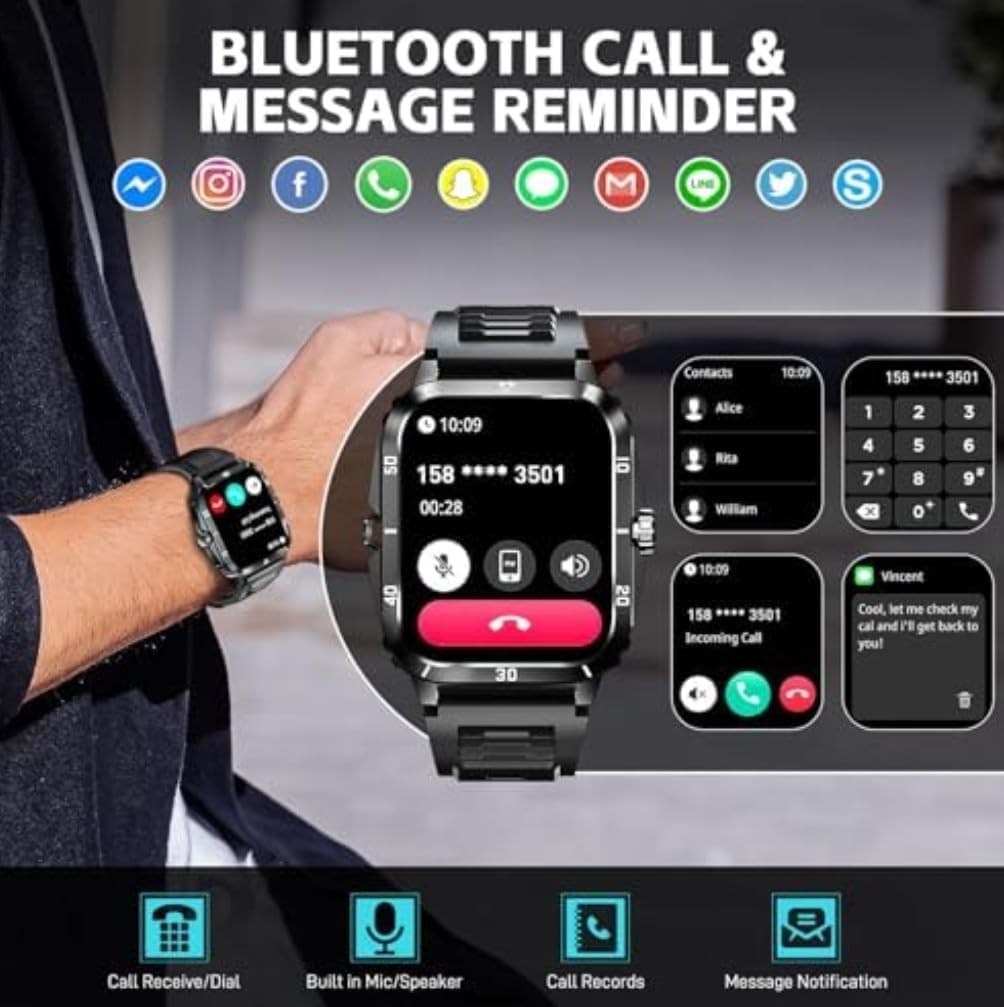
Image: The smartwatch display showcasing various watch faces and the main interface with time, date, step count, and current weather information.
2. Ukuphathwa Kwezingcingo
With Bluetooth calling enabled, you can manage calls directly from your wrist.
- Ukuphendula Izingcingo: When an incoming call is displayed, tap the green phone icon to answer.
- Ukwenqaba Amakholi: Thepha isithonjana sefoni ebomvu ukuze wenqabe ucingo olungenayo.
- Ukudayela: Access the dial pad or contact list on the watch to make outgoing calls.
- Built-in Mic/Speaker: The watch features a built-in microphone and speaker for hands-free communication.
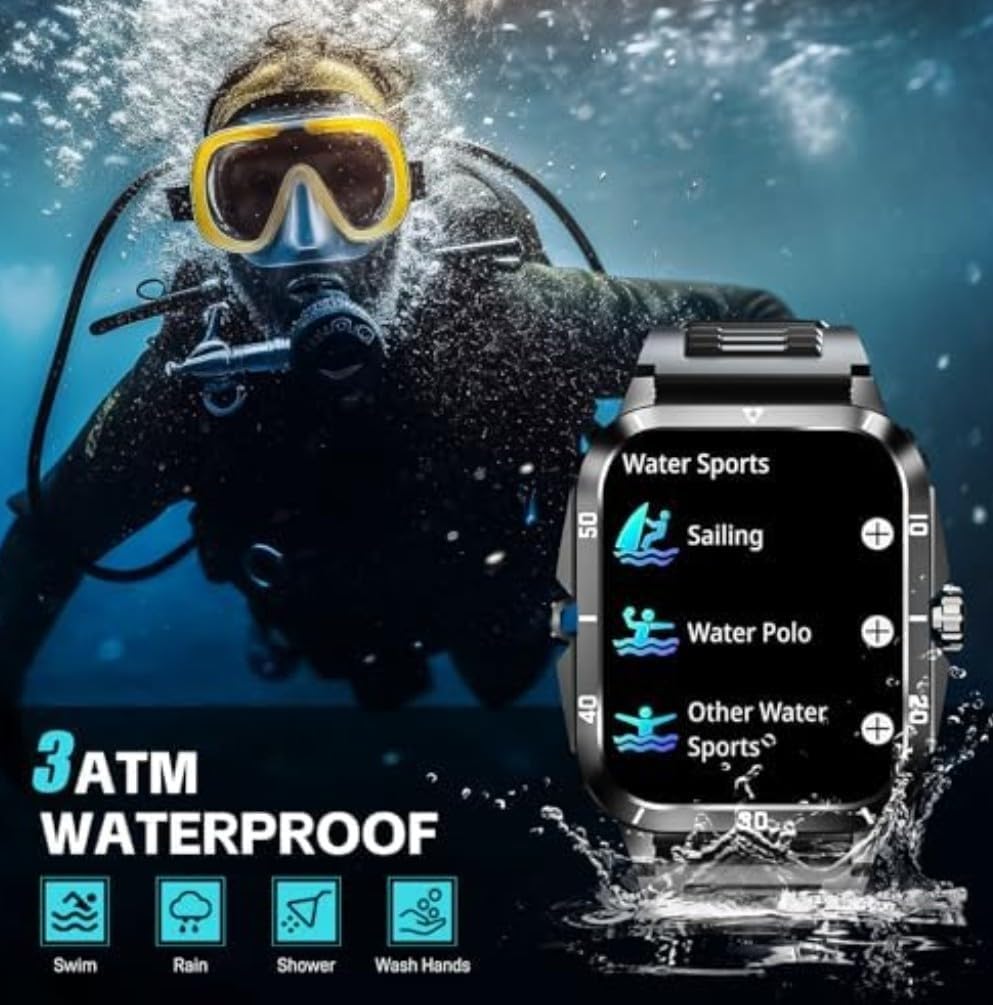
Image: The smartwatch showing its Bluetooth call and message reminder features, including an incoming call screen, a dial pad, and a message notification display.
3. Izaziso
Receive notifications from your smartphone directly on your smartwatch.
- Ensure notification permissions are enabled in the companion app and your phone's settings.
- Swipe down from the watch face to view izaziso zakamuva.
4. Izindlela Zezemidlalo
The KT71 offers over 100 sport modes to track your physical activities.
- Navigate to the "Sport" or "Workout" menu on your watch.
- Khetha umsebenzi owuthandayo (isib. ukugijima, ukugibela ibhayisikili, ukubhukuda).
- The watch will begin tracking relevant data such as duration, steps, distance, and calorie consumption.
- End the workout by following the on-screen prompts. Data will sync to the app.

Image: The smartwatch showing a summary of a sport activity, including duration, total steps, and total calories burned, with an illustration of a person cycling in the background.
5. Ukuqapha Impilo
Qapha izilinganiso zakho zezempilo ngqo esihlakaleni sakho.
- Isilinganiso senhliziyo: Navigate to the heart rate interface and ensure the watch is snug on your wrist. The watch will automatically measure your heart rate.
- I-Oxygen yegazi: Similar to heart rate, access the SpO2 function for measurement.
- Ukuqapha Ukulala: Wear the watch to bed, and it will automatically track your sleep patterns (awake, light sleep, restful sleep). View imibiko enemininingwane kuhlelo lokusebenza.

Image: The smartwatch displaying its sleep monitoring interface showing total sleep duration, and a health monitor interface showing heart rate measurement with current BPM, max, and min values.
6. Ezinye Izici
- Isimo sezulu: View real-time weather forecasts after syncing with the app.
- Ukulawula Umculo: Lawula ukudlala umculo ku-smartphone yakho (dlala, misa isikhashana, yeqa amathrekhi) ngqo kusuka kuwashi.
- Ukulawula Ikhamera: Sebenzisa iwashi njenge-remote shutter yekhamera ye-smartphone yakho.
- Ubuso bewashi: Customize your watch face from a variety of options available on the watch or through the companion app.
Isondlo
1. Ukumelana Namanzi (3ATM)
The KT71 smartwatch is 3ATM water-resistant, meaning it can withstand splashes, rain, and brief immersion in shallow water.
- Suitable for daily use, hand washing, rain, and showering.
- Not suitable for hot water, diving, or prolonged submersion.
- Avoid contact with hot water, steam, or corrosive liquids.
- After contact with water, especially saltwater, wipe the watch dry with a soft cloth.
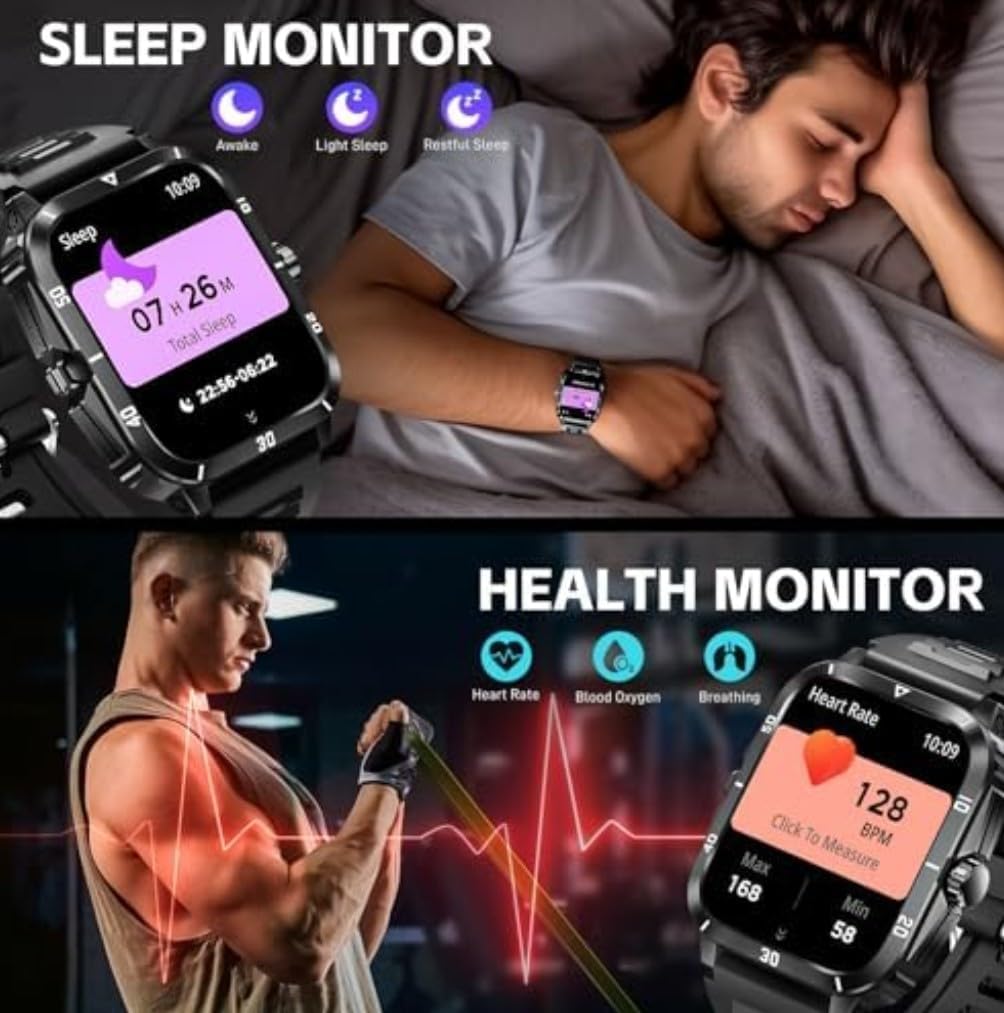
Image: The smartwatch highlighting its military-grade durability features including anti-impact, anti-fluid corrosion, temperature resistance, dust-proof, and 3ATM waterproof capabilities, shown with scenarios like working in a dusty environment, diving, and extreme cold.
2. Ukuhlanza
- Hlanza njalo iwashi nebhande ngokuthambile, damp indwangu.
- Gwema ukusebenzisa amakhemikhali anokhahlo noma izinto ezilumayo.
- Qinisekisa ukuthi abathintwayo abashajayo bahlanzekile futhi bomile ngaphambi kokushaja.
3. Ukunakekelwa Kwebhethri
- Avoid extreme temperatures (hot or cold) as they can affect battery life.
- Ungashiyi iwashi ligcwele amanzi isikhathi eside.
- Sebenzisa kuphela ikhebuli yokushaja enikeziwe.
Ukuxazulula inkinga
If you encounter issues with your smartwatch, try the following solutions:
- Iwashi elingavuliwe: Qinisekisa ukuthi iwashi lishajwe ngokugcwele. Yixhume kushaja okungenani imizuzu engama-10.
- Ayikwazi ukubhanqa nefoni:
- Qinisekisa ukuthi i-Bluetooth ivuliwe efonini yakho nasewashini.
- Qiniseka ukuthi iwashi lingaphakathi kwebanga lefoni yakho.
- Qala kabusha kokubili iwashi nefoni yakho.
- Clear Bluetooth cache on your phone (Android) or forget the device and re-pair (iOS/Android).
- Ensure the companion app has all necessary permissions.
- Izaziso azitholwanga:
- Check app notification settings on your phone and in the companion app.
- Qinisekisa ukuthi iwashi lixhunywe nge-Bluetooth.
- Disable any power-saving modes on your phone that might restrict app background activity.
- Idatha yezempilo enganembile:
- Ensure the watch is worn snugly on your wrist, about one finger's width from the wrist bone.
- Gcina inzwa ihlanzekile.
- Note that health data is for reference only and not for medical diagnosis.
- Isikrini asiphenduli: Try restarting the watch by pressing and holding the side button. If unresponsive, allow the battery to drain completely and then recharge.
Imininingwane
| Isici | Imininingwane |
|---|---|
| Inombolo Yemodeli | I-KT71 |
| Usayizi Wokubonisa | 1.96 amayintshi |
| Isistimu esebenzayo | Android, iOS Compatible |
| Ubuchwepheshe bokuxhumana | Bluetooth, Cellular |
| Izinga Lokuxhumana Okungenantambo | I-Bluetooth |
| Ukumelana Namanzi | 3ATM (Swim, Rain, Shower, Wash Hands) |
| Amandla ebhethri | 430 Amp Amahora |
| Uhlobo Lwebhethri | Lithium Polymer (Nonstandard Battery) |
| Amandla Okugcina Inkumbulo | 32 GB |
| Usayizi Ofakiwe Wememori Ye-RAM | 8 GB |
| Isisindo sento | 2.5 Amawunsi |
| Ubukhulu bephakheji | 4 x 2.5 x 1.5 amayintshi |
| Izici ezikhethekile | Bluetooth calling, Touchscreen, Water resistant |
| I-GPS | Ayikho i-GPS |
| Isimo | Unxande |
Iwaranti kanye Nokusekela
For warranty information and customer support, please refer to the warranty card included in your product packaging or visit the official SENBONO website. You may also contact the seller directly through the platform where you purchased the product.
Umkhiqizi: SENBONO
Idethi Etholakala Ngayo: Juni 25, 2025