
Paladone 14328
Paladone PlayStation 12" Desk Headphone Stand with Light User Manual
Imodeli: 14328
1. Isingeniso
The Paladone PlayStation 3-in-1 Charging and Tech Accessories Stand is designed to enhance your gaming setup or desk space. This versatile stand functions as a headset holder, console controller cradle, and phone stand, helping to maximize your desk area. It features an RGB LED light panel with multiple lighting modes and is equipped with two USB-C charging ports for convenient device power.
Izici Eziyinhloko:
- 3-in-1 Tech Stand: Organizes your headphones, controller, and phone in one vertical unit.
- Isiteshi sokushaja: Includes two USB-C ports for charging compatible devices.
- Ukukhanyisa kwe-RGB: Customizable light panel with three brightness settings, music reactive mode, color phasing, and color select modes, controlled by an included remote.
- Ilayisensi Ngokusemthethweni: Authentic PlayStation merchandise.
2. Okuqukethwe Kwephakheji
Please ensure all items are present before setup:
- Paladone PlayStation 12" Desk Headphone Stand with Light
- Isilawuli kude
- USB-C Cable (permanently attached)
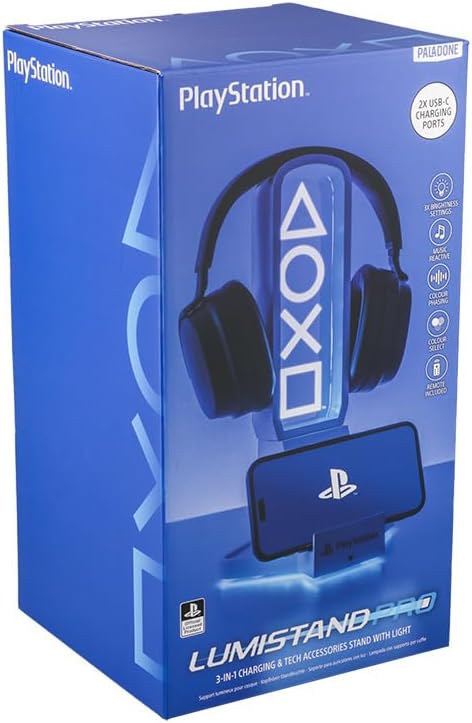
Figure 1: Product packaging showing the stand, headphones, and phone.
3. Setha
- Khipha: Carefully remove the headphone stand and all accessories from the packaging.
- Ukubekwa: Place the stand on a stable, flat surface on your desk or gaming area.
- Ukuxhuma kwamandla: Connect the permanently attached USB-C cable from the stand to a compatible USB power source (e.g., computer USB port, USB wall adapter). The RGB lights will illuminate upon connection.
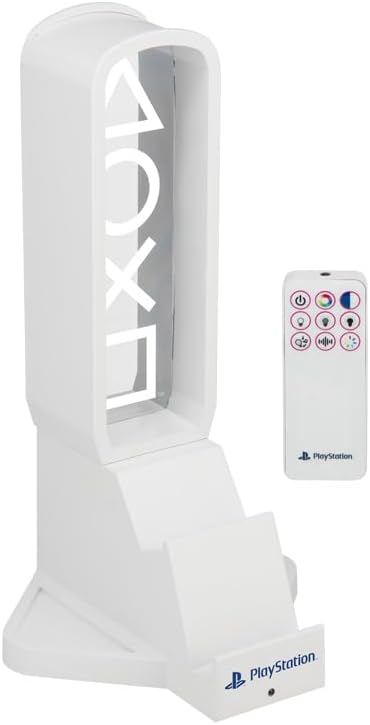
Figure 2: The headphone stand shown with its included remote control.
4. Iziqondiso Zokusebenza
4.1 Using the Stand
- Headphone Holder: Place your gaming headset or headphones over the top arch of the stand. The design is suitable for various headphone sizes.
- Controller Cradle: The base of the stand features a dedicated cradle to securely hold your PlayStation controller.
- Isitendi sefoni: A slot on the front of the base allows you to prop up your smartphone for easy viewing.
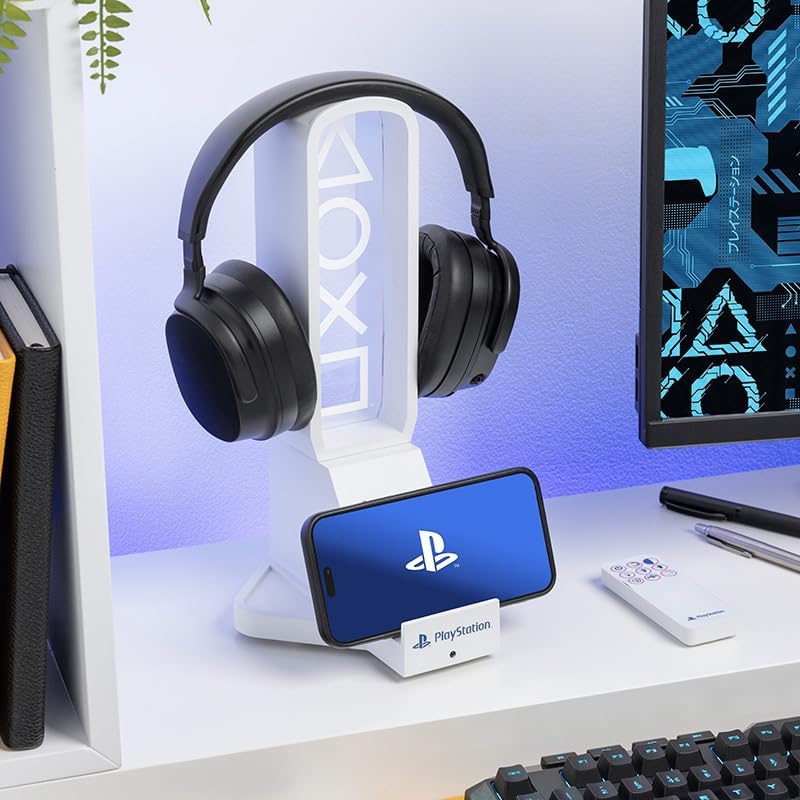
Figure 3: The stand in use, holding a pair of headphones and a smartphone.
4.2 RGB Lighting Control
The RGB LED light panel can be controlled using the included remote. The remote allows you to:
- Vula/Vala: Khanyisa noma vala izibani.
- Ukulungiswa Kokukhanya: Select from three brightness settings.
- Ukukhetha Umbala: Choose a static color from a range of options.
- Color Phasing: Activate a mode where colors smoothly transition.
- Music Reactive Mode: The lights will respond to audio input, creating a dynamic visual effect.

Figure 4: The headphone stand displaying its blue RGB lighting effect.
4.3 Izimbobo zokushaja ze-USB-C
The stand is equipped with two USB-C charging ports. These ports can be used to charge your smartphone, controller, or other USB-C compatible devices. Simply connect your device's USB-C cable to one of the available ports on the stand.
5. Isondlo
- Ukuhlanza: Wipe the stand with a soft, dry cloth. Avoid using abrasive cleaners or solvents, as these may damage the finish or electronic components.
- Isitoreji: When not in use for extended periods, disconnect the power cable and store the stand in a cool, dry place.
6. Ukuxazulula izinkinga
- Izibani Azisebenzi: Ensure the USB-C power cable is securely connected to both the stand and a functioning power source. If using the remote, check its battery.
- Ukushaja Akusebenzi: Verify that the USB-C cable from the stand is connected to a power source. Ensure your device's charging cable is properly inserted into one of the stand's USB-C ports. Test with a different device or cable if necessary.
- Izinkinga zesilawuli kude: If the remote is unresponsive, check its battery. Ensure there are no obstructions between the remote and the stand's sensor.
7. Imininingwane
| Isibaluli | Imininingwane |
|---|---|
| Ibhrendi | I-Paladone |
| Inombolo Yemodeli | 14328 |
| Umbala | Blue (referring to PlayStation theme) |
| I-Form Factor | Umbhoshongo |
| Amadivayisi Ahambisanayo | Gaming Consoles (PlayStation), Headphones, Smartphones |
| Uhlobo Lokukhweza | I-Cradle |
| Itimu | I-PlayStation |
| Igama Lesitayela | Modern, Gaming-Focused, Minimalistic With Dynamic Lighting |
| Ubukhulu bento | 6.3 x 12.4 x 6.69 amayintshi |
| Ukubala kweyunithi | 1.0 Bala |
| Inombolo Yezinto | 1 |
| Imidiya eyakhelwe ngaphakathi | I-USB-C CABLE |
| Umkhiqizi | Paladone Products Ltd. |
| Impahla Ebiyelwe | Ipulasitiki |
8. Iwaranti kanye Nokusekela
This product is an officially licensed PlayStation product from Paladone. For specific warranty details and support inquiries, please refer to the documentation included with your purchase or visit the official Paladone webindawo.
For additional information or assistance, you may also visit the Paladone Store on Amazon.
Ask a question about this manual
Ask about setup, troubleshooting, compatibility, parts, safety, or missing instructions. Manuals+ will review the question and use this page’s manual context to help answer it.