
1. Ulwazi Lokuphepha
Please read this manual carefully before operating the RCB R16 electric scooter. Failure to follow instructions can lead to serious injury or damage to the product.
Isaziso Esibalulekile
This product may not comply with the latest certification requirements for Personal Mobility Vehicles (VMP) in certain regions. Always check local regulations before use.
Izinkombandlela Zokuphepha Ezijwayelekile
- Gqoka njalo umakalabha kanye nezinto zokuzivikela ezifanele (amaphedi amadolo, izindololwane) lapho ugibele.
- Qinisekisa ukuthi zonke izingxenye ziboshwe ngokuphephile ngaphambi kokugibela ngakunye.
- Do not ride in heavy rain, on slippery surfaces, or through puddles deeper than 2 cm.
- Avoid riding on uneven terrain, steep slopes, or over obstacles that could cause loss of control.
- Gcina ibanga eliphephile kwezinye izimoto nabahamba ngezinyawo.
- Ungenzi ama-stunts noma ukuqondisa izinto kungazelelwe.
- The maximum load capacity is 120 kg. Do not exceed this limit.
- Inconyelwe abasebenzisi abaneminyaka engu-16 nangaphezulu.
- Familiarize yourself with local traffic laws and regulations regarding electric scooters.
2. Yini EseBhokisini
Qinisekisa ukuthi zonke izinto zikhona uma uvula ibhokisi:
- 1 x RCB R16 Electric Scooter
- 1 x I-adaptha yokushaja
- 1 x Incwadi Yomsebenzisi
- 1 x Ikhithi yamathuluzi
3. Setha
3.1 I-Unboxing kanye Nomhlangano Wokuqala
Carefully remove the scooter and all accessories from the packaging. The scooter comes partially folded. Follow these steps to prepare it for use:
- Lift the handlebar stem until it locks into the upright position. Ensure the folding mechanism is securely latched.
- Connect the main cable from the handlebar to the corresponding port in the stem.
- Attach the handlebar to the stem using the provided screws and Allen wrench from the toolkit. Ensure it is firmly secured.
Video: Unboxing and initial assembly of the RCB R16 electric scooter. (Note: This is a user-submitted video for demonstration purposes.)
3.2 Ukushaja Ibhethri
Before first use, fully charge the scooter's battery. The charging port is typically located on the side of the deck.
- Connect the charging adapter to the scooter's charging port.
- Xhuma i-adaptha endaweni yamandla.
- The charging indicator on the adapter or scooter display will show the charging status. A full charge takes approximately 6 hours.
- Disconnect the charger once the battery is full to prolong battery life.

Image: Illustration of the scooter's long-range 7.8Ah battery and 6-hour charging time.
3.3 Ukuxhumana kohlelo lokusebenza
The RCB R16 electric scooter supports app control for enhanced features.
- Download the official RCB app from your smartphone's app store.
- Turn on the scooter and enable Bluetooth on your phone.
- Open the RCB app and follow the on-screen instructions to connect to your scooter.
- Through the app, you can monitor speed, battery level, driving distance, and adjust settings.
4. Ukusebenza
4.1 Vula/Vala amandla
- To power on: Press and hold the power button on the display for a few seconds.
- Ukucisha: Cindezela bese ubamba inkinobho yamandla futhi kuze kube yilapho isibonisi sivaleka.
4.2 Amamodi esivinini
The scooter features three adjustable speed modes:
- Imodi yabahamba ngezinyawo: Max 6 km/h (approx. 3.7 mph)
- Imodi ye-ECO: Max 12 km/h (approx. 7.5 mph)
- Imodi Yezemidlalo: Max 25 km/h (approx. 15.5 mph)
Toggle between modes by pressing the power button briefly while the scooter is on.

Image: Display showing the three adjustable speed modes.
4.3 Izibani kanye nezimpawu zokujika
The scooter is equipped with a headlight, brake light, and turn signals for enhanced visibility and safety.
- Isibani esikhulu: Press the light button on the handlebar to turn the headlight on or off.
- I-Brake Light: The rear brake light illuminates automatically when the brake lever is engaged.
- Guqula amasignali: Use the directional buttons on the handlebar to activate left or right turn signals.

Isithombe: Kuphelileview of the scooter's safe light system.
Video: Demonstration of the RCB R16 electric scooter's headlight, brake light, and turn signals. (Note: This is a user-submitted video for demonstration purposes.)
4.4 Uhlelo lokubhuleka
The RCB R16 features a dual braking system for reliable stopping power.
- I-Drum Brake: Isebenza nge-lever yebhuleki esibambo.
- I-Electronic Brake: Provides additional stopping power and energy recovery.
Always apply brakes smoothly to avoid sudden stops and maintain control.

Image: Illustration of the scooter's double brake system.
4.5 Folding and Portability
The R16 is designed for easy folding and transport.
- To fold: Locate the folding mechanism on the stem, release the latch, and carefully fold the handlebar stem downwards until it clicks into place with the rear fender.
- To unfold: Release the latch from the rear fender and lift the handlebar stem until it locks upright.

Image: Visual guide to the scooter's 3-second folding mechanism and folded dimensions.
5. Isondlo
Regular maintenance ensures the longevity and safe operation of your RCB R16 electric scooter.
5.1 Ukuhlanza
- Sula isikuta ngesikhangisoamp indwangu ngemva kokusetshenziswa ngakunye. Gwema ukusebenzisa amajethi amanzi anomfutho omkhulu noma amakhemikhali anokhahlo.
- Ungacwilisi isikuta emanzini.
5.2 Ukunakekelwa Kwebhethri
- Shaja ibhethri njalo, noma ingasebenzi, ukugcina impilo yayo.
- Gwema ukukhipha ngokuphelele ibhethri.
- Gcina isikuta endaweni epholile, eyomile ngaphandle kwelanga eliqondile kanye namazinga okushisa aphezulu.
5.3 Tire and Brake Inspection
- Regularly check the solid tires for wear and tear.
- Inspect the brake system for proper function and adjust if necessary.
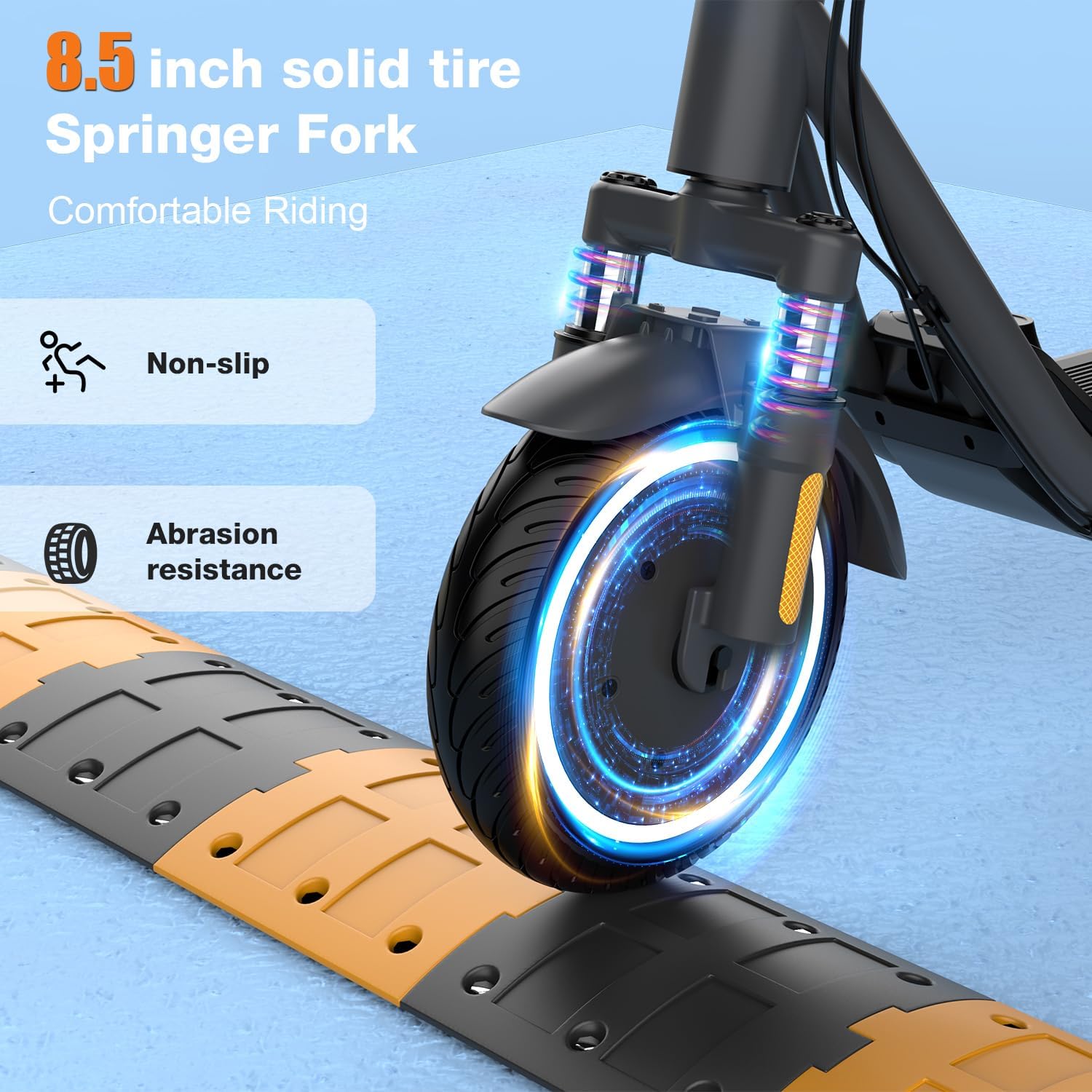
Image: Close-up of the 8.5-inch solid tire and front suspension.
6. Ukuxazulula izinkinga
If you encounter issues with your RCB R16 scooter, refer to the following common problems and solutions:
| Inkinga | Imbangela Engenzeka | Isixazululo |
|---|---|---|
| Scooter does not turn on | Low battery; Loose connections | Charge the battery; Check all cable connections. |
| Ububanzi noma amandla ancishisiwe | Ibhethri eliphansi; Ukulayisha ngokweqile; Izinga lokushisa eliphakeme | Fully charge battery; Ensure rider weight is within limits; Operate in moderate temperatures. |
| Amabhuleki awasebenzi | Ikhebula lamabhuleki liyaxega; Amabhuleki agugile | Adjust brake cable tension; Replace brake pads if worn. |
| Uhlelo lokusebenza aluxhumi | Bluetooth off; Scooter off; App issue | Ensure Bluetooth is on and scooter is powered; Restart app/phone. |
7. Imininingwane
Key technical specifications for the RCB R16 electric scooter:
| Isici | Imininingwane |
|---|---|
| Imodeli | R16 |
| Amandla Ezimoto | 300W (up to 500W peak) |
| Isivinini esikhulu | 25 km/h |
| UMax Range | 23-29 km |
| Ibhethri | 7.8Ah Lithium Ion |
| Isikhathi sokushaja | Cishe. Amahora angu-6 |
| Usayizi Wesondo | 8.5 inches (Solid) |
| Umthwalo Omkhulu | 120 kg |
| Product Dimensions (unfolded) | 112 x 52 x 116 cm |
| Isisindo Somkhiqizo | 15.3 kg |
| Uhlobo Lwebhuleki | Drum Brake + Electronic Brake |
| Ukumiswa | Ukumiswa Kwangaphambili |
| Izici ezikhethekile | APP Control, Foldable, Headlight, Brake Light, Turn Signals |

Image: RCB R16 electric scooter highlighting its main features and specifications.
8. Iwaranti & Ukusekela
8.1 Ulwazi Lwewaranti
The RCB R16 electric scooter comes with a limited warranty. Please refer to the warranty card included in your package or contact customer support for detailed terms and conditions.
8.2 Ukwesekwa Kwamakhasimende
For any questions, technical assistance, or warranty claims, please contact RCB customer support through the following channels:
- Webindawo: Visit the official RCB webisayithi lama-FAQ nezinsiza zokusekela.
- I-imeyili: Refer to your user manual for the specific customer service email address.
- Ucingo: Contact details may be available on the RCB webisayithi noma kumadokhumenti womkhiqizo wakho.