
1. Isingeniso
Thank you for choosing the CROSSIO 20 Inch Wall Mount Fan. This manual provides essential information for the safe installation, operation, and maintenance of your new fan. Please read these instructions thoroughly before use and retain them for future reference.
2. Ulwazi Lokuphepha
- Qinisekisa ukuthi isiphakeli sikagesi sifana nevolthi yefenitage izidingo.
- Nqamula ugesi njalo ngaphambi kokufaka, ukuhlanza, noma ukulungisa.
- Mount the fan securely to a structural support to prevent falling.
- Keep fingers and other objects away from moving fan blades.
- Ungayisebenzisi ifeni ngentambo eyonakele noma ipulaki.
- This fan is rated for indoor use. Avoid exposure to direct water or extreme weather conditions.
3. Okuqukethwe Kwephakheji
Qinisekisa ukuthi zonke izingxenye zikhona ngaphambi kokuqala ukufakwa.
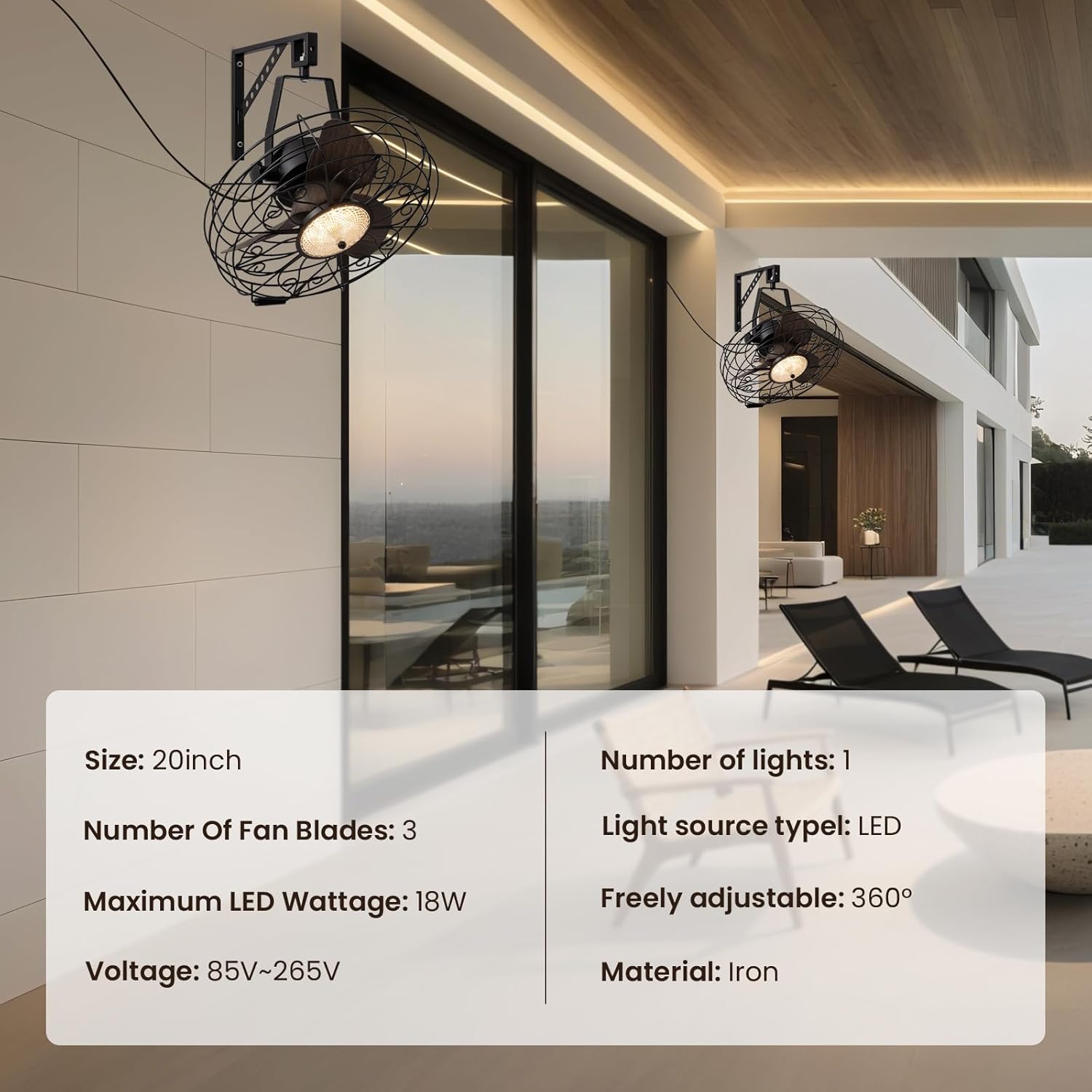
Image: Main product view showing the fan, remote control, and mounting hardware.
- Wall Mount Fan Unit
- I-Mounting Bracket
- Isilawuli kude
- Ihadiwe yokufaka (izikulufo, izikhonkwane)
- Incwadi Yomsebenzisi (le dokhumenti)
4. Ukusetha nokufakwa
Follow these steps to properly install your wall mount fan.
4.1. Ukufaka Ibhulakhethi
Select a suitable location on a sturdy wall, preferably into a wall stud. Use the mounting bracket as a template to mark drill holes. Drill pilot holes and secure the bracket using the provided screws and anchors.
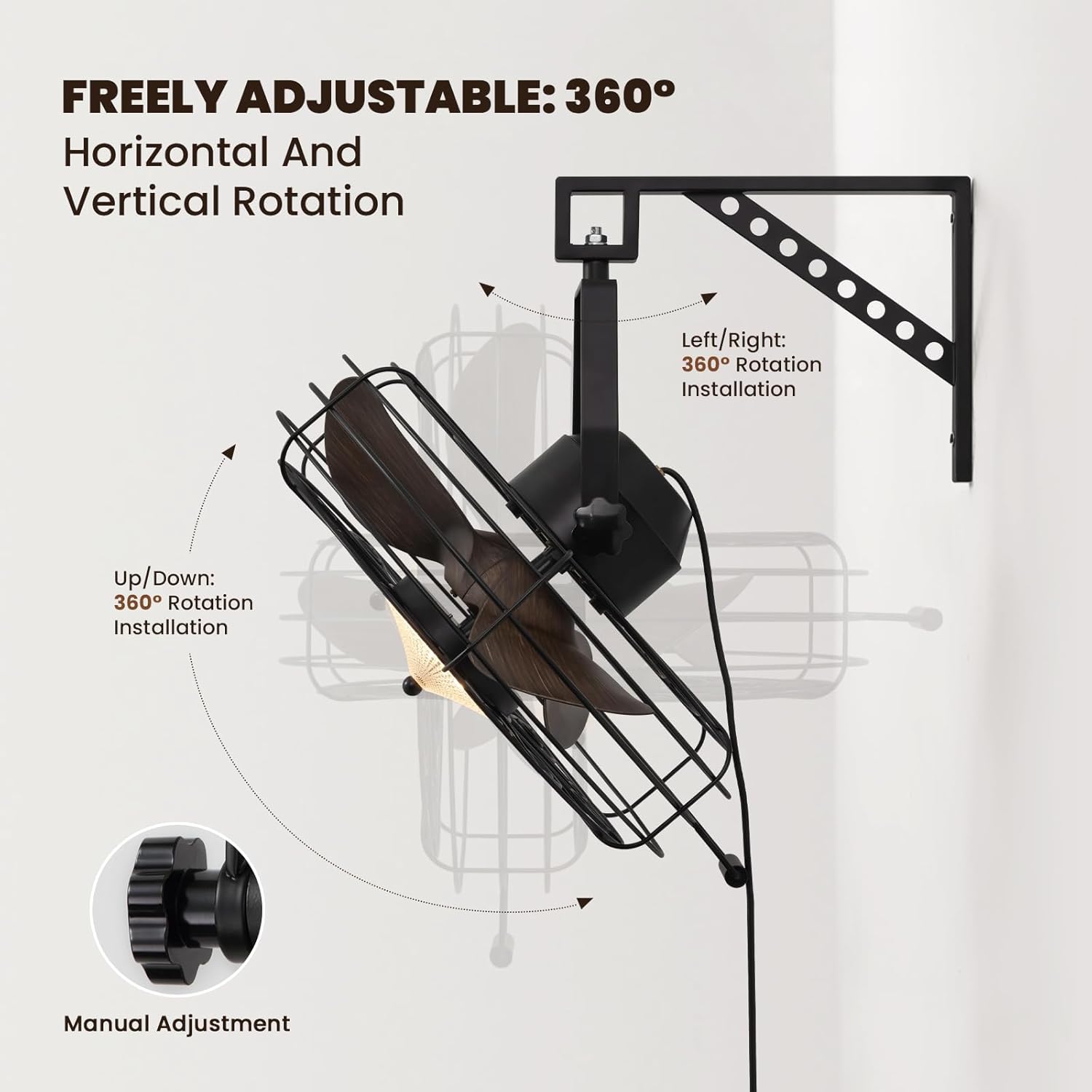
Image: The fan mounted on a wall, highlighting its 360° adjustable rotation.
4.2. Assembling the Fan Unit
Attach the fan unit to the mounted bracket. Ensure all connections are secure. The fan offers 360° manual adjustment for both vertical and horizontal rotation. Adjust the angle as desired and tighten the coupling knobs to secure its position.
4.3. Uxhumano lukagesi
Plug the fan's power cord into a standard electrical outlet. For hardwired installations, consult a qualified electrician.
4.4. Umhlahlandlela Wevidiyo Wokufaka
Video: Detailed installation instructions for the 20'' Wall Mount Fan.
Video: General wall mount fan installation guide, demonstrating common steps.
5. Iziqondiso Zokusebenza
Your fan can be operated using the included remote control or a compatible smart app.
5.1. Isilawuli kude Operation
The remote control allows full functionality from a distance.
- Vula/Vala: Cindezela inkinobho yamandla ukuze uvule ifeni futhi ukhanyise noma uvale.
- Isivinini saphephela: Select from 6 speed settings (1-6) to adjust airflow intensity.
- Ukulawula Ukukhanya: Adjust light brightness (10-100%) and choose between three color temperatures: Warm (3000K), Natural (4500K), and Cool (6000K).
- Reversible Mode: Switch between downward cooling airflow for summer and upward warm air circulation for winter.
- Umsebenzi Wesibali sikhathi: Setha ifeni ukuthi ivale ngokuzenzakalelayo ngemva kwamahora angu-1, 4, noma angu-8.

Image: Illustration of the three light color modes available.
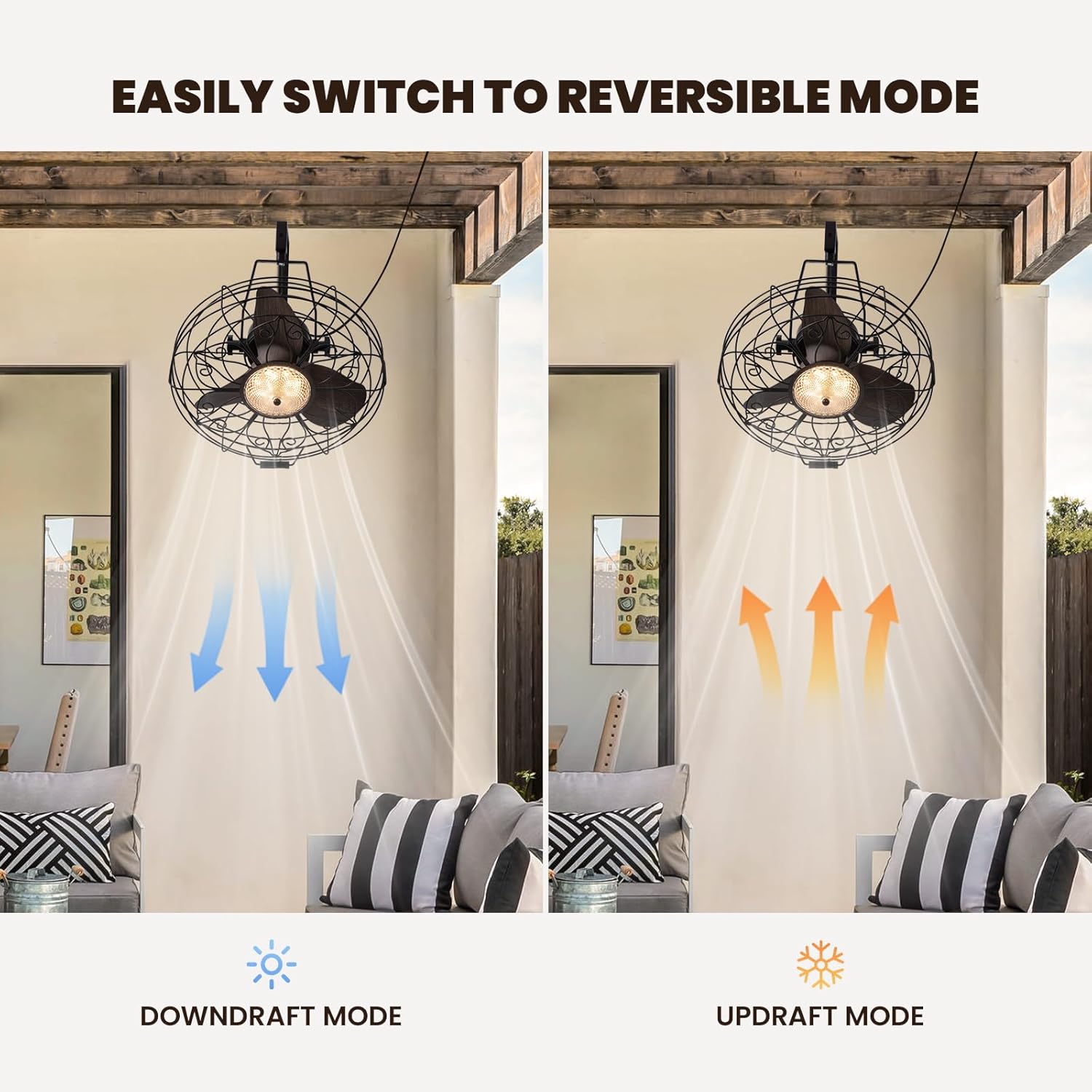
Image: Visual representation of the fan's reversible downdraft and updraft modes.

Image: Depiction of the fan's 6-speed settings, suitable for various environments.
5.2. I-Smart App Control
Download the compatible smart app to control your fan from your smartphone. The app provides additional features and convenience for managing fan speeds, light settings, and scheduling.
6. Isondlo
Ukulungiswa njalo kuqinisekisa ukusebenza kahle kanye nobude besikhathi somoya wakho.
- Ukuhlanza: Wipe the fan blades and housing with a soft, damp indwangu. Ungasebenzisi izinto zokuhlanza abrasive noma izincibilikisi.
- Ukuhlola: Periodically check all mounting hardware for tightness.
- Ukuthambisa: I-fan motor igcotshwe unomphela futhi ayidingi ukugcoba okwengeziwe.
7. Ukuxazulula izinkinga
Uma uhlangabezana nezinkinga ngomlandeli wakho, bheka izinkinga ezilandelayo nezisombululo:
- Ifeni Ayisebenzi: Check if the power cord is securely plugged in and the wall switch (if applicable) is on. Ensure the remote control batteries are functional.
- Ukukhanya Akusebenzi: Verify power connection. If using the app, ensure proper pairing.
- Umsindo Oweqile: Ensure all screws and mounting hardware are tightened. Check if fan blades are free from obstruction.
8. Imininingwane
| Ibhrendi | ISIPHAMBANO |
| Igama Lemodeli | I-CFL-1227-01 |
| Usayizi | 20inch |
| Ubukhulu bomkhiqizo | 21.25"D x 19.68"W x 22.44"H |
| Isisindo sento | 18.29 amakhilogremu |
| Umbala | Mnyama |
| Umthombo wamandla | DC |
| Wattage | 18 watts |
| Izinga Lomsindo | 35 Decibel |
| Inombolo Yamazinga Amandla | 6 |
| Indlela Yokulawula | Uhlelo lokusebenza, Isilawuli kude |
| Ukusetshenziswa Kwangaphakathi/Kwangaphandle | Ngasendlini |

Image: Diagram showing the dimensions of the fan unit.
9. Iwaranti kanye Nokusekela
Your CROSSIO Wall Mount Fan comes with a standard manufacturer's warranty. For warranty claims, technical support, or replacement parts, please contact the seller or refer to the contact information provided with your purchase documentation. Keep your proof of purchase for warranty validation.