
1. Isingeniso
Thank you for choosing the ACMER S2 12W Laser Engraver Machine. This powerful and precise tool is designed for a wide range of engraving and cutting applications on various materials. This manual provides essential information for safe operation, setup, maintenance, and troubleshooting to ensure optimal performance and longevity of your device.

Figure 1: The ACMER S2 12W Laser Engraver in operation, demonstrating its capability to engrave intricate designs on wood.
2. Ulwazi Lokuphepha
Operating a laser engraver requires strict adherence to safety guidelines to prevent injury and damage. Please read and understand all safety instructions before using the device.
Izinyathelo Zokuphepha Ezivamile:
- Always wear the provided protective anti-UV safety goggles when the laser is active.
- Never look directly into the laser beam or at its reflection.
- Ensure the work area is well-ventilated to dissipate fumes and smoke generated during engraving or cutting.
- Gcina izinto ezivuthayo zikude nomqophi we-laser.
- Ungashiyi umshini ungagadiwe ngesikhathi sokusebenza.
- The S2 includes an automatic pause feature if movement is detected during engraving, enhancing safety.
- Gcina izingane nezilwane ezifuywayo kude nendawo yokusebenza.
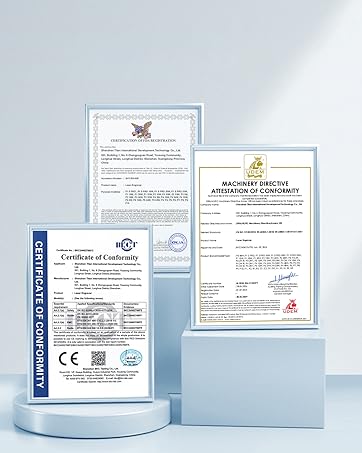
Figure 2: Product certifications indicating compliance with safety standards.
3. Okuqukethwe Kwephakheji
Verify that all components are present in the package before assembly. Refer to the included parts list in your physical manual for a detailed breakdown. Key components include:
- Imojuli ye-Laser (12W)
- Frame Components (profiles, X-axis, Y-axis)
- Ibhokisi Lokulawula
- I-adaptha yamandla namakhebuli
- I-Protective Goggles
- Ikhebula ledatha ye-USB
- I-Focusing Block
- Tool Kit (screws, wrenches)
Ividiyo 1: I-overview of the ACMER S1 12W Laser Engraver Machine, showcasing its components and general appearance.
4. Umhlahlandlela wokusetha
Follow these steps to assemble your ACMER S2 12W Laser Engraver. Detailed visual instructions are available in the included manual and the assembly video.
Izinyathelo Zomhlangano:
- Khipha zonke izingxenye futhi uqinisekise ngokumelene nohlu lwezingxenye.
- Assemble the frame using the provided screws and tools.
- Install the X-axis and Y-axis components, ensuring smooth movement.
- Mount the laser module onto the X-axis carriage.
- Connect the control box and power adapter.
- Adjust the laser focus using the focusing block.
Video 2: A user demonstrating the setup process of the ACMER S2 laser engraver, highlighting its ease of assembly.

Figure 3: The POM pulley and dovetail slide mechanism, designed for stable and quiet operation (less than 45dB).
5. Iziqondiso Zokusebenza
The ACMER S2 12W Laser Engraver is compatible with various software and materials, offering versatility for your projects.
Ukuvumelana kwesoftware:
The engraver supports LightBurn and LaserGRBL, two mainstream engraving software applications. It is compatible with Windows, macOS, and Linux operating systems. Supported file formats include NC, DXF, BMP, JPG, and PNG.
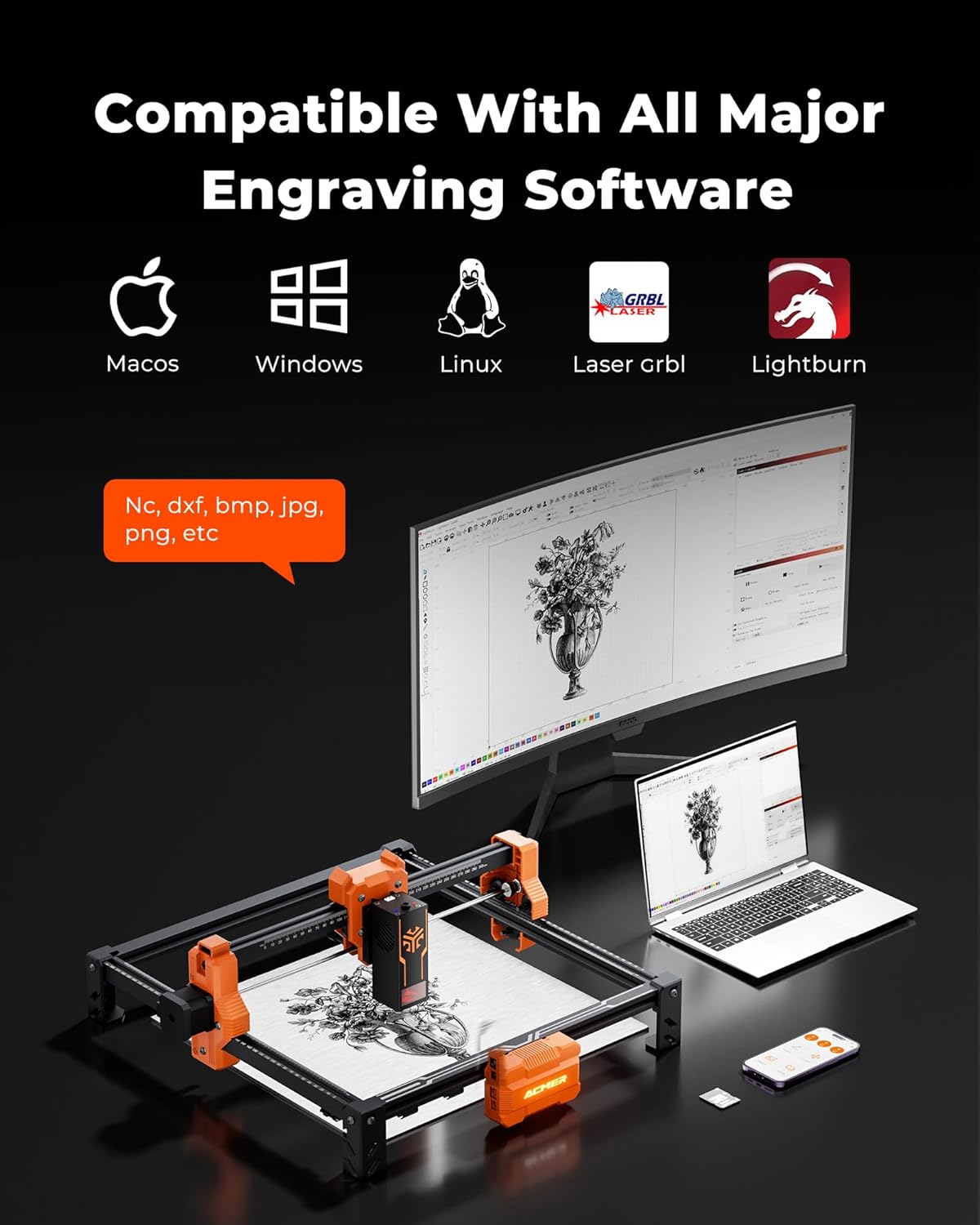
Figure 4: The ACMER S2 connected to a computer, illustrating its compatibility with major engraving software like LightBurn and LaserGRBL across different operating systems.
Material Versatility:
The 12W laser head allows engraving and cutting on over 100 different materials, including wood, metal, leather, and acrylic. It can cut up to 15mm paulownia wood and 12mm black acrylic (multi-pass).

Figure 5: A chart detailing the cutting capabilities of different laser wattages (4W, 7W, 12W) on various materials like black acrylic and wood, for both single and multiple passes.
Ukuhambelana Kwephampu Yomoya:
For smoother edges, clearer engraving, and reduced fire risks, an optional air pump (sold separately) can be integrated with the engraver.
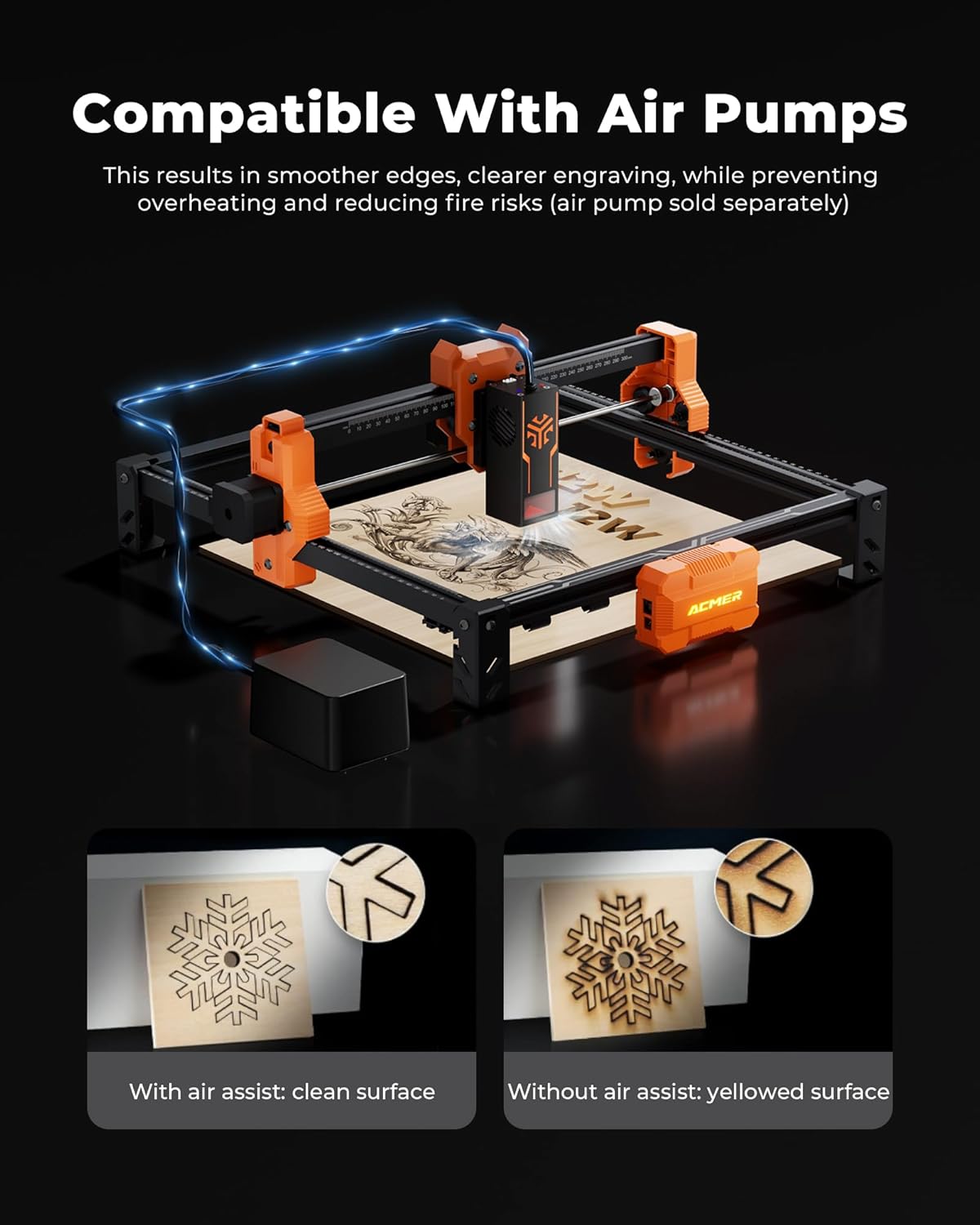
Figure 6: Visual comparison demonstrating the benefits of using an air assist pump for cleaner cuts and reduced yellowing on engraved surfaces.
Indawo Yokuqopha:
The spacious 300x300mm (11.81x11.81 inch) working area allows for large-scale projects. Optional rotary modules and risers (sold separately) enable engraving on cylindrical objects.

Figure 7: The working area of the ACMER S2, measuring 300x300mm, suitable for various project sizes.
Video 3: A demonstration of the ACMER Laser Engraver creating a magic card box, showcasing its precision and application in crafting.
6. Isondlo
Regular maintenance ensures the longevity and optimal performance of your ACMER S2 Laser Engraver.
- Hlanza Ilensi Yelaser: Periodically clean the laser lens with a soft, lint-free cloth and lens cleaning solution to maintain engraving quality.
- Inspect Belts and Pulleys: Check the drive belts and pulleys for wear or looseness. Tighten or replace as necessary to ensure precise movement.
- Sula Imfucumfucu: Remove any debris or dust from the work area and moving parts to prevent interference with operation.
- Gcoba Izingxenye Ezinyakazayo: Apply a small amount of appropriate lubricant to the guide rails and lead screws as recommended in the full product manual.
7. Ukuxazulula izinkinga
This section addresses common issues you might encounter with your ACMER S2 Laser Engraver.
Izinkinga Ezivamile Nezixazululo:
- I-Laser ayivuli: Ensure the power cable is securely connected, the machine is turned on, and the laser module is properly seated. Check software settings for laser power and enable status.
- Ikhwalithi Yokuqopha Embi: Verify the laser focus is correctly set. Adjust engraving speed and power settings in your software. Clean the laser lens if smudges are present. Ensure the material is flat and properly secured.
- Umshini Onganyakazi: Check all cable connections, especially the data cable to your computer. Ensure the software is correctly configured and sending commands. Restart the machine and software.
- Software Connection Problems: Confirm the correct COM port is selected in your engraving software. Reinstall drivers if necessary. Try a different USB port or cable.
- Inaccurate Engraving/Cutting: Check for loose belts or pulleys. Ensure the frame is stable and not vibrating. Calibrate the machine if necessary (refer to advanced manual sections).
If you encounter issues not covered here, please refer to the comprehensive troubleshooting section in your full product manual or contact customer support.
8. Imininingwane
| Isici | Ukucaciswa |
|---|---|
| Imodeli | I-S2-12W |
| Laser Output Amandla | 12W (12,000mW) |
| Amandla Esistimu Aphelele | 72W |
| Engraving Precision | 0.01 mm |
| Usayizi we-Laser Spot | 0.08x0.08 mm |
| Indawo Yokusebenzela | 300x300 mm (amayintshi angu-11.81x11.81) |
| Isivinini Sokuqopha | Kufika ku-10,000 mm/min |
| Ubukhulu bomkhiqizo | 12.6 x 12.6 x 7.8 amayintshi |
| Isisindo sento | 8.13 amakhilogremu |
| Umkhiqizi | ACMER |
| Usuku Lokuqala Olutholakalayo | Meyi 19, 2025 |
9. Iwaranti kanye Nokusekela
ACMER is committed to providing high-quality products and excellent customer service. For any inquiries or assistance, please refer to the contact information provided with your product or visit the official ACMER webindawo.
- Ukusekelwa Kwe-inthanethi: 24/7 online support is available for technical assistance and troubleshooting.
- Ulwazi Lwesiqinisekiso: Please refer to the warranty card included in your product packaging for details on coverage and terms.

Figure 8: Representation of ACMER's 24/7 online support for customer assistance.